
PC Components

Affiliate Disclosure: ComponentCrate participates in the Amazon Associates Program. As an Amazon Associate, I earn from qualifying purchases. We may receive a commission when you purchase through qualifying links, at no additional cost to you. Full disclosure

Category: PC Components

Samsung SSD 990 EVO Plus 2TB Review: A Fast, Power-Efficient DRAM-less NVMe Drive

The Samsung SSD 990 EVO Plus 2TB, model MZ-V9S2T0B/AM, is a high-end DRAM-less NVMe M.2 drive aimed at PC builders, laptop upgraders, content creators, and anyone replacing a slower drive with a fast 2TB option. It connects over PCIe 4.0 x4 (with PCIe 5.0 x2 support) and is rated for sequential read/write speeds up to 7,250 and 6,300 MB/s respectively.

What makes the 990 EVO Plus interesting is its design philosophy. Unlike flagship drives such as the 990 Pro, the EVO Plus forgoes an onboard DRAM cache and instead uses Host Memory Buffer (HMB) technology, borrowing a small slice of system memory to keep performance up while cutting cost and power draw. Samsung pairs this with its Intelligent TurboWrite 2.0 hybrid cache, giving the drive a large, fast buffer for everyday transfers.

In this review, we cover what the 990 EVO Plus 2TB offers, why its DRAM-less HMB design matters, how it performs in real-world and sustained writes, and who should consider it over a flagship or budget drive. Technical details are based on Samsung’s official datasheet for this exact model and on independent reviews.

Quick Verdict

Best for: PC builders, laptop upgraders, content creators, and users who want a fast, power-efficient 2TB NVMe drive for general use, gaming, and large file transfers without paying flagship prices.

Main strengths:
– Fast sequential speeds up to 7,250 MB/s read (2TB), close to flagship drives in real-world tests.
– DRAM-less HMB design delivers strong performance with lower power draw and good thermals.
– Large Intelligent TurboWrite 2.0 hybrid pSLC cache (~226GB on 2TB) smooths large transfers.
– 5-year warranty, 1,200 TBW endurance, Samsung Magician software, and hardware encryption.

Main limitations:
– DRAM-less design means sustained writes after the cache is depleted are slower than DRAM-based flagships.
– Advertised write speeds are peak figures; independent tests saw lower real-world sustained writes.
– Single M.2 slot-focused value depends on current NAND pricing, which is volatile.
– Not the fastest option for heavy, sustained professional workloads (that role suits a DRAM flagship).

Value assessment: The 990 EVO Plus sits between budget DRAM-less drives and premium DRAM flagships. It offers most of the fast, everyday performance of a flagship at a lower power draw and typically a lower price. Because NAND pricing fluctuates, check the Amazon listing for the current price and availability before deciding.

Verdict: If you want a reliable, fast, power-efficient 2TB NVMe drive for a desktop, laptop, or console, this is a strong, well-reviewed option. If your workload demands sustained high-throughput writing, a DRAM-based drive may serve you better.

Key Specifications

Attribute Detail
Model MZ-V9S2T0B/AM (2TB)
Series Samsung SSD 990 EVO Plus
Interface PCIe 4.0 x4 / 5.0 x2, NVMe 2.0 (backward compatible with PCIe 3.0 x4)
Form Factor M.2 2280 (M-key)
Capacity 2TB
NAND Samsung V-NAND TLC (V8)
Controller Samsung in-house “Piccolo” (S4LY022), nickel-coated
Cache HMB (Host Memory Buffer) — DRAM-less
Sequential Read / Write Up to 7,250 / 6,300 MB/s
Random Read / Write (QD32) Up to 1,000,000 / 1,350,000 IOPS
TurboWrite Intelligent TurboWrite 2.0 (hybrid pSLC cache)
Power ~4.6W read / 4.2W write active; 60mW idle; 5mW sleep
Endurance (TBW) 1,200 TBW
Warranty 5 years limited
Encryption AES 256-bit, TCG/Opal 2.0, IEEE1667 (eDrive)
Dimensions / Weight 80.15 × 22.15 × 2.38 mm; max ~9g; single-sided
Operating Temperature 0–70°C

Design and Build Quality

The 990 EVO Plus is a standard M.2 2280 drive in the familiar Samsung form factor: a single-sided PCB with a thin label, measuring 80.15 × 22.15 × 2.38 mm and weighing about 9g. It has no integrated heatsink, so it fits standard M.2 slots and can be used with a motherboard’s own M.2 heatsink if desired.

Key practical details:
– Single-sided design: All NAND and the controller sit on one side, which eases installation and cooling.
– Thermals: Samsung’s nickel-coated controller and low-power design help keep the drive cool; independent reviews noted it runs without requiring a heatsink in typical use, though a motherboard heatsink is a good idea in tightly packed builds.
– Installation: It uses the standard M.2 2280 M-key slot. Confirm your motherboard or laptop has a compatible M.2 slot and that the drive’s height fits (no heatsink makes clearance easy).
– No RGB / accessories: The drive ships as a bare M.2 module with a warranty statement and Samsung documentation.

Features and Technology

PCIe 4.0 x4 / 5.0 x2. The 990 EVO Plus runs at PCIe 4.0 x4 and also supports PCIe 5.0 x2, and it is backward compatible with PCIe 3.0 x4. In practice, most systems will use it in a Gen4 slot, where it reaches its rated speeds. If your system only has PCIe 3.0, it will still work but at lower bandwidth.

HMB (Host Memory Buffer). Instead of an onboard DRAM cache, this drive uses HMB, borrowing a small portion of system memory to speed up address mapping. This lowers cost and power draw while still delivering strong performance for typical desktop and gaming workloads. It is a documented approach for mainstream DRAM-less SSDs.

Intelligent TurboWrite 2.0. Samsung’s TurboWrite is a hybrid cache: a small static portion that is always available plus a large dynamic portion that can be resized based on how full the drive is. On the 2TB model, independent analysis indicates roughly 216GB of dynamic pSLC cache plus about 10GB static, totaling ~226GB. This large buffer lets the drive sustain near-peak write speeds for substantial transfers before dropping to slower TLC write rates.

Samsung Magician. The bundled Samsung Magician software provides firmware updates, performance optimization, health monitoring, and extra encryption options. Independent reviews highlight Samsung’s solid software support.

Security. The drive supports AES 256-bit encryption, TCG/Opal 2.0, and IEEE1667 (eDrive), useful for users who need hardware-based encryption.

Performance and Real-World Use

Independent reviews of the 990 EVO Plus 2TB consistently show it performing close to flagship territory in everyday use, with the main caveat being sustained writes after the cache is exhausted.

  • Sequential speeds. In CrystalDiskMark, reviewers measured roughly 7.1–7.2 GB/s read, essentially matching Samsung’s 7,250 MB/s rating. Write speeds in real-world tests landed around 5.5–6.1 GB/s (e.g., ~5.76 GB/s in StorageReview, ~6.1 GB/s in Tom’s Hardware’s burst test), below the rated 6,300 MB/s but still strong.
  • TurboWrite burst. Tom’s Hardware recorded ~6.1 GB/s writes for over 37 seconds during the cache window, then a steady-state write of ~1.8 GB/s after the pSLC cache depleted — a good, consistent result.
  • Endurance / sustained writes. Pokde’s AIDA64 write test sustained over 1.2 GB/s even after the pSLC cache (~240GB, ~12% of capacity) was exhausted.
  • Power efficiency. Reviews highlight the drive’s low power draw and cool operation, making it well suited to laptops and compact builds.
  • Random I/O. The 2TB model hits up to 1,000,000 IOPS read and 1,350,000 IOPS write (QD32), competitive for a DRAM-less drive.

What this means in practice:
– Gaming and general use: Load times, boot times, and file transfers will feel very fast; the drive is ample for game storage on a PC or a compatible console.
– Content creation: Large project files and video assets transfer quickly within the large TurboWrite window. For sustained, hours-long writes, the steady state of ~1.8GB/s is still respectable but slower than a DRAM flagship.
– Laptops: The low power draw and single-sided, heatsink-free design suit laptops, provided the laptop has an M.2 2280 slot.
– As with any SSD, actual results depend on your platform, slot, and firmware.

Compatibility and Installation

Before buying, check the following:

  • Slot: M.2 2280 M-key. Confirm your motherboard or laptop has a compatible M.2 slot and supports NVMe.
  • Interface: Best performance requires a PCIe 4.0 x4 slot; it also works in PCIe 5.0 x2 and is backward compatible with PCIe 3.0 x4 (at lower speeds).
  • Platform/OS: HMB requires a platform that supports Host Memory Buffer (standard on modern desktops, laptops, and consoles). If in doubt, check your motherboard manual.
  • Console use: Reports indicate the drive can be used in systems like the PlayStation 5 that accept M.2 2280 PCIe Gen4 drives; confirm your console’s official requirements before purchasing.
  • Heatsink: No integrated heatsink; use a motherboard M.2 heatsink if your case airflow is high or for sustained heavy writes.
  • Backup: Always keep current backups; SSDs can fail, and no drive should be your only copy of important data.

Advantages and Disadvantages

Advantages:
– Fast sequential read up to 7,250 MB/s, close to flagship results in real-world tests.
– DRAM-less HMB design lowers power draw and cost with solid everyday performance.
– Large Intelligent TurboWrite 2.0 hybrid cache smooths large transfers.
– 5-year warranty, 1,200 TBW endurance, hardware encryption, and Magician software support.
– Single-sided, low-profile M.2 2280 that fits laptops and consoles.

Disadvantages:
– Sustained writes after the cache is depleted are slower than DRAM-based flagships.
– Advertised write speeds are peak figures; real-world sustained writes are lower.
– Value depends on current NAND pricing, which is volatile.
– Not aimed at users who need maximum sustained professional throughput.

Price and Value for Money

The Samsung 990 EVO Plus 2TB sits in the performance mainstream tier of NVMe SSDs. Its value proposition is strong everyday performance and power efficiency at a price that typically sits below Samsung’s own 990 Pro flagship. Independent reviews consistently note it is competitive with higher-priced drives while drawing less power.

Because NAND pricing currently fluctuates significantly, the value depends heavily on the current selling price. We direct you to the Amazon listing to check the latest price and availability. Amazon prices and availability can change, so confirm before purchasing.

For a user who wants a fast, reliable 2TB drive for a PC, laptop, or console, this drive justifies consideration. If you need maximum sustained write throughput for professional workloads, a DRAM-based flagship may be worth the premium. If budget is the priority, slower entry-level Gen4 drives are cheaper.

Best Alternatives and Comparisons

Below are several alternatives to consider, depending on your priorities. We recommend checking current listings for pricing and availability.

  • Samsung 990 EVO Plus 2TB (reviewed) — DRAM-less HMB, PCIe 4.0/5.0, fast everyday performance, low power.

  • Samsung 990 Pro 2TB — Samsung’s DRAM-based flagship. Best if you want the highest sustained performance and include DRAM cache; the trade-off is higher price and power draw.

  • Crucial T500 2TB — A DRAM-equipped Gen4 competitor. Best if you value a DRAM cache for sustained transfers; Tom’s Hardware notes its DRAM puts it a cut above the 990 EVO Plus for sustained writes.

  • WD Black SN850X 2TB — A high-end DRAM Gen4 drive with strong sustained performance. Best for high-end gaming and creator builds; typically pricier and uses more power.

  • Teamgroup MP44 series (2TB) — More affordable Gen4 options (and the MP44L entry tier). Best for budget-conscious builders who prioritize price over peak speed.

Which to choose: If you want a balanced, power-efficient, reliably fast 2TB drive for everyday use, the 990 EVO Plus is a strong pick. If sustained write throughput or maximum performance is critical, consider a DRAM flagship like the 990 Pro, WD Black SN850X, or Crucial T500.

Who Should Buy It?

  • PC builders who want a fast, reliable 2TB main or game-storage drive without spending flagship money.
  • Laptop upgraders who need a low-power, single-sided M.2 2280 drive.
  • Content creators who handle large files and want a large turbo cache for fast transfers.
  • Console owners / gamers who need a fast Gen4 M.2 drive for additional storage (subject to the console’s requirements).
  • Users upgrading from an HDD or an older SATA/Gen3 SSD who want a large performance jump.

Who Should Consider Something Else?

  • Professionals with sustained, hours-long write workloads — a DRAM-based flagship (990 Pro, WD Black SN850X, Crucial T500) will sustain higher throughput.
  • Budget-first builders — slower entry-level Gen4 (or Gen3) drives cost less.
  • Users with only a PCIe 3.0 slot — you will not reach Gen4 speeds; a cheaper Gen3 drive may be sufficient.
  • Those who want a heatsink-equipped or different form factor — check your slot and cooling needs.

Final Verdict

The Samsung 990 EVO Plus 2TB’s strongest selling point is its blend of near-flagship everyday performance and excellent power efficiency, delivered through a DRAM-less HMB design with a large Intelligent TurboWrite 2.0 cache. Its most significant limitation is that sustained writes after the cache is depleted are slower than DRAM-based flagships.

It is best suited to PC builders, laptop upgraders, content creators, and gamers who want a fast, reliable 2TB NVMe drive for general use. The key factors in your decision are confirming your M.2 slot and platform support, checking the current price (since NAND pricing is volatile), and deciding whether you need sustained high-throughput writes. If those align, this is a strong recommendation; if you need maximum sustained performance or a tighter budget, consider the alternatives.

Because Amazon prices and availability change, check the product listing for the latest price before deciding.

Check the Latest Price on Amazon → Samsung SSD 990 EVO Plus 2TB listing

Disclosure: componentcrate may earn a commission from qualifying purchases made through links in this article, at no additional cost to you.

Related Guides

Frequently Asked Questions

Is the Samsung 990 EVO Plus 2TB worth buying?
For most users who want a fast, reliable, power-efficient 2TB NVMe drive, yes. Independent reviews found it competitive with flagships in everyday use with lower power draw. Its value depends on the current price, so check the Amazon listing before deciding.

Who is the Samsung 990 EVO Plus 2TB best suited for?
It is best for PC builders, laptop upgraders, content creators, and gamers who want a fast 2TB drive for general use, large files, and game storage without paying flagship prices or drawing flagship power.

What are the main limitations of the Samsung 990 EVO Plus 2TB?
It is DRAM-less (HMB), so sustained writes after the pSLC TurboWrite cache is depleted are slower than DRAM-based flagships. Advertised write speeds are peak figures; real-world sustained writes are lower. It also requires an M.2 2280 slot and HMB-capable platform.

Is the Samsung 990 EVO Plus 2TB compatible with my PC or laptop?
It uses the standard M.2 2280 M-key form factor and NVMe, and supports PCIe 4.0 x4 (and PCIe 5.0 x2), with backward compatibility to PCIe 3.0 x4. Confirm your motherboard or laptop has a compatible M.2 slot and supports HMB.

Does the Samsung 990 EVO Plus 2TB have a DRAM cache?
No. It is a DRAM-less drive that uses Host Memory Buffer (HMB), borrowing a small slice of system memory for address mapping. This lowers cost and power draw while still delivering strong everyday performance.

What speeds can I expect from the Samsung 990 EVO Plus 2TB?
Samsung rates it up to 7,250 MB/s sequential read and 6,300 MB/s sequential write. Independent tests measured ~7.1–7.2 GB/s read and ~5.5–6.1 GB/s write, with a sustained write of ~1.8 GB/s after the TurboWrite cache depletes.

What is Intelligent TurboWrite 2.0?
It is Samsung’s hybrid pSLC cache: a static portion plus a large dynamic portion that resizes based on drive fullness. On the 2TB model, it totals roughly 226GB, letting the drive sustain near-peak writes for large transfers before dropping to TLC write speeds.

How long is the warranty and what is the endurance?
The 990 EVO Plus 2TB carries a 5-year limited warranty and a 1,200 TBW endurance rating. As with all SSDs, back up important data, since no drive is failure-proof.

Does the Samsung 990 EVO Plus 2TB support encryption?
Yes. It supports AES 256-bit encryption, TCG/Opal 2.0, and IEEE1667 (eDrive), and it works with Samsung Magician software for firmware updates, health monitoring, and performance optimization.

What should buyers check before purchasing the Samsung 990 EVO Plus 2TB?
Confirm your motherboard or laptop has an M.2 2280 M-key slot, supports NVMe and HMB, and check whether you will use it in a PCIe 3.0 (slower) or 4.0/5.0 (full speed) slot. For consoles, verify the drive meets the console’s official M.2 requirements. Compare current pricing against alternatives.

Does the Samsung 990 EVO Plus 2TB offer good value for money?
For users who want a fast, power-efficient 2TB drive, it offers strong value, typically priced below Samsung’s 990 Pro flagship. Because NAND pricing fluctuates, compare the current price against alternatives before buying.

Where can buyers check the current price of the Samsung 990 EVO Plus 2TB?
Visit the Samsung SSD 990 EVO Plus 2TB listing on Amazon to see the current price and availability. Amazon prices and availability can change, so confirm before purchasing.
Category: PC Components

Samsung 870 EVO 1TB Review: The Reliable Pick for SATA Upgrades

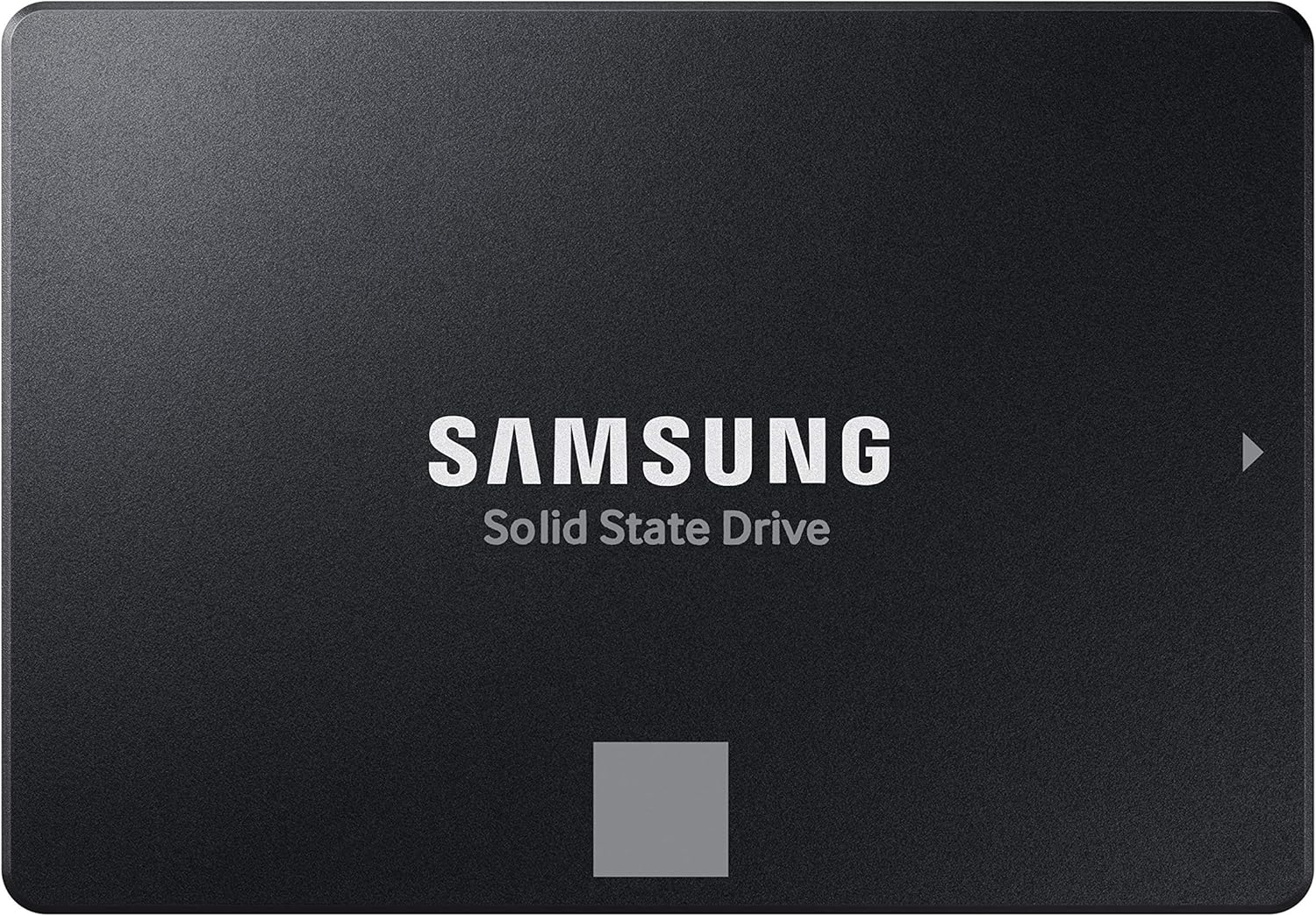
The Samsung 870 EVO 1TB, model MZ-77E1T0B/AM, is a 2.5″ SATA III SSD designed to breathe new life into older laptops and desktops. It is one of the most popular and highly rated SATA drives on the market, and it is Samsung’s statement that a SATA SSD can still deliver excellent, reliable performance for everyday use.

The 870 EVO is rated for sequential read and write speeds up to 560 and 530 MB/s, which is the practical ceiling of the SATA 6Gb/s interface. It pairs Samsung’s 128-layer V-NAND TLC flash with the in-house MKX controller and a 1GB LPDDR4 cache. Independent reviews consistently rank it among the best SATA SSDs, with excellent real-world responsiveness and one of the strongest endurance ratings in its class.

In this review, we cover what the 870 EVO 1TB offers, why it is a strong upgrade choice for SATA-only systems, and where a budget NVMe drive might be the better buy. Technical details are based on Samsung’s official datasheet and on independent reviews.

Quick Verdict

Best for: Everyday users, IT pros, and creators upgrading an older laptop or desktop that uses a 2.5″ SATA interface, and anyone who wants a reliable, well-supported SATA SSD.

Main strengths:
– One of the fastest and most responsive SATA SSDs tested; class-leading random read.
– Strong 600 TBW endurance and a 5-year limited warranty.
– In-house Samsung controller, 128-layer V-NAND TLC, and 1GB LPDDR4 cache.
– Compatible with a wide range of systems; easy drop-in 2.5″ SATA install.

Main limitations:
– SATA interface caps performance at ~560 MB/s — far slower than NVMe.
– Value depends on current NAND pricing, which is volatile and currently elevated.
– Without a 2.5″ bay or SATA port, it is not the right choice.

Value assessment: The 870 EVO delivers top-tier SATA performance and strong reliability at a price that has historically been competitive for a SATA SSD. Because NAND pricing currently fluctuates, check the Amazon listing for the latest price and availability before deciding.

Verdict: If your system is limited to SATA, the 870 EVO 1TB is a superb, dependable upgrade. If you have a free M.2 NVMe slot, an NVMe drive will deliver far higher speeds for comparable money.

Key Specifications

Attribute Detail
Model MZ-77E1T0B/AM (1TB)
Series Samsung SSD 870 EVO SATA III
Form Factor 2.5 inch (7mm)
Interface SATA 6Gb/s (compatible with 3Gb/s and 1.5Gb/s)
NAND Samsung V-NAND 3-bit MLC (TLC), 128-layer
Controller Samsung MKX
Cache (DRAM) Samsung 1GB LPDDR4
Sequential Read / Write Up to 560 / 530 MB/s (TurboWrite)
Random 4KB QD1 13,000 read / 36,000 write IOPS
Random 4KB QD32 98,000 read / 88,000 write IOPS
Endurance (TBW) 600 TBW
Warranty 5 years limited (or TBW, whichever first)
MTBF ~1,500,000 hours
Dimensions / Weight 100 × 69.85 × 6.8 mm; ~45g
Operating Temperature 0–70°C
Power Idle 30mW; average 2.5W; max 4.0W (burst)
Encryption AES 256-bit, TCG/Opal V2.0, IEEE1667 (eDrive)
Features TRIM, S.M.A.R.T., Auto Garbage Collection, WWN, Device Sleep

Design and Build Quality

The 870 EVO is a standard 2.5″ SATA SSD in Samsung’s familiar aluminum housing, measuring 100 × 69.85 × 6.8 mm and weighing about 45g. It has no moving parts and runs silently, and its 7mm height fits most standard 2.5″ bays and laptop slots (a spacer is typically used where a 9.5mm bay exists).

Key practical details:
– Mounting: Fits standard 2.5″ bays; many desktops use a 3.5″ bracket adapter (often included with the case or purchased separately).
– Interface: Uses a standard SATA data + power connection — no special cables or drivers needed for most systems.
– Aesthetics: The drive’s label and finish match Samsung’s familiar look; this doesn’t affect function but makes identification easy.
– Reliability: Reviews highlight the robust build and consistent thermal behavior; the drive is designed for long-term client use.

Features and Technology

SATA III interface. The 870 EVO uses the SATA 6Gb/s interface, which is the practical limit for SATA SSDs. It is backward compatible with SATA 3Gb/s and 1.5Gb/s, so it works in older systems.

128-layer V-NAND TLC. Samsung’s 6th-generation V-NAND (3-bit MLC/TLC) provides a good balance of capacity, performance, and endurance. Reviews note the drive uses 128-layer TLC, giving it better endurance than Samsung’s QLC-based QVO series.

Samsung MKX controller and 1GB LPDDR4 cache. The in-house MKX controller manages the drive with a 1GB LPDDR4 DRAM cache. This is a key reliability and performance asset, and it distinguishes the EVO from DRAM-less budget drives.

Intelligent TurboWrite. A variable-size write buffer accelerates incoming writes for faster sustained performance during typical tasks. Samsung rates sequential write speed with TurboWrite active; independent reviews confirm the drive reaches its rated speeds in practice.

Samsung Magician software. The free Samsung Magician tool lets you check drive health, update firmware, and enable performance features. (Available from Samsung’s support site; not bundled on the drive.)

Security. The drive supports AES 256-bit hardware encryption, TCG/Opal V2.0, and IEEE1667 (eDrive), which can be useful for encrypted drives in business environments.

Performance and Real-World Use

Independent testing confirms the 870 EVO 1TB delivers top-tier SATA performance.

  • Sequential speeds. TweakTown measured ~564 MB/s read and ~535 MB/s write in CrystalDiskMark — slightly above Samsung’s 560/530 MB/s ratings. TechRadar measured 564.07/535.34 MB/s. CDRLabs confirmed the drive reached its rated speeds and maintained over 523 MB/s in the more demanding single-thread real-world profile.
  • Random read. Tom’s Hardware called the 1TB “one of the most responsive SATA SSDs we have tested,” and it scored “well ahead of any of its competition” in PCMark 10’s system drive benchmark. Legit Reviews measured 33% faster queue-depth-1 random read than Samsung’s own 860 QVO.
  • Sustained writes. Tom’s Hardware found the 1TB and larger models have great sustained write speeds and recovered to full performance quickly — “the fastest SATA SSD in the bunch.”
  • Real-world responsiveness. PCMark 10 results (storage traces from everyday applications) placed the 870 EVO in the top tier of SATA drives.

What this means in practice:
– Everyday use: Booting, opening apps, and file operations feel dramatically faster than an HDD and on par with the best SATA drives.
– SATA-only systems: For laptops and older desktops without an M.2 NVMe slot, this is close to the fastest storage upgrade you can install.
– Interface ceiling: All SATA SSDs cap at ~560 MB/s; NVMe drives are several times faster. If your system supports NVMe, that is the faster path.

Compatibility and Installation

Before buying, check the following:

  • Bay/slot: You need a 2.5″ bay (or a 3.5″ bracket adapter) and a free SATA data + power connection. Most 2.5″ laptops and desktops with a SATA port will work.
  • Interface: SATA 6Gb/s is recommended; the drive is compatible with SATA 3Gb/s and 1.5Gb/s (at reduced speeds).
  • Operating system: Works with Windows (7+), macOS, Linux, and most NAS systems as a standard SATA drive. No special drivers are required for normal use.
  • BIOS/legacy systems: Very old systems may need the drive set in a compatible mode; check your device’s BIOS.
  • Cloning: To migrate from an HDD or older SSD, use a cloning tool (many come free with third-party software) or a fresh install.
  • Backup: Keep current backups; no SSD should be your only copy of important data.

Advantages and Disadvantages

Advantages:
– One of the fastest and most responsive SATA SSDs available.
– Strong 600 TBW endurance and a 5-year limited warranty.
– In-house MKX controller, 128-layer V-NAND TLC, and 1GB LPDDR4 cache.
– Wide compatibility; easy drop-in 2.5″ SATA install.
– Good Samsung Magician software support.

Disadvantages:
– SATA interface caps performance at ~560 MB/s — far slower than NVMe.
– More expensive per GB than budget NVMe drives in some markets (value depends on current NAND pricing).
– QD1 write performance is lower than read; sustained writes, while solid, cannot match NVMe.

Price and Value for Money

The Samsung 870 EVO 1TB is positioned as a premium SATA SSD. It delivers top-tier SATA performance, strong endurance, and proven reliability, with a 5-year warranty. Independent reviewers consistently rate it among the best SATA drives, and it has historically been competitive for a SATA SSD.

The key value consideration is the interface: if your system only supports SATA, the 870 EVO is an excellent, dependable choice. If you have a free M.2 NVMe slot, an NVMe drive will deliver several times the throughput and is often the better buy for a similar investment.

Because NAND pricing currently fluctuates significantly, value depends heavily on the current selling price. We direct you to the Amazon listing to check the latest price and availability. Amazon prices and availability can change, so confirm before purchasing.

Best Alternatives and Comparisons

Below are several relevant alternatives to consider. We recommend checking current listings for pricing and availability.

  • Samsung 870 EVO 1TB (reviewed) — The premium SATA choice: top-tier SATA performance, 600 TBW, 5-year warranty, 1GB LPDDR4 cache.

  • Crucial MX500 1TB — A strong SATA competitor with a DRAM cache, good performance, and 5-year warranty. Best if you want a proven, well-priced SATA alternative; performance is very close.

  • Samsung 870 QVO 1TB — Samsung’s QLC-based SATA drive. Best if you want maximum capacity at the lowest cost per GB; the trade-off is lower endurance (360 TBW on 1TB) and slower sustained writes.

  • Crucial BX500 1TB — A budget SATA drive (DRAM-less). Best for the lowest-cost SATA upgrade; the trade-off is lower random performance and no DRAM cache.

  • Samsung 990 EVO Plus 1TB (NVMe) — If your system has an M.2 NVMe slot, this is the faster path. Best if you want PCIe 4.0 NVMe speeds; the trade-off is that it won’t fit a SATA-only system.

Which to choose: If your system is limited to SATA, the 870 EVO is a superb pick. If you want to save on a SATA drive, the MX500 is a strong close alternative. If you have an M.2 NVMe slot, choose an NVMe drive for far higher speed.

Who Should Buy It?

  • Users upgrading an older laptop or desktop with a 2.5″ SATA bay who want a fast, reliable boot/app drive.
  • IT pros refreshing aging office machines with a dependable, well-supported SATA SSD.
  • Creators working on SATA-capable systems who want strong, consistent performance.
  • Everyday users who want a hassle-free, silent, long-lasting storage upgrade.

Who Should Consider Something Else?

  • Users with a free M.2 NVMe slot — an NVMe drive will be several times faster for comparable effort.
  • Budget-first builders — compare mainstream SATA and budget NVMe drives; pricing varies with NAND market conditions.
  • Users who need maximum capacity at minimum cost — a QLC drive (e.g., 870 QVO) offers more capacity per dollar at the cost of endurance.
  • Users with only a 3.5″ bay and no adapter — ensure you have a mounting bracket.

Final Verdict

The Samsung 870 EVO 1TB’s strongest selling points are its top-tier SATA performance, strong 600 TBW endurance, and proven reliability with a 5-year warranty — making it one of the best SATA SSDs available. Its most significant limitation is the SATA interface itself, which caps speed far below NVMe.

It is best suited to users upgrading SATA-only systems who want a fast, dependable storage drive. The key factor in your decision is whether your system can use an M.2 NVMe slot; if not, the 870 EVO is an excellent recommendation. If you can use NVMe, choose an NVMe drive instead.

Because Amazon prices and availability change, check the product listing for the latest price before deciding.

Check the Latest Price on Amazon → Samsung 870 EVO 1TB SATA III listing

Disclosure: componentcrate may earn a commission from qualifying purchases made through links in this article, at no additional cost to you.

Related Guides

Frequently Asked Questions

Is the Samsung 870 EVO 1TB worth buying?
For users upgrading a SATA-only laptop or desktop, yes. It is one of the fastest and most reliable SATA SSDs available, with strong endurance and a 5-year warranty. Because NAND pricing is volatile, its value depends on the current price, so check the Amazon listing before deciding.

Who is the Samsung 870 EVO 1TB best suited for?
It is best for everyday users, IT pros, and creators upgrading an older system that uses a 2.5″ SATA interface, and for anyone who wants a dependable, well-supported SATA SSD.

What are the main limitations of the Samsung 870 EVO 1TB?
The main limitation is the SATA interface, which caps performance at ~560 MB/s — far slower than NVMe. It is also not the least expensive SATA drive, and value depends on current NAND pricing.

Is the Samsung 870 EVO 1TB compatible with my laptop or desktop?
It uses the standard 2.5″ SATA form factor and the SATA 6Gb/s interface (compatible with SATA 3Gb/s and 1.5Gb/s). Confirm you have a 2.5″ bay (or a 3.5″ bracket adapter) and a free SATA data + power connection.

How does the Samsung 870 EVO compare with the 870 QVO?
The 870 EVO uses TLC NAND with higher endurance (600 TBW on 1TB) and faster sustained writes, while the 870 QVO uses QLC NAND for more capacity per dollar but lower endurance (360 TBW on 1TB) and slower sustained write performance.

How does the Samsung 870 EVO compare with an NVMe SSD?
The 870 EVO is capped at SATA speeds (~560 MB/s), while NVMe drives are several times faster. If your system has an M.2 NVMe slot, an NVMe drive will deliver far higher throughput; if it is SATA-only, the 870 EVO is among the best choices.

What speeds can I expect from the Samsung 870 EVO 1TB?
Samsung rates it up to 560 MB/s sequential read and 530 MB/s sequential write. Independent tests measured roughly 564/535 MB/s — slightly above spec — with excellent random read performance.

Does the Samsung 870 EVO 1TB have a DRAM cache?
Yes. It includes a 1GB LPDDR4 DRAM cache and uses Samsung’s in-house MKX controller, which contributes to its strong random performance and reliability — a key difference from DRAM-less budget SATA drives.

How long is the warranty and what is the endurance?
The 870 EVO 1TB carries a 5-year limited warranty and a 600 TBW endurance rating (whichever comes first). As with all SSDs, back up important data, since no drive is failure-proof.

What should buyers check before purchasing the Samsung 870 EVO 1TB?
Confirm your system has a 2.5″ SATA bay (or an adapter) and a free SATA connection, decide whether an M.2 NVMe slot is available (which would be faster), and compare current pricing against SATA and NVMe alternatives.

Does the Samsung 870 EVO 1TB offer good value for money?
It offers strong value for users who need a top-tier SATA SSD, with excellent performance and reliability. Because NAND pricing fluctuates and NVMe is faster where supported, compare the current price against SATA and NVMe alternatives before buying.

Where can buyers check the current price of the Samsung 870 EVO 1TB?
Visit the Samsung 870 EVO 1TB listing on Amazon to see the current price and availability. Amazon prices and availability can change, so confirm before purchasing.

Category: PC Components

Lexar NM790 2TB with Heatsink Review: A Fast, Efficient Gen4 SSD That Fits PS5 and PC Builds

The Lexar NM790 2TB with Heatsink, model LNM790X002T-RN9NU, is a PCIe 4.0 NVMe M.2 SSD built for gamers, creators, and PC builders who want high capacity with strong performance and efficient operation. It is part of Lexar’s NM790 family, which has earned awards including “Best Dram-less SSD” from Tom’s Hardware and “Best High-Capacity SSD” from PC Gamer. This heatsink version adds an integrated aluminum heatsink, making it a clean drop-in option for PlayStation 5 and desktop builds.

The NM790 is rated for sequential read and write speeds up to 7,400 and 6,500 MB/s respectively on the 2TB model. It uses a DRAM-less design with Host Memory Buffer (HMB) 3.0 and Dynamic SLC caching, paired with a Maxio MAP1602 controller and 232-layer TLC 3D NAND. Independent testing found it to be among the fastest PCIe 4.0 drives measured, with class-leading power efficiency.

In this review, we cover what the NM790 2TB with Heatsink offers, why its efficiency and integrated heatsink matter, how it performs in real-world work and gaming, and who should choose it. Technical details are taken from Lexar’s official product documentation and from independent reviews.

Quick Verdict

Best for: PC builders, PS5 owners, laptop users, and gamers/creators who want a high-capacity, power-efficient 2TB Gen4 SSD with an integrated heatsink and strong real-world performance.

Main strengths:
– Among the fastest PCIe 4.0 drives tested; excellent sequential and real-world file transfer performance (- Class-leading power efficiency for a Gen4 SSD — good for laptops and cool-running builds.
– Integrated slim-profile heatsink suits PS5 and desktop installs; single-sided design.
– Generous 1,500 TBW endurance and a 5-year warranty.

Main limitations:
– DRAM-less HMB design — sustained heavy writes are slower than DRAM-equipped flagships.
– YMTC 232-layer NAND; Tom’s Hardware notes the flash type could vary by revision.
– Write IOPS and some sustained-transfer results trail the best premium drives.
– Value depends on current NAND pricing, which is volatile.

Value assessment: The NM790 delivers flagship-class speed and efficiency at a competitive price point, with an integrated heatsink. Its value depends on the current selling price, so check the Amazon listing for the latest price and availability before deciding.

Verdict: If you want a fast, efficient, high-capacity 2TB Gen4 drive with an integrated heatsink for a PS5 or desktop build, this is a strong, well-reviewed option. If your workload demands sustained high-throughput writing, a DRAM-equipped flagship may serve you better.

Key Specifications

Attribute Detail
Model LNM790X002T-RN9NU (2TB, integrated heatsink)
Series Lexar NM790 with Heatsink M.2 2280
Interface PCIe Gen4 x4 NVMe (M.2 2280); NVMe 1.4 (1TB–2TB)
NAND 232-layer TLC 3D NAND (YMTC)
Controller Maxio MAP1602 (12nm, 4-channel)
DRAM None — Host Memory Buffer (HMB) 3.0 + Dynamic SLC caching
Sequential Read / Write Up to 7,400 / 6,500 MB/s
Random Read / Write Up to 1,000K / 900K IOPS
Endurance (TBW) 1,500 TBW
Warranty 5 years limited
MTBF ~1,500,000 hours
Dimensions (heatsink) 80 × 24 × 9.7 mm; weight ~48.6g
Operating Temperature 0–70°C
Compatibility Desktop, laptop, PlayStation 5

Design and Build Quality

The NM790 with Heatsink is a standard M.2 2280 drive with a pre-installed integrated aluminum heatsink. Lexar designed the heatsink with channeled fins down the center so normal case airflow passes through and is directed over the drive. Thermal pads on both sides make contact with the all-aluminum heatsink, transferring heat from the NAND and controller.

Key practical details:
– Integrated heatsink: No separate heatsink purchase is needed. This makes installation easier in builds where you don’t already have a motherboard M.2 heatsink.
– Slim profile: Despite the heatsink, Lexar keeps the profile slim enough to fit laptops and the PS5, per The FPS Review.
– Single-sided design: All silicon sits on one side, which simplifies cooling and fit.
– Aesthetic: The blacked-out, two-tone design matches most modern systems.
– Removable: You can remove the heatsink if you prefer your own, though the non-heatsink version would then be the more sensible buy.

Features and Technology

PCIe 4.0 x4. The NM790 runs at PCIe Gen4 x4 and is backward compatible with Gen3 (and lower) slots, though at reduced bandwidth on older platforms.

DRAM-less HMB design. Instead of an onboard DRAM cache, the drive uses Host Memory Buffer (HMB) 3.0, borrowing a slice of system memory for address mapping. This lowers cost, power draw, and thermals. Independent testing confirmed this is an effective approach for this drive.

Dynamic SLC caching. A portion of the TLC NAND operates in SLC mode to soak up write bursts, delivering near-full-speed writes for typical file copies and game installs. TechPowerUp measured an SLC cache of about 280GB on the 2TB model — large enough for nearly all real-world workloads.

Integrated heatsink. The heatsink keeps the drive cool under sustained load, protecting speed and efficiency in PS5 and desktop installations.

Power efficiency. Lexar targets up to 40% less power consumption than DRAM-cache-enabled Gen4 SSDs. TechPowerUp found the NM790 the most energy-efficient drive in its test group — more than twice as efficient as a typical Phison E18 + Micron 176-layer drive.

Performance and Real-World Use

Independent testing confirms the NM790 2TB delivers strong sequential performance, excellent real-world file transfer, and class-leading efficiency.

  • Sequential speeds. LanOC measured ~7,188 MB/s read and ~6,636 MB/s write in CrystalDiskMark, close to the 7,400/6,500 MB/s ratings (write slightly above spec). TechPowerUp called the 2TB model the fastest Gen4 SSD it had tested at the time, matching far more expensive Gen5 drives in overall results.
  • Real-world transfers. LanOC singled out the NM790’s outstanding performance in the AS SSD copy benchmark and real-world file transfer tests — faster than other Gen4 drives tested.
  • Random 4K. TechPowerUp found the 2TB’s low-queue-depth random 4K read dramatically improved over the 4TB model (67,878 vs 28,586 IOPS) thanks to its 32MB HMB configuration.
  • Power efficiency and thermals. The NM790 topped the power-efficiency charts, keeping it cool. In TechPowerUp’s extreme minimal-airflow thrott test, some thermal throttling appeared — but that test uses a watercooling setup with almost no case airflow and is far harsher than typical builds, especially with a heatsink model.
  • Sustained writes. Once the ~280GB SLC cache fills, write speeds drop to ~2.5GB/s, then ~800MB/s under continuous full-capacity writing. Filling the whole drive averaged ~1.45GB/s — good, but below the best DRAM-equipped flagships.

What this means in practice:
– Gaming and general use: Fast load times, boot times, and responsiveness; excellent for game installs and large file copies.
– PS5 and desktop: The integrated heatsink and single-sided design make it a clean fit; efficient operation suits most systems.
– Sustained heavy writes: For constant multi-TB transfers, a DRAM-equipped drive will sustain higher speeds, but for typical use this is rarely noticeable.
– As with any SSD, results depend on your platform, slot, firmware, and workload.

Compatibility and Installation

Before buying, check the following:

  • Slot: M.2 2280 M-key. Confirm your motherboard, laptop, or PS5 has a compatible M.2 slot and supports NVMe.
  • Interface: Best performance requires PCIe 4.0; it is backward compatible with Gen3 at reduced speeds.
  • PlayStation 5: The heatsink version is designed for PS5 — an integrated heatsink is present, and the slim profile fits the console’s M.2 bay. Verify the console’s required dimensions (including maximum height) and speed requirements.
  • Desktop/laptop fit: The heatsink adds height (~9.7mm) compared with a bare drive; confirm clearance under your motherboard heatsink or laptop cover. Some ultra-thin laptops may prefer the non-heatsink version.
  • Operating system / software: Lexar’s SSD Dashboard software supports the drive; standard NVMe drives work with Windows, macOS, Linux, and PS5 as native NVMe.
  • Backup: Keep current backups; no SSD should be your only copy of important data.

Advantages and Disadvantages

Advantages:
– Among the fastest PCIe 4.0 drives tested, with excellent real-world file transfer.
– Class-leading power efficiency; cool operation.
– Integrated slim-profile heatsink — drop-in for PS5 and desktop.
– Single-sided M.2 2280 design; easy to install.
– High 1,500 TBW endurance and 5-year warranty.

Disadvantages:
– DRAM-less HMB design; sustained heavy writes slower than DRAM flagships.
– Write IOPS and sustained-transfer results trail the best premium drives.
– YMTC 232-layer NAND; flash type could vary by revision (Tom’s Hardware caveat).
– Value depends on current NAND pricing, which is volatile.

Price and Value for Money

The Lexar NM790 2TB with Heatsink sits in the performance mainstream tier of PCIe 4.0 SSDs. It delivers flagship-class sequential and real-world performance with excellent power efficiency and an integrated heatsink, competing with strong DRAM-equipped rivals at a value-oriented price point. Independent reviewers have repeatedly described the NM790 family as among the best-value high-capacity Gen4 drives.

Because NAND pricing currently fluctuates significantly, value depends heavily on the current selling price. We direct you to the Amazon listing to check the latest price and availability. Amazon prices and availability can change, so confirm before purchasing.

For a PS5 owner, PC builder, or user who wants a fast, efficient 2TB Gen4 drive with a heatsink included, this justifies strong consideration. If you need the highest sustained write throughput, a DRAM-equipped flagship may be a better fit. If budget is the priority, compare mainstream Gen4 drives.

Best Alternatives and Comparisons

Below are several relevant alternatives to consider, depending on your priorities. We recommend checking current listings for pricing and availability.

  • Lexar NM790 2TB with Heatsink (reviewed) — DRAM-less HMB, integrated heatsink, flagship-class speed, class-leading efficiency; ideal for PS5 and desktop builds.

  • Lexar NM790 2TB (no heatsink) — The same drive and performance without the integrated heatsink. Best if you already have a motherboard M.2 heatsink or need the thinnest possible profile; typically the more affordable variant.

  • WD_BLACK SN770 2TB — A popular DRAM-less HMB Gen4 competitor. Best as a close-value alternative; the trade-off is generally lower sustained-write performance than the best DRAM drives.

  • Samsung 990 EVO Plus 2TB — Another DRAM-less HMB Gen4 drive with strong efficiency. Best if you want a proven brand with strong software support.

  • WD_BLACK SN850X 2TB — A DRAM-equipped Gen4 flagship (available with or without heatsink). Best if you want top sustained performance and a heatsink option; the trade-off is higher power draw and typically a higher price.

  • Samsung 990 Pro 2TB — Samsung’s DRAM-equipped Gen4 flagship. Best for top sustained performance and Samsung Magician software; typically pricier and less power-efficient.

Which to choose: If you want a fast, efficient 2TB Gen4 drive with an integrated heatsink for a PS5 or desktop build, the NM790 is a strong pick. If you need maximum sustained throughput or prefer a DRAM-equipped flagship, consider the SN850X or 990 Pro.

Who Should Buy It?

  • PS5 owners who need a high-capacity M.2 SSD with an integrated heatsink that meets the console’s requirements.
  • Desktop PC builders who want a fast, efficient 2TB Gen4 drive without sourcing a separate motherboard heatsink.
  • Laptop users with an M.2 2280 slot who value power efficiency and cool operation.
  • Gamers and creators who need high capacity and fast load/file-transfer performance at a value-oriented price.
  • Users upgrading from a Gen3 SSD or a smaller drive who want a big step up in speed and capacity.

Who Should Consider Something Else?

  • Users who need the highest sustained write throughput — a DRAM-equipped flagship (SN850X, 990 Pro) will sustain higher writes.
  • Ultra-thin laptop owners — the heatsink adds height; the non-heatsink NM790 may fit better.
  • Budget-first builders — compare mainstream Gen4 drives; pricing varies with NAND market conditions.
  • Users with only a PCIe 3.0 slot — you will not reach Gen4 speeds; a cheaper Gen3 drive may suffice.

Final Verdict

The Lexar NM790 2TB with Heatsink’s strongest selling points are its flagship-class Gen4 speed, class-leading power efficiency, and integrated heatsink, delivered in a DRAM-less HMB design that offers strong value. Its most significant limitation is that sustained heavy writes are slower than a DRAM-equipped flagship, and the YMTC NAND is a minor caveat.

It is best suited to PS5 owners, desktop PC builders, laptop users, and gamers/creators who want a fast, efficient 2TB Gen4 drive with a heatsink included. The key factors in your decision are confirming your M.2 slot and PS5 clearance, checking the current price (since NAND pricing is volatile), and deciding whether you need sustained high-throughput writes. If those align, this is a strong recommendation; if you need maximum sustained performance, consider the alternatives.

Because Amazon prices and availability change, check the product listing for the latest price before deciding.

Check the Latest Price on Amazon → Lexar NM790 2TB with Heatsink listing

Disclosure: componentcrate may earn a commission from qualifying purchases made through links in this article, at no additional cost to you.

Related Guides

Frequently Asked Questions

Is the Lexar NM790 2TB with Heatsink worth buying?
For PS5 owners, PC builders, and users who want a fast, efficient 2TB Gen4 drive with an integrated heatsink, yes. Independent testing found it among the fastest Gen4 drives measured with class-leading efficiency. Because NAND pricing is volatile, its value depends on the current price, so check the Amazon listing before deciding.

Who is the Lexar NM790 2TB with Heatsink best suited for?
It is best for PS5 owners, desktop PC builders, laptop users, and gamers/creators who want a high-capacity, power-efficient PCIe 4.0 drive with an integrated heatsink and strong real-world performance.

What are the main limitations of the Lexar NM790 2TB with Heatsink?
It is DRAM-less (HMB), so sustained heavy writes are slower than DRAM-equipped flagships. Write IOPS and some sustained-transfer results trail the best premium drives. Tom’s Hardware also notes the YMTC flash type could vary by revision.

Is the Lexar NM790 2TB with Heatsink compatible with the PlayStation 5?
Yes. This heatsink version is designed for PS5: it has an integrated heatsink and a slim profile that fits the console’s M.2 bay. Verify the console’s official M.2 requirements, including height and speed, before purchasing.

How does the Lexar NM790 compare with DRAM-equipped drives like the SN850X or 990 Pro?
The NM790 matches or exceeds them in many sequential and real-world tests at a value price point, and is more power-efficient. The trade-off is lower sustained-write throughput under heavy continuous load, where DRAM-equipped flagships hold higher speeds longer.

What makes the Lexar NM790 power-efficient?
It uses a DRAM-less HMB design with a Maxio MAP1602 controller and Dynamic SLC caching, drawing less power than a DRAM-equipped drive. Lexar targets up to 40% less power consumption than DRAM-cache Gen4 SSDs, and TechPowerUp found it the most energy-efficient drive in its test group.

What speeds can I expect from the Lexar NM790 2TB?
Lexar rates it up to 7,400 MB/s sequential read and 6,500 MB/s sequential write. Independent tests measured ~7,188 MB/s read and ~6,636 MB/s write — close to, and slightly above, the write spec.

Does the Lexar NM790 2TB have a DRAM cache?
No. It is a DRAM-less drive that uses Host Memory Buffer (HMB) 3.0 and Dynamic SLC caching, borrowing system memory for address mapping. This lowers cost, power draw, and thermals while still delivering strong performance.

How long is the warranty and what is the endurance?
The NM790 2TB carries a 5-year limited warranty and a 1,500 TBW endurance rating. As with all SSDs, back up important data, since no drive is failure-proof.

What should buyers check before purchasing the Lexar NM790 2TB with Heatsink?
Confirm you have an M.2 2280 M-key slot (or a PS5 M.2 bay), check physical clearance for the heatsink, and verify whether you will use it in a PCIe 4.0 (full speed) or Gen3 (slower) slot. Compare current pricing against alternatives.

Does the Lexar NM790 2TB with Heatsink offer good value for money?
It offers strong value for users who want a fast, efficient 2TB Gen4 drive with a heatsink included; independent reviewers describe the NM790 family as among the best-value high-capacity Gen4 drives. Because NAND pricing fluctuates, compare the current price against alternatives before buying.

Where can buyers check the current price of the Lexar NM790 2TB with Heatsink?
Visit the Lexar NM790 2TB with Heatsink listing on Amazon to see the current price and availability. Amazon prices and availability can change, so confirm before purchasing.

Category: PC Components

TEAMGROUP T-Create Expert DDR5 64GB (2×32GB) Review: A Stable, Low-Profile Kit Built for Creators

The TEAMGROUP T-Create Expert DDR5 64GB (2×32GB) kit, model CTCED564G6000HC34BDC01, is a high-capacity memory kit marketed by TeamGroup under its T-Create / Expert line, which targets professionals and workstation builders rather than gamers. It runs at DDR5-6000 with CL34 timings and supports both AMD EXPO and Intel XMP 3.0, so it can be used on current AMD and Intel DDR5 platforms.

What makes this kit distinct is its design philosophy. Where many enthusiast kits chase the lowest latency and the highest overclocking headroom, the T-Create Expert is explicitly engineered for stability and capacity over long, heavy workloads. TeamGroup’s design centers on a 10-layer PCB, a one-piece aluminum cooling module, and thermally conductive silicone — all aimed at keeping the memory running reliably when you are rendering, editing, or processing large files for hours. In independent long-term testing, reviewers reported no memory-related crashes over roughly two months of punishing use.

In this review, we cover what the T-Create Expert 64GB kit offers, why its stability-first approach matters, how its XMP/EXPO profiles work, and who actually benefits from 64GB of low-profile, dependable memory. Technical details are based on TeamGroup’s official specifications for the exact part number and on independent reviews of this exact kit.

Quick Verdict

Best for: Content creators, video editors, 3D artists, and workstation users who need 64GB of stable memory with a low profile, plus builders who want a durable kit that works on both AMD and Intel.

Main strengths:
– 64GB (2×32GB) capacity with a stability-first design and a 10-layer PCB.
– Low-profile (~32mm tall), RGB-free modules that fit under large tower coolers.
– Dual AMD EXPO and Intel XMP 3.0 profiles for easy one-click overclocking.
– Independent long-term testing reported no memory-related crashes under heavy workloads.

Main limitations:
– Tuned for stability, not overclocking headroom; independent testing notes loose timings and limited O.C. potential.
– Higher latency than gaming-focused kits of similar capacity.
– No RGB, which matters if you want illuminated memory.
– High-capacity kits carry a premium, and DRAM pricing is currently volatile.

Value assessment: This kit’s value rests on stable and capacity for professional workloads, not on chasing the fastest timings. If you render, edit, or multitask heavily, the reliability engineering justifies consideration. Because DRAM prices currently fluctuate, check the Amazon listing for the current price and availability before deciding.

Verdict: If you are a creator or professional who needs 64GB of dependable, low-profile memory, this is a well-reviewed option worth considering. If your priority is maximum overclocking or the lowest latency, look at enthusiast-focused kits instead.

Key Specifications

Attribute Detail
Model CTCED564G6000HC34BDC01
Series TEAMGROUP T-CREATE EXPERT DDR5 DESKTOP MEMORY (Black)
Capacity / Configuration 64GB (2×32GB), dual channel
Data Rate DDR5-6000 (PC5-48000)
Bandwidth 48,000 MB/s
Primary CAS Latency CL34
Sub-timings 34-44-44-84 (per retail listings)
Voltage 1.35V (official) / 1.30V (retail listings)
Overclock Profiles AMD EXPO, Intel XMP 3.0
Platform Support Intel 800/700 series; AMD 800/600 series
Module Type DDR5, 288-pin, unbuffered, non-ECC UDIMM
Dimensions 32(H) × 133(L) × 7(W) mm
Cooling Aluminum heat spreader, one-piece cooling module, thermally conductive silicone
Additional Features On-die ECC support; 10-layer PCB; QVL-tested
Warranty Lifetime

Design and Build Quality

The T-Create Expert modules for a professional, RGB-free aesthetic. They are among the low-profile DDR5 kits, standing about 32mm tall, which makes them easier to fit under large air coolers whose front fans can overhang the first DIMM slot.

Key practical details:
– Construction: TeamGroup uses a 10-layer PCB with isolated power and ground planes, high-temperature-resistant capacitors, and high-quality ICs. Independent reviewers confirmed the solid, layered build.
– Cooling: The modules use a one-piece aluminum alloy heat-spreading case with vent holes and a thermally conductive silicone pad that distributes heat from the chips. The porous top encourages heat to rise away from the module. No active cooling is required in typical builds.
– Size and clearance: At ~32mm tall, these are low-profile. They should clear most tower coolers, but still verify clearance against your specific cooler.
– No RGB: If you want illuminated memory, this kit omits RGB entirely — a deliberate choice for a professional, understated look.

Features and Technology

Dual AMD EXPO and Intel XMP 3.0. Like most modern DDR5 kits, the T-Create Expert boots at the JEDEC default speed until you enable a profile in BIOS. Enabling EXPO (AMD) or XMP (Intel) sets the kit to its rated DDR5-6000 CL34 configuration. TeamGroup markets this as “Combo Quick One-Click Overclocking,” noting it has passed compatibility and stability testing with ASRock, ASUS, BIOSTAR, GIGABYTE, and MSI motherboards. As with any overclocking profile, final speed depends on your CPU and motherboard.

Stability-first engineering. The defining feature of this kit is its focus on reliability. The 10-layer PCB isolates the power and ground layers to reduce signal interference, while the cooling design manages heat. Independent long-term testing highlighted that the kit remained rock-solid across hundreds of hours of heavy workloads. For creators, a crash mid-render is far costlier than a few extra nanoseconds of latency.

On-die ECC. DDR5 includes on-die error correction, which the T-Create Expert supports. This is not the same as registered/ECC memory and does not require an ECC-capable platform.

64GB capacity and beyond. The 2×32GB configuration gives you 64GB in two modules, which is ample for large video projects, complex 3D scenes, or heavy multitasking. TeamGroup also offers higher-capacity variants (for example, 96GB kits) in the same Expert line if you need even more memory.

Performance and Real-World Use

Independent reviews of this exact 64GB DDR5-6000 CL34 kit came to a consistent conclusion: stable and dependable, but not the fastest or best overclocking option.

  • GamingTrend (95/100, Excellent): The reviewer tested the kit over nearly two months of heavy rendering, 3D printing, laser engraving, and video work, reporting not a single memory-related blue screen or crash. In synthetic and real-world tests (AIDA64, Cinebench R23, DaVinci Resolve AV1 encoding), the kit performed well and even outperformed some gaming-focused kits (including the Corsair Dominator Platinum) while coming close to the Kingston FURY Beast. As expected, it showed higher latency than dedicated gaming kits — a deliberate trade-off for stability.
  • Tom’s Hardware: The review praised the kit’s ample capacity, low-profile design, and XMP 3.0/EXPO support. It noted the kit is “worth considering if you’re not overly fixated on top-tier performance,” citing loose timings and limited overclocking headroom as the main drawbacks.

What this means in practice:
– Content creation and rendering: 64GB covers demanding projects without swapping, and the stability-first tuning reduces the risk of losing hours of work to a crash.
– Gaming: The kit works fine for gaming and is more than sufficient in capacity, but it is not designed to be the fastest gaming kit. If you chase maximum frame rates and tight timings, a CL30 gaming kit may serve you better.
– Enabling the profile is required: You will run at the JEDEC default until you enable EXPO or XMP. Actual speed depends on your CPU and motherboard.

Compatibility and Installation

Before buying, check the following:

  • Platform: Designed for AMD (EXPO) and Intel (XMP 3.0) platforms supporting DDR5; official specs list Intel 800/700 series and AMD 800/600 series.
  • Motherboard QVL: Confirm this exact model is on your motherboard’s Qualified Vendor List (QVL). TeamGroup notes compatibility depends on the motherboard, CPU, and BIOS.
  • Slot population: 64GB (2×32GB) fills both channels (typically A2 and B2). If your board has four slots, adding more modules may reduce the maximum supported speed — check the manual.
  • BIOS: Update to the latest BIOS, then enable EXPO (AMD) or XMP (Intel). Start at DDR5-6000; if unstable, you may need to adjust or run at a lower JEDEC speed.
  • Clearance: The modules are low-profile (~32mm), but still verify CPU cooler clearance.
  • Thermals: The integrated heatsinks manage heat well; standard case airflow is sufficient.

Advantages and Disadvantages

Advantages:
– 64GB (2×32GB) capacity in a low-profile, RGB-free design.
– Stability-first engineering validated by independent long-term testing.
– Dual AMD EXPO and Intel XMP 3.0 profiles.
– 10-layer PCB and effective one-piece cooling design.
– Lifetime warranty.

Disadvantages:
– Tuned for stability, not overclocking; loose timings and limited O.C. headroom.
– Higher latency than gaming-focused kits of similar capacity.
– No RGB.
– High-capacity kits carry a premium, and DRAM pricing is currently volatile.

Price and Value for Money

The T-Create Expert 64GB DDR5-6000 CL34 kit sits in the high-capacity tier of DDR5. Its value proposition is not peak speed but dependable capacity for professional workloads. Independent reviews consistently note the kit’s stability, making it a strong choice if you need 64GB that stays reliable under sustained load.

Because DRAM prices currently fluctuate significantly, the value depends heavily on the current selling price. We direct you to the Amazon listing to check the latest price and availability. Amazon prices and availability can change, so confirm before purchasing.

For a creator who needs 64GB and values long-session stability, this kit justifies consideration. If you only need 32GB, or you need 64GB at the lowest possible cost, smaller or slower kits may be more appropriate. If you want maximum overclocking, look elsewhere.

Best Alternatives and Comparisons

Below are several alternatives to consider, depending on your priorities. We recommend checking current listings for pricing and availability.

  • TEAMGROUP T-Create Expert 64GB DDR5-6000 CL34 (reviewed) — Stability-first, low-profile, EXPO + XMP. Best for professionals who prioritize reliability and capacity.

  • Kingston FURY Beast 64GB DDR5-6400 CL32 — A higher-rated 64GB sibling in a gaming-oriented family. Best if you want a faster rated data rate and tighter CL32 timings; the trade-off is a taller module and a more gaming-focused design.

  • G.SKILL Trident Z5 Neo (64GB variants) — AMD-focused kits with EXPO and tight CL30 options. Best if you are on AM5 and want tighter timings; some have a narrower Intel focus.

  • Corsair Vengeance DDR5 64GB kits — Mainstream 64GB options with various speed tiers. Best if you prefer Corsair’s ecosystem and want a familiar, widely available kit; RGB and height vary by model.

Which to choose: If you are a creator or professional who values stability, low height, and dual-platform support, the T-Create Expert is a strong pick. If you want the fastest rated speed for gaming or prefer a different brand ecosystem, compare the alternatives.

Who Should Buy It?

  • Content creators and video editors who need 64GB of stable memory for long renders and large media files.
  • 3D artists and workstation users who run memory-intensive applications and want reliability over peak speed.
  • AMD AM5 and Intel DDR5 builders who want a kit that works with both EXPO and XMP.
  • PC builders with tight CPU-cooler clearance who need a low-profile, RGB-free kit.

Who Should Consider Something Else?

  • Gamers chasing maximum frame rates and low latency — a CL30 gaming kit will generally serve you better.
  • Overclockers who want the most headroom for tuning timings and speed.
  • Buyers who want RGB memory — this kit has no lighting.
  • Builders who only need 32GB — a 32GB kit will be cheaper and is ample for most gaming builds.
  • Buyers on a strict budget — compare slower or smaller-capacity kits against current pricing.

Final Verdict

The TEAMGROUP T-Create Expert 64GB kit’s strongest selling point is its stability-first engineering: a 10-layer PCB, a one-piece cooling module, and a low-profile, RGB-free design that independent reviewers validated over months of heavy professional workloads. Its most significant limitation is that it is tuned for stability rather than overclocking, with looser timings and higher latency than gaming-focused kits.

It is best suited to creators, professionals, and workstation builders who genuinely need 64GB and value dependable long-session operation on AMD or Intel. The key factors in your decision are confirming your motherboard’s compatibility, checking the current price (since DRAM pricing is volatile), and deciding whether you prioritize stability and capacity over peak overclocking. If those align, this is a strong recommendation; if you want maximum gaming speed or a tighter budget, consider the alternatives.

Because Amazon prices and availability change, check the product listing for the latest price before deciding.

Check the Latest Price on Amazon → TEAMGROUP T-Create Expert 64GB DDR5-6000 listing

Disclosure: componentcrate may earn a commission from qualifying purchases made through links in this article, at no additional cost to you.

Related Guides

Frequently Asked Questions

Is the TEAMGROUP T-Create Expert 64GB DDR5-6000 kit worth buying?
For creators and professionals who need 64GB of stable memory, yes. Independent long-term testing praised its reliability under heavy workloads. Because DRAM pricing is currently volatile, its value depends on the current price, so check the Amazon listing before deciding.

Who is the TEAMGROUP T-Create Expert 64GB kit best suited for?
It is best for content creators, video editors, 3D artists, and workstation users who need 64GB of dependable memory for long renders and large files, and who want a low-profile kit that works on both AMD and Intel via EXPO/XMP.

What are the main limitations of the TEAMGROUP T-Create Expert 64GB kit?
It is tuned for stability rather than overclocking, with looser timings and higher latency than gaming-focused kits. It also has no RGB. The rated 6000 MT/s requires enabling EXPO/XMP, and the final speed depends on your CPU and motherboard.

Is the TEAMGROUP T-Create Expert 64GB kit compatible with AMD and Intel?
Yes. It supports AMD EXPO and Intel XMP 3.0, with official platform compatibility listed for Intel 800/700 series and AMD 800/600 series. Still, check your motherboard’s QVL to confirm this exact model is validated.

Does the TEAMGROUP T-Create Expert 64GB kit run at 6000 MHz out of the box?
No. It runs at the JEDEC default speed until you enable the EXPO (AMD) or XMP (Intel) profile in BIOS, which sets it to DDR5-6000 CL34. Actual speed depends on your CPU and motherboard.

What timings and voltage does the TEAMGROUP T-Create Expert 64GB kit use?
The primary CAS latency is CL34 at DDR5-6000. Retail listings report sub-timings of 34-44-44-84; the official spec lists 1.35V, while some retail listings list 1.30V. This minor voltage discrepancy should be confirmed against your specific listing.

Is the TEAMGROUP T-Create Expert 64GB kit RGB?
No. It is an RGB-free, low-profile kit designed for a professional, understated look. If you want illuminated memory, you will need a different model.

Why is the TEAMGROUP T-Create Expert 64GB kit built for stability?
TeamGroup engineered it around a 10-layer PCB, a one-piece aluminum cooling module with vent holes, thermally conductive silicone, and high-temperature-resistant capacitors. Independent long-term testing reported no memory-related crashes under heavy, sustained workloads.

Does the TEAMGROUP T-Create Expert 64GB kit support ECC?
DDR5 includes on-die ECC, which the T-Create Expert supports. This is not the same as registered/ECC server memory and does not require an ECC-capable platform.

What should buyers check before purchasing the TEAMGROUP T-Create Expert 64GB kit?
Confirm your motherboard supports this model (check the QVL), that you can enable EXPO/XMP, that your CPU cooler clears the low-profile modules, and that your workload actually needs 64GB. Compare current pricing against equivalent 64GB kits.

Does the TEAMGROUP T-Create Expert 64GB kit offer good value for money?
For creators who need 64GB and value long-session stability, it offers good value, though high-capacity kits carry a premium. Because DRAM pricing fluctuates, compare the current price against alternatives before buying.

Where can buyers check the current price of the TEAMGROUP T-Create Expert 64GB kit?
Visit the TEAMGROUP T-Create Expert 64GB listing on Amazon to see the current price and availability. Amazon prices and availability can change, so confirm before purchasing.

Category: PC Components

Kingston FURY Beast DDR5 64GB (2×32GB) Review: A Fast, Dense Kit for AMD and Intel

The Kingston FURY Beast DDR5 64GB (2×32GB) kit, model KF564C32BBEAK2-64, is a high-capacity dual-channel memory kit aimed at enthusiasts, content creators, and power users who need a lot of RAM without giving up speed. It is part of Kingston’s well-known FURY Beast line, and this specific kit carries both AMD EXPO and Intel XMP 3.0 profiles, so it can run on current AMD and Intel DDR5 platforms.

What sets this kit apart is its combination of density and data rate. It is a 2×32GB kit rated at DDR5-6400 with CL32 timings. According to independent testing from PC Inquisitor, this made it the fastest 64GB kit they had tested at the time of review — a notable result because high-capacity kits historically had to trade away frequency for stability.

In this review, we cover what the FURY Beast 64GB kit offers, why its dual-rank design matters, how EXPO/XMP profiles work, and who actually needs 64GB. We base the technical details on Kingston’s official specification for the exact part and on independent testing of this exact model.

Kingston FURY Beast RGB 64GB DDR5-6400 kit with two black memory modules
Kingston FURY Beast RGB 64GB (2×32GB), rated for DDR5-6400 CL32 with AMD EXPO and Intel XMP 3.0 support.

Quick Verdict

Best for: Builders on AMD AM5 or Intel DDR5 platforms who need 64GB of memory with high data rates, stable overclock profiles, and RGB — for content creation, heavy multitasking, or memory-hungry workloads.

Main strengths:
– 64GB (2×32GB) capacity at a fast DDR5-6400 CL32 rating.
– Dual AMD EXPO and Intel XMP 3.0 profiles with handy fallback speed profiles.
– Independent testing found it the fastest 64GB kit in the reviewer’s suite, with tight stable timings.
– Sk Hynix DRAM, solid aluminum heatsinks, RGB lighting, lifetime warranty.

Main limitations:
– Rated 6400 MT/s requires enabling EXPO/XMP; some CPU memory controllers may need the slower fallback profiles.
– High capacity and speed carry a premium versus smaller or slower kits.
– RGB control via motherboard software may vary by board.
– Taller modules (~42mm) require CPU cooler clearance checks.

Value assessment: High-capacity, high-speed 64GB kits sit at the top of the mainstream memory market. This kit combines density with leading tested performance among 64GB kits, but that performance often carries a price premium. Because DRAM pricing fluctuates, check the Amazon listing for the current price and availability before deciding.

Verdict: If you genuinely need 64GB and want it to run fast and stable on AMD or Intel, this kit is a strong, well-reviewed option worth considering. Compare current pricing against equivalent 64GB kits before buying.

Key Specifications

Attribute Detail
Model KF564C32BBEAK2-64
Series Kingston FURY Beast DDR5 (Black RGB EXPO)
Capacity / Configuration 64GB (2×32GB), dual channel
Data Rate DDR5-6400 (XMP/EXPO)
Primary Timings 32-39-39-80 (2T)
Voltage 1.40V
Default JEDEC DDR5-4800
Overclock Profiles Intel XMP 3.0, AMD EXPO (with DDR5-6000 and lower fallbacks)
Format UDIMM, 288-pin, non-ECC
DRAM / PMIC SK Hynix DRAM; Novatek PMIC
Height ~42mm (incl. RGB light diffuser)
Lighting RGB, controllable via motherboard software
Warranty Lifetime

Design and Build Quality

The FURY Beast DDR5 kit uses Kingston’s signature aggressive heatspreader design in black, with an RGB light diffuser along the top edge. Independent review confirms the two modules stand about 42mm tall, including the light diffuser, with the RGB hardware tucked between the aluminum heatsinks.

Key practical details:
– The aluminum heatsinks help dissipate heat from the memory chips.
– RGB lighting is controllable via motherboard software (for example, Polychrome Sync and SignalRGB worked in the independent test). Support can vary by motherboard, so check your board’s RGB ecosystem.
– At ~42mm, these modules are not low-profile. Check clearance under a large air CPU cooler, especially a tower cooler whose front fan may overhang the first DIMM slot.
– No active cooling is required in typical builds; the heatsinks are sufficient for rated operation.

Features and Technology

Dual AMD EXPO and Intel XMP 3.0. This kit ships with both AMD EXPO and Intel XMP 3.0 profiles. It boots at the default JEDEC DDR5-4800 speed until you enable the appropriate profile in BIOS. Enabling EXPO (AMD) or XMP (Intel) sets the kit to its rated DDR5-6400 CL32 config. The kit also includes enhanced fallback profiles at DDR5-6000 (and lower) with tighter timings, useful if your CPU’s memory controller is not stable at 6400 MT/s.

Dual-rank, double-sided design. This is a 2×32GB kit built with double-sided modules. Independent testing notes that double-sided (dual-rank) DIMMs can outperform single-sided ones in bandwidth-sensitive workloads, and this kit’s tight timings give it an edge among 64GB kits.

Hand-tested ICs. Kingston hand-tests and sorts its FURY DRAM ICs, which supports consistent high-frequency performance and aggressive timings. The reviewed kit uses SK Hynix DRAM with a Novatek PMIC.

On-die ECC. DDR5 includes on-die error correction; the FURY Beast platform supports it. (Note: on-die ECC is not the same as registered/ECC memory and does not require an ECC platform.)

RGB lighting. The modules have RGB lighting that can be controlled through motherboard software, letting you sync them with the rest of your build.

Performance and Real-World Use

Independent testing of this exact kit (KF564C32BBEAK2-64) was published by PC Inquisitor, using an Intel Core Ultra 9 285K on an ASRock Z890 Taichi Lite. Key findings:

  • Fastest 64GB kit tested. The reviewer called it “the fastest 64GB kit we’ve tested, by a suitable margin,” including strong results in bandwidth-sensitive applications like 7-Zip and HandBrake.
  • Overclocking and latency. The kit proved stable at very tight timings — for example, DDR5-6400 at 30-37-37-74 (2T), DDR5-5600 at 28-33-33-66, and DDR5-4800 at 24-27-27-54 — well below its rated CL32, indicating good headroom.
  • Dual-platform. It ran with XMP on the Intel test system, and the kit is designed to work on AMD AM5 via EXPO. The reviewer noted most AMD users can enable the first EXPO profile; users whose memory controllers can’t handle 6400 MT/s can use the DDR5-6000 fallbacks.

What this means in practice:
– Content creation and heavy multitasking: 64GB covers demanding productivity, rendering, virtualization, and large data sets without swapping.
– Gaming: At typical gaming loads, the speed and capacity are more than sufficient; the practical benefit of 64GB shows mainly in non-gaming workloads or running many applications at once.
– Enabling the profile is required: You’ll run at DDR5-4800 until you enable EXPO/XMP. Choose the 6400 profile first; if unstable, use the 6000 fallback.

As always, actual results depend on your specific CPU, motherboard, and BIOS. The independent test reflects one configuration, not a guarantee across all systems.

Compatibility and Installation

Before buying, check the following:

  • Platform: Designed for AMD (EXPO, e.g., AM5) and Intel (XMP 3.0, e.g., LGA1700/1851) DDR5 motherboards.
  • Motherboard QVL: Check your motherboard’s Qualified Vendor List (QVL) to confirm this exact model is validated. Compatibility is not guaranteed across every board.
  • Slot population: 64GB (2×32GB) fills both channels (typically A2 and B2). If your board has four slots, adding more modules may reduce max speed — check the manual.
  • BIOS: Enable EXPO (AMD) or XMP (Intel). Start at DDR5-6400; if the system is unstable, drop to the DDR5-6000 fallback profile.
  • Clearance: The modules are ~42mm tall; verify CPU cooler clearance.
  • Power/thermals: At 1.40V, ensure the case has reasonable airflow; standard DDR5 cooling is fine.

Advantages and Disadvantages

Advantages:
– 64GB (2×32GB) capacity at a fast DDR5-6400 CL32 rating.
– Dual EXPO + XMP support with useful fallback profiles.
– Independently tested as the fastest 64GB kit in the reviewer’s suite.
– Strong overclocking headroom and stable tight timings.
– SK Hynix DRAM, RGB, lifetime warranty.

Disadvantages:
– Requires enabling EXPO/XMP to reach rated speed; some CPUs need the slower fallback.
– High capacity + speed carries a price premium versus slower or smaller kits.
– RGB control via motherboard software may vary by board.
– Taller modules (~42mm) need coolant clearance checks.

Price and Value for Money

The FURY Beast 64GB DDR5-6400 CL32 kit sits in the high-capacity, high-speed tier of DDR5. Independent testing found it the fastest 64GB kit in that reviewer’s comparison, but also noted a price premium versus a same-capacity rival and an “up to 40% price premium” relative to some lower-priced parts — a market-positioning observation, not a reproduced price.

Because DRAM prices fluctuate, the value depends heavily on the current selling price. We direct you to the Amazon listing to check the latest price and availability. Amazon prices can change, so confirm before purchasing.

For a builder who needs 64GB and values top tested performance among 64GB kits, this kit justifies consideration. If you only need 32GB, or you need 64GB at a lower budget, smaller or slower kits may be more appropriate.

Best Alternatives and Comparisons

Below are several alternatives to consider, depending on your priorities. We recommend checking current listings for pricing and availability.

  • Kingston FURY Beast 64GB DDR5-6400 CL32 (reviewed) — Dual-rank, EXPO + XMP, fastest 64GB kit tested in the reference review.

  • Kingston FURY Beast 64GB DDR5-6000 CL30 — A 64GB sibling at a lower 6000 MT/s rating (KF560C30BBEK2-64). Best if you want 64GB with slightly lower voltage/speed and possibly a lower price; the trade-off is a lower data rate.

  • Crucial by Micron 64GB DDR5-6400 (CUDIMM) — A same-capacity Intel-oriented alternative (noted in the reference review). Best on Intel Arrow Lake; the trade-off is compatibility on some AMD systems and generally looser timings.

  • G.SKILL Trident Z5 Neo RGB (or 64GB variants) — AMD-focused kits with EXPO and tight CL30 options. Best if you are on AM5 and want tighter timings; some have a narrower Intel focus.

  • Corsair Vengeance DDR5 64GB kits — Mainstream 64GB options from Corsair; suitable for users who prefer Corsair’s ecosystem.

Which to choose: If you want a 64GB kit that is fast, stable, and works on both AMD and Intel, the FURY Beast is a strong pick. If you are Intel-only and want a CUDIMM option, or if you prefer a different brand ecosystem, compare the alternatives.

Who Should Buy It?

  • Content creators and power users who need 64GB for rendering, large projects, or heavy multitasking.
  • AMD AM5 and Intel DDR5 builders who want a kit that works with both EXPO and XMP.
  • Enthusiasts who want a fast, high-capacity kit with strong overclocking headroom.
  • Users who want RGB memory that syncs with their motherboard lighting.

Who Should Consider Something Else?

  • Builders who only need 32GB — a 32GB kit will be cheaper and is ample for most gaming builds.
  • Buyers with a strict budget — if price is a priority, compare slower or smaller-capacity kits.
  • Intel-only builders who want a CUDIMM option — consider the Crucial 64GB DDR5-6400 CUDIMM.
  • Builders with tight CPU-cooler clearance — check the ~42mm module height against your cooler.

Final Verdict

The Kingston FURY Beast 64GB kit’s strongest selling point is its combination of 64GB capacity with a fast, stable DDR5-6400 CL32 rating that independent testing found to be the fastest 64GB kit in its comparison. Its most significant practical consideration is that the rated speed requires enabling EXPO/XMP and depends on your CPU and motherboard’s compatibility — though handy fallback profiles mitigate that.

It is best suited to content creators, power users, and enthusiasts who genuinely need 64GB and want it to run fast on AMD or Intel. The key factors in your decision are confirming your motherboard’s compatibility, checking the current price (since DRAM pricing fluctuates), and weighing the premium for high capacity and speed. If those align, this is a strong recommendation; if you need less capacity or a tighter budget, consider the alternatives.

Because Amazon prices and availability change, check the product listing for the latest price before deciding.

Check the Latest Price on Amazon → Kingston FURY Beast 64GB DDR5-6400 listing

Disclosure: componentcrate may earn a commission from qualifying purchases made through links in this article, at no additional cost to you.

Related Guides

Frequently Asked Questions

Is the Kingston FURY Beast 64GB DDR5-6400 kit worth buying?
For users who need 64GB and want a fast, stable kit that works on both AMD and Intel, yes. Independent testing found it the fastest 64GB kit in the reviewer’s comparison. Its value depends on the current price, so check the Amazon listing before deciding.

Who is the Kingston FURY Beast 64GB kit best suited for?
It is best for content creators, power users, and enthusiasts who need 64GB for heavy workloads, large projects, or extensive multitasking, and who want high data rates with EXPO/XMP support on both AMD and Intel platforms.

What are the main limitations of the Kingston FURY Beast 64GB kit?
The rated 6400 MT/s requires enabling EXPO/XMP; some CPU memory controllers may need the slower DDR5-6000 fallback. High capacity and speed carry a price premium, RGB control via motherboard software may vary, and the modules are ~42mm tall, requiring cooler-clearance checks.

Is the Kingston FURY Beast 64GB kit compatible with AMD and Intel?
Yes. It ships with AMD EXPO and Intel XMP 3.0 profiles and is designed for both AMD (e.g., AM5) and Intel DDR5 platforms. Still, check your motherboard’s QVL to confirm this exact model is validated.

Does the Kingston FURY Beast 64GB kit run at 6400 MT/s out of the box?
No. It runs at the default JEDEC DDR5-4800 speed until you enable the EXPO (AMD) or XMP (Intel) profile in BIOS, which sets it to DDR5-6400 CL32. If 6400 is unstable, the kit includes a DDR5-6000 fallback profile.

What timings and voltage does the Kingston FURY Beast 64GB kit use?
The rated EXPO/XMP profile is 32-39-39-80 (2T) at 1.40V at DDR5-6400. Independent testing also validated stable overclocks at tighter timings (e.g., 30-37-37-74 at DDR5-6400).

Is the Kingston FURY Beast 64GB kit RGB?
Yes. It has RGB lighting controllable via motherboard software (for example, Polychrome Sync and SignalRGB worked in the independent test). Support can vary by motherboard model.

Why is the Kingston FURY Beast 64GB kit dual-rank?
It is a 2×32GB kit built with double-sided modules. Independent testing notes dual-rank DIMMs can outperform single-sided ones in bandwidth-sensitive workloads, which contributes to this kit’s strong results among 64GB kits.

Does the Kingston FURY Beast 64GB kit support ECC?
DDR5 includes on-die ECC, which the FURY Beast supports. This is not the same as registered/ECC server memory and does not require an ECC-capable platform.

What should buyers check before purchasing the Kingston FURY Beast 64GB kit?
Confirm your motherboard supports this model (check the QVL), that you can enable EXPO/XMP, that your CPU cooler clears the ~42mm module height, and that your workload actually needs 64GB. Compare current pricing against equivalent 64GB kits.

Does the Kingston FURY Beast 64GB kit offer good value for money?
For users who need 64GB and value top tested performance among 64GB kits, it offers good value, though high capacity and speed carry a premium. Because DRAM pricing fluctuates, compare the current price against alternatives before buying.

Where can buyers check the current price of the Kingston FURY Beast 64GB kit?
Visit the Kingston FURY Beast 64GB listing on Amazon to see the current price and availability. Amazon prices and availability can change, so confirm before purchasing.

Category: PC Components

G.SKILL Trident Z5 Neo RGB (32GB) Review: Tuned DDR5-6000 CL30 for AM5

The G.SKILL Trident Z5 Neo RGB is a 32GB (2×16GB) DDR5 memory kit built for AMD platforms. It is part of G.SKILL’s Trident Z5 Neo line, which is specifically engineered around AMD EXPO (Extended Profiles for Overclocking) for high-performance Ryzen systems on the AM5 socket.

This particular kit is rated at DDR5-6000 MT/s with tight CL30-38-38-96 timings at 1.35V. That combination — 6000 MT/s with CL30 latency — is widely regarded among enthusiasts and by AMD as a strong sweet spot for AM5 builds, because it aligns well with the Ryzen memory controller and Infinity Fabric behavior without requiring aggressive or unstable overclocks.

In this review, we look at what this kit actually offers, how EXPO works in practice, what to check for compatibility, and how it stacks up against other DDR5 options. We base the technical details on G.SKILL’s official specification for the exact model and independent context for DDR5-6000 CL30 performance.

Quick Verdict

Best for: AMD AM5 builders (Ryzen 7000/8000/9000) who want a 32GB (2×16GB) kit rated at the DDR5-6000 CL30 sweet spot, with EXPO one-click profiles and a clean RGB design.

Main strengths:
– Purpose-built for AMD with EXPO profiles; boots at JEDEC 4800 MT/s until EXPO is enabled.
– Tight CL30-38-38-96 timings at 1.35V — a well-regarded latency profile for DDR5-6000.
– 32GB (2×16GB) dual-channel capacity suits gaming and mainstream multitasking.
– Limited lifetime warranty; sleek matte-black build with a translucent RGB light bar.
– Also carries Intel XMP 3.0 profiles, so it can run on Intel DDR5 boards.

Main limitations:
– Rated speed requires enabling EXPO/XMP in BIOS; it is an overclock profile, and stability depends on the motherboard and CPU.
– Tuned for AMD; if you are on Intel, other XMP-first kits may be simpler choices.
– RGB control via third-party motherboard software may vary by board; for best control, use G.SKILL’s software.
– Like most DDR5, the modules have a taller profile (about 44mm) — check CPU cooler clearance.

Value assessment: DDR5-6000 CL30 kits like this sit at a popular performance/price point for AM5. Because DRAM pricing has been volatile, value depends heavily on the current selling price. Check the Amazon listing for the latest price and availability before deciding.

Verdict: If you are building or upgrading an AMD AM5 system and want a capable 32GB kit that hits the well-tested 6000MT/s CL30 sweet spot with one-click EXPO enablement, this is a strong option worth considering. Compare current pricing against equivalent kits before buying.

Key Specifications

Attribute Detail
Model F5-6000J3038F16GX2-TZ5NR
Series Trident Z5 Neo RGB (DDR5 / AMD EXPO)
Memory Type DDR5, U-DIMM (unbuffered)
Capacity / Configuration 32GB (2×16GB), dual channel kit
Tested Speed (EXPO/XMP) Up to 6000 MT/s (DDR5-6000)
Tested Latency CL30-38-38-96
Tested Voltage 1.35V
Default SPD Speed / Voltage 4800 MT/s @ 1.10V
Overclock Profiles AMD EXPO and Intel XMP 3.0
ECC Non-ECC
Height Approximately 44mm (check CPU cooler clearance)
Warranty Limited lifetime

Design and Build Quality

The Trident Z5 Neo RGB follows G.SKILL’s Trident Z5 design language: a sleek aluminum heatspreader with a matte black body, a black brushed-aluminum inset, precision CNC highlight stripes, and a translucent light bar across the top for RGB illumination.

Key practical details:
– The modules are approximately 44mm tall. This is taller than low-profile DDR5, so verify clearance under a large air CPU cooler (especially tower coolers whose front fan may overhang the first DIMM slot).
– The heatspreader is aluminum and aids heat dissipation; DDR5 modules do not need active cooling in typical builds, and this kit ships without a fan.
– The RGB light bar is driven via the G.SKILL lighting software or supported motherboard software (ASUS Aura Sync, Gigabyte RGB Fusion, MSI Mystic Light, ASRock Polychrome Sync). Note RGB support through third-party software may vary by motherboard model.

Features and Technology

AMD EXPO and Intel XMP 3.0. This kit ships with dual overclock profiles: AMD EXPO and Intel XMP 3.0. When installed, the memory runs at the standard JEDEC SPD speed (4800 MT/s at 1.10V) by default. Enabling the EXPO (on AMD) or XMP (on Intel) profile in the BIOS sets the module to its rated 6000 MT/s at CL30-38-38-96 and 1.35V. This is the practical benefit: one switch in BIOS unlocks the advertised performance without manual tuning.

Why DDR5-6000 CL30 matters for AM5. AMD’s AM5 platform is widely regarded as performing best when memory runs in the DDR5-6000 range with tight latencies. The 6000 MT/s CL30 configuration is a well-tested balance that pairs well with Ryzen’s memory architecture; going much higher can require more tuning and offers diminishing returns in many gaming workloads. This kit is designed to hit that sweet spot out of the box via EXPO.

Tuned, matched modules. G.SKILL sells memory in matched kits tested to run together. This is especially important for stability: mixing separate kits can cause instability or failure, so buyers should install the two matched modules from this kit together.

RGB customization. The translucent light bar supports smooth lighting effects. You can control colors through G.SKILL’s software or synchronize with your motherboard’s RGB ecosystem where supported.

Performance and Real-World Use

DDR5-6000 CL30 is a performance class that is well established for gaming and general desktop use, particularly on AMD AM5. The kit’s rated timing configuration (CL30-38-38-96 at 1.35V) yields low latency relative to higher CAS values at the same speed — for example, CL30 at 6000 MT/s corresponds to roughly 10ns of CAS latency, which is a popular target in enthusiast builds.

What this means in practice:
– Gaming: On AM5, a 6000 MT/s CL30 kit is a strong, commonly recommended pairing that avoids the instability or marginal gains of chasing higher, less common speeds.
– Everyday and multitasking: 32GB (2×16GB) provides generous capacity for games plus background apps, streaming, and content-creation work that does not need high-end capacity.
– Enabling the profile is required: You will not get 6000 MT/s at default BIOS settings. Enable EXPO (AMD) or XMP (Intel) in BIOS to reach the rated speed; maximum speed and stability depend on the specific CPU and motherboard, so check the motherboard’s QVL or G.SKILL’s RAM Configurator for compatibility.

As with all memory, you should not treat performance as identical across every configuration; the motherboard’s BIOS, the CPU’s memory controller, and the specific modules all affect what can be achieved. This is a manufacturer-rated profile, not a guarantee on every system.

Compatibility and Installation

Before buying, check the following:

  • Platform: Designed for AMD (AM5 / Ryzen 7000/8000/9000) with EXPO; also carries Intel XMP 3.0 profiles and can run on Intel DDR5 (LGA1700/1851) boards.
  • Motherboard QVL: Check your motherboard’s Qualified Vendor List (QVL) or G.SKILL’s RAM Configurator to confirm this exact model is validated for your board. Compatibility is not guaranteed across every model.
  • Slot population: Install both modules in the correct dual-channel slots (typically slots 2 and 4 / A2 and B2) per your motherboard manual.
  • BIOS: Enable EXPO or XMP in BIOS to reach the rated 6000 MT/s. Keep the BIOS updated for best memory support.
  • Clearance: The modules are about 44mm tall. Confirm your CPU cooler (especially large tower air coolers) clears the first DIMM slot.
  • Do not mix kits: Use this matched pair together; do not combine with another memory kit.
  • Default speed expectations: Until EXPO/XMP is enabled, the system runs at 4800 MT/s JEDEC speed — this is expected, not a fault.

Advantages and Disadvantages

Advantages:
– Rated at the popular DDR5-6000 CL30 sweet spot for AM5.
– Dual EXPO and XMP 3.0 profiles for one-click enablement.
– 32GB (2×16GB) dual-channel capacity for gaming and multitasking.
– Limited lifetime warranty and a clean, well-built RGB design.
– Strong general compatibility guidance through QVL / RAM Configurator.

Disadvantages:
– Requires enabling EXPO/XMP to reach rated speed; results depend on the CPU and motherboard.
– Tuned for AMD; Intel builders may prefer an XMP-first kit.
– Taller profile (~44mm) can conflict with some large air coolers.
– Third-party RGB control may vary by motherboard model.
– DRAM pricing volatility means the current street price can vary widely.

Price and Value for Money

DDR5-6000 CL30 32GB kits occupy a popular performance/value tier for AM5 builds, balancing speed, latency, and price. The Trident Z5 Neo RGB sits within that tier, adding AMD-exclusive EXPO tuning and a premium RGB design.

Because DRAM prices have been volatile recently — G.SKILL itself notes industry-wide supply constraints affecting pricing — the value of this kit depends heavily on the current selling price. We direct you to the Amazon listing to check the latest price and availability. Amazon prices can change, so confirm before purchasing.

For a builder who wants a validated 6000 MT/s CL30 AM5 kit with EXPO, this is a reasonable choice to compare against equivalent kits. If you do not need RGB, or you are on an Intel-only build, simpler or XMP-first kits may offer comparable performance at a different price point.

Best Alternatives and Comparisons

Below are several alternatives to consider, depending on your priorities. We recommend checking current listings for pricing and availability.

  • G.SKILL Trident Z5 Neo RGB (reviewed) — 32GB DDR5-6000 CL30, EXPO + XMP 3.0, RGB, designed for AMD AM5.

  • G.SKILL Flare X5 — An AMD EXPO-oriented DDR5 line with a lower-profile, non-RGB design. Best if you do not want RGB or need maximum CPU-cooler clearance; the trade-off is the lack of RGB styling.

  • G.SKILL Trident Z5 RGB (Intel XMP) — The Intel-oriented sibling of this series. Best if your build is on an Intel platform and you prefer an XMP-tuned kit; the trade-off is a smaller focus on AMD EXPO.

  • G.SKILL Trident Z5 Neo RGB in a higher capacity (e.g., 64GB) — If you need more than 32GB for heavy content creation, consider a larger kit in the same family; the trade-off is a higher cost.

  • Kingston FURY / Corsair Vengeance DDR5 equivalents — Other 6000 MT/s CL30 kits that offer similar performance; suitable for buyers who prefer a different brand ecosystem or design.

Which to choose: If you are on AM5 and want a tuned 6000 MT/s CL30 kit with EXPO and RGB, the Trident Z5 Neo RGB is a strong pick. If you prefer no RGB and maximum cooler clearance, the Flare X5 is a lower-profile alternative.

Who Should Buy It?

  • AMD AM5 / Ryzen builders who want a memory kit validated for the EXPO platform.
  • Gamers who want the well-tested 6000 MT/s CL30 configuration for smooth performance.
  • Builders who want RGB and a premium-looking memory kit that can sync with their motherboard’s lighting.
  • Users who want a matched 32GB (2×16GB) kit for gaming plus multitasking or light productivity.

Who Should Consider Something Else?

  • Intel-only builders — consider an XMP-first kit like the Trident Z5 RGB (Intel) instead.
  • Builders with tight CPU-cooler clearance — the ~44mm height may conflict with large air coolers; consider a lower-profile kit like the Flare X5.
  • Buyers who do not want RGB — a non-RGB kit may offer comparable performance at a lower price.
  • Users who need more than 32GB — consider a 64GB kit in the same family or another vendor.

Final Verdict

The G.SKILL Trident Z5 Neo RGB’s strongest selling point is its tuned DDR5-6000 CL30 configuration for AMD AM5, delivered through one-click EXPO profiles, plus a clean RGB design and a limited lifetime warranty. Its most significant practical consideration is that the rated speed requires enabling EXPO/XMP and depends on your CPU and motherboard’s compatibility.

It is best suited to AMD AM5 builders who want a 32GB kit at the well-tested 6000 MT/s CL30 sweet spot. The key factor in your decision is confirming CPU with your motherboard’s QVL and checking the current price, since DRAM pricing has been volatile. If your motherboard is compatible and the price is competitive, this is a strong recommendation. If you are on Intel or need a lower-profile module, consider the alternatives above.

Because Amazon prices and availability change, check the product listing for the latest price before deciding.

Check the Latest Price on Amazon → G.SKILL Trident Z5 Neo RGB 32GB listing

Disclosure: componentcrate may earn a commission from qualifying purchases made through links in this article, at no additional cost to you.

Related Guides

Frequently Asked Questions

Is the G.SKILL Trident Z5 Neo RGB worth buying?
For AMD AM5 builders who want a 32GB DDR5-6000 CL30 kit at the well-tested sweet spot, yes. Its value depends on the current price (DRAM pricing has been volatile) and on confirming your motherboard’s compatibility. Check the Amazon listing for the latest price before deciding.

Who is the G.SKILL Trident Z5 Neo RGB best suited for?
It is best for AMD Ryzen AM5 builders (7000/8000/9000) who want a tuned 6000 MT/s kit with CL30 timings and AMD EXPO profiles. It is also a good fit for gamers and users who want RGB memory that can sync with their motherboard lighting.

What are the main limitations of the G.SKILL Trident Z5 Neo RGB?
The rated 6000 MT/s requires enabling EXPO (or XMP) in BIOS; maximum speed depends on the CPU and motherboard. The modules are about 44mm tall, so check air-cooler clearance. RGB control via third-party motherboard software may vary by board, and the kit is tuned primarily for AMD.

Is the G.SKILL Trident Z5 Neo RGB compatible with Ryzen AM5?
Yes, it is designed for AMD AM5 and ships with AMD EXPO profiles. Still, check your motherboard’s QVL or G.SKILL’s RAM Configurator to confirm this exact model is validated for your specific board.

Is the G.SKILL Trident Z5 Neo RGB compatible with Intel?
It also ships with Intel XMP 3.0 profiles, so it can run on Intel DDR5 boards (e.g., LGA1700/1851). However, it is tuned for AMD, so Intel builders may prefer an XMP-first kit like the Trident Z5 RGB.

Does the G.SKILL Trident Z5 Neo RGB run at 6000 MT/s out of the box?
No. It boots at the JEDEC SPD speed of 4800 MT/s by default. You must enable the EXPO or XMP profile in BIOS to reach the rated 6000 MT/s at CL30-38-38-96 and 1.35V.

What timings and voltage does the G.SKILL Trident Z5 Neo RGB use?
The tested EXPO/XMP profile is CL30-38-38-96 at 1.35V, at up to 6000 MT/s. The default SPD runs at 4800 MT/s and 1.10V until the profile is enabled.

Does the G.SKILL Trident Z5 Neo RGB have RGB lighting?
Yes. It has a translucent RGB light bar that can be controlled with G.SKILL’s lighting software or synchronized with supported motherboard RGB software (ASUS Aura Sync, Gigabyte RGB Fusion, MSI Mystic Light, ASRock Polychrome Sync), where supported by the board.

What should buyers check before purchasing the G.SKILL Trident Z5 Neo RGB?
Confirm your motherboard supports this model (check the QVL or RAM Configurator), that you can enable EXPO/XMP, that your CPU cooler clears the ~44mm module height, and that you install the matched modules in the correct dual-channel slots. Do not mix this kit with other memory.

Does the G.SKILL Trident Z5 Neo RGB offer good value for money?
For AM5 builders who want a validated 6000 MT/s CL30 kit with EXPO and RGB, it offers good value relative to comparable kits. Because DRAM pricing has been volatile, compare the current price against equivalent options before buying.

Where can buyers check the current price of the G.SKILL Trident Z5 Neo RGB?
Visit the G.SKILL Trident Z5 Neo RGB listing on Amazon to see the current price and availability. Amazon prices and availability can change, so confirm before purchasing.

Category: PC Components

Corsair Vengeance RGB RS DDR5 (32GB) Review: A Dual-Platform 6000 CL36 Kit

The Corsair Vengeance RGB RS is a 32GB (2×16GB) DDR5 memory kit aimed at modern desktop builds on both AMD and Intel platforms. It is part of Corsair’s Vengeance line, one of the most widely used DDR5 families, and the “RS” is positioned as a value-focused, RGB-equipped option that supports both AMD EXPO and Intel XMP 3.0 profiles.

This particular kit is rated at DDR5-6000 MT/s with CL36-44-44-96 timings at 1.35V. That places it in the mainstream high-performance tier of DDR5: 6000 MT/s is a common, well-supported speed for both AM5 (Ryzen) and current Intel platforms, and CL36 is a standard latency for this speed class.

In this review, we cover what the Vengeance RGB RS offers, how the dual EXPO/XMP profiles work, what distinguishes it from the standard Vengeance RGB, and what to check before buying. We base the technical details on Corsair’s official specification for the exact model, with supplementary context from independent reviews of the Vengeance RGB DDR5-6000 CL36 class.

Quick Verdict

Best for: Builders on AMD (AM5, 600/800 series) or Intel (600/700/800 series) platforms who want a 32GB (2×16GB) kit at the well-supported DDR5-6000 CL36 tier, with EXPO + XMP profiles and RGB lighting.

Main strengths:
– Dual AMD EXPO and Intel XMP 3.0 profiles — works on both AMD and Intel DDR5 boards.
– 32GB (2×16GB) capacity at a mainstream 6000 MT/s CL36 profile.
– Dynamic RGB with iCUE control and motherboard software compatibility.
– Aluminum heatspreader, custom PCB, onboard voltage regulation, and limited lifetime warranty.

Main limitations:
– Rated speed requires enabling the EXPO/XMP profile in BIOS; results depend on the motherboard and CPU.
– CL36 is a standard latency but not the tightest available at 6000 MT/s (CL30 kits are tighter).
– RGB control via third-party motherboard software may vary by board; iCUE is the primary control path.
– Independent hands-on benchmark coverage of this exact RS SKU is limited.

Value assessment: The Vengeance RGB RS targets the popular DDR5-6000 CL36 price/performance tier with dual-platform support. Because DRAM pricing has been volatile, value depends heavily on the current selling price. Check the Amazon listing for the latest price and availability before deciding.

Verdict: If you want a 32GB 6000 MT/s kit that can move between AMD and Intel platforms and includes RGB, this is a solid option worth comparing against equivalent kits. Confirm your motherboard’s compatibility and check current pricing before buying.

Key Specifications

Attribute Detail
Model CMG32GX5M2E6000Z36
Series VENGEANCE RGB RS DDR5 (grey)
Memory Type DDR5, UDIMM
Capacity / Configuration 32GB (2×16GB)
Tested Speed 6000 MT/s (PC5-48000 / DDR5-6000)
Tested Latency CL36 (36-44-44-96)
Tested Voltage 1.35V
Default SPD 4800MHz, SPD latency 40, 1.1V
Overclock Profiles AMD EXPO & Intel XMP
Compatibility AMD 600/800 Series; Intel 600/700/800 Series
Lighting Dynamic multi-zone RGB, iCUE enabled
Heats Spreader Aluminum
Fan Included No
Warranty Limited lifetime

Design and Build Quality

The Vengeance RGB RS follows Corsair’s Vengeance design language: an aluminum heatspreader with a refined dual-tone finish, here in grey, and a panoramic lightbar along the top for RGB illumination.

Key practical details:
– The module design uses a solid aluminum heatspreader that conducts heat away from the memory chips.
– The lightbar houses dynamic multi-zone RGB LEDs. Lighting is controllable through Corsair’s iCUE software, and Corsair notes compatibility with motherboard default RGB software in its comparison materials — though actual motherboard-software support can vary by board model. For consistent control, iCUE is the primary path.
– As with most DDR5 modules, this kit has a heatspreader profile that adds height. Check clearance under a large air CPU cooler (tower coolers whose front fan may overhang the first DIMM slot).
– No active cooling fan is included; typical DDR5 builds do not require one.

Features and Technology

Dual AMD EXPO and Intel XMP 3.0. This kit ships with both AMD EXPO and Intel XMP 3.0 profiles. When installed, it runs at the default JEDEC SPD speed (4800MHz) until you enable the appropriate profile in BIOS. Enabling EXPO (on AMD) or XMP (on Intel) sets the kit to its rated 6000 MT/s at CL36-44-44-96. This is the practical benefit: one switch in BIOS unlocks the advertised performance on either platform.

Onboard voltage regulation. The modules use an overclock PMIC with onboard voltage regulation, which Corsair says enables easier, more stable overclocking compared with older motherboard-controlled designs. This contributes to cleaner power delivery at high frequencies.

Custom performance PCB. Corsair lists a custom PCB for signal quality and stability, supporting the kit’s overclocking headroom.

RGB lighting. The panoramic lightbar is driven through iCUE, offering preset profiles and custom effects, or can synchronize with your motherboard’s RGB ecosystem where supported.

Wide platform compatibility. Corsair lists compatibility with AMD 600/800 series and Intel 600/700/800 series motherboards. Still, always check your specific motherboard’s QVL or Corsair’s compatibility tools for the exact model.

Performance and Real-World Use

DDR5-6000 CL36 is a mainstream, well-supported performance tier. For many builds — especially AM5 (Ryzen) and current Intel platforms — a 6000 MT/s kit is a reliable, commonly recommended target that runs with broad compatibility and minimal tuning.

What this means in practice:
– Gaming and general use: A 32GB (2×16GB) 6000 MT/s kit provides strong bandwidth and generous capacity for gaming, multitasking, and mainstream productivity. CL36 at 6000 MT/s is a standard latency for this class; tighter CL30 kits exist but are typically a different (often pricier) tier.
– Enabling the profile is required: You will not get 6000 MT/s at default BIOS settings. Enable EXPO (AMD) or XMP (Intel) to reach the rated speed; maximum speed and stability depend on the specific CPU and motherboard.
– Dual-platform flexibility: Because the kit carries both profile types, it is a reasonable choice if you may move it between an AMD and an Intel build.

Independent, hands-on benchmark coverage of this exact RS SKU is limited. Related reviews of Corsair’s Vengeance RGB DDR5-6000 CL36 confirm the class delivers solid mainstream performance. This review does not claim specific benchmark scores for the RS model; treat performance as configuration-dependent.

Compatibility and Installation

Before buying, check the following:

  • Platform: Designed for both AMD (600/800 series) and Intel (600/700/800 series) DDR5 motherboards.
  • Motherboard QVL: Check your motherboard’s Qualified Vendor List (QVL) or Corsair’s compatibility tool to confirm this exact model is validated for your board. Compatibility is not guaranteed across every model.
  • Slot population: Install both modules in the correct dual-channel slots (typically A2 and B2) per your motherboard manual.
  • BIOS: Enable EXPO (AMD) or XMP (Intel) to reach the rated 6000 MT/s. Keep the BIOS updated for best memory support.
  • Clearance: Confirm your CPU cooler clears the module height, especially with large air tower coolers.
  • Do not mix kits: Use this matched pair together; do not combine with another memory kit.
  • Default speed expectations: Until EXPO/XMP is enabled, the system runs at 4800MHz JEDEC speed — this is expected, not a fault.

Advantages and Disadvantages

Advantages:
– Dual AMD EXPO and Intel XMP support — flexible across platforms.
– 32GB (2×16GB) at the mainstream 6000 MT/s CL36 tier.
– Dynamic RGB with iCUE control and motherboard-software compatibility.
– Aluminum heatspreader, custom PCB, and onboard voltage regulation.
– Limited lifetime warranty.

Disadvantages:
– Requires enabling EXPO/XMP to reach rated speed; results depend on the CPU and motherboard.
– CL36 is standard but not the tightest latency at 6000 MT/s.
– RGB control via motherboard software may vary by board.
– Independent hands-on coverage of this exact RS model is limited.

Price and Value for Money

The Vengeance RGB RS sits in the popular DDR5-6000 CL36 price/performance tier, adding dual-platform EXPO/XMP support and RGB. The main value differentiators versus the standard Vengeance RGB are the RS’s positioning and its support for both profile types.

Because DRAM prices have been volatile recently, the value of this kit depends heavily on the current selling price. We direct you to the Amazon listing to check the latest price and availability. Amazon prices can change, so confirm before purchasing.

For a builder who wants a 32GB 6000 MT/s kit that works on both AMD and Intel, the Vengeance RGB RS is a reasonable choice to compare against equivalent kits. If you want the tightest possible timings at 6000 MT/s (CL30), or a specific color/height option, consider the alternatives below.

Best Alternatives and Comparisons

Below are several alternatives to consider, depending on your priorities. We recommend checking current listings for pricing and availability.

  • Corsair Vengeance RGB RS DDR5 (reviewed) — 32GB DDR5-6000 CL36, EXPO + XMP, RGB, dual-platform support.

  • Corsair Vengeance RGB DDR5 (standard) — Corsair’s earlier Vengeance RGB DDR5 line. Best if you want Corsair’s established Vengeance RGB design and ecosystem; the RS is positioned as a more affordable variant, so compare according and features.

  • G.SKILL Trident Z5 Neo RGB (or Flare X5) — AMD-focused kits with EXPO and (in the case of the Trident Z5 Neo RGB) CL30-6000 options. Best if you are on AM5 and want tighter timings or an AMD-tuned kit; some have less Intel-side focus.

  • G.SKILL Trident Z5 RGB (Intel XMP) — An Intel-oriented alternative if your build is Intel-only and you prefer an XMP-tuned kit.

  • Kingston FURY / TEAMGROUP DDR5-6000 CL36 equivalents — Other mainstream 6000 CL36 kits that offer similar performance; suitable for buyers who prefer a different brand ecosystem or design.

Which to choose: If you want a 32GB 6000 CL36 kit with RGB and the flexibility to run on both AMD and Intel, the Vengeance RGB RS is a strong pick. If you need the tightest timings for a pure AM5 build, compare the CL30 kits like the Trident Z5 Neo RGB.

Who Should Buy It?

  • Dual-platform builders who may use the kit on either AMD or Intel and want both EXPO and XMP support.
  • Gamers and mainstream users who want a 32GB (2×16GB) 6000 MT/s kit at a standard latency tier.
  • Builders who want RGB with iCUE control and motherboard-software compatibility.
  • Users who prefer Corsair’s ecosystem and the Vengeance design language.

Who Should Consider Something Else?

  • Buyers who want the tightest timings at 6000 MT/s (e.g., CL30) — consider a CL30 kit like the G.SKILL Trident Z5 Neo RGB.
  • Intel-only builders who prefer an XMP-first kit — consider the Trident Z5 RGB (Intel) or another XMP-oriented kit.
  • Builders with tight CPU-cooler clearance — if the module height is a concern, check a lower-profile kit.
  • Buyers who do not want RGB — a non-RGB kit may offer comparable performance at a different price point.

Final Verdict

The Corsair Vengeance RGB RS’s strongest selling point is its dual-platform flexibility: AMD EXPO and Intel XMP 3.0 profiles in a 32GB (2×16GB) 6000 MT/s CL36 kit, with RGB and Corsair’s ecosystem. Its most significant practical consideration is that the rated speed requires enabling the profile in BIOS and depends on your CPU and motherboard’s compatibility.

It is best suited to builders who want a mainstream 32GB DDR5-6000 kit that can work on both AMD and Intel. The key factors in your decision are confirming your motherboard’s compatibility and checking the current price, since DRAM pricing has been volatile. If the board is compatible and the price is competitive, this is a solid recommendation. If you need tighter timings or an Intel-only focus, compare the alternatives above.

Because Amazon prices and availability change, check the product listing for the latest price before deciding.

Check the Latest Price on Amazon → Corsair Vengeance RGB RS DDR5 32GB listing

Disclosure: componentcrate may earn a commission from qualifying purchases made through links in this article, at no additional cost to you.

Related Guides

Frequently Asked Questions

Is the Corsair Vengeance RGB RS DDR5 worth buying?
For builders who want a 32GB DDR5-6000 CL36 kit that supports both AMD EXPO and Intel XMP, yes. Its value depends on the current price (DRAM pricing has been volatile) and on confirming your motherboard’s compatibility. Check the Amazon listing for the latest price before deciding.

Who is the Corsair Vengeance RGB RS DDR5 best suited for?
It is best for desktop builders on AMD or Intel DDR5 platforms who want a 32GB (2×16GB) kit at the well-supported 6000 MT/s CL36 tier, with RGB and dual-profile support. It suits gamers and mainstream users who want speed and capacity without chasing extreme timings.

What are the main limitations of the Corsair Vengeance RGB RS DDR5?
The rated 6000 MT/s requires enabling EXPO or XMP in BIOS; maximum speed depends on the CPU and motherboard. CL36 is a standard latency but not the tightest at 6000 MT/s, and RGB control via third-party motherboard software may vary by board. Independent hands-on coverage of this exact RS model is limited.

Is the Corsair Vengeance RGB RS DDR5 compatible with AMD and Intel?
Yes. It ships with AMD EXPO and Intel XMP 3.0 profiles and Corsair lists compatibility with AMD 600/800 series and Intel 600/700/800 series motherboards. Still, check your specific motherboard’s QVL to confirm this model is validated.

Does the Corsair Vengeance RGB RS DDR5 run at 6000 MT/s out of the box?
No. It runs at the default SPD speed of 4800MHz until you enable the EXPO (AMD) or XMP (Intel) profile in BIOS, which sets it to the rated 6000 MT/s at CL36-44-44-96 and 1.35V.

What timings and voltage does the Corsair Vengeance RGB RS DDR5 use?
The tested EXPO/XMP profile is CL36-44-44-96 at 1.35V, at 6000 MT/s. The default SPD runs at 4800MHz at 1.1V until the profile is enabled.

Does the Corsair Vengeance RGB RS DDR5 have RGB lighting?
Yes. It has a panoramic lightbar with dynamic multi-zone RGB LEDs. It is controllable through Corsair’s iCUE software and is also compatible with motherboard default RGB software where supported.

How does the Corsair Vengeance RGB RS compare with the standard Vengeance RGB?
The RS is positioned as a more affordable RGB DDR5 variant with support for both AMD EXPO and Intel XMP, while the standard Vengeance RGB is Corsair’s established Vengeance RGB DDR5 line. Compare features, speeds, capacities, and current pricing to decide which fits your build.

What should buyers check before purchasing the Corsair Vengeance RGB RS DDR5?
Confirm your motherboard supports this model (check the QVL), that you can enable EXPO/XMP, that your CPU cooler clears the module height, and that you install the matched modules in the correct dual-channel slots. Do not mix this kit with other memory.

Does the Corsair Vengeance RGB RS DDR5 offer good value for money?
For builders who want a 32GB 6000 MT/s kit with RGB and dual-platform support, it offers reasonable value relative to comparable kits. Because DRAM pricing has been volatile, compare the current price against equivalent options before buying.

Where can buyers check the current price of the Corsair Vengeance RGB RS DDR5?
Visit the Corsair Vengeance RGB RS DDR5 listing on Amazon to see the current price and availability. Amazon prices and availability can change, so confirm before purchasing.

Category: PC Components

MSI MAG B850 Tomahawk MAX WiFi Review: An AM5 ATX Board That Punches Above Its Weight

The MSI MAG B850 Tomahawk MAX WiFi is an ATX motherboard built around AMD’s B850 chipset for Socket AM5, designed to pair with Ryzen 9000, 8000, and 7000 series processors. It belongs to MSI’s MAG family, which has a strong reputation for delivering high-value boards that don’t force you into a more expensive chipset just to get good performance. This “MAX” model sits at the top of MSI’s B850 lineup with a generous feature set.

The central question this review answers is whether the B850 Tomahawk MAX WiFi gives you the overclockable, feature-packed home for a flagship Ryzen chip that its lineage promises — and which trade-offs you accept for its price. We verified the specifications against MSI’s official documentation and cross-checked real-world findings from TechPowerUp and OC3D, covering the VRM’s thermal behavior, M.2 cooling, and connectivity. As always with motherboard pricing, Amazon prices and availability can change, so we’ll point you to the listing to check the current price rather than quoting figures here.

Quick Verdict

Best for: Gamers and enthusiasts building an AM5 ATX system who want flagship-class power delivery, dual PCIe Gen5 M.2 slots, Wi-Fi 7, and 5G LAN — without paying X870/X670 prices.

Main strengths:
– Strong 14+2+1 (80A SPS) power delivery that ran a Ryzen 9 9950X at a cool 54°C in independent stress testing.
– Two full PCIe Gen5 x4 M.2 slots — a rare, genuinely useful feature at this price.
– Modern connectivity: Wi-Fi 7, Bluetooth 5.4, and a Realtek 5G LAN controller.
– Minimal PCIe lane sharing and a clean, capable UEFI BIOS.
– Value-focused pricing that independent reviewers repeatedly called “punches above its weight.”

Main limitations:

  • M.2 cooling is mediocre under sustained loads, especially for toasty PCIe Gen5 SSDs.
  • No USB4 support (though a front USB 20Gbps Type-C header is present).
  • Rear I/O USB is average in count and speed (4 of 7 rear ports are USB 2.0).
  • Only one M.2 heatsink is tool-free; the board has no onboard RGB.

Value assessment: The MAG B850 Tomahawk MAX WiFi offers a strong feature-to-price ratio, delivering premium power delivery and dual Gen5 storage at a value price. Its main value drag is mediocre M.2 cooling and the lack of USB4. Whether it’s the right buy depends on your storage and connectivity priorities. Check the Amazon listing for the latest price and availability before deciding.

Verdict: The MSI MAG B850 Tomahawk MAX WiFi is a genuinely strong AM5 ATX motherboard that delivers flagship-level power delivery and dual Gen5 M.2 support at a value price. It deserves serious consideration — and comparison against the alternatives below — provided you can live without USB4.

Key Specifications

Specification Detail
Socket / platform AMD Socket AM5 (Ryzen 9000 / 8000 / 7000 series)
Chipset AMD B850
Form factor ATX, 12.0 × 9.6 in (30.5 × 24.3 cm)
Power delivery 14+2+1 power stages, 80A SPS (MPS2433)
Memory 4× DDR5 DIMM, up to 256GB, up to DDR5-8400 (OC); EXPO
Expansion slots 1× PCIe 5.0 x16 (x16/x8/x4); 1× PCIe 4.0 x16 (x4/x2); 1× PCIe 3.0 x16 (x1)
M.2 storage 2× PCIe Gen5 x4; 1× PCIe Gen4 x4; 1× PCIe Gen4 x2
SATA 4× SATA 6Gb/s
Networking Realtek RTL8126 5Gbps Ethernet; Qualcomm QCNCM865 Wi-Fi 7 + Bluetooth 5.4
Rear USB 3× USB 3.2 Gen2 10Gbps Type-C; 2× USB 3.2 Gen2 10Gbps Type-A; 1× USB 3.0 Type-A; 4× USB 2.0
Internal USB 1× front USB 3.2 Gen2x2 20Gbps Type-C header; additional headers
Video out 1× HDMI
Audio Realtek ALC4080 7.1CH codec
Other BIOS Flashback; Clear CMOS; EZ M.2 Shield Frozr II; PCIe Steel Armor II; 8× 4-pin fan headers

Specifications verified against MSI’s official product page and the TechPowerUp review. PCIe and M.2 speeds may vary by installed CPU.

Design and Build Quality

The MAG B850 Tomahawk MAX WiFi follows MSI’s restrained Tomahawk design — a dark, no-frills aesthetic with large heatsinks and no onboard RGB lighting. Independent reviewers noted it looks clean and better than many entry-level boards, though lighting enthusiasts should know there are no integrated LEDs (they’ll need to rely on RGB headers for a case’s own lighting).

Build quality is a point of pride here. MSI uses a server-grade PCB with 2oz of thickened copper for durable power delivery and heat dissipation, and the primary graphics card slot is reinforced with PCIe Steel Armor II. The board has two separate, reasonably large VRM heatsinks with fin arrays to increase surface area. Independent teardown noted there’s no heatpipe linking the two heatsinks, but this didn’t prove to be an issue in practice.

Installation is made easier by MSI’s EZ features: an EZ M.2 Shield Frozr II and EZ M.2 Clip II for drive installation, an EZ PCIe Release latch for the graphics card slot, an EZ Antenna for the Wi-Fi module, and an EZ Front Panel Cable header. One caveat from testing: only one of the M.2 heatsinks is tool-free, so the others need a screwdriver.

Features and Technology

Dual PCIe Gen5 M.2 storage. This is the board’s standout feature. Two full PCIe Gen5 x4 M.2 slots support the fastest NVMe drives at up to 128 Gbps each, with two more M.2 slots at PCIe Gen4. That’s a configuration usually reserved for higher-end boards, and it makes the Tomahawk MAX a strong choice for users who want two fast Gen5 drives. Note the cooling caveat below.

Power delivery. A 14+2+1 power stage design uses 80A SPS stages (Monolithic Power Systems MPS2433 for vCore and SoC, with a single Alpha & Omega Semiconductor phase for MISC). Independent testing confirmed this is more than enough for a 16-core Ryzen 9 9950X, with the VRM peaking at just 54°C in a sustained stress test — leaving “plenty of room for overclocking.” Two 8-pin CPU power connectors (per the official spec) supply the board.

Networking. The board pairs a Qualcomm QCNCM865 Wi-Fi 7 module with Bluetooth 5.4 and a Realtek RTL8126 5Gbps Ethernet controller. This is a meaningful step up from the 2.5G LAN found on many comparable boards, making it well-suited to fast wired networks and cloud gaming.

Memory and storage flexibility. Four DDR5 slots accept up to 256GB, with support for DDR5-8400+ (OC) and AMD EXPO profiles. The four SATA ports are another plus — some competing B850 boards have cut back to two.

USB and fan headers. There’s a front-panel USB 3.2 Gen2x2 20Gbps Type-C header, plus eight 4-pin fan headers including a 3A/36W header for high-power fans or pumps. Rear I/O includes three USB 3.2 Gen2 10Gbps Type-C ports, two 10Gbps Type-A ports, one USB 3.0 Type-A, and four USB 2.0 ports.

Audio. The Realtek ALC4080 codec provides 7.1-channel audio with an optical S/PDIF output on the rear panel. This is solid for a mid-range board, though not class-leading.

Performance and Real-World Use

A motherboard’s influence on raw frame rates is small once it runs stable, so the meaningful story here is power delivery, thermals, and stability. TechPowerUp tested the MAG B850 Tomahawk MAX WiFi with a flagship Ryzen 9 9950X and found the 14+2+1 80A VRM handled it with ease, peaking at just 54°C in a 10-minute stress test — cool enough for comfortable overclocking. The reviewers praised the board’s minimal PCIe lane sharing and its clean, capable UEFI BIOS, and awarded it their “Recommended” badge. OC3D ran the board through a full suite of application and gaming benchmarks, found consistent high performance, and named it a worthy winner of its Gamers Choice award.

The one clear weak point is M.2 cooling. TechPowerUp noted the M.2 heatsinks are “inadequate for extended loads on current PCIe Gen5 SSDs,” and the lower M.2 heatsink doesn’t cool particularly well. Gen5 SSDs run hot, so if you plan to use one (or two), plan for good case airflow and consider an aftermarket heatsink on the drive. For most users running PCIe Gen4 drives, this is much less of a concern.

Compatibility and Installation

Before you buy, check these points:

  • CPU compatibility: Socket AM5 supports Ryzen 9000, 8000, and 7000 series. Confirm your CPU is in MSI’s support list and that your cooler uses AM5 mounting.
  • PCIe speeds depend on the CPU. With Ryzen 9000/7000, the primary x16 slot runs at PCIe 5.0 x16 and the two Gen5 M.2 slots operate at full speed. With 8000-series chips, bandwidth may be reduced. This is normal AM5 behavior.
  • Expansion slots: The board has PCIe 5.0 x16, PCIe 4.0 x16 (x4/x2), and PCIe 3.0 x16 (x1) slots. Check for any lane-sharing interactions in the manual if you populate multiple slots.
  • Memory: Four DDR5 slots; enable EXPO for rated speeds and check the memory QVL for validated kits.
  • Power: Two 8-pin CPU power connectors; use both for high-end chips. One 24-pin main connector.
  • Case: Standard ATX (12.0 × 9.6 in). Ensure clearance for tall CPU coolers and the M.2 heatsinks.
  • OS: Windows 11 is the primary supported OS for full Wi-Fi 7 features; the 6GHz band is region-dependent.

Advantages and Disadvantages

Pros:

  • Strong 14+2+1 (80A SPS) VRM that handled a Ryzen 9 9950X at 54°C in testing.
  • Two full PCIe Gen5 x4 M.2 slots — a rare and valuable feature at this price.
  • Wi-Fi 7, Bluetooth 5.4, and Realtek 5G LAN.
  • Minimal PCIe lane sharing and an excellent, clean UEFI.
  • Four SATA ports and a front USB 20Gbps Type-C header.
  • Value pricing that independent reviewers repeatedly praised.

Cons:

  • Mediocre M.2 cooling for sustained Gen5 SSD loads.
  • No USB4 support.
  • Average rear I/O USB count and speed (4 of 7 rear ports are USB 2.0).
  • Only one tool-free M.2 heatsink; the other slots need a screwdriver.
  • No onboard RGB lighting.
  • No power/reset buttons or diagnostic LED (per independent review).

Price and Value for Money

The MAG B850 Tomahawk MAX WiFi is positioned as a value-focused B850 board, and independent reviewers consistently called it a strong price-to-performance value — TechPowerUp noted it “strikes a good balance of price and features” and that the Tomahawk “punches above its weight,” while OC3D praised its “high performance motherboard for this price.” The board delivers dual Gen5 M.2, Wi-Fi 7, 5G LAN, and solid VRM cooling at a price that undercuts many higher-chipset boards.

The main value caveats are the lack of USB4 and the mediocre M.2 cooling. If you need USB4 or plan to run hot Gen5 SSDs, you may prefer stepping up to an X870/X670 board or adding aftermarket drive cooling. Because value depends on the current selling price, which fluctuates, check the Amazon listing for the latest price and availability before deciding, and compare against the alternatives below.

Best Alternatives and Comparisons

ASUS TUF Gaming B850-PLUS WiFi. Another strong B850 ATX board with similar VRM and Wi-Fi 7. Its four PCIe slots are a plus for expansion-card users, and its M.2 thermals were decent, though its primary M.2 heatsink is small. Choose it if you need more PCIe expansion slots; the MSI wins on dual Gen5 M.2 and 5G LAN.

ASRock B850 Steel Legend WiFi. A value-oriented B850 ATX board praised for its strong 14+2+1 VRM and excellent M.2 thermals, with Wi-Fi 7. If you prioritize strong drive cooling and a clean value package, the Steel Legend is worth comparing; the MSI’s advantage is 5G LAN and dual Gen5 M.2.

MSI MAG X670E Tomahawk Wi-Fi. A step-up on the previous-gen chipset. TechPowerUp noted it offers little extra over the B850 MAX — and actually has slower Ethernet and Wi-Fi, plus more PCIe/M.2 lane sharing. It’s only worth considering if you find it significantly cheaper or specifically need its feature set.

GIGABYTE B850 AORUS Elite. A similarly priced B850 ATX option with PCIe 5.0 and Wi-Fi 7. It’s a solid general-purpose alternative, though independent comparisons often favor the MSI Tomahawk’s dual Gen5 M.2 and VRM cooling. Compare current pricing before deciding.

Who Should Buy It?

  • Gamers building a Ryzen 9000 or X3D system who want a high-performance, overclockable AM5 board without a flagship price.
  • Storage enthusiasts who want two PCIe Gen5 M.2 slots for the fastest NVMe drives.
  • Builders who value fast networking — Wi-Fi 7 for wireless and 5G LAN for wired.
  • Users who want minimal PCIe lane sharing and a clean, capable BIOS.
  • Value-focused builders who want Tomahawk-class durability and features for less.

Who Should Consider Something Else?

  • Buyers who need USB4 — this board lacks it; consider an X870/X670 board or check older-generation options with USB4.
  • Users planning sustained PCIe Gen5 SSD workloads — the M.2 cooling here is mediocre; add aftermarket cooling or pick a board with larger heatsinks.
  • Those who want multiple tool-free M.2 heatsinks or onboard RGB — neither is fully present here.
  • Expansion-card-heavy builders — if you need many PCIe slots, the ASUS TUF B850-PLUS’s four-slot layout may suit you better.

Final Verdict

The MSI MAG B850 Tomahawk MAX WiFi is a strong, well-rounded AM5 ATX motherboard. Its strongest selling point is the combination of flagship-class power delivery and two full PCIe Gen5 M.2 slots at a value price, backed by Wi-Fi 7 and 5G LAN. Its most significant limitation is mediocre M.2 cooling under sustained Gen5 loads, plus the absence of USB4.

Its intended buyer is the gamer or enthusiast building a Ryzen 9000/8000/7000 system who wants high performance without overspending on a flagship chipset. The key factors deciding your purchase are whether you need USB4 and how aggressively you’ll push Gen5 SSDs. If those aren’t concerns, this is one of the best-value B850 boards you can buy. Compare it against the ASUS TUF B850-PLUS and the ASRock Steel Legend before committing, and check the Amazon listing for the current price and availability.

Check the Latest Price on Amazon

Amazon prices and availability can change. Check the product listing on Amazon for the current price and availability before purchasing.

Disclosure: componentcrate may earn a commission from qualifying purchases made through links in this article, at no additional cost to you.


Frequently Asked Questions

Is the MSI MAG B850 Tomahawk MAX WiFi worth buying?
Yes, for most AM5 builders. It delivers a strong 14+2+1 80A VRM, two PCIe Gen5 M.2 slots, Wi-Fi 7, and 5G LAN at a value price. Independent reviews (TechPowerUp, OC3D) praised it as punching above its weight. The main caveats are the lack of USB4 and mediocre M.2 cooling for Gen5 SSDs.

Who is the MSI MAG B850 Tomahawk MAX WiFi best suited for?
It’s best for gamers and enthusiasts building an AM5 ATX system with a Ryzen 9000, 8000, or 7000 series processor who want high performance without a flagship price. It’s especially suited to users who want two Gen5 M.2 slots and fast networking.

What are the main limitations of the MSI MAG B850 Tomahawk MAX WiFi?
The biggest limitations are the absence of USB4 and mediocre M.2 cooling under sustained PCIe Gen5 SSD loads. Rear I/O USB is also average (four of seven ports are USB 2.0), and only one M.2 heatsink is tool-free. There’s no onboard RGB.

Is the MSI MAG B850 Tomahawk MAX WiFi compatible with Ryzen 9000 series processors?
Yes. MSI lists support for Ryzen 9000, 8000, and 7000 series on Socket AM5. With 9000/7000 chips, the primary PCIe slot and Gen5 M.2 slots run at full PCIe 5.0 speed; with 8000-series chips, bandwidth may be reduced.

Does the MSI MAG B850 Tomahawk MAX WiFi support PCIe 5.0?
Yes. It has a PCIe 5.0 x16 slot for graphics and two PCIe Gen5 x4 M.2 slots for the fastest NVMe drives. There are also two PCIe Gen4 M.2 slots and a PCIe 4.0 x16 slot.

Does the MSI MAG B850 Tomahawk MAX WiFi have USB4?
No, it does not support USB4. It does have a front-panel USB 3.2 Gen2x2 20Gbps Type-C header and three rear USB 3.2 Gen2 10Gbps Type-C ports. If you need USB4, consider an X870/X670 board.

Does the MSI MAG B850 Tomahawk MAX WiFi have 5G LAN?
Yes. It uses a Realtek RTL8126 5Gbps Ethernet controller, which is a step up from the 2.5G LAN found on many comparable boards. It also includes Wi-Fi 7 and Bluetooth 5.4.

How many M.2 slots does the MSI MAG B850 Tomahawk MAX WiFi have?
It has four M.2 slots: two PCIe Gen5 x4, one PCIe Gen4 x4, and one PCIe Gen4 x2. There are also four SATA 6Gb/s ports. Note that M.2 cooling is mediocre under sustained Gen5 loads, so plan for airflow.

How does the MSI MAG B850 Tomahawk MAX WiFi compare with the ASUS TUF Gaming B850-PLUS WiFi?
Both are strong B850 ATX boards with similar VRMs and Wi-Fi 7. The MSI offers two Gen5 M.2 slots and 5G LAN, while the ASUS offers four PCIe expansion slots and a front USB 20Gbps Type-C port. Choose the MSI for dual Gen5 storage and faster networking; the ASUS for expansion-card flexibility.

Category: PC Components

MSI MAG Z890 Tomahawk WiFi II Review: A Value-Focused Z890 Refresh for Core Ultra

The MSI MAG Z890 Tomahawk WiFi II is an ATX motherboard built around Intel’s Z890 chipset and the LGA1851 socket, designed for Intel Core Ultra (Series 2) processors. It is part of MSI’s MAG (Arsenal Gaming) lineup, which targets enthusiast gaming builds with a strong feature set at a more accessible price than flagship ROG, AORUS Master, or MEG-class boards.

This “II” is a refresh of MSI’s well-regarded Z890 Tomahawk WiFi. Rather than adding features, MSI trimmed a few extras to reach a lower price point: the WiFi II drops one of the original board’s Thunderbolt/USB4 ports and uses a slightly different Wi-Fi 7 module. That makes the value conversation central to this review: what do you get, what did MSI cut, and does the resulting package make sense for your build?

We base this review on MSI’s official specifications and independent testing from TweakTown and The FPS Review. As always, pair this motherboard with a supported LGA1851 CPU, check case clearance for the standard ATX footprint, and verify your memory and storage choices.

Quick Verdict

Best for: Builders pairing an Intel Core Ultra 200 / Series 2 CPU with an ATX Z890 board who want CPU overclocking support, a robust VRM, PCIe 5.0, four M.2 slots, and high-speed networking (5G LAN + Wi-Fi 7) at a mid-range price.

Main strengths:
– Solid 16+1+1+1 90A VRM with effective cooling; TweakTown measured just 59°C peak under a Core Ultra 7 270K Plus.
– Full Z890 feature set, including CPU overclocking support and a PCIe 5.0 x16 slot.
– Four M.2 slots (one PCIe Gen5) and three PCIe x16 slots that can run simultaneously.
– 5G LAN, Wi-Fi 7, Bluetooth 5.4, and Thunderbolt 4 on the rear panel.

Main limitations:
– Trimmed versus the original Tomahawk: a single Thunderbolt/USB4 port, and a 160MHz Wi-Fi 7 module.
– The primary M.2 heatsink has less surface area, and SSD cooling is a noted weak point (59°C peak in TweakTown’s test).
– No onboard RGB (only headers), and second/third x16 slots run at PCIe 4.0 x4.
– The board is nearing the end of its socket’s life (LGA1851), so the upgrade path is limited.

Value assessment: The MAG Z890 Tomahawk WiFi II is positioned as a value-focused Z890 option. It delivers the core Z890 benefits — overclocking, PCIe 5.0, strong VRM, and fast networking — while MSI keeps the price accessible by trimming a couple of extras. Whether it is the right value depends on which trade-offs matter to you. Amazon prices and availability can change — check the listing for the latest price before deciding.

Verdict: If you want a capable, no-frills Z890 board for a Core Ultra build and do not need the original Tomahawk’s extra Thunderbolt port or 320MHz Wi-Fi, this is a strong option worth consideration. If those extras matter, compare the original Z890 Tomahawk WiFi or other Z890 boards.

Key Specifications

Attribute Detail
Socket / Chipset LGA1851 / Intel Z890
Supported CPUs Intel Core Ultra 200 Series (Series 2); Core Ultra 200 Plus supported out of the box
Form Factor ATX
Power Design 16+1+1+1 phase, 90A stages (MSI “16 Duet Rail Power System”)
Memory 4× DDR5 DIMMs, up to 256GB, up to 9200+ MT/s (OC), non-ECC CUDIMM, XMP 3.0
Expansion Slots 1× PCIe 5.0 x16 (CPU), 2× PCIe 4.0 x16 (x4 electrical)
Storage 4× M.2 (1× PCIe Gen5 x4, 3× PCIe Gen4 x4), 4× SATA
Networking Intel Killer E5000 5G LAN; Wi-Fi 7 (MediaTek MT7925), Bluetooth 5.4
Rear USB 1× Thunderbolt 4 / USB4 Type-C (up to 40Gb/s), 1× USB-C 10Gb/s, 7× USB-A (3× 10Gb/s, 4× 5Gb/s)
Front USB Header USB-C 20Gb/s (with 27W USB PD)
Display Outputs HDMI 2.1 (8K/60Hz support)
Audio Realtek ALC1220P 7.1CH
Other Features BIOS Flashback, CMOS clear, PCIe quick-release, debug LED + digital readout, 8× 4-pin fan headers, 3× ARGB headers

Design and Build Quality

The MAG Z890 Tomahawk WiFi II follows MSI’s Tomahawk design language: a mostly black ATX board with restrained mustard-yellow accents, an embedded I/O panel, and thick, sturdy heatsinks. The FPS Review noted the board feels solid and does not bend or flex, with a brushed-metal VRM heatsink across the upper area.

Key physical details verified from reviews and documentation:
– The primary PCIe slot is metal-reinforced (PCIe Steel Armor II) and uses MSI’s one-button EZ-PCIe Release mechanism for easier GPU removal.
– There are three M.2 heatsinks; the primary (Gen5) slot and two others use tool-free EZ-Release designs, while one heatsink (M.2_2) is secured with a Phillips screwdriver.
– The board packs eight 4-pin fan headers, which suits water-cooling loops or high fan-count cases.
– There is no onboard RGB; instead, the board provides three ARGB headers and a 12V RGB header for lighting strips.
– A two-digit debug readout and debug LED panel aid troubleshooting.
– The FPS Review reports MSI describes the PCB as 6-layer with inlaid copper; the supplied record states an 8-layer 2oz copper PCB. This detail should be confirmed against the final retail documentation (see Sources).

Features and Technology

VRM and power delivery. The board uses a 16+1+1+1 phase design with 90A stages. In TweakTown’s testing with a Core Ultra 7 270K Plus, the VRM peaked at 59°C during a 20-minute Cinebench R24 loop — comfortably within safe limits and evidence the power delivery can handle demanding all-core workloads, including overclocking headroom.

CPU overclocking. Unlike B860 boards, the Z890 chipset supports CPU overclocking, so this board gives overclockers the controls they expect (accessible via MSI’s Click BIOS X / EZ Mode).

PCIe 5.0 and storage. The primary slot is a reinforced PCIe 5.0 x16 slot wired to the CPU. There are four M.2 slots: the top slot runs at PCIe Gen5 x4 (128 Gb/s), and the other three at PCIe Gen4 x4. Four SATA ports are also provided. According to TweakTown, all four M.2 slots and all three expansion slots can run simultaneously without lane-sharing compromises.

Memory overclocking. The board supports DDR5 up to 9200+ MT/s (OC) with XMP 3.0 profiles and CUDIMM memory, with a 256GB maximum.

Connectivity. Networking is a highlight: an Intel Killer E5000 5G LAN controller and a MediaTek MT7925 Wi-Fi 7 module with Bluetooth 5.4. Note this Wi-Fi 7 module supports 160MHz connections — a reduction from the 320MHz Intel Killer module on the original Z890 Tomahawk WiFi.

Thunderbolt 4. The rear panel includes a Thunderbolt 4 / USB4 Type-C port (up to 40Gb/s), which also supports display output and power delivery. Note the original Tomahawk had two such ports; the WiFi II has one.

Convenience features. BIOS Flashback and a CMOS clear button sit on the rear I/O. The front panel includes a USB-C 20Gb/s header with 27W USB PD, useful for charging tablets or phones. Eight fan headers and a fan-control hub in MSI Center round out the package.

Performance and Real-World Use

As a motherboard, the MAG Z890 Tomahawk WiFi II does not change CPU or GPU performance versus other Z890 boards with the same chipset; its job is clean, stable power delivery and a complete feature set. Independent testing from TweakTown (using a Core Ultra 7 270K Plus, RTX 4070 Ti Super, and DDR5-6000 CL30) confirms this expectation:

  • Rendering/encoding: Cinebench 2024 scored 2,481 multi-core and 144 single-core; Blender’s Whitelands scene completed in 395 seconds; HandBrake averaged 182.1 FPS — all essentially on par with other Z890 boards.
  • Compression/latency: 7-Zip scored 191.64 BIPS; AIDA64 memory latency measured 78.7ns, in line with comparable Z890 boards.
  • Storage: 3DMark Storage scored 4,397, a solid result within the range of boards tested.
  • Gaming: Cyberpunk 2077 averaged about 200 FPS, Horizon Zero Dawn 273 FPS average (181 min), and Metro Exodus Enhanced ~190 FPS average. Motherboard-to-motherboard gaming differences were within a margin of error.

Thermals: TweakTown recorded a peak VRM temperature of 59°C and a peak SSD temperature of 59°C. The SSD figure is a reflection of the primary M.2 heatsink’s smaller surface area; the same review noted MSI omits underside thermal pads, which matters for high-capacity double-sided SSDs.

Real-world expectation: For gaming and everyday use, you will see no meaningful difference between this board and other Z890 boards. Performance differentiation is essentially about features, I/O, and overclocking headroom rather than raw speed.

Compatibility and Installation

Before buying, check the following:

  • CPU: LGA1851 — supports Intel Core Ultra 200 Series (Series 2), including Core Ultra 200 Plus CPUs out of the box. Update BIOS via Flashback if needed.
  • Memory: Up to 256GB DDR5 across four DIMMs; the slots are single-latch, so leave room for tall DIMM heatsinks in slot A1 when using a large air cooler.
  • GPU: The primary PCIe 5.0 x16 slot is for the graphics card. The other two x16-shaped slots run at PCIe 4.0 x4 — fine for expansion cards but not full-width GPUs.
  • Storage: Four M.2 slots and four SATA3 ports. The top Gen5 slot is ideal for your primary drive; consider an undersized thermal pad for double-sided drives in the top slot.
  • Case: Standard ATX footprint; confirm clearances for the 24-pin and dual 8-pin CPU power connectors, tall heatsinks, and your chosen cooler.
  • Power supply: A quality ATX PSU with the 24-pin and two 8-pin CPU EPS connectors is recommended.
  • OS: Windows 11 64-bit is the supported environment.
  • Display: Over an embedded-graphics Core Ultra CPU, use the HDMI port (or the Thunderbolt port with an appropriate adapter).

Advantages and Disadvantages

Advantages:
– Robust 16+1+1+1 90A VRM with excellent measured cooling (59°C peak).
– Z890 overclocking support and a reinforced PCIe 5.0 x16 slot.
– Four M.2 slots (one Gen5) and three PCIe slots that can run simultaneously.
– 5G LAN, Wi-Fi 7, Bluetooth 5.4, and Thunderbolt 4.
– Great fan header count (8) and useful EZ/DIY features (PCIe quick-release, debug readout, BIOS Flashback).

Disadvantages:
– Trimmed versus the original Tomahawk: single Thunderbolt/USB4 port and 160MHz Wi-Fi 7 module.
– Primary M.2 heatsink has less surface area; SSD cooling is a noted weak point, and underside thermal pads are omitted.
– No onboard RGB (headers only).
– Second and third x16 slots run at PCIe 4.0 x4.
– The LGA1851 socket is near the end of its lifecycle, limiting future CPU upgrades.

Price and Value for Money

The MSI MAG Z890 Tomahawk WiFi II is positioned at the value end of the Z890 ATX market. It delivers the essential Z890 advantages — CPU overclocking, PCIe 5.0, a strong VRM, and high-speed networking — while MSI keeps the price accessible by trimming a few extras (one Thunderbolt port, a slower Wi-Fi 7 module).

Because the value depends on the current selling price, we direct you to the Amazon listing to check the latest price and availability. Amazon prices and availability can change, so confirm before purchasing.

For most Core Ultra builders who want overclocking and solid I/O without paying flagship prices, this board offers a compelling balance. If you specifically want dual Thunderbolt ports or the fastest Wi-Fi 7, the original Z890 Tomahawk WiFi (or a higher-spec Z890 board) is the alternative to compare.

Best Alternatives and Comparisons

Below are several alternatives to consider, depending on your priorities. We recommend checking current listings for pricing and availability.

  • MSI MAG Z890 Tomahawk WiFi II (reviewed) — Value-focused Z890 with a strong VRM, 5G LAN, Wi-Fi 7, Thunderbolt 4, and four M.2 slots.

  • MSI MAG Z890 Tomahawk WiFi (original) — A slightly higher-priced sibling with an additional Thunderbolt/USB4 port and a 320MHz Intel Killer Wi-Fi 7 module. Best if those extras matter to you; the trade-off is a higher price.

  • ASRock Z890 Lightning WiFi — Another Z890 option in a similar price tier, a reasonable comparison for buyers weighing brand ecosystems, VRM design, and rear I/O.

  • GIGABYTE Z890 Eagle WiFi 7 Plus — A comparable ATX Z890 board with Wi-Fi 7; suitable for buyers who prefer Gigabyte’s ecosystem and feature layout.

  • An MSI B860 board (e.g., B860 Tomahawk or equivalent) — Choose a B860 board instead if you do not need CPU overclocking and want to save; the main compromise is the loss of CPU overclocking support.

Which to choose: If you want a Z890 board with overclocking, strong VRM cooling, and fast networking at a value price, the Tomahawk WiFi II is a strong pick. If dual Thunderbolt or 320MHz Wi-Fi 7 matters more, the original Tomahawk is the better choice.

Who Should Buy It?

  • Core Ultra 200 / Series 2 builders who want a full ATX Z890 board with CPU overclocking support.
  • Gamers and enthusiast users who want a PCIe 5.0 GPU slot, four M.2 slots, and high-speed LAN + Wi-Fi.
  • Overclockers who want a solid 90A VRM with proven thermals.
  • Value-focused builders who want Z890 features without paying flagship prices.
  • Users with many fans or a custom loop who will appreciate the eight 4-pin fan headers.

Who Should Consider Something Else?

  • Buyers who want dual Thunderbolt ports or the fastest Wi-Fi 7 (320MHz) — consider the original MSI MAG Z890 Tomahawk WiFi.
  • Buyers who want onboard RGB — this board has no built-in lighting, only headers.
  • Users with high-capacity double-sided SSDs who want the strongest possible SSD cooling — a board with a larger primary M.2 heatsink and underside thermal pads may suit them better.
  • Those planning a future CPU upgrade — the LGA1851 socket is nearing end-of-life; if upgrade path is a priority, consider whether the platform still fits your plan.

Final Verdict

The MSI MAG Z890 Tomahawk WiFi II’s strongest selling point is its balanced value: a robust 16+1+1+1 90A VRM, Z890 overclocking, PCIe 5.0, four M.2 slots, and fast networking (5G LAN + Wi-Fi 7 + Thunderbolt 4) at an accessible price. Its most significant limitation is the list of trims versus the original — a single Thunderbolt port and a 160MHz Wi-Fi 7 module — plus a moderate primary M.2 heatsink.

It is best suited to Core Ultra 200 builders who want a capable, no-frills Z890 board and do not need the original’s dual Thunderbolt or 320MHz Wi-Fi. The key factor in your decision is whether MSI’s trims matter to you. If they do not, this is an excellent value-oriented option. If they do, compare the original Z890 Tomahawk WiFi instead.

Because Amazon prices and availability change, check the product listing for the latest price before deciding.

Check the Latest Price on Amazon → MSI MAG Z890 Tomahawk WiFi II listing

Disclosure: componentcrate may earn a commission from qualifying purchases made through links in this article, at no additional cost to you.

Frequently Asked Questions

Is the MSI MAG Z890 Tomahawk WiFi II worth buying?
Yes, for most Intel Core Ultra 200 / Series 2 builders who want a Z890 board with overclocking support, a strong VRM, and fast networking without paying flagship prices. Its value depends on the current price and on whether MSI’s trims (single Thunderbolt port, 160MHz Wi-Fi 7) matter to you. Check the Amazon listing for the latest price before deciding.

Who is the MSI MAG Z890 Tomahawk WiFi II best suited for?
It is best for ATX builders using an LGA1851 Core Ultra CPU who want CPU overclocking, PCIe 5.0, four M.2 slots, and 5G LAN + Wi-Fi 7. It is also a good fit for overclockers who want a proven 90A VRM with strong thermals.

What are the main limitations of the MSI MAG Z890 Tomahawk WiFi II?
Compared with the original Z890 Tomahawk WiFi, it has a single Thunderbolt/USB4 port (instead of two) and a 160MHz Wi-Fi 7 module. The primary M.2 heatsink has less surface area, SSD cooling is a noted weak point, and there is no onboard RGB. Second and third x16 slots run at PCIe 4.0 x4.

Is the MSI MAG Z890 Tomahawk WiFi II compatible with Intel Core Ultra Series 2?
Yes. It uses the LGA1851 socket and supports Intel Core Ultra 200 Series (Series 2), including Core Ultra 200 Plus processors out of the box. Keep the BIOS current, using Flashback if an update is needed.

Does the MSI MAG Z890 Tomahawk WiFi II support CPU overclocking?
Yes. The Z890 chipset supports CPU overclocking, which is a key reason to choose this board over a B860 model. Controls are available in MSI’s Click BIOS X, including an EZ Mode for quick settings.

Does the MSI MAG Z890 Tomahawk WiFi II support Wi-Fi 7?
Yes. It uses a MediaTek MT7925 Wi-Fi 7 module with Bluetooth 5.4, supporting 160MHz connections. This is a downgrade from the 320MHz Intel Killer module on the original Z890 Tomahawk WiFi.

How many Thunderbolt ports does the MSI MAG Z890 Tomahawk WiFi II have?
It has one Thunderbolt 4 / USB4 Type-C port on the rear panel, supporting up to 40Gb/s data transfer, display output, and power delivery. The original Z890 Tomahawk WiFi had two such ports.

How many M.2 slots does the MSI MAG Z890 Tomahawk WiFi II have?
It has four M.2 slots: one PCIe Gen5 x4 (top) and three PCIe Gen4 x4. There are also four SATA ports. All four M.2 slots and all three expansion slots can run simultaneously according to independent testing.

Does the MSI MAG Z890 Tomahawk WiFi II have good cooling?
The VRM cooling is strong — TweakTown measured a 59°C peak under a sustained Cinebench load. The primary M.2 heatsink is more modest, and the board omits underside thermal pads; SSD thermals are adequate but not class-leading.

Does the MSI MAG Z890 Tomahawk WiFi II offer good value for money?
For buyers who want a Z890 board with overclocking, a strong VRM, and high-speed networking at a more accessible price, it offers good value. Because the value depends on the current price and on which features you need, check the Amazon listing for the latest price before purchasing.

Where can buyers check the current price of the MSI MAG Z890 Tomahawk WiFi II?
Visit the MSI MAG Z890 Tomahawk WiFi II listing on Amazon to see the current price and availability. Amazon prices and availability can change, so confirm before purchasing.

Category: PC Components

ASUS TUF Gaming B850-PLUS WiFi Review: An AM5 ATX Board With Four PCIe Slots

The ASUS TUF Gaming B850-PLUS WiFi is an ATX motherboard built around AMD’s B850 chipset for Socket AM5, designed to pair with Ryzen 9000, 8000, and 7000 series processors. It belongs to ASUS’s TUF Gaming line, which has a reputation for offering solid, durable boards at sensible prices without the premium of the ROG/Strix tiers. It targets mainstream builders who want a well-rounded, game-ready platform that can also keep a few legacy expansion cards alive.

The central question this review answers is whether the B850-PLUS WiFi is the right AM5 board for you in a crowded market — and what makes it worth choosing over its rivals. We verified the specifications against ASUS’s official documentation and cross-checked real-world findings from TweakTown’s independent review, covering the VRM’s thermal behavior, expansion, and networking trade-offs. As with all motherboard pricing, Amazon prices and availability can change, so we’ll point you to the listing to check the current price rather than quoting figures here.

Quick Verdict

Best for: Mainstream AM5 builders who want a solid ATX board with a strong power delivery, PCIe 5.0, and — above all — the rare ability to install multiple expansion cards alongside a graphics card.

Main strengths:
– Four PCIe slots, including a reinforced PCIe 5.0 x16 slot — a genuine differentiator on a chipset-limited B850 board.
– Robust 14+2+1 (80A) power stage design that comfortably handled a Ryzen 9 9950X in independent testing.
– Good modern connectivity: Wi-Fi 7, Bluetooth 5.4, 2.5G LAN, and a rear USB 20Gbps Type-C port.
– Dual video outputs (DisplayPort and HDMI) are convenient for running a CPU’s integrated graphics.
– Mature, feature-rich ASUS UEFI BIOS with strong fan control and the Q-Dashboard troubleshooting tool.

Main limitations:

  • Networking is only average: 2.5G LAN and 160MHz Wi-Fi 7, while some rivals offer 5G LAN and 320MHz Wi-Fi.
  • The primary M.2 heatsink is small; independent testing found that slot ran a few degrees warmer than ideal.
  • No onboard USB4 — the Thunderbolt/USB4 header requires a separate add-in card.
  • Only one PCIe 5.0 M.2 slot; the other two are PCIe 4.0.

Value assessment: The TUF Gaming B850-PLUS WiFi sits in the heart of the mid-range AM5 market and offers reasonable value, particularly if you can use its four-slot expansion config. Against tough competition, it’s competitive but not a price knockout; its value hinges on whether you need multiple expansion slots. Check the Amazon listing for the latest price and availability before deciding.

Verdict: The ASUS TUF Gaming B850-PLUS WiFi is a reliable, solid-performing mid-range AM5 ATX board. Choose it if expansion slot count is a priority; otherwise, comparable boards offer similar or better feature sets at similar positioning.

Key Specifications

Specification Detail
Socket / platform AMD Socket AM5 (Ryzen 9000 / 8000 / 7000 series)
Chipset AMD B850
Form factor ATX, 12 × 9.6 in (30.5 × 24.4 cm)
Power delivery 14+2+1 stages, 80A DrMOS (VCore / GT / SA)
Memory 4× DDR5 DIMM, dual channel, up to 256GB, up to 8000+ MT/s (OC); EXPO & AEMP
Expansion slots 1× PCIe 5.0 x16 (SafeSlot); 1× PCIe 4.0 x16 (x4); 2× PCIe 4.0 x1
M.2 storage 1× PCIe 5.0 x4 (2280); 2× PCIe 4.0 x4 (2242–22110 configurable)
SATA 4× SATA 6Gb/s
Networking Realtek 2.5Gb Ethernet (TUF LANGuard); Wi-Fi 7 (802.11be 2×2) + Bluetooth 5.4
Rear USB 1× USB 20Gbps Type-C; 3× USB 10Gbps Type-A; 4× USB 5Gbps Type-A; 2× USB 2.0
Internal USB 1× front USB 10Gbps Type-C connector; headers for additional 5Gbps and 2.0 ports
Video out 1× DisplayPort 1.4 (8K@30Hz); 1× HDMI 2.1 (4K@60Hz)
Audio Realtek ALC1220P 7.1 Surround Sound
Other BIOS FlashBack button; pre-mounted I/O shield; Thunderbolt (USB4) header; 3× ARGB Gen2 headers; Q-Release, Q-Latch, Q-Antenna, Q-LED

Specifications verified against ASUS’s official techspec page. PCIe/M.2 speeds and memory support vary by installed CPU and configuration.

Design and Build Quality

The TUF Gaming B850-PLUS WiFi has a subdued, industrial look that brushed-metal heatsinks and clean typography, which TweakTown described as appealing and easy to blend into a wide variety of build themes. There’s a single ARGB lighting zone near the chipset heatsink, plus three addressable (Gen2) RGB headers on board for those who want synchronizable lighting. It’s not a flashy board, and that’s fine for many builders.

Build quality leans on the TUF brand’s durability story: SafeSlot reinforcement on the main PCIe slot and SafeDIMM reinforcement on the memory slots, plus ESD guards, TUF LANGuard on the Ethernet port, and a corrosion-resistant stainless-steel rear I/O panel. ASUS says the board uses an 8-layer PCB for stable traces and improved heat dissipation around the regulators, and the power stages use premium TUF chokes and capacitors.

Installation touches are genuinely useful. The I/O shield is pre-mounted, which saves a fiddly step. The PCIe Slot Q-Release lever unlocks the first PCIe slot with one tap, and the M.2 Q-Latch holds drives without screws (though the heatsinks themselves still use screws, a minor nitpick in testing). The board has seven 4-pin fan headers and an AIO pump header. One omission noted in testing: there are no onboard power/reset buttons or a debug readout, so overclockers who run the board on an open test bench will miss those convenience features.

Features and Technology

Four PCIe expansion slots. This is the board’s headline feature. It has a reinforced PCIe 5.0 x16 slot for the graphics card, plus a PCIe 4.0 x16 slot (electrically x4) and two PCIe 4.0 x1 slots. Because B850’s chipset lane budget is limited, many competing boards reduce slot count to add more M.2 storage. ASUS made the opposite choice here, so you can keep a sound card, capture card, network card, or other expansion cards alongside a graphics card. Note the caveat: the second x16 slot disables when the third M.2 slot is populated.

Power delivery. A 14+2+1 phase design with 80A DrMOS stages powers the CPU, integrated graphics, and SoC rails. Independent testing confirmed this is more than enough for a 16-core Ryzen 9 9950X with Precision Boost Overdrive enabled, with the VRM peaking at a comfortable 57°C in a sustained benchmark loop.

Storage. There are three M.2 slots: one PCIe 5.0 x4 (for the fastest NVMe drives) and two PCIe 4.0 x4, plus four SATA 6Gb/s ports. RAID support via AMD RAIDXpert2 varies by CPU generation (up to RAID 0/1/5/10 with Ryzen 9000). All M.2 slots have heatsinks; however, the primary slot’s heatsink has a small surface area and ran a few degrees warmer than the reviewers preferred. If you run a hot Gen5 SSD, good case airflow matters.

Memory. Four DDR5 slots accept up to 256GB, with support for AMD EXPO profiles and ASUS’s AEMP, which automatically detects PMIC-restricted kits and applies optimized profiles. The board supports up to DDR5-8000+ (OC), though independent reviewers note the practical sweet spot for AM5 gaming remains around DDR5-6000–6400.

Connectivity. Rear I/O includes a USB 20Gbps Type-C port, three 10Gbps Type-A ports, four 5Gbps Type-A, and two USB 2.0 — ten USB ports total. There’s a front-panel USB 10Gbps Type-C connector. Networking is Wi-Fi 7 (802.11be, 2×2) with Bluetooth 5.4 and a Realtek 2.5Gb Ethernet controller. The Wi-Fi 7 module supports 160MHz channel width. While this is a strong set, TweakTown called it “average” for the price tier because some competitors now offer 5G LAN and 320MHz Wi-Fi 7.

Video output. The board has both DisplayPort 1.4 (up to 8K@30Hz) and HDMI 2.1 (up to 4K@60Hz). This lets you use a Ryzen CPU’s integrated graphics or run multi-monitor setups without a discrete GPU — a useful option for office builds or until you add a graphics card.

AI features. ASUS markets this as “AI Ready.” The board supports ASUS’s AI Cache Boost (a BIOS setting that optimizes CPU cache and memory pathways for faster local LLM performance on Ryzen 9000), AI Overclocking, AI Cooling II, and AI Networking II. These are convenience features accessed through the ASUS UEFI and Armoury Crate software; they’re optional and don’t change the board’s core functionality.

Performance and Real-World Use

A motherboard’s effect on frame rates is small once it runs stable, so the meaningful performance story here is power delivery, thermals, and stability. TweakTown’s independent review tested the TUF Gaming B850-PLUS WiFi with a flagship Ryzen 9 9950X and found the 14+2+1 80A VRM handled it with ease, even with PBO enabled. The VRM peaked at 57°C in a sustained Cinebench loop — squarely mid-pack among 800-series boards and well within safe limits. In application benchmarks (Blender, Handbrake, 7-Zip, AIDA64 memory latency, PCMark 10, 3DMark), the board performed well, often leading or near the top of the group, with differences between boards minimal as expected. Gaming benchmarks (Cyberpunk 2077, Horizon Zero Dawn, Metro Exodus) showed all tested boards delivering essentially identical results.

The one thermal shortfall is the primary M.2 heatsink. Because it has limited surface area, the Gen5 SSD slot ran a few degrees warmer than the reviewers would have liked during the 3DMark Storage test. It’s not alarming, but good case airflow around the CPU socket and M.2 area is worth planning for.

The ASUS UEFI BIOS is mature and feature-rich, with excellent fan control and the Q-Dashboard visual troubleshooting tool. TweakTown noted ASUS’s BIOS has a slightly steeper learning curve than some rivals, but most users will get what they need from EZ Mode, with a full advanced mode for tuning.

Compatibility and Installation

Before you buy, check these points:

  • CPU compatibility: Socket AM5 supports Ryzen 9000, 8000, and 7000 series. Confirm your CPU is in ASUS’s official support list and that your cooler uses AM5 mounting.
  • PCIe speeds depend on the CPU. With Ryzen 9000/7000, the primary x16 slot runs at PCIe 5.0 x16 and M.2_1 at Gen5. With Ryzen 8000-series, the slot drops to Gen4 (x8/x4). This is normal AM5 behavior.
  • Expansion slot sharing: The second PCIe 4.0 x16 slot shares bandwidth with M.2_3 and disables when M.2_3 is populated. Plan your storage and card layout accordingly.
  • Memory: Four DDR5 slots; enable EXPO/AEMP for rated speeds and check the memory QVL for validated kits. The practical sweet spot is ~DDR5-6000–6400.
  • Power: One 24-pin main connector and two 8-pin +12V CPU connectors (use both for high-end chips). ProCool connectors improve PSU contact.
  • Case: Standard ATX (12 × 9.6 in). Ensure enough clearance for tall CPU coolers and the small M.2 heatsinks.
  • OS: Windows 11 is listed as the supported OS. Full Wi-Fi 7 functionality requires Windows 11 24H2 or later (older builds run Wi-Fi 6E); the 6GHz band is region-dependent.

Advantages and Disadvantages

Pros:

  • Four PCIe expansion slots — rare on B850 and a real plus for multi-card builders.
  • Strong 14+2+1 (80A) power delivery that handled a Ryzen 9 9950X in testing.
  • Mature, feature-rich ASUS UEFI with excellent fan control and Q-Dashboard.
  • Wi-Fi 7, Bluetooth 5.4, 2.5G LAN, and rear USB 20Gbps Type-C.
  • Dual DisplayPort and HDMI outputs for integrated-graphics use.
  • TUF durability features: SafeSlot, SafeDIMM, LANGuard, ESD guards, stainless-steel I/O.

Cons:

  • Average networking for the tier: 2.5G LAN and 160MHz Wi-Fi 7 only.
  • Small primary M.2 heatsink ran a few degrees warm in testing.
  • No onboard USB4 — the Thunderbolt/USB4 header needs a separate add-in card.
  • Only one PCIe 5.0 M.2 slot; the other two slots are PCIe 4.0.
  • No onboard power/reset buttons or debug readout.
  • Second x16 slot disables when M.2_3 is populated.

Price and Value for Money

The TUF Gaming B850-PLUS WiFi is competitively positioned in the mid-range AM5 market. TweakTown called it a good-value, reliable mid-range option with reasonable value for what it offers — particularly if you need its four-slot expansion layout, which is genuinely scarce at this tier. The caveat is that the competition at this price point is tough: many rivals match or exceed it on features like 5G LAN, 320MHz Wi-Fi, or additional M.2 slots.

Because value depends on the current selling price, which fluctuates, check the Amazon listing for the latest price and availability before deciding. Compare it against the alternatives below, since the right pick depends on which features matter most to you.

Best Alternatives and Comparisons

MSI MAG B850 Tomahawk Max Wi-Fi. A direct rival with PCIe 5.0 and Wi-Fi 7. Independent reviews generally favor its VRM cooling and UEFI, and it’s often priced similarly or slightly higher. Choose it if you want a cleaner BIOS and don’t need the extra PCIe x1 slots; the ASUS wins if you’re keeping expansion cards.

GIGABYTE B850 AORUS Elite. A similarly positioned B850 ATX board that was around the same price in TweakTown’s review. It’s a solid general-purpose alternative, though it typically has fewer PCIe slots than the TUF’s four. Consider it if you want comparable features and don’t need the expansion-slot advantage.

ASUS TUF Gaming B650-PLUS WiFi. The previous-generation B650 sibling. If you find this at a meaningfully lower price, it’s a proven, similar board — but it uses the older B650 chipset, Wi-Fi 6 instead of 7, and lacks some of the B850’s refinements. Only choose it for significant savings.

ASRock B850 Steel Legend WiFi. Another strong mid-range B850 option reviewed favorably for value, VRM, and Wi-Fi 7, with excellent M.2 thermals. If you don’t need the extra PCIe slots, this can be a compelling alternative worth comparing directly.

Who Should Buy It?

  • Builders keeping expansion cards — sound cards, capture cards, add-in network cards — who want to run them alongside a graphics card. The four PCIe slots are this board’s strongest draw.
  • Ryzen 9000/7000 users who want full PCIe 5.0 bandwidth for a current GPU and Gen5 SSD.
  • Builders who value a mature, well-regarded BIOS and ASUS’s software ecosystem (Armoury Crate, AI features).
  • Office or hybrid builders who want to use a CPU’s integrated graphics via DisplayPort/HDMI before adding a discrete GPU.
  • Those who want modern connectivity — Wi-Fi 7, Bluetooth 5.4, 2.5G LAN, and USB 20Gbps Type-C.

Who Should Consider Something Else?

  • Buyers who want onboard USB4 — there’s no native USB4 port here; look at X870 boards or add an ASUS Thunderbolt/USB4 card.
  • Network-heavy users who want 5G LAN or 320MHz Wi-Fi 7 — several rivals now offer these.
  • Storage-focused builders who want more PCIe 5.0 M.2 slots or additional SATA — the TUF has one Gen5 slot and four SATA ports.
  • Overclockers who want bench-friendly extras — there are no power/reset buttons or a debug readout here.
  • Budget-first buyers — a cheaper B650 or a value B850 alternative may save money if you don’t need four PCIe slots.

Final Verdict

The ASUS TUF Gaming B850-PLUS WiFi is a solid, dependable AM5 ATX board whose strongest selling point is its four PCIe expansion slots — a rare and genuinely useful feature on a B850 board. Its most significant limitation is average networking and a small primary M.2 heatsink, plus the absence of onboard USB4.

Its intended buyer is the mainstream AM5 builder who wants a well-rounded, durable board with a strong VRM and the flexibility to keep expansion cards. The key factor deciding your purchase is whether you need those extra slots: if you do, this is one of the few boards in its range that delivers; if you don’t, rivals may offer better value elsewhere. Compare it against the MSI Tomahawk and the ASRock Steel Legend before committing, and check the Amazon listing for the current price and availability.

Check the Latest Price on Amazon

Amazon prices and availability can change. Check the product listing on Amazon for the current price and availability before purchasing.

Disclosure: componentcrate may earn a commission from qualifying purchases made through links in this article, at no additional cost to you.


Frequently Asked Questions

Is the ASUS TUF Gaming B850-PLUS WiFi worth buying?
Yes, for most mainstream AM5 builders, especially if you want its four PCIe expansion slots. It has a strong 14+2+1 80A power delivery, PCIe 5.0, Wi-Fi 7, and a mature BIOS. Independent review rated it a good-value, reliable mid-range option, with the caveat that competition is tough at this price.

Who is the ASUS TUF Gaming B850-PLUS WiFi best suited for?
It’s best for builders assembling an AM5 ATX system with a Ryzen 9000, 8000, or 7000 series processor who want to keep expansion cards (sound, capture, or network cards) alongside a graphics card. Its four PCIe slots are the main draw versus competing B850 boards.

What are the main limitations of the ASUS TUF Gaming B850-PLUS WiFi?
Networking is only average: 2.5G LAN and 160MHz Wi-Fi 7, while some rivals offer 5G LAN and 320MHz Wi-Fi. The primary M.2 heatsink is small and ran warm in testing. There’s no onboard USB4, and only one PCIe 5.0 M.2 slot. The second x16 slot disables when the third M.2 slot is used.

Is the ASUS TUF Gaming B850-PLUS WiFi compatible with Ryzen 9000 series processors?
Yes. ASUS officially lists support for Ryzen 9000, 8000, and 7000 series on Socket AM5. With 9000/7000 chips, the primary PCIe slot and M.2_1 both run at PCIe 5.0; with 8000-series chips they drop to Gen4.

Does the ASUS TUF Gaming B850-PLUS WiFi have USB4?
No onboard USB4 port. The board has a Thunderbolt (USB4) header, but that requires a separate ASUS Thunderbolt/USB4 add-in card to use. If you need native USB4, consider an X870 board instead.

Does the ASUS TUF Gaming B850-PLUS WiFi support PCIe 5.0?
Yes. It has a reinforced PCIe 5.0 x16 slot for graphics and a PCIe 5.0 x4 M.2 slot for the fastest NVMe drives. Note that with Ryzen 8000-series CPUs, these run at Gen4 speeds.

How many M.2 slots does the ASUS TUF Gaming B850-PLUS WiFi have?
It has three M.2 slots: one PCIe 5.0 x4 (2280) and two PCIe 4.0 x4. There are also four SATA 6Gb/s ports. The third M.2 slot shares bandwidth with the second PCIe x16 slot.

Does the ASUS TUF Gaming B850-PLUS WiFi have Wi-Fi 7?
Yes, it includes a Wi-Fi 7 (802.11be) 2×2 module with Bluetooth 5.4. For full Wi-Fi 7 features, you need Windows 11 24H2 or later — Windows 11 21H2/22H2/23H2 run at Wi-Fi 6E. The 6GHz band is region-dependent.

How does the ASUS TUF Gaming B850-PLUS WiFi compare with the ASRock B850 Steel Legend WiFi?
Both are mid-range B850 ATX boards with PCIe 5.0 and Wi-Fi 7. The ASRock offers excellent M.2 thermals and was praised for value and its VRM. The ASUS distinguishes itself with four PCIe expansion slots and a mature ASUS BIOS. Choose the ASUS for multi-card builds; the ASRock for strong storage thermals at a value price.

Where can I check the current price of the ASUS TUF Gaming B850-PLUS WiFi?
Amazon prices and availability can change, so check the product listing on Amazon for the latest price and current availability before purchasing. Prices fluctuate, so the listing is the authoritative source for today’s price.

Scroll to Top