
A headset is the one audio device you judge by how it feels after two hours, not by how it sounds in a 30-second unboxing. Choosing one involves far more than sound quality or brand reputation: wireless latency, driver design, microphone quality, battery life, comfort, noise isolation, and device compatibility all shape the real experience. It also matters which category you need. A dedicated gaming headset is built around low-latency connections, a clear team-chat microphone, and platform support, while a premium everyday headset prioritizes music and travel, and an office headset prioritizes call clarity and workplace connectivity. This guide walks through these factors using six ComponentCrate-reviewed products — four dedicated gaming headsets and two clearly different non-gaming headsets — as examples. It is an educational buyer’s guide, not a product ranking.
As an Amazon Associate, I earn from qualifying purchases.
1. Wireless Latency: 2.4 GHz vs Bluetooth
Latency is the delay between what happens on screen and what you hear. In competitive gaming, high latency desyncs audio from action, which is why connection type matters more than almost anything else for a gaming headset.
Dedicated 2.4 GHz wireless uses a USB receiver or proprietary transmitter to carry a low-latency audio link. This is the standard for gaming headsets. It is not Bluetooth: it is a purpose-built link, often with a dongle that plugs into a console or PC. Low latency is the reason competitive players prefer 2.4 GHz over Bluetooth.
Standard Bluetooth audio is a general-purpose wireless protocol. It is convenient for phones, tablets, and laptops, but it can introduce noticeable audio delay, and its latency varies with the codec and devices involved. Bluetooth is fine for music, calls, and casual use, but it is not a substitute for a low-latency gaming connection. Do not assume a headset that connects via Bluetooth to a phone is therefore a good gaming headset — Bluetooth compatibility and low-latency gaming performance are different things.
Wired connections (USB or 3.5 mm) have effectively no wireless latency and never run out of battery. They remain the simplest, most compatible fallback.
Two cautions. First, not every 2.4 GHz headset has identical latency and not every Bluetooth implementation performs the same — we do not claim specific millisecond figures except where a review documents them. Second, a 2.4 GHz USB receiver does not automatically work on every console; compatibility depends on the headset’s design and the platform (covered in Section 7).
Among the reviewed products, the Razer BlackShark V3 Pro documents Razer’s HyperSpeed wireless at roughly 10 ms latency, which its review describes as among the lowest in gaming headsets. The other gaming headsets — HyperX Cloud III S, Arctis Nova 7X Gen 2, and Turtle Beach Stealth 600 Gen 3 — use 2.4 GHz dongles for low-latency gaming alongside Bluetooth for convenience, with Bluetooth remaining higher-latency.
2. Drivers and Sound Reproduction
Drivers are the small speakers inside each earcup. They convert the electrical audio signal into sound. Most headsets use dynamic drivers, which move a diaphragm with a magnetic coil. Larger drivers are sometimes marketed as automatically better, but that is a myth: driver size is a design choice, not a guarantee of sound quality. Tuning, driver construction, and the acoustic design of the earcup matter at least as much.
When you evaluate a headset’s sound, consider its frequency response — how it handles bass, mids, and treble — and how that tuning suits your use. A bass-forward tuning can feel exciting for games and music but can also mask faint in-game cues. A flatter, more detailed tuning is often clearer for positional audio in competitive play. The six reviews note distinct signatures: the HyperX Cloud III S is warm, punchy, and game-focused; the Razer BlackShark V3 Pro is wide and detailed with strong tonal separation; the SteelSeries Arctis Nova 7X is well-balanced with a clear presence in footsteps and gunfire; the Turtle Beach Stealth 600 is warm and bass-forward; the Sony WH-1000XM6 is clean and balanced with engaging bass; and the Jabra Evolve2 65 Flex is crisp and pleasant for a business headset.
Positional and spatial audio are about imaging and direction, not driver size. Many gaming headsets offer virtual surround processing (for example, DTS Headphone:X on the HyperX, THX Spatial on the Razer, and Tempest 3D on PS5), but these are software enhancements whose value varies by title. Virtual surround or spatial audio does not automatically improve positional accuracy — a good stereo image can be just as effective.
Driver sizes in the reviewed set range from 28 mm (Jabra, a work headset) to 53 mm (HyperX). None of these numbers alone tells you which sounds better; the reviews and tuning do that.
Shop Now

HyperX Cloud III S Wireless Gaming Headset
Shop Now on Amazon

Razer BlackShark V3 Pro Wireless ANC Gaming Headset
Shop Now on Amazon
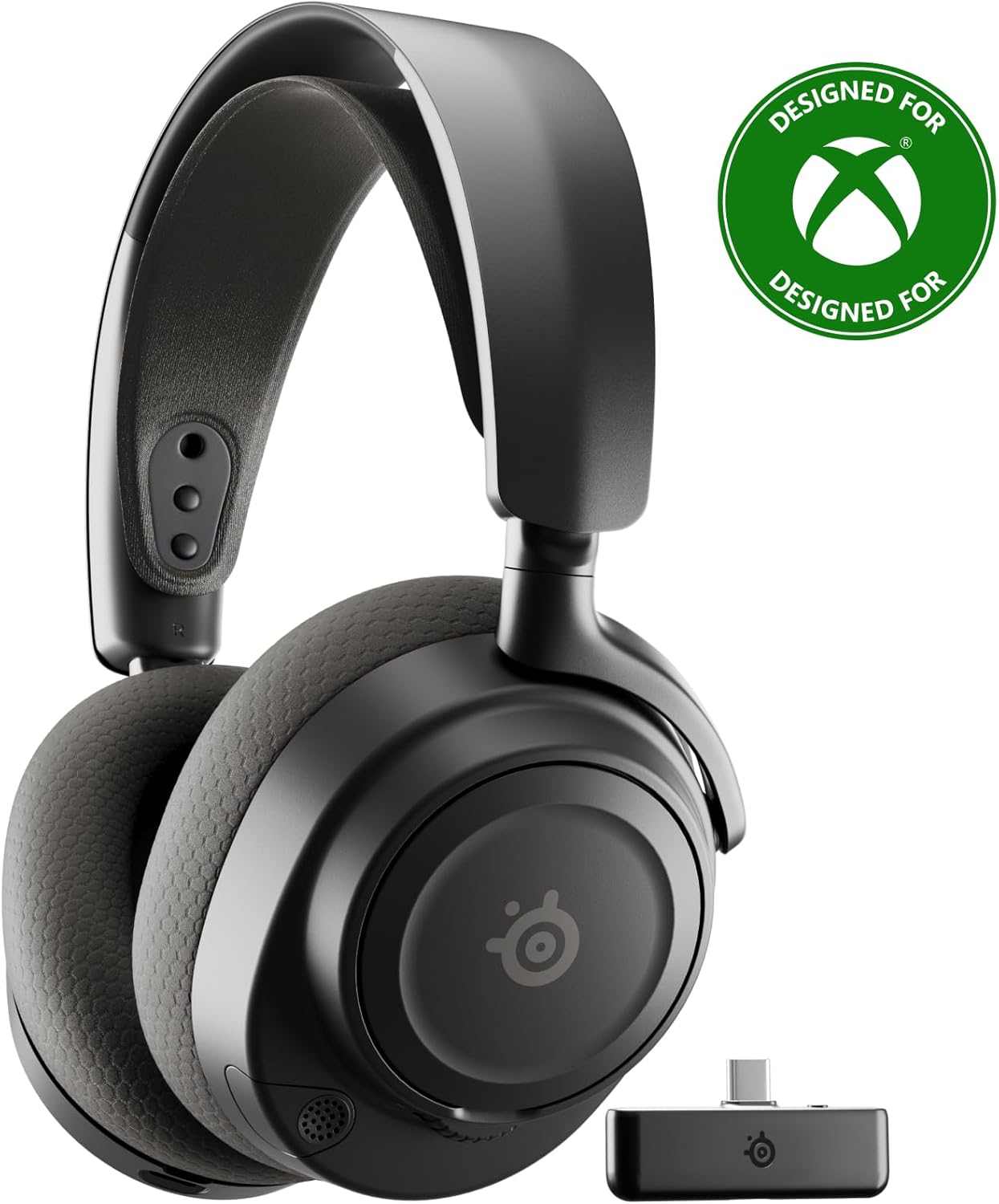
SteelSeries Arctis Nova 7X Wireless Gaming Headset
Shop Now on Amazon

Turtle Beach Stealth 600 Wireless Gaming Headset
Shop Now on Amazon

Jabra Evolve2 65 Flex Wireless Stereo Headset
Shop Now on Amazon
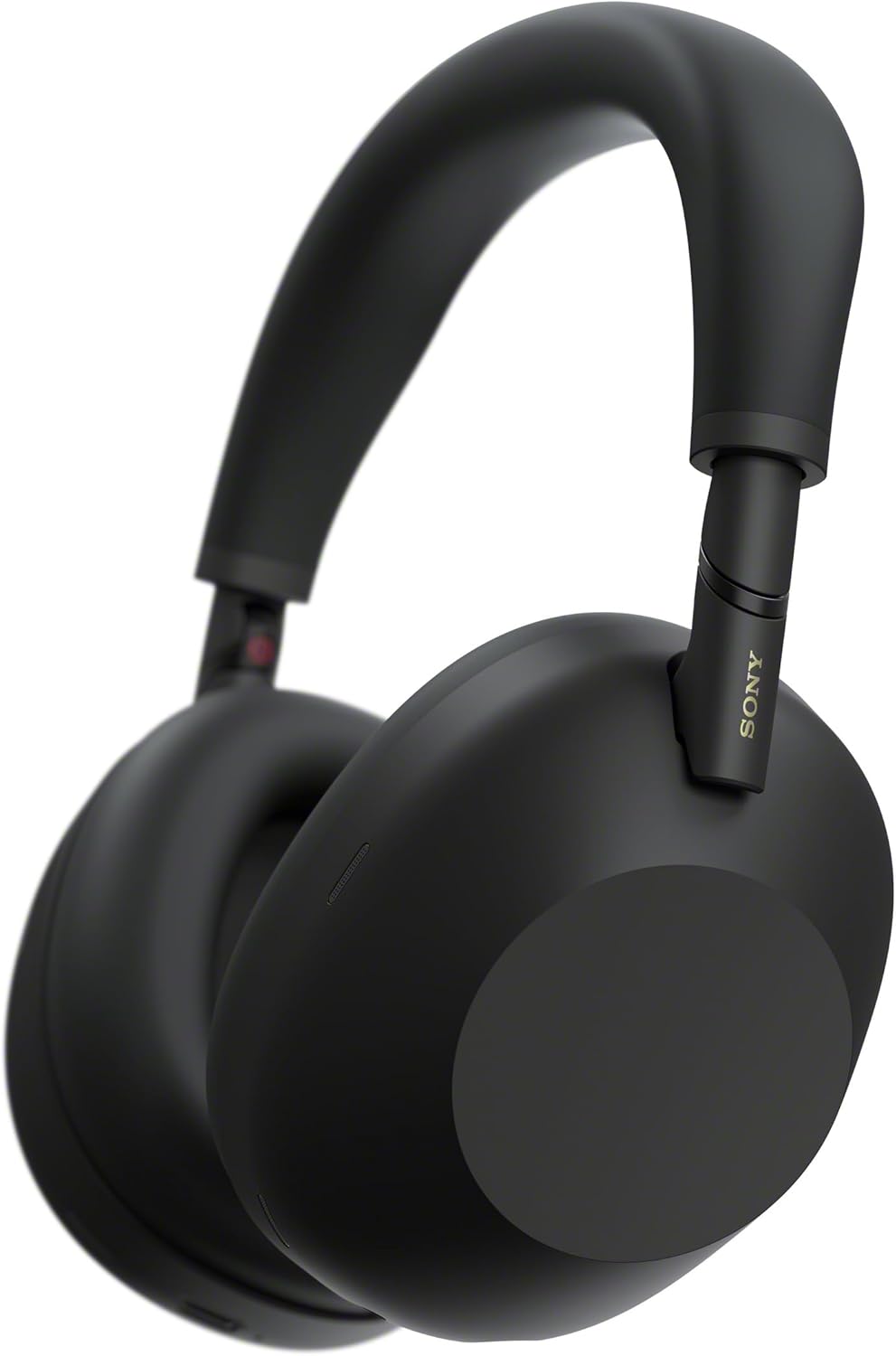
Sony WH-1000XM6 Wireless Noise Cancelling Headphones
Shop Now on Amazon
As an Amazon Associate we earn from qualifying purchases.
3. Microphone: Boom, Fixed, and Built-In Designs
The microphone determines how clearly teammates or colleagues hear you. Headset microphones come in a few broad designs.
Detachable boom microphones sit on an arm you can remove when you only want to listen. They are common on gaming headsets and let the headset double as a pure audio device. The HyperX Cloud III S and Razer BlackShark V3 Pro both use detachable boom mics. A boom mic positioned near your mouth usually picks up your voice and rejects room noise better than a fixed mic.
Flip-to-mute or retractable boom microphones tuck away or mute when flipped up. The Turtle Beach Stealth 600 uses a uni-directional flip-to-mute boom with AI-based noise reduction; the SteelSeries Arctis Nova 7X uses a retractable ClearCast Gen 2 cardioid boom; the Jabra Evolve2 65 Flex uses a retractable boom over a six-microphone array.
Built-in microphones are integrated into the headset and are designed primarily for calls rather than gaming voice chat. The Sony WH-1000XM6 uses a beamforming microphone array for calls. These are convenient and discreet, but they are not a substitute for a dedicated boom mic for gaming team chat.
Do not assume a microphone has noise cancellation, broadcast quality, or a specific pickup pattern unless it is documented. For gaming, a boom mic near your mouth is generally the better fit; a microphone designed for office calls is not automatically suitable for gaming voice chat.
4. Battery Life: Manufacturer-Rated vs Measured
Battery life is a headline number, but it needs careful reading. Manufacturer-rated battery life is measured under specific conditions; independently measured battery life comes from testers using their own conditions. Real-world battery life falls in between and varies with volume, RGB lighting, ANC, microphone use, wireless protocol, spatial audio processing, and firmware. Never treat a manufacturer’s maximum advertised figure as an independently verified result.
- HyperX Cloud III S: rated up to 120 h (2.4 GHz) and 200 h (Bluetooth); measured ~113 h over 2.4 GHz by SoundGuys. No fast charging; full charge ~4–5 h.
- Razer BlackShark V3 Pro: rated 70 h on PC over 2.4 GHz (48 h console). With ANC and ultra-low-latency mode enabled, real runtime drops to roughly 30 h. A 15-minute charge restores about 6 h.
- SteelSeries Arctis Nova 7X Gen 2: rated up to 54 h over 2.4 GHz (42 h Bluetooth, 38 h simultaneous). Measured ~50–53 h over 2.4 GHz. A 15-minute charge restores about 6 h; full charge ~90 min.
- Turtle Beach Stealth 600 Gen 3: rated 80 h. Independent results varied: SoundGuys measured 83 h 42 min, PC Gamer saw ~60 h in real use, and GamesRadar+ estimated 55–60 h. Quick charge yields several hours from 15 minutes.
- Jabra Evolve2 65 Flex: rated music up to 32 h (ANC off) / 21 h (ANC on); talk up to 20 h / 15 h. Independent use approximated ~30 h per charge with mixed ANC.
- Sony WH-1000XM6: rated 30 h (ANC on) / 40 h (ANC off). Measured ~37–40 h with ANC on (SoundGuys ~37 h 14 min; GSMArena ~40 h mixed). A 3-minute charge gives about 3 h playback.
Notice how much the conditions matter: the Razer’s 70 h rating is realistic only without ANC and low-latency mode, while the HyperX’s 120 h rating held up in independent testing. Match the rating to how you will actually use the headset.
5. Comfort, Weight, and Long-Session Use
Comfort is what decides whether a headset survives a long session. The main factors are total weight, headband pressure, ear cup dimensions and depth, cushion material, clamping force, heat buildup, eyeglasses compatibility, and adjustability.
Weight is a useful reference but not the whole story. A lighter headset is not always more comfortable — head shape, ear cup design, clamping force, and materials matter as much.
- Jabra Evolve2 65 Flex: ~136 g, the lightest, but it is an on-ear design (cushions rest on the ears rather than enclosing them), so fit is a personal factor.
- Sony WH-1000XM6: ~254 g, over-ear, generally comfortable, though clamp and earcup depth are not ideal for everyone, especially glasses wearers.
- Turtle Beach Stealth 600 Gen 3: ~301 g (measured) / ~320 g (manufacturer). Reviewers noted a firmer clamping force and minimal headband padding, with a glasses-relief (ProSpecs) channel.
- SteelSeries Arctis Nova 7X Gen 2: ~325–332 g, with breathable AirWeave fabric cushions and a suspension headband; reviewers rated comfort highly, though pressure can build around glasses over long sessions.
- HyperX Cloud III S: ~341 g (~354 g with boom mic), with light clamping force and leatherette cushions that reviewers found comfortable over hours, though ears can get warm.
- Razer BlackShark V3 Pro: ~367 g, the heaviest, but reviewers consistently describe it as comfortable for long sessions thanks to memory foam and a flexible frame. Its fabric cushions are breathable but harder to seal (relevant for ANC, Section 6).
These are observations from the reviews and manufacturer documentation; we are not claiming the author personally tested any headset. If you wear glasses or plan marathon sessions, pay attention to cushion depth, clamping force, and any glasses-relief feature.
6. ANC vs Passive Noise Isolation
Active Noise Cancellation (ANC) uses microphones and electronic processing to generate anti-noise that reduces certain external sounds. It can be useful in travel and noisy environments, but it does not eliminate every sound, and its performance varies by frequency and implementation. ANC also draws battery power.
Passive noise isolation comes from the physical seal and construction of the ear cups. It needs no electronics and depends on fit, materials, and design. A well-sealed closed-back headset can block a good deal of noise on its own.
Important: ANC is not automatically a gaming advantage. It can help you focus in a loud room, but it adds weight, consumes battery, and is only as effective as your ear-cup seal. Also, do not confuse ANC with microphone noise suppression — ANC reduces what you hear; microphone noise suppression reduces what the person on the other end hears.
Among the six reviewed products:
- Sony WH-1000XM6: class-leading hybrid ANC with a 12-microphone array; excellent at voices and hum. This is a travel/everyday headset, not a gaming headset.
- Jabra Evolve2 65 Flex: hybrid ANC plus a HearThrough mode, effective for office chatter, though not class-leading. This is an office/business headset.
- Razer BlackShark V3 Pro: hybrid ANC, rare for a gaming headset, but reviewers disagree on effectiveness because the fabric cushions make a tight seal harder to achieve.
- HyperX Cloud III S, SteelSeries Arctis Nova 7X, Turtle Beach Stealth 600: no ANC; they rely on passive isolation. The Turtle Beach’s passive isolation is notably weak at low frequencies, while the HyperX and SteelSeries isolate adequately in a quiet room.
7. Platform Compatibility: PC, PS5, Xbox, and Nintendo Switch
Compatibility is model-specific. A headset that works on PS5 does not necessarily work wirelessly on Xbox, and vice versa. USB audio, 3.5 mm analog, and Bluetooth are not interchangeable with proprietary wireless receivers, and console-specific licensing can restrict wireless use.
PC: the most flexible platform. USB receivers, USB audio, Bluetooth, and wired analog all work, with software/driver support for EQ and surround features.
PlayStation 5: works with USB wireless receivers and USB audio, plus wired controller connections. Supported audio features and microphone functionality depend on the headset; 3D audio (Tempest) works with supported models.
Xbox: restricts wireless audio to headsets with an official “Designed for Xbox” wireless link. A USB receiver that works on PS5 will not work wirelessly on Xbox. Wired controller connections are an option, but do not assume cross-platform wireless compatibility.
Nintendo Switch: supports Bluetooth audio, USB audio where applicable (via the dock or dongle), and wired connections. Microphone and voice-chat support is limited in many games regardless of headset.
Map the reviewed headsets to platforms carefully:
- SteelSeries Arctis Nova 7X Gen 2: the most cross-platform; a single dongle covers Xbox, PS5/PS4, PC, Mac, Switch, and mobile — the only variant in its line covering both Xbox and PlayStation.
- Turtle Beach Stealth 600 Gen 3: the “Designed for Xbox” variant works on Xbox Series X|S, Xbox One, PS5/PS4, PC, Switch, Steam Deck, and Bluetooth mobile devices. A separate PlayStation-only variant does not work on Xbox.
- HyperX Cloud III S: works on PC, Mac, PS5, PS4, Switch, and mobile (2.4 GHz dongle or Bluetooth). No Xbox support, and no wired/analog connection.
- Razer BlackShark V3 Pro: this SKU works on PC, Mac, PS5, Switch, and smartphones via 2.4 GHz, Bluetooth, USB, or 3.5 mm. A separate Xbox variant exists; this SKU does not support Xbox.
- Jabra Evolve2 65 Flex: connects to computers via the Jabra Link 390 USB adapter or Bluetooth, and to mobile via Bluetooth. It is a UC/Teams headset, not a gaming headset.
- Sony WH-1000XM6: connects via Bluetooth and 3.5 mm wired; USB-C is for charging only. It is a premium everyday ANC headset, not a gaming headset.
Always confirm the specific connection mode and function for your platform rather than assuming “works with all platforms.”
8. Gaming Headsets vs Office and Everyday-Use Headsets
Different headsets are designed for different priorities, and confusing the categories is the most common buying mistake.
- Dedicated gaming headsets prioritize gaming audio, low-latency connections, microphone access, and platform compatibility. They typically use a 2.4 GHz dongle and a boom mic, and may offer virtual surround.
- Premium everyday headphones prioritize music, travel, ANC, and general listening. They connect primarily via Bluetooth and have built-in mics for calls, not gaming team chat.
- Professional office headsets prioritize calls, conferencing, microphone clarity, and workplace connectivity, often with UC/Teams certification and features like a busylight.
Two of the six reviewed products are not gaming headsets, and we are not recommending them as gaming alternatives:
- Sony WH-1000XM6 is a premium everyday ANC headset for travel, commuting, and focused listening. It has no gaming-focused low-latency wireless mode and no boom mic for team chat.
- Jabra Evolve2 65 Flex is a professional office headset for meetings and UC platforms. It is Teams-certified, lightweight, and has a strong call microphone, but it is not designed for gaming voice chat or low-latency gaming audio.
The four dedicated gaming headsets among the reviews are the HyperX Cloud III S, Razer BlackShark V3 Pro, SteelSeries Arctis Nova 7X Gen 2, and Turtle Beach Stealth 600 Gen 3. We do not rank the Sony or Jabra against them.
9. Common Headset Buying Mistakes
- Choosing Bluetooth without considering gaming latency. Bluetooth is convenient but higher-latency; use 2.4 GHz for competitive play.
- Assuming every 2.4 GHz headset works with every console. Xbox restricts wireless audio to “Designed for Xbox” headsets; PS5 works with generic dongles.
- Treating driver diameter as a direct measure of sound quality. Tuning and construction matter more than driver size.
- Confusing ANC with microphone noise cancellation. ANC reduces what you hear; mic noise suppression reduces what others hear.
- Relying exclusively on advertised battery life. Real runtime varies with ANC, latency mode, volume, and other settings.
- Ignoring weight, clamping force, and ear cup fit. A lighter headset is not automatically more comfortable.
- Assuming PS5 and Xbox compatibility are interchangeable. They are not, especially for wireless audio.
- Buying an office headset when a dedicated gaming mic and low-latency connection are required. The Jabra is great for calls, not gaming team chat.
- Treating premium music headphones as gaming headsets without checking connection and microphone limitations. The Sony lacks a low-latency gaming link and a boom mic.
- Assuming virtual surround or spatial audio automatically improves positional accuracy. Good stereo imaging can be just as effective.
Comparison Table: The Six Reviewed Headsets
This table summarizes verified specifications from the reviews. Battery figures are manufacturer-rated unless marked. The Sony and Jabra are clearly labeled as non-gaming and are not ranked against the gaming headsets.
| Product | Category | Connection | Microphone | Battery life | Weight | Platform compatibility |
|---|---|---|---|---|---|---|
| HyperX Cloud III S | Gaming | 2.4 GHz dongle + Bluetooth 5.3 | Detachable uni-directional boom + built-in omni | Rated 120 h / 200 h; measured ~113 h (2.4 GHz) | ~341 g (~354 g with boom) | PC, Mac, PS5, PS4, Switch, mobile; no Xbox; no wired |
| Razer BlackShark V3 Pro | Gaming | 2.4 GHz dongle + Bluetooth 5.3 + USB wired + 3.5 mm | Detachable HyperClear 12 mm | Rated 70 h (PC, 2.4 GHz); ~30 h with ANC + low-latency | ~367 g | PC, Mac, PS5, Switch, smartphone (this SKU); separate Xbox variant |
| SteelSeries Arctis Nova 7X Gen 2 | Gaming | 2.4 GHz dongle + Bluetooth 5.0 + 3.5 mm wired | Retractable ClearCast Gen 2 cardioid | Rated 54 h / 42 h / 38 h (2.4 GHz / BT / simultaneous); measured ~50–53 h | ~325–332 g | Xbox, PS5/PS4, PC, Mac, Switch, mobile (single dongle) |
| Turtle Beach Stealth 600 Gen 3 | Gaming | 2.4 GHz dongle + Bluetooth 5.2 | Uni-directional flip-to-mute with AI noise reduction | Rated 80 h; measured 83 h 42 min (SoundGuys), ~60 h (PC Gamer) | ~301 g (measured) / ~320 g (manufacturer) | Xbox (Designed for Xbox variant), PS5/PS4, PC, Switch, Steam Deck, mobile |
| Jabra Evolve2 65 Flex | Office / business (not gaming) | Bluetooth 5.2 (dual) + Jabra Link 390 USB adapter | Retractable 6-mic ClearVoice array | Rated music 32 h (ANC off) / 21 h (ANC on); talk 20 h / 15 h | ~136 g | PC via adapter/Bluetooth, mobile, UC/Teams platforms |
| Sony WH-1000XM6 | Premium everyday / ANC (not gaming) | Bluetooth 5.3 + 3.5 mm (USB-C charging only) | Built-in AI beamforming (calls) | Rated 30 h (ANC on) / 40 h (ANC off); measured ~37–40 h (ANC on) | ~254 g | Smartphone, tablet, laptop, PC via Bluetooth; 3.5 mm for wired |
This table compares documented specifications, not measured audio performance or a single score. The products serve fundamentally different purposes, so we use category labels rather than a numeric ranking. Where a value is unverified, it is omitted or flagged rather than guessed.
Conclusion: A Practical Decision Framework
Use your actual priorities and devices to choose:
- Competitive gaming and low latency: prefer a dedicated gaming headset with a 2.4 GHz dongle and low documented latency, such as the Razer BlackShark V3 Pro (if you also want ANC) and a clear boom mic.
- Casual gaming: a comfortable gaming headset with good battery and a usable boom mic, such as the Turtle Beach Stealth 600 Gen 3 or HyperX Cloud III S.
- Console gaming: match the headset to your console — for multi-console (Xbox + PlayStation) use, the Arctis Nova 7X Gen 2 covers both from one dongle.
- PC gaming and streaming: a gaming headset with software EQ and a strong detachable or retractable boom mic, such as the HyperX or Razer.
- Music and travel: a premium everyday ANC headset such as the Sony WH-1000XM6 — not a gaming headset.
- Office and professional calls: an office headset such as the Jabra Evolve2 65 Flex — not a gaming headset.
There is no universal winner; the right headset depends on your priorities and supported devices. For product recommendations and rankings across gaming use cases, see our Best Gaming Headsets guide. For related audio setup, see our microphone guide, audio interface / DAC guide, computer speakers guide, and webcam guide.
Related Guides
- Best Gaming Headsets (2026) — product recommendations and rankings by use case
- How to Choose a Microphone (2026 Buyer’s Guide)
- How to Choose an Audio Interface or DAC (2026 Buyer’s Guide)
- How to Choose Computer Speakers (2026 Buyer’s Guide)
- How to Choose a Webcam (2026 Buyer’s Guide)