PC Components

Affiliate Disclosure: ComponentCrate participates in the Amazon Associates Program. As an Amazon Associate, I earn from qualifying purchases. We may receive a commission when you purchase through qualifying links, at no additional cost to you. Full disclosure

Category: PC Components

Cooler Master HAF II 500 ATX PC Case, High Airflow Dual 220mm + 180mm Fans + V8 ACE 3DHP AMD CPU Air Cooler, Dual PWM Fans Bundle

Disclosure: componentcrate may earn a commission from qualifying purchases made through links in this article, at no additional cost to you.

The Cooler Master HAF II 500 is one of the most airflow-obsessed PC cases of recent years — a full-tower chassis built around two 220mm fans the size of dinner plates. This particular listing bundles it with the V8 ACE 3DHP, Cooler Master’s flagship single-tower CPU air cooler. Together, they represent a complete, premium air-cooling foundation for a high-performance build.

This review evaluates each component on its own merits, then looks at the bundle as a whole. The central question is not simply “are these good products?” — it’s whether this specific pairing makes sense for you. There is one compatibility detail that changes everything, and it sits at the heart of that question.

Quick Verdict

Best for: Builders on AMD AM5/AM4 who want a high-airflow case and a flagship single-tower air cooler in one order, especially those running hot GPUs or high-core-count CPUs who prefer air cooling over liquid.

Main strengths:
– Extraordinary out-of-the-box airflow from two 220mm and one 180mm fans — verified by several independent reviewers.
– The bundled V8 ACE is a genuinely capable single-tower cooler, scoring 9/10 in Back2Gaming’s independent review.
– Easy to build in, with generous clearances, a pre-installed fan/RGB hub, and thoughtful cable-management covers.
– The cooler’s 6-year warranty and platform-tailored baseplates are notable touches.

Main limitations:
– The bundled cooler is the AMD version, so it mounts only on AM5/AM4 — not on Intel LGA sockets.
– The case is large, heavy, and wide; it takes up significant desk or floor space.
– Both products are positioned at the premium end of their categories, so this is not a budget-oriented pair.
– The case’s fans are surprisingly audible at full speed (though a quieter fan curve largely retains thermal performance).

Value assessment: This bundle targets buyers who want maximum airflow plus a flagship air cooler without juggling two separate purchases. It is a premium, convenience-oriented combination rather than a budget option — and it only makes sense if your platform matches the bundled AMD cooler.

Verdict: Worth strong consideration for AMD builders who want a top-tier air-cooled setup. If you’re on Intel, buying the case alone and pairing it with the Intel version of the cooler (or another cooler) is the right move. Amazon prices and availability can change — check the product listing on Amazon for the latest price and current availability before purchasing.

Key Specifications

Cooler Master HAF II 500 (case)

Specification Detail
Form factor Full-tower
Dimensions (L×W×H) 557 × 262 × 548 mm
Materials Steel, plastic, tempered glass
Motherboard support Mini-ITX, microATX, ATX, E-ATX (up to 310 mm wide)
Front fans 2× 220 mm Mighty40 F220 (pre-installed; ~203.8 CFM each at ~1,050 RPM)
Rear fan 1× 180 mm Mighty40 V180 (pre-installed; ~161.5 CFM)
Fan hub Pre-installed, 6× PWM + 6× ARGB headers
Radiator support Front up to 360/280/180 mm; top up to 360 mm (via MasterRail; larger options require rail repositioning and removing the airflow divider)
Front I/O 1× USB 3.2 Gen 2×2 Type-C, 2× USB 3.0 Type-A, 1× audio combo
Max GPU length 430 mm
Max CPU cooler height 221 mm (Intel) / 220 mm (AMD)
Drive bays 3× internal 3.5″, 6× internal 2.5″
Warranty 2 years (case), 5 years (fans) per Tom’s Hardware review

Cooler Master V8 ACE 3DHP (cooler)

Specification Detail
Design Single-tower, side-flow air cooler
Dimensions (W×D×H) 138.95 × 136.47 × 167.3 mm
Net weight 1,334 g
Heatsink 2× 3DHP + 4× SCCHP heat pipes, aluminum fin stack
Front fan 120×120×30 mm, 0–2,500±250 RPM, 89.6 CFM, 3.85 mmH2O, 37 dBA
Rear fan 120×120×30 mm reverse ring-blade, 0–2,050±250 RPM, 61.0 CFM, 2.0 mmH2O, 34 dBA
Fan features LCP blades, Loop Dynamic Bearing
Memory clearance Up to 45 mm (sliding fans)
Socket support (AMD SKU) AM5 / AM4
Socket support (Intel SKU) LGA 1851 / 1700 / 1200 / 115x
Included thermal paste Cooler Master CryoFuze
Lighting None
Warranty 6 years

Design and Build Quality

The HAF II 500 is unapologetically big. At 557 mm tall and 262 mm wide, it reads as a full-tower chassis in the tradition of the original HAF line — an aggressive, industrial look with a sculpted front panel that shows off the two enormous 220mm fans behind its grille. Reviewers describe the appearance as “serious” and “aggressive but good-looking” (PC Gamer, Tom’s Hardware). The front panel is polished plastic that mimics machined metal, and the tempered glass side panel carries the HAF branding.

Build quality is generally praised as sturdy. The large fan array is the defining feature: the Mighty40 F220 fans use LCP (liquid-crystal polymer) blades and dual ball bearings, the same class of material Noctua uses in its premium G2 fans, chosen for stiffness and stability at speed. The lower 180mm V180 rear fan is similarly built.

The interior is laid out traditionally — a motherboard tray, a PSU shroud, and a huge amount of open volume. Cable management is catered to with hinged metal cable covers on the rear and a sliding cover on the front that can hide messy runs. A pre-installed fan/RGB hub with six headers of each type is tucked along the motherboard tray, so the included fans are already wired and ready to go.

Minor build criticisms from reviewers include non-captive thumbscrews with easily-lost washers, and some sharp plastic edges on removable panels (PC Gamer). None are deal-breakers, but they are worth knowing before you buy.

Image suggestion: A photo of the case from the front, showing the two large fans behind the grille, placed near the “Design and Build Quality” section.

Features and Technology

The Mighty40 fan system. The headline feature is airflow. The two 220mm front fans move a claimed ~203.8 CFM each while spinning at just ~1,050 RPM — an efficiency that small, high-RPM fans cannot match. Cooler Master’s quieter, high-volume design is the point: you get huge airflow without the whine of smaller fans spinning fast. GamersNexus noted that even at equivalent sound levels, the low-frequency noise of these large fans is subjectively less annoying than smaller high-RPM fans. This is a manufacturer performance claim that independent testing has largely corroborated: Tom’s Hardware praises the case’s “great noise-normalized performance,” and OC3D found it stood among the best cases it has tested even with fans dialed down to 600 RPM.

MasterRail mounting system. Radiators and fans mount on adjustable rails that can be repositioned in the top or front. This lets you fit a 360mm radiator up top or move the rails forward to mount one in the front, with the included hardware — though only one set of rails ships, so you cannot run both positions simultaneously.

Dual-GPU support bracket. A swiveling bracket supports up to two graphics cards, aimed at workstation and rendering builds. PC Gamer noted the single-axis pivot is a little limited but said it is easy to remove if unneeded.

Fan/RGB hub. The pre-installed hub simplifies wiring. Six PWM and six ARGB headers mean the three included fans plus additional ones can be controlled from one point.

The V8 ACE 3DHP cooler technology. The bundle’s cooler uses Cooler Master’s patented 3DHP heat-pipe design: two of the six pipes have a “T” junction that adds a third end, spreading heat across more of the fin stack. Cooler Master claims this lifts fin utilization from roughly 70% to more than 95% versus a conventional layout. Independent testing (Back2Gaming) confirmed the practical result — strong sustained cooling from a relatively compact single tower. Note: the 95% fin-utilization figure is a manufacturer claim and could not be independently verified.

The cooler’s two fans are deliberately mismatched: a high-pressure 2,500 RPM front fan pushes air in, and a reversed ring-blade 2,050 RPM rear fan pulls it out, with the offset speeds intended to reduce resonance between them.

Performance and Real-World Use

The case. On thermals, the HAF II 500 is, in a word, dominant. In GamersNexus’s controlled comparison, it posted the best VRAM thermal result in the round-up (44°C vs. the Fractal Torrent’s 45°C) and led noise-normalized results across multiple sensors. OC3D found it “excels when it comes to GPU cooling” and delivers strong CPU cooling, standing above most cases it has tested even at 600 RPM fan speeds. Modders-Inc measured roughly 413 CFM moving through the case with both front fans running.

One important real-world nuance from PC Gamer: at 100% speed the three fans reach a loud ~50 dB(A) from 50 cm. Dropping them to a steady 70% cut noise by about 5 dB(A) while keeping an Intel Core i5-14600K and RTX 5070 Ti at essentially the same temperatures. In practical terms, you get the airflow headroom to run the fans quietly and still stay cool.

The cooler. Back2Gaming’s independent test of the V8 ACE 3DHP is the key evidence (the AMD version was reviewed for platform match; the reviewer also tested the Intel version). On an Intel Core Ultra 9 285K, at full fan duty it held 73.2°C at a 200W target and 90.6°C at a 280W target — a single tower keeping a flagship chip well under its thermal ceiling. On an AMD Ryzen 9 9950X, it was comfortable at 125W (57.3°C) and 170W (73.7°C) at full duty, with the chip becoming temperature-limited rather than power-limited above roughly 230W. The review’s bottom line: this is “dual-tower-class work from something 167.3 mm tall and 1,334 g,” and it is best matched to gaming CPUs and mainstream-to-high-core workloads rather than extreme all-core overclocking on the highest-TDP flagship chips.

Acoustically, the cooler’s fans are quiet below about 90% duty; the front intake fan becomes clearly audible at maximum RPM, while the rear exhaust stays effectively silent.

What this means for a bundle buyer. If you are building an AMD system with a modern CPU, the case gives you far more airflow than this single-tower cooler needs, leaving huge thermal headroom for a hot GPU. For a mainstream gaming build, you could run the case fans at 70% and the cooler on a quiet curve and still keep temperatures in check.

Compatibility and Installation

This is the section that matters most, especially because the bundle pairs a universal case with a platform-specific cooler.

The cooler is AMD-only in this listing. The V8 ACE 3DHP is manufactured as two physically different products: an AMD version (AM5/AM4, flat baseplate) and an Intel version (LGA 1851/1700/1200/115x, convex baseplate). The listing title states the bundled cooler is the AMD version. That means it will mount on AMD AM5 or AM4 motherboards only — it will not fit Intel LGA sockets. The supplied product description text also references an “Intel-specific contact plate,” which conflicts with the AMD labeling; verify which variant actually ships before ordering, especially if you are on Intel.

The case is platform-agnostic. The HAF II 500 accepts Mini-ITX, microATX, ATX, and E-ATX boards up to 310 mm wide, so the case itself works with any platform. The bundled AMD cooler is the only platform constraint.

Clearances. With a 221mm cooler-height allowance, the case swallows the 167.3mm-tall V8 ACE with plenty of room to spare. GPU clearance is a generous 430 mm, covering virtually all current graphics cards. The PSU supports up to 210 mm in the standard east-west orientation.

Cooler installation notes. The V8 ACE mounts with a backplate and retention screws; on AMD, you remove the stock retention mounts and use the supplied screws into the AM5 backplate (Back2Gaming). At 1,334 g, the cooler is heavy enough that you should ensure the board is properly seated before torquing it down. Confirm your case clears 167.3 mm of cooler height — the HAF II 500 easily does.

Cooler memory clearance. With the sliding fans, the cooler accommodates memory modules up to 45 mm tall without removing fan clips — fine for most DDR5 kits, but check if you are using very tall heat-spreader RAM.

Ventilation tip. For best results, keep the case’s front and top dust filters clean; PC Gamer measured airflow drop with filters installed, but noted the case has airflow to spare.

Advantages and Disadvantages

Advantages
– Exceptional stock airflow from two 220mm and one 180mm fans; verified top-tier thermal performance.
– Noise-normalized efficiency: large, slow fans deliver high airflow at pleasant acoustics.
– Spacious interior with easy cable management and a pre-installed fan/RGB hub.
– The bundled V8 ACE is an independently recommended single-tower cooler with a 6-year warranty.
– The cooler’s sliding fans give useful memory clearance.

Disadvantages
– The bundled cooler is AMD-only; Intel builders cannot use it.
– Large and heavy; not suited to small desks or tight spaces.
– Premium pricing for both components; not a budget option.
– Case fans are loud at 100% speed (a quieter curve mitigates this).
– Minor build niggles: non-captive thumbscrews, some sharp plastic edges, single-axis GPU bracket.

Price and Value for Money

We do not display numerical prices here, and prices change — so check the Amazon listing for the current price. Instead, we assess value by positioning.

Both components sit near the top of their categories. The HAF II 500 is priced as a premium full-tower: the cost reflects two of the largest consumer case fans on the market, a pre-installed hub, and the thermal headroom these deliver. Independent reviewers are split on value: Tom’s Hardware and GamersNexus consider the airflow and noise-normalized performance worth the premium, while PC Gamer flags the price as on the high side for a fairly traditional chassis. The V8 ACE, for its part, is positioned between budget six-pipe towers and dual-tower flagships — reviewers consider it a strong middle-ground value given what it offers.

As a bundle, this pairs two premium air-cooling parts in a single order, which is convenient if you want exactly these two items. The primary value question is whether you specifically want a flagship single-tower cooler — if you would rather use a different cooler (or liquid cooling), buying the case alone leaves more flexibility. Because the bundled cooler is the AMD version, the bundle’s value is highest for AMD builders. Amazon prices and availability can change, so check the product listing on Amazon for the latest price and current availability before deciding.

Best Alternatives and Comparisons

If the bundle is not a perfect fit, consider these options. We compare qualitatively, on features and positioning, without prices — check the relevant Amazon listings for current pricing.

Buy the HAF II 500 case alone and pair your own cooler. This is the most flexible alternative. You keep the class-leading airflow and can choose a cooler matched to your exact socket — including the Intel version of the V8 ACE if you are on an Intel platform, or a dual-tower cooler if your CPU runs very hot. The trade-off: two separate orders and a little more research.

Fractal Design Torrent. The classic benchmark for high-airflow cases, built around large intake fans. It is a well-established alternative for airflow-focused builders and is commonly used as a comparison point in case reviews. Its trade-off versus the HAF II 500 is that its large intake fans have comparatively lower static pressure, and its design is more focused on a single strong airflow path.

Havn BF 360. A comparable high-airflow case using 180mm fans, cited by PC Gamer as a direct alternative to the HAF II 500. It is similarly wide and airflow-focused, and reviewers note it is typically positioned at a lower price point — a reasonable choice if you want strong airflow with a more moderate budget.

Noctua NH-D15 G2. If you need the absolute peak in air-cooling capability for a very hot, high-core-count CPU, this is a leading dual-tower option. The trade-off is size and weight: it is larger and heavier than the single-tower V8 ACE, with greater memory-clearance constraints. It is the kind of cooler you choose when a single tower is not enough.

Who Should Buy It?

  • AMD AM5/AM4 builders who want a top-tier air-cooled foundation and prefer to buy the case and cooler together.
  • Workstation and heavy-load users running dual GPUs, hot graphics cards, or sustained rendering/AI workloads — the case’s airflow headroom is a genuine asset (Modders-Inc specifically recommends it for this use).
  • Builders who prefer air cooling over liquid but still want flagship-level cooling performance.
  • Enthusiasts who value noise-normalized performance — getting high airflow at lower noise than typical high-RPM fan cases.

Who Should Consider Something Else?

  • Intel LGA builders: the bundled cooler is the AMD version, so this specific bundle does not fit your socket. Buy the case alone and pair a cooler matched to your platform.
  • Budget-conscious builders: both components are premium-priced. A more affordable high-airflow case and a mainstream cooler will deliver most of the benefit for less.
  • Those constrained by space: the case is large, wide, and heavy; a more compact mid-tower is more practical on a small desk.
  • Buyers who plan to liquid-cool: the case’s value is centered on its air-flow design, so a liquid-cooling-focused chassis or using the case with a heavy radiator load may not fully align with what you need.

Final Verdict

The Cooler Master HAF II 500 is one of the best high-airflow cases available today, and the V8 ACE 3DHP is a genuinely impressive single-tower cooler. If you are building on AMD AM5/AM4 and want a premium air-cooled system, this bundle delivers an excellent foundation — verified by independent reviewers on both the cooling and acoustics fronts.

The most significant limitation is the platform mismatch risk: the bundled cooler is the AMD version, so it is not an option for Intel builders. If you are on Intel, or if you want more freedom to choose a cooler, buy the case separately and pair it with the cooler that fits your build. The deciding factor is whether a flagship single-tower cooler is the right cooling choice for your CPU and platform.

If that matches, this is a strong, high-quality pairing worth serious consideration. Check the current price and availability on Amazon before deciding, as prices and stock change.

Check the Latest Price on Amazon →

Related guides
Frequently Asked Questions

Category: PC Components

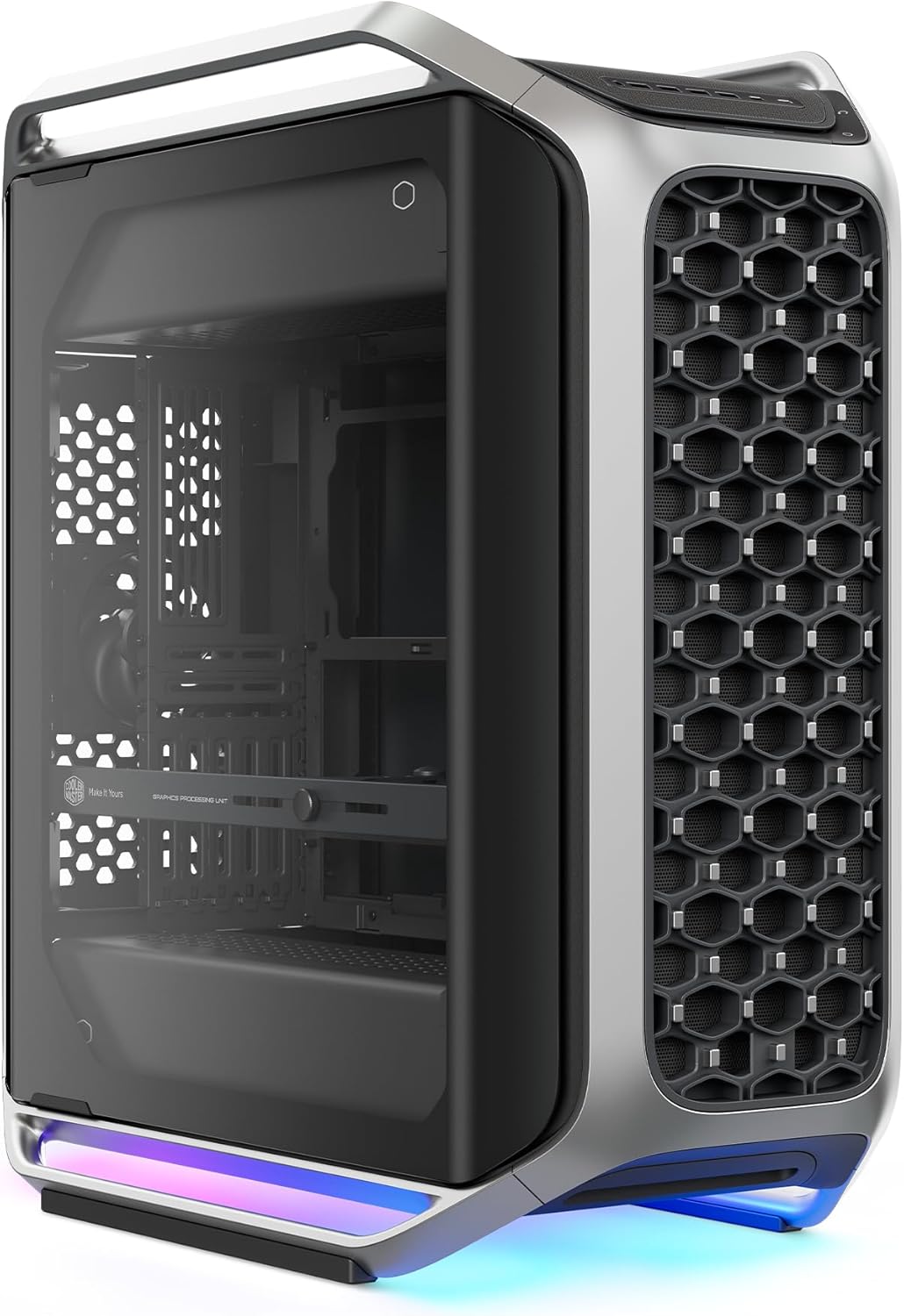
Cooler Master Cosmos Alpha

The Cooler Master Cosmos Alpha is the modern revival of one of the industry’s longest-running flagship case families. Launched as a full-tower “halo” chassis built around Cooler Master’s FreeForm 2.0 philosophy, it’s designed for enthusiasts and modders who want maximum flexibility, extreme scale, and a build that looks like a centerpiece. It’s big — about 140 liters with panels and feet — and it’s heavy, weighing roughly 31 kg.

This review covers the Cosmos Alpha (model C700-KGNN-S00, Black). It targets builders who want a flagship platform that can hold an EEB (enterprise) motherboard, very large GPUs, dual power supplies, and extreme liquid-cooling loops — and who are willing to pay premium prices and invest serious effort in the build. The central questions: does this colossus justify its size and price, what is it really like to build inside, and who should choose it over more conventional flagships? We verify the specs against official documentation, attribute independent results correctly, and help you decide.

Quick Verdict

  • Best for: Enthusiast and workstation builders who want a premium, ultra-flexible full-tower showpiece — supporting EEB motherboards, dual PSUs, up to 420mm side radiators, and a sliding motherboard tray for custom cooling layouts.
  • Main strengths: Massive, flexible platform with EEB/E-ATX support; sliding/removable motherboard tray and BTF (back-connector) support; up to 420mm side radiators and huge overall cooling headroom; dual-PSU capability; three fans included plus a fan/ARGB controller; striking ARGB underglow and premium metal-and-glass construction.
  • Main limitations: Very large and heavy (~31kg); premium price; complex, involved build process; front I/O needs multiple board headers (dual USB-C + four USB-A); officially only two drive bays; no inverted-layout support.
  • Value assessment: This is a luxury, showcase-positioned case whose value is about scale, modularity, and the freedom to build an extreme rig — not raw value per dollar. It’s a strong pick for a flagship “no-compromise” build, and a poor pick for anyone who just wants a roomy mid-tower. Check the Amazon listing for the latest price and availability.
  • Verdict: A compelling choice for the specific enthusiast/showcase buyer, provided you understand the size, cost, and build effort. Not a sensible buy for typical desktop builders.

Key Specifications

Specification Detail
Model Cooler Master Cosmos Alpha — C700-KGNN-S00 (Black / Silver)
Form factor Full-tower (approx. 140L with panels/protrusions/feet)
Motherboard support Mini-ITX, Micro-ATX, ATX, E-ATX, EEB
Dimensions (L×W×H) 669 × 330 × 639 mm (incl. protrusions)
Weight Approx. 31 kg (~68.3 lb)
Materials SGCC steel, plastic, tempered glass, metal frame
CPU cooler clearance Up to 186 mm
GPU clearance Up to 400 mm
PSU support ATX, up to 240 mm; dual-PSU capable
Pre-installed fans 2× 200mm front (non-ARGB) + 1× Mobius 120mm rear (non-ARGB)
Fan positions Front 3× 120/140 or 2× 200; top 3× 120 or 2× 140/180/200; rear 3× 120; bottom 3× 120 or 2× 140/180/200; side 3× 120/140 or 2× 180/200 (up to 15 in 120mm configs)
Radiator support Side up to 420mm or 3× 360mm (80mm max thickness); top/bottom up to 360mm (93mm); front 360/280mm; rear 120mm
I/O panel 2× USB 3.2 Gen 2×2 Type-C, 4× USB 3.2 Gen 1 Type-A, 1× combo 3.5mm audio
Expansion slots 8
Drive bays 2× 2.5″/3.5″ (with CPU cooler under 165mm)
Included accessories Fan/ARGB controller (4-port PWM hub), GPU support bracket, cable covers
Warranty 2 years

Specifications are from Cooler Master’s official documentation and corroborated by independent reviews. Independent measurements are noted in the Performance section.

Design and Build Quality

The Cosmos Alpha is unmistakably premium. Its most striking feature is the curved, die-cast metal frame that wraps the chassis, finished in the black (or silver) colorway, with steel body panels and a thick, dark-tinted tempered-glass side panel. It’s not subtle: at 669mm deep and roughly 31 kg, this is a statement piece that needs a sturdy surface and serious patience to move.

The exterior carries the Cosmos family’s signature oversized handles and a broad honeycomb mesh front grille, with a full-length slide-out magnetic dust filter beneath the lower grille. Both side panels hinge outward, which TweakTown noted adds to the premium feel. Behind the glass, the front is dominated by two large 200mm intake fans.

Inside, the defining engineering is the sliding, removable motherboard tray. It can be repositioned to free up space or to fine-tune GPU-to-side-panel distance, and it can be removed entirely for easier access when installing the CPU cooler or routing cables. The rear of the tray supports BTF (back-connector / reverse-connector) motherboards for clean, hidden cable runs. Independent reviewers (TechPowerUp, TweakTown) highlight this flexibility as a genuine strength.

The trade-offs are real. Reviewers describe the build as involved: multiple removable panels and cover plates add steps to nearly every task, and the recessed tray introduces some flex during component installation. NoisyPixel found motherboard installation trickier than expected and tool access tight in places. In short, it looks phenomenal finished, but getting there is a project.

Features and Technology

Sliding, removable motherboard tray. The tray slides and can be fully removed, letting you reconfigure between air and liquid-cooling layouts and fine-tune GPU placement. It also supports BTF (back-connector) motherboards for hidden cabling. This is a hallmark FreeForm 2.0 feature and a genuine differentiator.

Extreme cooling headroom. The case supports up to 15 fan positions (in 120mm configurations) and radiators up to 420mm on the side, or three 360mm radiators on the side panel; the top and bottom each accept up to 360mm. Combined, this allows very thick push-pull or triple-radiator custom loops. Three fans are included: two 200mm front intakes and one Mobius 120mm rear exhaust. Note the included fans are non-RGB; the lighting is a separate ARGB underglow built into the chassis.

ARGB underglow. A strip of addressable RGB light spills onto the surface below the case, adding a subtle premium glow. It’s controlled via the included fan/ARGB controller (a 4-port PWM hub) or motherboard RGB software. NoisyPixel noted the physical case RGB button didn’t work in their Asus build until lighting was driven through motherboard software.

Dual PSU capability. The Cosmos Alpha can accommodate a second power supply, which broadens its appeal for workstation or extreme builds that need more power or redundancy.

Front I/O. The top panel has two USB 3.2 Gen 2×2 Type-C ports (20G) and four USB 3.2 Gen 1 Type-A ports, plus a combo audio jack and power/lighting controls. Important caveat: powering all of these needs multiple internal motherboard headers (two USB-C and two USB 3.0) — even some premium boards lack enough, and NoisyPixel reported half the ports unusable without splitters.

GPU support bracket. An adjustable bracket (secured with screws and a center knob for fine adjustment) supports large GPUs and prevents sagging.

Performance and Real-World Use

Independent testing shows the Cosmos Alpha delivers strong cooling, especially given its scale and the two 200mm front intakes.

TechPowerUp awarded the Cosmos Alpha Editor’s Choice and Innovation awards, calling it “a great basis to build a flagship system.” They emphasized the metal frame, the sliding cooling mounts, the thick liquid-cooling potential (ceiling/floor/side), and the ARGB underglow, while noting it’s “not a sensible buy” — it’s geared to extreme, flagship builds rather than value.

TweakTown gave it 96% (Editor’s Choice). In their thermal stress test (Ryzen 7 7700X cooled by a 360mm AIO in the roof, with a ZOTAC RTX 3090 Trinity), the CPU averaged 77.9°C with a 82.2°C maximum, and the GPU reached a maximum of 80°C (average 78.6°C) — strong results they attributed mainly to the two 200mm front intake fans. They called it “a high-performance workstation and watercooling dream that justifies its footprint and cost.”

PCMag described it as a striking super-tower flagship with massive flexibility that “dazzles as a showpiece PC chassis,” with “a few minor design quirks” tempering an otherwise premium experience.

NoisyPixel was more guarded (65%), praising the premium materials, underglow, and included hub, but highlighting the heavy weight and a frustrating build process: many removable panels, a recessed tray with some flex, tight screwdriver access, and the front-I/O header requirements.

What this means for you. Cooling headroom is excellent out of the box and exceptional when you populate it. The main “cost” is the build experience and physical handling. If you enjoy complex, custom, showcase builds, the effort pays off; if you want a straightforward assembly, this case will frustrate.

Compatibility and Installation

Before buying, check:

  1. Weight and space. At ~31kg and 669mm deep, confirm your desk/floor can support it and you have room. Moving it is a two-person job.
  2. Motherboard. Supports Mini-ITX through EEB. If you’re using a back-connector (BTF) board, the tray supports it. There is no inverted-layout option.
  3. CPU cooler. Max 186mm clearance — almost any tower cooler fits.
  4. GPU. Up to 400mm. The front fans/radiator placement can limit very long cards; verify against your specific GPU and fan config.
  5. PSU. ATX up to 240mm; dual-PSU config supported. Confirm your PSU orientation and cable lengths.
  6. Front I/O headers. The two USB-C and four USB-A ports need multiple internal headers. Check your motherboard’s internal USB headers; you may need adapters, and splitters can reduce bandwidth.
  7. Radiators. Side up to 420mm (or 3× 360mm), top/bottom up to 360mm, front 360/280mm, rear 120mm. Confirm thickness clearances (80mm side, 93mm top/bottom).
  8. Storage. Officially two 2.5″/3.5″ bays on the drive plate (with the CPU-cooler-under-165mm caveat). Plan if you need more drives.

Advantages and Disadvantages

Pros
– Ultra-flexible flagship platform: EEB/E-ATX support, sliding/removable motherboard tray, BTF support, dual PSUs.
– Enormous cooling headroom: up to 15 fan positions and side radiators up to 420mm.
– Three fans included plus a fan/ARGB controller.
– Premium metal-and-glass construction with striking ARGB underglow.
– Strong thermal performance in independent testing, especially from the two 200mm front intakes.
– Easy-swing side panels, adjustable GPU support bracket, cable covers.

Cons
– Very large and heavy (~31kg) — impractical to move and space-hungry.
– Premium price; a “luxury” positioning.
– Complex, involved build process with many removable panels and tight tool access.
– Front I/O requires multiple motherboard headers; some ports may be unusable without splitters on boards with fewer headers.
– Officially only two drive bays.
– Included fans are non-RGB (underglow is separate).
– No inverted-layout support.

Price and Value for Money

We don’t publish prices here because Amazon prices and availability change; check the listing for the current price. That said, the Cosmos Alpha sits at the very premium end of the full-tower segment. Independent reviews place its official launch MSRP at a level comparable to other flagship showcase cases, and some note the current street price has moved above that launch figure.

What justifies the cost for the right buyer:
– The scale and dual-chamber-style flexibility, with EEB support, dual-PSU capability, and a sliding motherboard tray.
– The cooling headroom for extreme custom loops (up to 420mm side radiators).
– The premium metal-and-glass construction and ARGB underglow.

What can weaken the value for you:
– If you don’t need EEB, dual PSUs, or 420mm radiators, a conventional mid-tower or smaller full-tower costs much less and builds far more easily.
– The build complexity and physical weight are real costs.
– Check your motherboard’s internal USB headers so the front I/O isn’t half-unusable.

For a flagship, no-compromise showcase build, the Cosmos Alpha is a compelling choice. For almost anyone else, it’s expensive and oversized. Confirm the current Amazon price and availability before deciding.

Best Alternatives and Comparisons

  • Lian Li O11 Dynamic EVO XL. A large, glass-forward showcase case that also supports big radiators and high-end builds, often at a lower price. Advantage: more conventional, established dual-chamber layout with excellent looks and cooling, typically less expensive. Trade-off: less motherboard-format reach (no EEB) and no sliding motherboard tray or dual-PSU capability. Consider it if you want a premium showcase case without the Cosmos’s EEB/extreme-flex features.
  • Corsair 7000D Airflow. A large full-tower with strong airflow, excellent support, and a more conventional build experience. Advantage: easier to build in, strong cooling, well-established ecosystem, and typically lower price. Trade-off: less extreme flexibility (no EEB, no sliding tray, no dual PSUs). Consider it if you want a big, airflow-focused full-tower without the Cosmos’s complexity.
  • Cooler Master Cosmos C700M (previous flagship). The predecessor flagship in the same family. Advantage: similar scale and premium DNA, sometimes available at a different price point. Trade-off: older design without the FreeForm 2.0 sliding tray and updated features. Consider it if you want the Cosmos heritage at a possibly different price/availability.
  • Lian Li Lancool 207 / 216. Mainstream value mid-towers with excellent airflow and four included fans at a fraction of the price. Advantage: far cheaper, easier builds, still strong out-of-the-box cooling. Trade-off: no EEB, far less radiator/cooling headroom, standard layout. Consider these if your priority is value and practical airflow rather than flagship showpiece scale.

Comparisons are qualitative based on verified positioning; confirm specs and pricing on each listing before purchase.

Who Should Buy It?

  • Enthusiast and modder builders who want an ultra-flexible, premium showcase chassis for extreme or custom-loop builds.
  • Workstation builders with EEB/server motherboards who need a full-tower home with dual-PSU capability.
  • Anyone who will use the sliding motherboard tray and BTF support for a clean, hidden-cable flagship build.
  • Showpiece builders who want the striking ARGB underglow and metal-and-glass aesthetic.
  • Liquid-cooling enthusiasts who want up to 420mm side radiators and huge overall headroom.

Who Should Consider Something Else?

  • Value-focused builders — a mainstream mid-tower or smaller full-tower delivers far more value per dollar.
  • Builders who want an easy, straightforward assembly — the Cosmos Alpha is an involved build (NoisyPixel rated it frustrating).
  • Users with limited space or who need to move their PC often — ~31kg and 669mm deep is impractical.
  • Builders who don’t need EEB, dual PSUs, or 420mm radiators — you’re paying for headroom you won’t use.
  • Boards with limited internal USB headers — the front I/O may not fully work without splitters.

Final Verdict

The Cooler Master Cosmos Alpha is a genuinely impressive flagship full-tower: a 31kg, EEB-capable showpiece with a sliding motherboard tray, BTF support, dual-PSU capability, ARGB underglow, and enough cooling headroom for up to 420mm side radiators. Independent reviewers award it high marks for flexibility, materials, and cooling — TechPowerUp and TweakTown both gave it Editor’s Choice honors — while also noting it’s not a “sensible” purchase for typical builders.

Its strongest selling point is the combination of scale, modularity, and cooling freedom. Its most significant limitations are the premium price, the physical weight, the complex build process, and the motherboard-header requirements for the front I/O.

Deciding factor: if you’re building a flagship, no-compromise showpiece and will use the EEB/dual-PSU/large-radiator headroom, the Cosmos Alpha is a top-tier choice. If not, you’ll pay a premium for capabilities you won’t use. Confirm your motherboard’s USB headers and measure your space, then check the Amazon listing for the current price and availability before purchasing.

Check the Latest Price on Amazon →

Related guides

Frequently Asked Questions

Category: PC Components

Best Processors for Gaming in 2026: Top CPUs for Every Budget

The processor is the brain of your gaming PC, and it can be the difference between a buttery-smooth 240 fps esports match and a stuttering, CPU-bound mess. But here’s the thing most first-time builders get wrong: the best gaming CPU is rarely the most expensive one. The right choice depends on your budget, your gaming resolution, the games you play, the refresh rate of your monitor, and the rest of your build.

This guide cuts through the marketing to recommend the processors that genuinely deserve a place in a 2026 gaming PC. We selected every chip on this page based on three things: its current market price, its real, independent gaming performance, and the value it delivers at that price — not on brand hype or core counts. We organized our recommendations into three budget tiers so you can jump straight to the range that fits you. Prices change constantly, so we don’t list them here; check the current price and availability on Amazon for each model.

Best Gaming CPUs on a Tight Budget

The budget tier is where value decisions matter most. Every dollar counts twice here: the processor is a means to an end, you want maximum gaming performance per dollar, and you want to leave as much budget as possible for the graphics card — which does the heavy lifting in most games anyway.

AMD Ryzen 5 7500F — best budget AM5 value

The Ryzen 5 7500F is AMD’s most affordable entry point into the AM5 platform, and it’s one of the best value gaming CPUs you can buy in 2026. It’s a six-core, 12-thread Zen 4 processor with a 65W TDP and boost up to 5.0 GHz, and it routinely lands at a street price that undercuts most of its competitors. In gaming, it consistently outperforms Intel’s comparable budget chips and delivers excellent 1080p frame rates for the money.

Independent testing backs this up. TechSpot’s 2026 budget recommendation is the 7500F, and it’s only slightly slower than Intel’s Core i5-14600K in gaming while keeping AM5’s far longer upgrade path. PCGamesN’s testing also showed the newer 7500X3D beating Intel’s 14600K by as much as ~111 fps in some titles — to say nothing of the lighter 7500F value pick. The trade-off: the 7500F has no integrated graphics, so you must pair it with a discrete GPU, and its multi-core productivity performance is modest. If you’re building a dedicated gaming rig on a tight budget, that’s a fair trade.

  • Best for: Budget AM5 gaming builds where you want a modern platform and a clear upgrade path.
  • Where it compromises: No iGPU, modest multi-core performance, and you’ll want a B650 (or A620) board.
  • Check current price: Ryzen 5 7500F on Amazon

AMD Ryzen 5 9600X — best budget all-rounder

The Ryzen 5 9600X is the stronger, Zen 5-based sibling of the 7500F, and it’s our pick for the best budget all-rounder. It’s a six-core, 12-thread Zen 5 chip that boosts to 5.4 GHz, draws just 65W, and — unlike the 7500F — includes a Radeon integrated GPU. That iGPU is handy for troubleshooting, light desktop use, or a temporary build without a graphics card. Club386 names the 9600X the best budget gaming CPU of 2026, and it brings the newer Zen 5 architecture’s better IPC and efficiency to the entry tier, so it trails only the pricier X3D chips at 1080p.

The 9600X occasionally drifts above the budget line, but at or below it, it is the best value all-rounder you can buy. Pair it with a B650 board and DDR5-6000 for a balanced, long-lived budget system. Its six cores are plenty for gaming; if you also do heavy productivity, step up a tier. You can read our full Ryzen 5 9600X review for the complete breakdown.

  • Best for: Budget builds that want the newest architecture plus an integrated GPU, and a slightly stronger productivity floor.
  • Where it compromises: More expensive than the 7500F; six cores are not for heavy multi-threaded work.
  • Check current price: Ryzen 5 9600X on Amazon

Also worth noting — upgrading an older system: If you already own an AM4 (DDR4) motherboard, the Ryzen 5 5600 is a cheap, effective drop-in gaming upgrade at a much lower price than a new platform. It’s a legacy socket, so it’s only worth considering if you’re not starting from scratch.

Best Mid-Range Gaming CPUs

This is the most competitive tier in the market — the sweet spot where you get genuinely high-end gaming performance without paying flagship prices. All three of our picks here are excellent; the right one depends on whether you prioritize pure frame rates, balanced multitasking, or value.

AMD Ryzen 7 7800X3D — best pure gaming frames in the tier

The Ryzen 7 7800X3D is the budget king of AMD’s 3D V-Cache family, and it remains one of the best pure-gaming CPUs you can buy in 2026 — even two generations after launch. It’s an eight-core, 16-thread Zen 4 chip with a massive 96MB L3 cache, which gives it a commanding lead in cache-hungry, CPU-intensive titles. In Tom’s Hardware’s current hierarchy it sits far above Intel’s fastest chip, and it delivers near-flagship gaming performance for hundreds less than the top X3D parts.

The 7800X3D is the right choice if gaming is essentially all you do and you want maximum frame rates at this price. At its current street price it’s the best gaming-per-dollar X3D option on AM5. It’s also a drop-in on the same socket as every other modern Ryzen, so it keeps your upgrade path open.

  • Best for: Pure gaming builds that want X3D frame rates without flagship cost.
  • Where it compromises: Weaker multi-threaded productivity than the 9700X; needs a capable cooler (120W TDP); no bundled cooler.
  • Check current price: Ryzen 7 7800X3D on Amazon

AMD Ryzen 7 9700X — best balanced gaming + productivity option

The Ryzen 7 9700X is AMD’s eight-core, 16-thread Zen 5 mainstream chip, and it’s the best balanced pick in this tier. It boosts to 5.5 GHz, runs cool and efficient at a 65W default TDP, and has strong single-threaded performance and integrated graphics. If you game but also stream, edit, compile, or multitask heavily, the 9700X is a better all-rounder than the 7800X3D, which trades productivity for gaming cache.

The honest nuance: in pure gaming, results vary by title and test method. Some published comparisons show the cache-heavy 7800X3D pulling ahead in certain CPU-bound games, while others show the two within a percent or two across a large game suite. What is not in dispute is that the 9700X is the stronger productivity and efficiency chip, and it’s frequently a good chunk cheaper. If you want one CPU that does everything well — gaming included — this is the pick.

  • Best for: Gaming plus productivity, streaming, or multitasking, with great efficiency.
  • Where it compromises: Not the absolute fastest pure-gaming chip; consider the 7800X3D if frame rates are your only metric.
  • Check current price: Ryzen 7 9700X on Amazon

Intel Core Ultra 7 270K Plus — Intel’s best gaming CPU and a value standout

The Core Ultra 7 270K Plus is Intel’s fastest gaming processor ever and, at its launch price, the single best-value high-performance CPU of 2026 — which is why it has been celebrated by Tom’s Hardware, TechSpot, PC Gamer, PCWorld, and GamersNexus alike. It’s a 24-core / 24-thread Arrow Lake Refresh part (8 P-cores + 16 E-cores) on the LGA1851 socket, boosting to 5.5 GHz. In gaming it’s Intel’s top performer and comes within touching distance of AMD’s X3D chips, while in multi-threaded productivity it obliterates almost everything else at its price — including AMD’s pricier Ryzen 9 options.

The catch: the 270K Plus is a “game and work” CPU, not a pure-gaming king. AMD’s X3D chips still hold the raw gaming crown, and the 270K Plus wants fast DDR5 (7200 MT/s-class) to show its best, which adds to platform cost. It’s also worth noting its price has climbed since its aggressive launch figure, so check current pricing. If your PC is a gaming machine and a workstation, this is the smartest buy in the tier.

  • Best for: Gamers who also do heavy productivity; Intel fans; high-value builds.
  • Where it compromises: Trails X3D in pure gaming; prefers premium DDR5; LGA1851 is a newer, shorter-lived socket.
  • Check current price: Core Ultra 7 270K Plus on Amazon

A note on budget X3D options: If you want X3D gaming performance but your budget is at the bottom of this tier, AMD’s six-core Ryzen 5 7500X3D and 7600X3D (when available) are compelling alternatives — they bring the 96MB V-Cache gaming boost to a much lower price, though with weaker productivity and, in some regions, spotty availability. Check current listings if that profile fits you.

Best High-End Gaming CPUs

If you’re shopping at the very top of the stack for a gaming CPU, you’re chasing either the absolute fastest frame rates or a do-it-all flagship. All three picks here are on AMD’s AM5 socket, which is the right home for high-end gaming in 2026 — but they serve different masters.

AMD Ryzen 7 9800X3D — the high-end value king

The Ryzen 7 9800X3D is the smartest purchase in the high-end tier, and it’s Tom’s Hardware’s top overall gaming-CPU recommendation — not the more expensive 9850X3D. It’s an eight-core, 16-thread Zen 5 chip with 96MB of L3 cache, boosting to 5.2 GHz. In gaming it’s effectively tied with (or a hair behind) the flagship 9850X3D, which makes it the best gaming-per-dollar X3D at this level. GamersNexus is blunt about it: at the price difference, the 9800X3D is the buy. You can read our full Ryzen 7 9800X3D review for the deep dive.

If you want elite gaming performance at the fairest high-end price, this is the chip. It runs cooler and draws less power than the 16-core flagships, and it shares their AM5 socket, so it keeps a clear upgrade path to the 9850X3D or a future Ryzen.

  • Best for: High-end gaming PCs where you want top-tier frames without paying for the crown.
  • Where it compromises: Eight cores are not for heavy multi-threaded productivity loads.
  • Check current price: Ryzen 7 9800X3D on Amazon

AMD Ryzen 7 9850X3D — the fastest gaming CPU you can buy

The Ryzen 7 9850X3D is the fastest gaming processor on the market in 2026, sitting at the top of Tom’s Hardware’s gaming hierarchy. It’s a higher-clocked version of the 9800X3D — same eight cores, 16 threads, and 96MB L3 cache, but with boost raised to 5.6 GHz. Independent testing consistently puts it first in games.

The honest caveat: it’s only about 3–5% faster than the 9800X3D in gaming (GamersNexus measured at most ~4%, and sometimes identical), for a modest premium. Buy the 9850X3D if you want the absolute top of the gaming charts and the premium doesn’t matter. For everyone else, the 9800X3D is the smarter spend — which is exactly why Intel’s own reviewers keep pointing gamers to the cheaper chip.

  • Best for: No-compromise gaming rigs that must have the current gaming crown.
  • Where it compromises: Small real-world gain over the 9800X3D for more money; still 8-core for productivity.
  • Check current price: Ryzen 7 9850X3D on Amazon

AMD Ryzen 9 9950X3D — best gaming + heavy productivity flagship

The Ryzen 9 9950X3D is the do-it-all flagship: a 16-core, 32-thread Zen 5 part with 128MB of L3 cache (3D V-Cache on one chiplet). It delivers near-flagship gaming performance while crushing multi-threaded workloads — rendering, 3D, code compilation, video work — that the 8-core X3D chips can’t touch. If your PC is both a top gaming machine and a workstation, this is the pick, and independent reviews consistently frame it exactly that way.

For gamers who only game, this is overkill: the 9800X3D or 9850X3D games just as fast for less. And if your priorities skew even more toward workstation-heavy work, AMD’s even larger Ryzen 9 9950X3D2 Dual Edition (with 3D V-Cache on both chiplets) is the enthusiast extreme — but it’s a workstation chip first, not a meaningful gaming upgrade, and it commands a much higher price.

  • Best for: Enthusiasts who game at a high level and run heavy multi-threaded workloads.
  • Where it compromises: More expensive, draws more power (170W TDP), and no gaming benefit over the 8-core X3D chips.
  • Check current price: Ryzen 9 9950X3D on Amazon

Gaming CPU Comparison Table

Only verified specifications are shown. Prices are intentionally omitted — see the individual Amazon listings for current pricing.

Processor Budget Category Cores / Threads Architecture Platform Best For
AMD Ryzen 5 7500F Budget 6 / 12 Zen 4 AM5 Best budget AM5 value
AMD Ryzen 5 9600X Budget 6 / 12 Zen 5 AM5 Best budget all-rounder
AMD Ryzen 7 7800X3D Mid-range 8 / 16 Zen 4 AM5 Best pure gaming in tier
AMD Ryzen 7 9700X Mid-range 8 / 16 Zen 5 AM5 Gaming + productivity balance
Intel Core Ultra 7 270K Plus Mid-range 24 / 24 (8P+16E) Arrow Lake Refresh LGA1851 Best gaming value + productivity
AMD Ryzen 7 9800X3D High-end 8 / 16 Zen 5 AM5 High-end gaming value
AMD Ryzen 7 9850X3D High-end 8 / 16 Zen 5 AM5 Fastest gaming CPU
AMD Ryzen 9 9950X3D High-end 16 / 32 Zen 5 AM5 Gaming + heavy productivity

AMD vs. Intel: Which Is Better for Gaming in 2026?

The short answer: for pure gaming, AMD’s X3D processors are the class leaders in 2026. For gaming plus productivity or raw multi-threaded power, Intel’s Core Ultra “Plus” parts are extremely competitive and often better value. There is no universal winner — the best choice depends on the specific processor, its current price, and the rest of your build.

  • Gaming performance. AMD’s Ryzen X3D chips dominate the 1080p CPU-bound gaming charts. In Tom’s Hardware’s hierarchy, the Ryzen 7 9850X3D leads at 100% relative gaming performance, the 9800X3D sits at 97%, and the 9950X3D at 95.7%. Intel’s fastest current chip, the Core Ultra 7 270K Plus, sits at 77.5% — very competitive, but clearly behind in the most CPU-demanding games.
  • X3D and 3D V-Cache. The engine behind AMD’s gaming lead is 3D V-Cache: a huge slab of L3 cache (96MB on the 8-core X3D chips) that lets game engines hold far more data on-die. This most helps in 1080p, high-refresh-rate, and cache-sensitive titles — exactly the scenarios where a CPU matters most. As resolution climbs, the GPU takes over and the gap shrinks.
  • Single-thread performance. Intel’s Core Ultra 270K Plus and AMD’s Ryzen 9700X/9850X3D are all at the top of the single-threaded charts; this matters for games and lightly threaded apps, but it’s no longer the deciding factor in modern gaming, where cache often matters more.
  • Multi-thread performance. Intel’s Core Ultra 7 270K Plus (24 cores) and AMD’s Ryzen 9 9950X3D (16 cores) lead here. Intel’s chip is a productivity monster at its price, while AMD’s 16-core X3D combines that productivity with top gaming.
  • Platform longevity and upgrade path. This is AMD’s big advantage. AM5 is supported through at least 2029, so a B650/X670/X870 board today can accept a future Ryzen drop-in. Intel’s LGA1851 (Arrow Lake) is a newer, shorter-lived socket, and Intel’s next desktop generation (Nova Lake) is expected to move to a new socket — so an LGA1851 build is more of a “set-and-forget” proposition.
  • Motherboard availability. Both platforms have abundant board options. AMD’s AM5 supports the broadest range of chipsets and price points; Intel’s LGA1851 pairs with Z890 (and budget B860/H810) boards, which are cheaper but lock in the platform.
  • Memory compatibility. Both use DDR5. Intel’s Arrow Lake favors high-speed DDR5 (7200 MT/s-class) to shine, which can add cost; AMD’s AM5 hits its sweet spot at standard DDR5-6000, which is cheaper. Note that DDR5 prices have been elevated (2026 memory market), so this can materially change the total platform cost.
  • Power consumption. AMD’s 8-core X3D chips (120W) and the 9700X (65W default) are power-efficient and easy to cool. Intel’s 270K Plus has a 125W base but up to 250W turbo, and its flagship 285K is hungrier — meaning bigger coolers and power supplies on the Intel high end.

Bottom line: For a dedicated gaming build, AMD’s X3D chips are the safest bet. For a build that must also crush productivity workloads, the Intel Core Ultra 7 270K Plus is the value standout, and AMD’s Ryzen 9 9950X3D is the do-it-all flagship. Your resolution, budget, and secondary workloads — not brand loyalty — should decide.

How Much CPU Do You Need for Your Gaming Resolution?

If your target is 1440p specifically, the balance shifts further toward the graphics card, and we break down the four processors we have reviewed in our dedicated Best CPU for 1440p Gaming picks.

Your resolution is the single biggest influence on how much CPU you need, because games at a given resolution only use a processor as much as the GPU can keep up.

  • 1080p gaming. At 1080p — especially at high refresh rates (144Hz+) — the CPU is under its most stress. This is where a strong single-thread/core and gaming cache really show, and where high-refresh-rate and competitive players benefit most from an X3D chip (9800X3D / 9850X3D) or the Core Ultra 7 270K Plus. If you play fast, CPU-bound titles at 240Hz, this is where the premium CPUs earn their keep.
  • 1440p gaming. At 1440p, the GPU takes on more of the work, and the CPU matters less. This is the sweet spot where mid-range CPUs are excellent choices — the Ryzen 5 9600X, Ryzen 7 9700X, or the 7800X3D will happily feed a strong mid/high-end GPU at 1440p. You rarely need a flagship CPU here.
  • 4K gaming. At 4K, the graphics card is almost always the bottleneck, and the CPU matters least of all. A premium gaming CPU is frequently not necessary — a good mid-range chip is often enough to keep a top GPU fed at 4K. Spending premium money on a CPU for a 4K-only build is usually money better spent on the GPU.

These are general tendencies, not absolute rules. Game engines, graphics settings, your GPU, and your target frame rate all shift the balance. If you’re chasing 240Hz at 1080p, buy the best CPU you can; if you’re gaming at 4K/60, spend the money on the GPU and keep the CPU sensible.

What to Consider Before Buying a Gaming CPU

  1. Socket compatibility. The CPU’s socket must match your motherboard. Current gaming sockets: AMD AM5 (Ryzen 7000/9000) and Intel LGA1851 (Core Ultra 200S/Plus). Older sockets (AM4, LGA1700) are legacy.
  2. Motherboard chipset compatibility. Your board’s chipset must support the CPU (e.g., AM5 works with A620/B650/X670/X870; LGA1851 with B860/H810/Z890). Check for a BIOS update requirement before buying. See our motherboard buying guide for the full breakdown.
  3. Memory requirements. All current gaming CPUs are DDR5. AMD AM5 is happiest with DDR5-6000; Intel’s Arrow Lake favors faster DDR5 (7200 MT/s-class). Factor the cost of DDR5 into the platform — it’s often a bigger hidden cost than the CPU discount. Our RAM buying guide covers it in detail.
  4. CPU cooler requirements. High-end chips need capable cooling. AMD’s 8-core X3D parts (120W) and the 9700X run well on good air coolers; Intel’s 270K Plus (up to ~250W turbo) and the Ryzen 9 9950X3D (170W) practically demand a strong tower cooler or a 240mm/360mm AIO. Most modern CPUs do not include a suitable cooler. See our CPU cooling guide.
  5. Power consumption and thermal behavior. Check the CPU’s TDP/turbo power and make sure your power supply and case airflow can handle it. Efficiency matters for heat, noise, and your power bill — the 9700X (65W) and 8-core X3D chips are the most frugal in this guide.
  6. Upgrade path. If you want to upgrade later without changing the motherboard, AM5 is the better long-term bet (supported through at least 2029). LGA1851 is newer and shorter-lived.
  7. PCIe support. All current chips support PCIe 5.0 on their platform, which matters for the latest GPUs and NVMe SSDs. Confirm your board exposes the lanes you need.
  8. Integrated graphics. Most Ryzen chips (except the F-series like the 7500F) and Intel Core Ultra chips include an iGPU — useful for troubleshooting and for temporary builds without a discrete GPU.
  9. Gaming vs. productivity needs. If you only game, focus on gaming cache and single-thread/core performance (X3D chips), not raw core counts. If you also render, encode, or compile, a higher core/thread count (9700X, 270K Plus, 9950X3D) is worth more.

Remember: total platform cost — motherboard + DDR5 + cooler — can change a CPU’s true value. A cheaper CPU that requires an expensive motherboard and premium RAM may cost more overall than a slightly pricier CPU on a cheaper platform. Never judge a processor on its solo price tag.

Common Gaming CPU Buying Mistakes

  • Spending too much on the CPU and neglecting the GPU. For most gaming, the GPU drives frame rates. Overspending on a CPU starves the GPU budget and nets worse overall performance.
  • Buying an older processor at an inflated price. Legacy chips (e.g., older Intel or AM4 parts) sometimes cost close to their modern replacements. Compare against current-gen options before buying.
  • Ignoring motherboard compatibility. A great CPU on the wrong socket or chipset is a paperweight. Always verify socket and BIOS support.
  • Assuming more cores always mean better gaming. Games rarely scale with core count beyond 6–8 cores. Core count helps productivity, not necessarily gaming.
  • Ignoring 1% low performance. Average FPS hides stutter. A CPU’s 1% lows (and frame-time consistency) matter as much as the headline FPS for smooth gameplay — X3D chips shine here.
  • Buying a high-end CPU for a GPU-limited 4K setup. At 4K the GPU is the bottleneck; a flagship CPU is usually wasted money.
  • Forgetting CPU cooling. High-end chips need real coolers, and several don’t include one. Budget for it.
  • Comparing benchmarks from different testing methodologies. Different outlets, resolutions, GPUs, and test suites produce non-comparable numbers. Always compare within a single source’s consistent test when possible.

Final Verdict: Which Gaming CPU Should You Buy?

  • Budget picks: Get the Ryzen 5 7500F for pure budget gaming value, or the Ryzen 5 9600X if you want Zen 5 plus an integrated GPU and a stronger all-rounder.
  • Mid-range: Pick the Ryzen 7 7800X3D for maximum gaming frames, the Ryzen 7 9700X for the best gaming + productivity balance, or the Intel Core Ultra 7 270K Plus for the best gaming + heavy-workstation value.
  • High-end: Get the Ryzen 7 9800X3D for the smartest high-end gaming buy, the Ryzen 7 9850X3D if you want the absolute fastest gaming CPU, or the Ryzen 9 9950X3D if you game and also do heavy multi-threaded work.

Above all, let your budget, resolution, and secondary workloads drive the decision — not the biggest number on a box. Every CPU on this page is a legitimate, benchmark-verified choice in its tier, and each represents the best value at its price point in the November 2026 market.

Before you buy, explore the componentcrate CPU coverage for more depth on how to plan your full build — including our How to Choose a CPU guide and the CPU Reviews hub — and check the current price and availability of any model on Amazon, since CPU pricing changes weekly.

Frequently Asked Questions

Category: PC Components

Lian Li Galahad II Lite 360 Performance Review: A Quiet, Value-Leaning 360mm AIO

If you are assembling a modern high-wattage desktop, a 360mm all-in-one liquid cooler is one of the most effective ways to keep a hot CPU in check while leaving the air around the socket clear. The Lian Li Galahad II Lite 360 Performance is the brand’s more budget-conscious entry in its Galahad II family — a 360mm AIO that trades the flashy RGB fans of its sibling for quieter, fluid-dynamic-bearing fans, while keeping Lian Li’s characteristic illuminated pump block.

The most important thing to know before reading further is that this product comes in two flavors, and they are not identical. The listing we evaluate here is the GA2L36PB, the black “Performance” variant with non-RGB PBT fans. Its sibling, the GA2L36RB, uses ARGB fans. The two differ in fan airflow, noise, and bearing type, so it matters which one you are actually buying.

In this review, we focus on what the Performance 360 delivers in practice: how it cools, how loud it gets, which CPUs it fits, and who should consider it over a cheaper air cooler or a pricier AIO.

Quick Verdict

  • Best for: Builders on a 360mm AIO who want strong cooling and a clean, restrained look without prioritizing addressable RGB fans — and who own a recent Intel LGA1700/1851 or AMD AM4/AM5 platform.
  • Main strengths:
  • Powerful 3800 RPM pump with 16 ARGB LEDs and a rotatable logo on the block.
  • FDB fans deliver good airflow (73.14 CFM) at a relatively low rated 29.8 dBA.
  • Simple daisy-chain fan wiring (about 3–4 cables total), making installation clean.
  • 6-year manufacturer warranty with a documented leakage-compensation schedule.
  • Main limitations:
  • Not compatible with older sockets like LGA115x/1200, TR4, or other non-modern platforms.
  • Independent testing found the fans audibly loud at 100% duty; a custom fan curve is recommended.
  • The “Performance” variant carries non-RGB fans; if you want RGB on the fans, the model is the GA2L36RB instead.
  • Value depends on street price versus competing 360mm AIOs — check Amazon for the current price.
  • Value assessment: Positioned as a mainstream/value 360mm AIO, the Galahad II Lite 360 Performance offers a strong feature set for its class: a high-speed pump, quality bearings, and a generous warranty. Its real-world thermal performance tested well on a high-core-count CPU. Whether it represents the best value for you depends on the current selling price and whether the lower noise and FDB bearings are worth more to you than RGB fan lighting. Check the latest price on Amazon before deciding.
  • Verdict: A genuinely strong, well-rounded 360mm AIO that is worth considering for modern Intel and AMD builds — provided your socket is supported and you either want a quiet build or are willing to set a fan curve. If you need fan RGB, buy the RGB variant; if you want the absolute quietest full-speed noise, compare against quieter alternatives before committing.

Key Specifications

Specification Detail (GA II Lite 360 Performance)
Model number GA2L36PB (Black)
Type All-in-one liquid cooler, 360 mm
Pump speed Up to 3800 RPM
Water block dimensions 74 × 74 × 67 mm (official)
Radiator size 397 × 120 × 27 mm, aluminum
Radiator fins Single-wave design
Tube length 400 mm braided
Fan dimensions 124 × 120 × 28 mm
Fan speed range 200 – 2500 RPM
Fan airflow 73.14 CFM
Fan static pressure 5 mmH2O
Fan noise rating 29.8 dBA
Fan bearing Fluid dynamic bearing (FDB)
Fan count 3 (pre-installed, daisy-chained)
Lighting Pump block: 16 ARGB LEDs; fans non-RGB (Performance)
Supported sockets Intel LGA1851/1700; AMD AM5/AM4
Warranty 6 years (manufacturer)

Note: Specs above are from Lian Li’s official documentation for the GA II Lite 360 Performance. Independent evaluation measured the block at 76 × 76 × 67 mm and radiator-with-fans at 397 × 120 × 55 mm.

Design and Build Quality

Lian Li’s Galahad II Lite series keeps the circular pump-block silhouette the brand is known for, but simplifies it for its mainstream tier. The pump housing is a two-tone design — a frosted diffuser on top over a matte-black body — and the cap carries a removable, rotatable logo plate that you can orient so the branding sits upright in any installation. Beneath a frosted cover, the block uses an infinity-mirror arrangement with 16 ARGB LEDs, so the lighting looks layered even without fan RGB.

The radiator is a standard 397 × 120 × 27 mm aluminum unit with a single-wave fin stack. The three 28 mm-thick fans arrive pre-installed and daisy-chained, which drastically reduces cable clutter: the whole cooler needs roughly three to four connections (CPU fan header, AIO/pump header, and a 5V ARGB header for the block). The 400 mm braided tubes provide solid flexibility for a 360mm unit, though at least one reviewer noted the length felt just adequate for a full tower.

A few build notes from hands-on review: the CPU block uses a copper base with a protective sticker to remove before installation, and Lian Li includes a thermal-paste applicator plus a “honeycomb” spreader to apply an even layer. Lian Li also advises installing the block with the tubes facing downward for best alignment with modern CPU dies.

Features and Technology

  • High-speed pump (manufacturer-reported). Lian Li rates the pump at up to 3800 RPM. This is a strong figure for the class and contributes to the AIO’s ability to move heat off the CPU quickly. The pump is PWM-regulated, so the motherboard can control it. Independent reviews confirm the 3800 RPM rating.
  • FDB fans. The Performance variant uses fluid-dynamic bearings, which are generally quieter and longer-lived than sleeve bearings. Official fans are rated 200–2500 RPM, 73.14 CFM, 5 mmH2O static pressure, and 29.8 dBA. These are manufacturer ratings, not independently measured fan-lab results.
  • Daisy-chain fan wiring. The three fans connect through one chain, so you avoid a nest of fan cables. This is a genuinely practical benefit for build cleanliness.
  • Rotatable logo + ARGB block. The removable cap lets you adjust logo orientation; the block’s 16 LEDs sync with common motherboard RGB software (ASUS Aura Sync, Gigabyte RGB Fusion, MSI Mystic Light, ASRock Polychrome) via a standard 5V 3-pin header.
  • 6-year warranty with leakage compensation (manufacturer). Lian Li backs the unit for six years and publishes a depreciation-based hardware compensation schedule if leakage damages the system. This is a meaningful reassurance for a liquid cooler.

Performance and Real-World Use

Because we did not test this cooler ourselves, we rely on independent testing. EnosTech tested the exact GA2L36PB unit on an AMD Ryzen 9 9900X with PBO enabled at 243W (Cinebench R23) on an open-air bench at 22°C room temperature, with fans at 100% duty. The reviewer described the result as excellent for a budget-leaning cooler, “clearly surpassing expectations” and comfortably handling a high-core-count CPU at 243W.

The two important caveats from that test:

  1. Noise at full speed. The reviewer noted the cooler is loud when the fans run at 100% PWM, and recommended a custom fan curve or Auto PWM. At lower duty, the FDB fans are quieter, but you should not expect a whisper-quiet full-speed AIO.
  2. Open-air conditions. The test ran on an open test bench; temperatures inside a case will be higher and will depend on case airflow.

What this means for you: the Galahad II Lite 360 Performance is capable of cooling a modern high-wattage CPU well, which is the core job of a 360mm AIO. In a real build, plan to set a sane fan curve to trade a little top-end cooling for acceptable acoustics. We have not verified independent benchmark numbers beyond the review cited, so treat the specific “excellent” performance as one reputable data point rather than a guarantee.

Compatibility and Installation

This is the single most important check before you buy. The Galahad II Lite 360 Performance supports only:

  • Intel: LGA1851, LGA1700
  • AMD: AM5, AM4

It is not compatible with LGA115x, LGA1200, or other Intel sockets, nor with AMD TR4/sTRX4 or other HEDT sockets. If you own a slightly older mainstream platform, this cooler will not fit without an adapter — verify your socket before purchasing.

Physical clearance also matters: the radiator with fans measures about 397 × 120 × 55 mm. Ensure your case supports a 360mm radiator (three 120mm fan positions) in your chosen location (top, front, or side), including sufficient depth and tube routing. Installation is straightforward, but the AMD retention bracket requires care — Lian Li explicitly warns against overtightening the threaded rods beyond the “bottoming-out” point, and notes a fail-safe bracket redesign is available free of charge via support if needed.

Advantages and Disadvantages

Pros

  • Strong 3800 RPM pump with PWM control.
  • Excellent thermal performance in independent testing on a 243W CPU.
  • FDB fans rated at a relatively low 29.8 dBA.
  • Clean daisy-chain wiring, ~3–4 cables total.
  • Removable, rotatable logo and 16-LED ARGB block.
  • 6-year warranty with leakage compensation.

Cons

  • Loud at 100% fan duty in independent review; needs a fan curve.
  • Socket support is limited to LGA1851/1700 and AM5/AM4.
  • Performance variant ships with non-RGB fans.
  • Water block runs on a 5V ARGB header; some boards may need a separate ARGB adapter/splitter.
  • Tube length (400 mm) considered only adequate by reviewers for larger cases.

Price and Value for Money

We do not publish prices, and AIO prices fluctuate. To judge value, compare the Galahad II Lite 360 Performance against other 360mm coolers by feature set rather than number: it pairs a high-speed pump and FDB fans with a six-year warranty and a clean install, but you are giving up fan RGB. If that trade-off matches your build, it is a competitive option. If you strongly prefer RGB fans, the RGB sibling (GA2L36RB) is the better fit — and if acoustics at full load are your top priority, compare quieter 360mm alternatives before deciding. Because street prices vary, check the current price and availability on Amazon and weigh whether the Performance variant’s quieter fans merit a premium over the RGB version or vice versa.

Best Alternatives and Comparisons

These comparisons are based on positioning, not on our own testing; always verify current specs and prices for any alternative before buying.

  • Lian Li Galahad II Lite 360 RGB (GA2L36RB). The closest sibling. Same radiator and pump, but with ARGB fans (rated 79 CFM, 5.1 mmH2O, 34.8 dBA) instead of the non-RGB FDB fans. Choose it if you want illuminated fans; accept slightly higher rated noise. (There is no verified componentcrate review of this variant yet.)
  • Arctic Liquid Freezer III 360. A well-regarded value 360mm AIO with a thicker radiator and its own fan/pump design. It is often a strong price/performance pick, but verify your socket version, as Arctic sells distinct Intel/AMD mounting kits. A componentcrate review of the Liquid Freezer III Pro 360 A-RGB exists.
  • Lian Li HydroShift 360S / Galahad II (higher tier). If you want a more premium pump design, a 360°-rotatable tube routing (HydroShift), or a higher-end finish, the Galahad II family’s pricier models step up in features. The Galahad II Lite is the value entry point.

Each of these alternatives costs differently in the market, so direct readers to Amazon and other retailers for current pricing rather than presenting a fixed figure.

Who Should Buy It?

  • Modern-platform builders with an LGA1700/1851 or AM5/AM4 CPU who want 360mm-class cooling without paying for a flagship AIO.
  • Quiet-minded, non-RGB builds: if you prefer a clean, unlit fan look and value FDB bearings, the Performance variant is well suited.
  • Builders who value warranty support: the six-year coverage with leakage compensation is a genuine plus.
  • Anyone who wants a tidy build: daisy-chain wiring keeps the interior clean.

Who Should Consider Something Else?

  • Owners of older Intel sockets (LGA115x/1200) and non-AM4/AM5 AMD platforms — this cooler will not fit.
  • Buyers who want RGB on the fans — get the GA2L36RB RGB variant instead.
  • Acoustics-first buyers who plan to run fans near full speed — the fans are loud at 100% duty, so look at quieter 360mm alternatives or accept a custom fan curve.
  • Compact / small-form-factor builders who cannot fit a 360mm radiator — consider a 240mm or air cooling instead.

Final Verdict

The Lian Li Galahad II Lite 360 Performance is a well-executed, value-oriented 360mm AIO that delivers strong cooling on modern Intel and AMD CPUs, backed by a generous six-year warranty and a clean, simple installation. Its main compromises are limited socket support, non-RGB fans, and fan noise at full speed. It is an excellent choice if you are on a supported platform, want a 360mm cooler with a strong pump, and either prefer a quieter, unlit fan aesthetic or are happy to set a fan curve. Check the latest price and availability on Amazon to see how it currently compares with the RGB sibling and other 360mm AIOs before you commit.

Check the Latest Price on Amazon

Amazon prices and availability can change. Check the product listing on Amazon for the latest price and current availability before purchasing.

Disclosure: componentcrate may earn a commission from qualifying purchases made through links in this article, at no additional cost to you.


Frequently Asked Questions

1. Is the Lian Li Galahad II Lite 360 Performance worth buying?
Yes, for builders on a supported socket (LGA1700/1851 or AM5/AM4) who want a strong 360mm AIO with a 3800 RPM pump, FDB fans, and a six-year warranty. It tested well on a 243W CPU, though the fans are loud at full speed. Whether it is the best value depends on the current price, so check Amazon before deciding.

2. Who is the Galahad II Lite 360 Performance best suited for?
It suits builders of modern Intel (LGA1700/1851) or AMD (AM5/AM4) systems who want 360mm-class cooling with a clean, restrained look and lower RGB emphasis. It is also good for anyone who values a six-year warranty and easy, daisy-chain wiring.

3. What are the main limitations of this cooler?
The biggest limitations are its socket scope (only LGA1851/1700 and AM5/AM4), non-RGB fans on the Performance variant, and fan noise at 100% duty. It also requires a case that fits a 360mm radiator (about 397 × 120 × 55 mm with fans).

4. Is the Galahad II Lite 360 compatible with my CPU?
Only if your platform is Intel LGA1851 or LGA1700, or AMD AM5 or AM4. It does not support LGA115x, LGA1200, TR4/sTRX4, or other sockets. Check your motherboard socket before buying.

5. How does the Performance variant differ from the RGB variant?
The Performance (GA2L36PB) uses non-RGB PBT fans with FDB bearings, 73.14 CFM airflow, and a 29.8 dBA rating. The RGB (GA2L36RB) uses ARGB fans with hydraulic bearings, higher airflow (79 CFM), but a higher noise rating (34.8 dBA). The radiator, pump, and block are shared.

6. Does the Galahad II Lite 360 work with motherboard RGB software?
The pump block uses a standard 5V 3-pin ARGB header and syncs with ASUS Aura Sync, Gigabyte RGB Fusion, MSI Mystic Light, and ASRock Polychrome. The Performance variant’s fans do not have RGB.

7. What warranty does the Galahad II Lite 360 come with?
Lian Li provides a six-year manufacturer warranty, including a documented leakage-compensation schedule based on a depreciation formula. Confirm the exact terms with the seller or the Lian Li warranty policy before relying on it.

8. Where can I check the current price of the Galahad II Lite 360?
Amazon and other retailers — prices and availability change frequently. Use the link in this review to check the latest price and stock on Amazon before purchasing.


Category: PC Components

ID-Cooling FX360 PRO Review: A 360mm AIO at an Air-Cooler Price

For years, a 360mm all-in-one liquid cooler meant a serious investment. The ID-Cooling FX360 PRO is part of a new wave of value AIOs that undercut the old pricing — a 360mm radiator, a 2900 RPM pump, and three 120mm PWM fans, all at a price that used to buy a good air cooler. Independent reviewers say its performance defies its price point, making it a compelling option for budget builders who want liquid cooling without the premium.

The FX360 PRO is aimed at budget and mainstream PC builders on AMD AM5/AM4 or Intel LGA1851/1700/1200/115x who want 360mm AIO cooling at minimal cost. The central question for this review: does this affordable AIO deliver genuinely strong cooling, where are its trade-offs, and how does it compare with premium AIOs and high-end air coolers? We’ll verify the specs against official documentation, attribute independent results, and help you decide.

Quick Verdict

  • Best for: Budget-conscious gamers and system builders who want 360mm AIO cooling at an air-cooler price, on AMD AM5/AM4 or Intel LGA1851/1700/1200/115x.
  • Main strengths: Very low price for a 360mm AIO; 2900 RPM pump; three 120mm daisy-chainable PWM fans; clean all-black design; strong performance relative to cost (top-five on AMD per TechPowerUp); included thermal paste.
  • Main limitations: Not a chart-topper on Intel; modest max-speed noise; no ARGB on the PRO (separate INF models add lighting); the listing’s URL keyword suggests a model mismatch to verify.
  • Value assessment: This is one of the strongest value propositions in liquid cooling — 360mm AIO performance at a fraction of the price of premium units. If you want maximum headroom at any cost, premium AIOs still edge it out; for value, it’s excellent. Check the Amazon listing for the latest price and availability.
  • Verdict: A strong budget AIO recommendation; choose it if value matters more than peak performance or RGB.

Key Specifications

Specification Detail
Model ID-COOLING FX360 PRO
Type 360mm all-in-one liquid cooler
Radiator ~396 × 120 × 27 mm, aluminum
Pump 2900 RPM ±10% (ceramic bearing)
TDP rating 350W
Fans 3× 120×120×25mm PWM, daisy-chainable
Fan speed ~1830 RPM max (independent measurement)
Thermal paste FROST X45 included
Tube length ~465 mm
Socket support Intel LGA1851/1700/1200/115x; AMD AM5/AM4

Specifications are from ID-COOLING’s official documentation and independent measurements as noted. Independent results are cited in the Performance section.

Design and Build Quality

The FX360 PRO is a no-frills, all-black 360mm AIO. It uses a standard 27mm-thick aluminum radiator (396×120mm) — thinner than Arctic’s 38mm flagship, which aids case compatibility in mid-towers. The water block is all-black with a subtle CD-pattern finish on top, blending into dark builds. The pump runs at 2900 RPM ±10% with a ceramic bearing, and the unit ships pre-filled and pre-assembled.

The three 120mm fans use a daisy-chain connector so they can be wired to a single header, keeping the build clean. The rubber tubing is reinforced with durable nylon mesh sleeves for added protection, and the included FROST X45 thermal paste means you don’t need to buy paste separately.

Features and Technology

2900 RPM pump. The ceramic-bearing pump spins at up to 2900 RPM ±10%, which ID-COOLING says efficiently dissipates heat from the CPU. This is a solid pump speed for a value AIO.

Three 120mm PWM fans. The FX360 PRO ships with three 120×120×25mm fans. They use 4-pin PWM control and a daisy-chain connector; independent testing measured a max speed around 1830 RPM. They deliver decent airflow and static pressure for the price.

FROST X45 thermal paste. A tube of ID-COOLING’s FROST X45 paste is included, saving you a separate purchase.

Daisy-chain fan wiring. The fans link together so a single PWM connection feeds all three, simplifying cable management on the radiator.

All-black, CD-pattern design. The black water block with a CD-pattern top is designed to blend into dark cases. It’s a restrained aesthetic — the PRO has no RGB (separate INF models offer ARGB).

Performance and Real-World Use

Independent testing is strongly favorable for the price.

Tom’s Hardware. Reviewing the FX360 PRO, Tom’s Hardware concluded it is very good value, noting the AIO market has become far more competitive and this unit delivers strong performance at a price lower than many high-end air coolers.

TechPowerUp. The FX360 PRO “doesn’t quite reach the top of the performance charts,” but delivers great performance overall on both Intel and AMD. On AMD it ranks in the top five in both max-RPM and noise-normalized tests; on Intel it falls a bit further back but stays in line with other (more expensive) 360mm AIOs. TechPowerUp measured a max fan speed of ~1829 RPM at ~57 dBA, and called it “an ultra-affordable, no-frills all-in-one liquid cooler” with “excellent performance at a tremendous value.”

Tweaktown. Awarding it 97% overall (99% performance, 100% value), Tweaktown called it a no-brainer at the price, noting unusually low idle and VRM temperatures in testing.

What this means for you. For high-power CPUs, the FX360 PRO delivers genuine 360mm AIO cooling — plenty for most gaming and productivity builds, with strong value. It’s not the absolute fastest AIO on Intel, but its performance is competitive with units costing far more. For value-focused builders, this is one of the best liquid-cooling deals available.

Compatibility and Installation

Before buying, check:

  1. Socket. Official support is Intel LGA1851/1700/1200/115x and AMD AM5/AM4.
  2. Case clearance. The radiator is 27mm thick + 25mm fans (~52–53mm total), a standard size that fits most mid-towers with a 360mm radiator mount.
  3. Mounting. The pump mounts with the included Intel/AMD retention brackets; follow the manual. Apply the included thermal paste.
  4. Fan wiring. Use the daisy-chain connector to run all three fans from one PWM header.

Advantages and Disadvantages

Pros
– Outstanding value — 360mm AIO performance at an air-cooler price.
– 2900 RPM ceramic-bearing pump.
– Three daisy-chainable 120mm PWM fans.
– Standard 27mm radiator fits most cases.
– Included thermal paste; clean all-black design.

Cons
– Not a chart-topper on Intel platforms.
– Modest max-speed noise (~57 dBA per TechPowerUp).
– No RGB on the PRO model.
– Listing URL keyword suggests a model mismatch to confirm (FX360 PRO vs INF).

Price and Value for Money

We don’t publish prices here because Amazon prices and availability change; check the listing for the current price. That said, the FX360 PRO is priced in the entry tier of 360mm AIOs — typically around what a good air cooler costs. Independent reviewers consistently emphasize its value: Tom’s Hardware (“very good value”), TechPowerUp (“tremendous value”), and Tweaktown (100% value score).

What justifies choosing it:
– You want 360mm AIO cooling on a budget.
– You don’t need RGB or maximum peak performance on Intel.
– You’re building on AMD where it performs top-five.

What weakens the value:
– If you want the absolute best cooling or RGB, premium AIOs (or the INF variants) are better — at a higher price.
– If your case can’t fit a 360mm radiator, it won’t work.

For a value-focused build, it’s one of the best liquid-cooling buys available — verify compatibility and check the current Amazon price and availability.

Best Alternatives and Comparisons

  • ID-COOLING FX360 INF. The ARGB sibling of the FX360 PRO, with RGB fans and a slightly different fan set. Choose it if you want lighting; the PRO is the no-frills value pick.
  • Arctic Liquid Freezer III Pro 360 / standard 360. A higher-performing, well-regarded AIO line with a thicker radiator and (on the Pro) faster fans and a contact frame. Choose it if you want top-tier performance and have case clearance for a thicker radiator — at a higher price.
  • ID-COOLING FX240 PRO. A 240mm version if a 360mm radiator won’t fit in your case.
  • A high-end air cooler (e.g., Noctua NH-D15 G2, Thermalright Royal Pretor 130 Ultra). If you prefer air cooling to avoid pump/radiator complexity, a flagship tower cooler is a strong, reliable alternative — though a 360mm AIO generally handles sustained high loads with more headroom.

Comparisons are qualitative based on verified positioning; confirm specs and pricing on each listing before purchase.

Who Should Buy It?

  • Budget-conscious gamers and builders who want 360mm AIO cooling at minimal cost.
  • AMD builders who want a cost-effective cooler that performs top-five on their platform.
  • Users who want a clean, all-black build without RGB.
  • First-time AIO buyers who want a low-cost entry into liquid cooling.

Who Should Consider Something Else?

  • Buyers who want RGB — choose the FX360 INF or a premium RGB AIO.
  • Those seeking absolute peak performance on Intel — a premium AIO or high-end air cooler edges it out.
  • Builders whose cases can’t fit a 360mm radiator — consider a 240/280mm AIO or a tower cooler.

Final Verdict

The ID-Cooling FX360 PRO is one of the best value 360mm AIOs available: a 2900 RPM pump, three daisy-chainable 120mm PWM fans, and a standard 27mm radiator at a price that undercuts most of the competition. Independent reviewers consistently praise its performance per dollar — strong on AMD, competitive on Intel, and a fraction of the cost of premium units. Its strengths are value, clean design, and solid overall cooling.

Its limitations are the lack of RGB, modest max-speed noise, and the fact that it isn’t the absolute fastest option on Intel. Verify your socket and case fit, then check the Amazon listing for the current price and availability before purchasing.

Check the Latest Price on Amazon

Disclosure: componentcrate may earn a commission from qualifying purchases made through links in this article, at no additional cost to you.


FAQ — Frequently Asked Questions

Is the ID-Cooling FX360 PRO worth buying?
For value-focused builders, yes — it delivers solid 360mm AIO performance at an air-cooler price, and independent reviewers consistently praise its value. Verify socket and case compatibility first.

Who is the FX360 PRO best suited for?
Budget-conscious gamers and system builders on AMD AM5/AM4 or Intel LGA1851/1700/1200/115x who want 360mm liquid cooling without paying a premium.

What are the main limitations of the FX360 PRO?
It’s not a chart-topper on Intel platforms, its max-speed noise is modest (~57 dBA per TechPowerUp), and it has no RGB. It’s a no-frills value AIO.

Is the FX360 PRO compatible with LGA1851?
Yes. ID-COOLING’s official specs list Intel LGA1851/1700/1200/115x plus AMD AM5/AM4.

What pump does the FX360 PRO use?
A 2900 RPM ±10% ceramic-bearing pump, rated for up to 350W TDP.

How does the FX360 PRO perform compared with premium AIOs?
On AMD it ranks top-five in independent testing (TechPowerUp); on Intel it’s competitive with other 360mm AIOs but not at the very top. Premium AIOs offer slightly better peak performance at a higher price.

Does the FX360 PRO include thermal paste?
Yes, it includes ID-COOLING’s FROST X45 thermal paste.

What fans does the FX360 PRO use?
Three 120×120×25mm PWM fans with daisy-chain connectors; TechPowerUp measured a max speed around 1830 RPM.

Is the FX360 PRO the same as the FX360 INF?
No. The FX360 INF is a separate ARGB model with RGB fans; the FX360 PRO is the no-frills all-black value version. The listing’s URL keyword (fx360 inf) conflicts with the product name (PRO) — confirm you’re buying the PRO if that’s your intent.

Where can I check the current price and availability?
Prices and stock change frequently. Check the Amazon product listing for the latest price and current availability before purchasing.


Category: PC Components

Cooler Master MasterLiquid Atmos II Stealth 240 Review: A Thicker Radiator, Wide Compatibility

If you are choosing a 240mm all-in-one liquid cooler, the biggest practical questions usually come down to three things: whether it will fit and clamp onto your motherboard, how well it cools a hot modern CPU, and how loud it gets while doing it. The Cooler Master MasterLiquid Atmos II Stealth 240 is the company’s cleaner, no-frills take on its Atmos II design — it drops the flashy fan lighting of some rivals and instead puts its effort into a thicker radiator, a new dual-chamber pump, and unusually broad socket support.

That last point matters more than it might sound. Many current 240mm AIOs are built for the newest Intel sockets (LGA1700/1851) and AMD AM4/AM5, leaving owners of older mainstream Intel platforms out. The Atmos II Stealth 240 supports LGA1851, 1700, 1200, and the LGA115x family, plus AMD AM5 and AM4 — which makes it one of the more accommodating AIOs you can buy today.

In this review we look at what changed with the Atmos II, how the Stealth trim differs from Cooler Master’s other Atmos models, what independent testers have found, and who should buy it.

Quick Verdict

  • Best for: Builders who want a 240mm AIO with broad socket compatibility (including older Intel LGA1200/115x), a quiet-rated dual-chamber pump, and who do not need RGB on the radiator fans.
  • Main strengths:
  • Thicker 29mm radiator (up from 27mm) for more heat-exchange surface.
  • Dual-chamber pump rated at 3400 ± 300 RPM with a low 25 dBA pump-noise rating.
  • Wide socket support, including Intel LGA1200/115x — a real advantage over many current rivals.
  • Magnetic Flex Kit with a bundled VRM cooling-fan module; 6-year warranty.
  • Main limitations:
  • The 25 dB(A) figure is the pump’s rating, not the whole cooler; fan noise scales with speed.
  • The Stealth trim has no ARGB on the radiator fans (block only).
  • Reviewers of the Atmos II family are mixed on the Mobius 120P fans’ noise/performance.
  • Proprietary fan connectors require included extension wires; the thicker radiator needs more case clearance.
  • Value assessment: Positioned as a mainstream/down-market 240mm AIO, the Atmos II Stealth 240 offers a strong feature set — a thicker radiator, a low-noise-rated pump, a VRM fan, and uncommon backwards compatibility. That compatibility and the bundled VRM fan give it value you will not find in many 240mm rivals at this level. Whether it is the best buy for you depends on the current street price and whether you value its wide socket support over fan RGB. Check the latest price on Amazon before deciding.
  • Verdict: A well-rounded, compatibility-friendly 240mm AIO that is worth serious consideration for modern Intel/AMD builds and especially for those still on LGA1200/115x. It is not silent at high fan speed, and RGB enthusiasts will want the fan-lit variants or a different cooler, but as a clean, capable 240mm unit it does much right.

Key Specifications

Specification Detail (Atmos II Stealth 240)
Model number MLX-D24M-A24DK-R1 (Black)
Type All-in-one liquid cooler, 240 mm
Radiator size 277 × 119.2 × 29 mm, aluminum
Radiator thickness 29 mm (vs 27 mm on prior Atmos Stealth)
Pump speed 3400 ± 300 RPM
Pump noise 25 dBA (max, manufacturer rating)
Pump design Dual chamber; ceramic-bearing impeller
Pump lighting Addressable Gen2 RGB (block only)
Tube length 350 mm
Fan model 2× Mobius 120P
Fan speed 690 – 2500 RPM (±15%)
Fan static pressure 3.61 mmH2O
Fan airflow ~70.7 CFM per fan (~141.4 CFM combined)
Fan bearing Loop dynamic bearing
Supported sockets Intel LGA1851/1700/1200/1150/1151/1155/1156; AMD AM5/AM4
Included extras Magnetic Flex Kit covers (flat + curved blank) and VRM cooler fan
Warranty 6 years (manufacturer)

Note: Specifications are from Cooler Master’s official Atmos II Stealth series page. The “25 dBA” figure is the pump’s max rated noise; cooler noise varies with fan speed.

Design and Build Quality

The Atmos II Stealth 240 keeps the familiar circular pump-block silhouette but simplifies it for its down-market Stealth positioning. The pump is a compact dual-chamber design with a ceramic-bearing impeller — a change reviewers note makes the block smaller without hurting flow. The cold plate is a raised copper surface larger than the CPU die, which aids heat transfer and thermal capacity on high-wattage processors.

Two design points stand out. First, the pump block has no fan tail; wiring exits at the radiator and routes to the pump through a braided sleeve. Reviewers praise this for a cleaner area around the socket. Second, the top of the pump is a magnetic platform that accepts the bundled Flex Kit toppers: a flat blank with the Cooler Master logo, a curved blank, and a VRM cooling-fan module that is designed to lower motherboard temps around the socket (a benefit on AIO builds where the air cooler that normally washes the VRM is absent).

The radiator is an aluminum unit with twelve water channels, now 29mm thick. The three-… two included Mobius 120P fans use “airflow ring” tips and loop dynamic bearings. Note that the fans use a proprietary connector, so you must use the included extension wires — a minor extra step some reviewers find needless. Construction quality is solid overall, with PPS/fiberglass pump housing that Cooler Master says is tested at high temperatures.

Features and Technology

  • 29mm radiator (manufacturer-verified). Cooler Master increased thickness from 27mm to 29mm to enlarge the heat-exchange surface. This is a meaningful, if modest, enhancement for thermal headroom on demanding loads.
  • Dual-chamber pump. A patented design that raises water pressure and directs flow toward the CPU hot spot. Rated 3400 ± 300 RPM with a 25 dBA max pump-noise figure and >210,000-hour MTTF. The ceramic-bearing impeller helps balance flow and reduce wear.
  • Mobius 120P fans. Loop-dynamic-bearing fans rated 690–2500 RPM with 3.61 mmH2O static pressure. Loop dynamic bearings are generally quiet and durable. Note: independent reviewers are divided on how well these specific “airflow ring” fans perform on noise versus traditional fans.
  • VRM fan module. Bundled; clips magnetically to the pump and cools motherboard hot zones. Cooler Master’s lab claims up to ~10.2°C reduction across critical components (a manufacturer claim, not independently confirmed).
  • Magnetic Flex Kit. Interchangeable top covers (blank/curved/VRM fan) snap on magnetically. This flexibility is a genuine practical plus for customization.
  • Broad socket support. Beyond LGA1700/1851 and AM5/AM4, it adds LGA1200 and LGA115x — uncommon and valuable.

Performance and Real-World Use

We have not tested this 240 directly, so we rely on independent sources, and we must be transparent about coverage.

The closest independent hands-on review of the Atmos II Stealth family is Hardware Asylum’s review of the 360 Stealth (September 2026). It praises the compact dual-chamber pump, the ceramic-bearing impeller, and the clean cable routing from the pump block. However, the reviewer was notably critical of the Mobius 120P “airflow ring” fans, saying they did not work especially well on either the noise or performance metric, though they were acceptable out of the box. That review covered the 360; the 240 shares the same pump and fan design, so the fan-related observations plausibly carry over, but they are not a direct test of this 240 unit.

For the previous generation, the MasterLiquid 240 Atmos (27mm radiator, same family lineage) reviewed well: LanOC found it the best 240mm AIO it had tested, sustaining a 300W load and running cool in AIDA64 stress (57°C on the stock fan profile, 53°C with fans maxed). GeekaWhat likewise called it one of the strongest 240mm AIOs, with good all-core Cinebench temperatures. These results are for the predecessor, not this Atmos II Stealth, so treat them as supportive lineage evidence rather than a direct result for this unit.

Bottom line for you: the Atmos II Stealth 240 is designed to cool a modern high-wattage CPU well, backed by a thicker radiator and a strong pump. Expect good thermal performance with a sensible fan curve. Do not expect the whole cooler to hold to 25 dB(A) under load — that figure is the pump’s rating; the fans will be audible at higher speeds, and the included Mobius fans are not universally loved for acoustics. No independent temperature or decibel numbers for this exact 240 Stealth are claimed here.

Compatibility and Installation

Before buying, confirm your socket. The Atmos II Stealth 240 supports:

  • Intel: LGA1851, 1700, 1200, 1150, 1151, 1155, 1156
  • AMD: AM5, AM4
  • Not supported: AMD TR4/sTRX4 or other HEDT sockets, and Intel sockets outside the list above.

This is one of the cooler’s standout features — most current 240mm AIOs omit LGA1200/115x, so if you are on one of those older Intel platforms, this is a rare and valid option.

Installation uses a universal quick-mount kit, and Cooler Master provides offset mounting brackets for LGA1851 (recommended to precisely target that socket’s heat center; check your board’s compatibility). The radiator is 277 × 119.2 × 29 mm; ensure your case has clearance for a 29mm-thick 240mm radiator with two 120mm fan positions (typically top or front). Remember the fans use proprietary connectors and the included extension wires — budget for cable routing. The bundled VRM module is optional but worth installing if you want extra motherboard cooling.

Advantages and Disadvantages

Pros

  • Unusually wide socket support including LGA1200/115x.
  • Thicker 29mm radiator for improved heat exchange.
  • Low-noise-rated dual-chamber pump (25 dBA max).
  • Bundled VRM cooling fan and magnetic Flex Kit covers.
  • Clean pump-block cable routing; 6-year warranty.

Cons

  • 25 dB(A) is a pump rating, not overall cooler noise.
  • No ARGB on the radiator fans (block only).
  • Independent reviewers are mixed on the Mobius 120P fans’ noise/performance.
  • Proprietary fan connectors require extension wires.
  • Thicker radiator needs more case clearance than 27mm models.

Price and Value for Money

We do not publish prices, and AIO pricing shifts. Judge the Atmos II Stealth 240 by features, not a number: it brings a 29mm radiator, a strong pump, a bundled VRM fan, and — importantly — support for older Intel sockets. That combination is rare in a 240mm AIO and is the clearest reason to favor it over a cheaper, socket-limited rival. You give up radiator-fan RGB and potentially quieter full-speed acoustics versus some competitors. Because street prices vary, check the current price and availability on Amazon and weigh whether the wide compatibility and VRM fan justify the premium over a more basic 240mm AIO — or whether a quieter fan solution matters more to you.

Best Alternatives and Comparisons

These comparisons are based on positioning and verified specs, not our own side-by-side testing; always verify current details and prices before buying.

  • Cooler Master MasterLiquid 240 Atmos (first gen). The direct predecessor with a 27mm radiator and the same SickleFlow-edge-style fans. It reviewed as a strong 240mm AIO and may be a lower-cost option, but you lose the thicker radiator, the dual-chamber pump, and the newer Flex Kit/VRM fan. Choose the Atmos II Stealth if you want the current design and 29mm radiator.
  • Arctic Liquid Freezer III 240. A value-focused 240mm AIO known for strong performance per dollar and a thicker radiator of its own. It does not offer the Atmos II’s LGA1200/115x support, so if you are on an older Intel socket, the Atmos II Stealth is the better fit; otherwise Arctic is a strong alternative to compare.
  • Lian Li Galahad II Lite 240. A 240mm sibling of the Galahad II family with a clean design and FDB fans, but with narrower socket support (LGA1700/1851 + AM5/AM4). Choose it if you want Lian Li’s aesthetic and do not need older Intel socket support.

Each alternative differs in price and availability, so direct readers to Amazon and other retailers for current pricing rather than presenting fixed figures.

Who Should Buy It?

  • Owners of Intel LGA1200 or LGA115x platforms needing a 240mm AIO — this is a rare, suitable option.
  • Modern Intel (LGA1700/1851) or AMD (AM5/AM4) builders who want a clean, capable 240mm AIO without fan RGB.
  • Builders who value the bundled VRM fan for cooling motherboard components in an AIO build.
  • Buyers who appreciate a 6-year warranty and a low-noise-rated pump.

Who Should Consider Something Else?

  • RGB enthusiasts who want illuminated radiator fans — the Stealth trim only lights the pump block; consider the fan-lit Atmos variants or another RGB AIO.
  • Acoustics-first buyers who demand very quiet all-speed operation — rely on independent noise data rather than the 25 dBA pump figure, and consider quieter fan alternatives.
  • Buyers with tight case clearance — the 29mm radiator is thicker than 27mm models and needs more room.
  • HEDT/socket-out-of-scope users (e.g., TR4/sTRX4) — not supported.

Final Verdict

The Cooler Master MasterLiquid Atmos II Stealth 240 is a well-built, compatibility-friendly 240mm AIO whose standout feature is its unusually wide socket support, including the older Intel LGA1200/115x sockets most current AIOs ignore. It couples a thicker 29mm radiator with a quiet-rated dual-chamber pump, a useful bundled VRM fan, and a six-year warranty. Its compromises are a lack of fan RGB, mixed independent opinion on the included fans’ acoustics, and the fact that the headline 25 dB(A) figure describes the pump, not the whole cooler. If the wide compatibility and clean feature set match your build, it is a strong choice — check the latest price on Amazon to compare it against other 240mm AIOs before you commit.

Check the Latest Price on Amazon

Amazon prices and availability can change. Check the product listing on Amazon for the latest price and current availability before purchasing.

Disclosure: componentcrate may earn a commission from qualifying purchases made through links in this article, at no additional cost to you.


Frequently Asked Questions

1. Is the Cooler Master MasterLiquid Atmos II Stealth 240 worth buying?
Yes, especially if you value broad socket compatibility or want a clean 240mm AIO without fan RGB. It pairs a 29mm radiator with a dual-chamber pump and a six-year warranty. Its value depends on the current price, so check Amazon before deciding.

2. Who is the Atmos II Stealth 240 best suited for?
It suits builders on Intel LGA1851/1700/1200/115x or AMD AM5/AM4 who want a 240mm AIO with wide support, a low-noise-rated pump, and a bundled VRM fan. It is a particularly rare fit for owners of older Intel sockets like LGA1200 or LGA115x.

3. What are the main limitations of this cooler?
The headline 25 dB(A) figure is the pump’s rating, not the whole cooler, and the fans are audible at higher speeds. There is also no ARGB on the radiator fans, and its proprietary fan connectors require the included extension wires. The 29mm radiator also needs more case clearance.

4. Is the Atmos II Stealth 240 compatible with my CPU?
It supports Intel LGA1851, 1700, 1200, 1150, 1151, 1155, and 1156, plus AMD AM5 and AM4. It does not support AMD HEDT sockets like TR4/sTRX4. Check your motherboard socket before buying.

5. How does the Stealth 240 differ from the standard Atmos II?
The Stealth trim drops the LCD/Pixel display options and fan RGB, making it Cooler Master’s more affordable, no-frills Atmos II. It keeps the thicker radiator, the dual-chamber pump, the magnetic Flex Kit covers, and the bundled VRM fan.

6. Does the 25 dB(A) rating mean the cooler is quiet?
Not necessarily. 25 dB(A) is the pump’s maximum rated noise. Overall noise depends mostly on the fans, which spin up to 2500 RPM and will be audible at high speed. Set a sensible fan curve for quiet operation.

7. What warranty does the Atmos II Stealth 240 come with?
Cooler Master offers a six-year manufacturer warranty on this cooler. Confirm the exact terms and regional coverage with the seller or Cooler Master’s warranty policy before relying on it.

8. Where can I check the current price of the Atmos II Stealth 240?
Amazon and other retailers — prices and availability change frequently. Use the link in this review to check the latest price and stock on Amazon before purchasing.


Category: PC Components

Arctic Liquid Freezer III Pro 360 A-RGB Review: A Flagship AIO That Leads Its Class

All-in-one liquid coolers are the standard for high-end builds, and Arctic’s Liquid Freezer III line has been a consistent favorite for its performance-to-price ratio. The new Liquid Freezer III Pro 360 A-RGB is the step-up version: it keeps the thick 38mm radiator and integrated VRM fan of the standard model but pairs them with a new high-performance P12 Pro fan, a bundled Intel contact frame, and offset mounting for better CPU hotspot coverage.

The Liquid Freezer III Pro 360 A-RGB is aimed at enthusiast builders with high-power CPUs on AMD AM5/AM4 or Intel LGA1851/1700 who want top-tier liquid cooling. The central question for this review: does the Pro justify its step up from the standard Liquid Freezer III, and how does it compare with other flagship 360mm AIOs? We’ll verify the specs against official documentation, attribute independent results, and help you decide.

Quick Verdict

  • Best for: Enthusiast and high-end PC builders who want a top-performing 360mm AIO with low noise, an integrated VRM fan, and a bundled Intel contact frame — on AM5/AM4 or LGA1851/1700.
  • Main strengths: Thick 38mm radiator; high-static-pressure P12 Pro A-RGB fans (up to 3000 RPM); integrated PWM VRM fan; bundled Intel contact frame and offset mounting; independent testing shows class-leading performance and improved acoustics at low speeds.
  • Main limitations: Thick radiator needs generous case clearance; contact-frame install requires removing the ILM; the Pro’s premium is modest over the standard Liquid Freezer III; verified independently tested result is for the 360 A-RGB on Intel.
  • Value assessment: Positioned as a flagship AIO, it competes with (and often beats) pricier 360mm coolers while adding a VRM fan and contact frame. Value is strong for high-end builds that use its cooling headroom. Check the Amazon listing for the latest price and availability.
  • Verdict: A top-tier 360mm AIO worth considering for high-power builds; verify case clearance and your platform first.

Key Specifications

Specification Detail
Model Arctic Liquid Freezer III Pro 360 A-RGB (ACFRE00184A)
Type 360mm all-in-one liquid cooler
Radiator 398 × 120 × 38 mm, aluminum
Fans 3× P12 Pro A-RGB, 120×120×25mm
Fan speed 600–3000 RPM (PWM)
Fan airflow Up to 77 CFM
Fan static pressure Up to 6.9 mm H2O
Fan bearing Fluid dynamic
Fan lighting 12 ARGB LEDs each
Pump 800–2800 RPM (PWM)
Cold plate Copper, micro-skived fins
VRM fan 400–2500 RPM (PWM), 12 ARGB Gen2 LEDs
Tube length 450 mm
Socket support Intel LGA1851/LGA1700; AMD AM5/AM4
Included Intel contact frame (LGA1851/1700), MX-6 thermal compound
Weight 2005g

Specifications are from Arctic’s official documentation. Independent measurements are noted in the Performance section.

Design and Build Quality

The Liquid Freezer III Pro 360 uses a 38mm-thick aluminum radiator — notably thicker than the typical ~27mm radiator on most AIOs. Combined with the pre-installed 25mm fans, the total is about 63mm thick, so case clearance matters. The pump block houses the cold plate, the integrated VRM fan, and a removable top cover with ARGB lighting.

Arctic’s design philosophy centers on clean integration: the radiator fan cables are routed through the hose sheathing so only one visible cable connects to the motherboard, and the pump provides dedicated connectors for the VRM fan, pump, and radiator fans so they can be controlled independently. The build quality is solid, with the pump’s magnetic VRM-fan attachment making installation straightforward.

Features and Technology

High-static-pressure P12 Pro A-RGB fans. The Pro’s defining upgrade is the P12 Pro fan, rated from 600 to 3000 RPM with up to 77 CFM of airflow and up to 6.9mm H2O of static pressure — significantly higher pressure than the standard P12 PWM (200–1800 RPM). Arctic states these are quieter and more powerful at low speeds, with more reserve under load — a manufacturer claim that independent testing supports (Club386 measured it ~19% quieter than the predecessor at 1200 RPM).

Integrated VRM fan. A small PWM-controlled fan on the pump cools the motherboard’s voltage-regulator modules around the CPU socket, helping maintain stable voltage delivery under sustained loads. It spins from 400 to 2500 RPM and is independently controllable.

Bundled Intel contact frame. The box includes a contact frame for LGA1851/LGA1700 that replaces Intel’s stock load plate (ILM) for more even pressure. Installing it requires removing the ILM; keep the ILM for any service/warranty return.

Offset mounting. The mounting allows shifting the cold plate toward the CPU’s hotspot (both Intel and AMD), which Arctic says improves heat transfer. This addresses the chiplet/hotspot layout of modern CPUs.

38mm radiator. The thicker radiator adds surface area for heat rejection, a key reason the free performs well at high loads.

Performance and Real-World Use

Independent testing shows the Pro 360 is a class-leading performer.

Club386. Testing the Liquid Freezer III Pro 360 with an Intel Core i9-13900K at its 253W ceiling, Club386 recorded 76.4°C at max fan speed — beating the Liquid Freezer III 420 (79.2°C) and Enermax Liqmaxflo 360 (80.2°C). At 1200 RPM it held 80.9°C, and it was about 19% quieter at 1200 RPM than its predecessor. Club386 concluded it delivers excellent performance with strong acoustics.

VRM and general notes. Reviewers (Vortez, OC3D, TechPowerUp) highlight the integrated VRM fan, the magnetic attachment, and straightforward AM5/LGA1851 installation. The pump’s separate fan control lets users tune the VRM fan, pump, and radiator fans independently.

What this means for you. For high-power CPUs (Core i9, high-core Zen), the Pro 360 delivers top-tier cooling that keeps sustained loads well managed at low noise. As an AIO, it handles sustained all-core workloads better than air coolers, which is why it’s aimed at enthusiast builds. The thick radiator requires a case that can accommodate it.

Compatibility and Installation

Before buying, check:

  1. Socket. Official support is Intel LGA1851/LGA1700 and AMD AM5/AM4.
  2. Case clearance. The 38mm radiator + fans is ~63mm thick. Confirm your case has top or front mounting room for a 360mm radiator at that thickness (including compatibility with your motherboard/VRM heatsinks).
  3. Intel contact frame. For LGA1851/1700, the bundled contact frame replaces the stock ILM — follow the manual; keep the ILM for service/warranty.
  4. Thermal paste. MX-6 is included; apply per instructions.
  5. Control. Use the pump’s separate connectors to control the VRM fan, pump, and radiator fans (or the all-in-one cable).

Advantages and Disadvantages

Pros
– Top-tier 360mm AIO performance (Club386: best of its comparison at 253W).
– High-static-pressure P12 Pro fans with improved low-speed acoustics.
– Integrated, independently controllable VRM fan.
– Bundled Intel contact frame and offset mounting.
– Clean integrated cable management; removable pump cover with ARGB.

Cons
– Thick 38mm radiator needs generous case clearance (~63mm with fans).
– Contact-frame install requires removing the ILM.
– Premium over the standard Liquid Freezer III (which already performs very well).
– ARGB light bleed noted by some reviewers (minor).

Price and Value for Money

We don’t publish prices here because Amazon prices and availability change; check the listing for the current price. That said, the Liquid Freezer III Pro 360 is positioned as a flagship AIO, competing with (and often beating) more expensive 360mm coolers while adding a VRM fan and a bundled Intel contact frame.

What justifies the premium:
– You run a high-power CPU and want top-tier sustained cooling.
– You value the integrated VRM fan and the bundled contact frame.
– You want strong acoustics at moderate fan speeds.

What weakens the value:
– On mainstream CPUs, the standard Liquid Freezer III offers nearly the same performance for less.
– If your case can’t fit the thick radiator, it’s not the right choice.

For a high-end build it’s a compelling flagship AIO — but verify case clearance and your platform, and check the current Amazon price and availability.

Best Alternatives and Comparisons

  • Arctic Liquid Freezer III 360 (standard). The same thick radiator and VRM fan with P12 PWM fans (200–1800 RPM) and no bundled contact frame. Choose it if you want near-identical performance at a lower price; the Pro adds the faster P12 Pro fans and contact frame.
  • Arctic Liquid Freezer III Pro 360 (non-RGB). The same Pro performance without ARGB lighting; choose it if you don’t want RGB.
  • Arctic Liquid Freezer III 420. A larger 420mm radiator for maximum headroom in cases that support it; requires even more space.
  • Arctic Liquid Freezer III Pro 280. A more compact Pro option if your case can’t fit a 360mm radiator.
  • A top-tier air cooler (e.g., Noctua NH-D15 G2). If you prefer air cooling to avoid pump/radiator complexity, a flagship tower cooler is a strong alternative — though an AIO generally holds an edge in the most extreme sustained loads.

Comparisons are qualitative based on verified positioning; confirm specs and pricing on each listing before purchase.

Who Should Buy It?

  • Enthusiast builders with high-power CPUs who want top-tier AIO cooling.
  • High-end gamers and creators who run sustained all-core workloads and want low noise.
  • Users on LGA1851 (Intel Arrow Lake) or AM5 who want a compatible, high-performance AIO with a bundled contact frame.
  • Builders who want an integrated VRM fan for maximum VRM stability under load.

Who Should Consider Something Else?

  • Builders with compact cases that can’t fit a thick 360mm radiator — consider a 280mm Pro or a premium air cooler.
  • Budget-focused builders on mainstream CPUs — the standard Liquid Freezer III offers similar value for less.
  • Users who want to avoid removing the ILM for the contact frame — you can install without it, following the manual.

Final Verdict

The Arctic Liquid Freezer III Pro 360 A-RGB is a top-tier 360mm AIO: a thick 38mm radiator, high-static-pressure P12 Pro fans, an integrated PWM VRM fan, a bundled Intel contact frame, and offset mounting for better hotspot coverage. Independent testing shows it leads its comparison group at high sustained loads with improved acoustics at moderate speeds. Its strengths are performance, noise, the VRM fan, and clean integration.

Its main limitations are practical: the thick radiator needs generous case clearance, and installing the bundled contact frame requires removing the ILM. Verify your case and platform, then check the Amazon listing for the current price and availability before purchasing.

Check the Latest Price on Amazon

Disclosure: componentcrate may earn a commission from qualifying purchases made through links in this article, at no additional cost to you.


FAQ — Frequently Asked Questions

Is the Arctic Liquid Freezer III Pro 360 worth buying?
For high-end builds, yes — it’s a top-tier 360mm AIO with class-leading performance, strong acoustics, an integrated VRM fan, and a bundled Intel contact frame. Verify case clearance and platform compatibility first.

Who is the Liquid Freezer III Pro 360 best suited for?
Enthusiast builders with high-power CPUs on AMD AM5/AM4 or Intel LGA1851/1700 who want premium AIO cooling and low noise under sustained loads.

What are the main differences between the Pro and the standard Liquid Freezer III?
The Pro adds P12 Pro fans (600–3000 RPM, higher static pressure), a bundled Intel contact frame, and offset mounting. The standard uses P12 PWM fans (200–1800 RPM) and lacks the contact frame.

What are the main limitations of the Liquid Freezer III Pro 360?
The thick 38mm radiator needs generous case clearance (~63mm with fans), and installing the bundled contact frame requires removing the ILM. It’s also more expensive than the standard Liquid Freezer III.

Is the Liquid Freezer III Pro 360 compatible with LGA1851?
Yes. Official support includes Intel LGA1851/LGA1700 and AMD AM5/AM4, and a contact frame for LGA1851/LGA1700 is included.

How does the Liquid Freezer III Pro 360 perform on a high-end CPU?
Independent testing (Club386) on an i9-13900K at 253W recorded 76.4°C at max fan speed — besting the Liquid Freezer III 420 and Enermax Liqmaxflo 360 in the same comparison.

Does the Liquid Freezer III Pro 360 include a VRM fan?
Yes, an integrated PWM-controlled VRM fan (400–2500 RPM) on the pump cools the motherboard’s voltage regulators, and it can be controlled independently.

What fans does the Liquid Freezer III Pro 360 use?
Three P12 Pro A-RGB fans (600–3000 RPM, up to 77 CFM, up to 6.9mm H2O) with fluid-dynamic bearings and 12 ARGB LEDs each.

Does the Liquid Freezer III Pro 360 include thermal paste and a contact frame?
Yes, it includes Arctic MX-6 thermal compound and an Intel contact frame for LGA1851/LGA1700.

Where can I check the current price and availability?
Prices and stock change frequently. Check the Amazon product listing for the latest price and current availability before purchasing.


Category: PC Components

Thermalright Royal Pretor 130 Ultra Black Review: A Flagship Air Cooler That Trades Blows With AIOs

Air coolers aren’t supposed to match 360mm liquid coolers. The Thermalright Royal Pretor 130 Ultra Black is a dual-tower air cooler that independent reviewers say does exactly that — cooling high-end CPUs to temperatures typically reserved for large AIO radiators, without a pump, fluid, or radiator-mounting hassle. For enthusiasts who want top-tier thermal performance but prefer the simplicity and reliability of air cooling, it’s become one of the most talked-about coolers of the current generation.

The Royal Pretor 130 Ultra Black (part of Thermalright’s “Ultra” line) is aimed at performance PC builders on AMD AM4/AM5 and Intel LGA115X/1200/1700/1851/2011/2066 platforms. The central question for this review: does this flagship air cooler genuinely deliver AIO-level cooling, where do its compromises actually fall, and is it worth choosing over a 360mm AIO? We’ll verify the specs against official documentation — including resolving a heat-pipe count conflict — attribute independent results correctly, and help you decide.

Quick Verdict

  • Best for: Enthusiast builders who want flagship-class cooling, low noise, and no AIO complexity — on mainstream-to-high-end AMD and Intel sockets.
  • Main strengths: Dual-tower design with seven 6mm heat pipes soldered to the fins; C1100 nickel-plated copper base; asymmetric 120mm/130mm S-FDB V2 fans; class-leading performance that independent reviewers rank as the best air cooling they’ve tested, at times matching 360mm AIOs; wide socket support including LGA1851 and AM5; 6-year warranty.
  • Main limitations: 158mm height requires case clearance; the front fan can interfere with RAM above ~44mm; mixed fan sizes mean you can’t simply swap in standard 120mm fans; independent benchmarks we verified are for the standard 6-heat-pipe sibling, not the Ultra specifically.
  • Value assessment: This is a premium air cooler positioned at the top of Thermalright’s air-cooling lineup, and its measured performance justifies considering it against high-end AIOs. Whether it’s the right pick depends on your case, RAM, CPU power draw, and whether you value AIO aesthetics/lighting. Check the Amazon listing for the latest price and availability.
  • Verdict: A strong recommendation for performance builders who want near-AIO cooling from air; verify clearances and CPU TDP first.

Key Specifications

Specification Detail
Model Thermalright Royal Pretor 130 Ultra Black
Type Dual-tower CPU air cooler
Heatsink dimensions 130 × 112 × 158 mm (L×W×H)
Heat pipes 7 × 6mm (soldered to fins)
Base C1100 pure copper, nickel-plated
Fin material Aluminum
Front fan 120 × 120 × 25 mm, 2150 RPM max, up to 69 CFM, 2.87 mm H2O, 27 dBA
Middle fan 130 × 130 × 28 mm, 1750 RPM max, up to 81.88 CFM, 2.38 mm H2O, 28.3 dBA
Fan bearings S-FDB V2
Fan connectors 4-pin PWM
Memory clearance Fits RAM up to ~44mm tall (raise front fan above that)
Socket support Intel LGA115X/1200/1700/1851/2011/2066; AMD AM4/AM5
Mounting AM4/AM5 reuse motherboard’s built-in backplate (not included)
Warranty 6 years (official)

Specifications are from Thermalright’s official documentation. Independent measurements are noted in the Performance section.

Design and Build Quality

The Royal Pretor 130 Ultra Black uses a dual-tower layout: two dense aluminum fin stacks joined at a central base, with one fan mounted between the towers and another on the front face. The base is a C1100 pure-copper block, nickel-plated, with seven 6mm heat pipes that — unusually for air coolers — are soldered to the fins rather than press-fit. Thermalright says this is done more for build quality than raw thermal gain; GamersNexus independently confirmed the soldered construction. The result is a rigid, premium-feeling assembly finished in black.

At 158mm tall and roughly 130mm wide, it’s a substantial cooler but fits in most standard mid-tower ATX cases; the key constraints are case height clearance and RAM clearance. The front fan sits over the memory slots, so the cooler’s memory-avoidance design claims compatibility with RAM up to about 44mm tall; above that, you’ll need to raise the front fan on its clips. One practical note: the two fans are different sizes (120mm front, 130mm middle), so replacement fans aren’t standard 120mm units — plan for that if you ever need to swap them.

Features and Technology

Seven 6mm heat pipes, soldered to the fins. This is the Ultra variant’s signature upgrade over the standard Royal Pretor 130 (which has six). The pipes are soldered to the aluminum fins, a construction Thermalright says improves build quality and heat transfer; GamersNexus confirmed the soldered design. The seven-pipe layout gives the Ultra extra heat-carrying capacity for high-core-count CPUs.

Asymmetric dual fans with S-FDB V2 bearings. The front fan is a 120×120×25mm unit spinning to 2150 RPM (up to 69 CFM, 27 dBA), while the middle fan is a larger 130×130×28mm unit spinning to 1750 RPM (up to 81.88 CFM, 28.3 dBA). Both use S-FDB V2 (fluid-dynamic) bearings for quieter operation and longevity, and both are 4-pin PWM so the motherboard controls speed dynamically. The thicker 28mm middle fan moves substantial airflow through the dense fin stack.

C1100 nickel-plated copper base. The pure-copper base is nickel-plated and soldered to the heat pipes, which Thermalright says yields better CPU contact and heat transfer. Independent reviews focus on the end thermal results rather than isolating this construction’s specific effect.

Wide modern socket support. Verified support for Intel LGA115X/1200/1700/1851/2011/2066 and AMD AM4/AM5. As with Thermalright’s other coolers, AM4/AM5 installation reuses the motherboard’s built-in backplate, which is not included in the box.

Performance and Real-World Use

The headline independent result is strong but must be attributed carefully.

Tom’s Hardware — “The Crown Jewel of Air Cooling.” In its review of the standard Royal Pretor 130 (6 heat pipes), Tom’s Hardware called it the best air cooler it has tested. It cooled over 259W on an Intel Core i7-14700K and over 254W on an AMD Ryzen 9 9950X3D at 23°C, and in a CPU-only stress test it cooled 243W — on par with ID-Cooling’s DX360 Max, a budget 360mm AIO, and better than any air cooler Tom’s Hardware had previously recorded (the previous best was 236W). It noted the cooler performs excellently even noise-normalized to ~38–39 dBA. Important: this result is for the standard RP130; the Ultra variant we’re reviewing adds a 7th heat pipe and a slimmer front fan, so it is positioned at least on par with, and likely slightly above, that benchmark.

GamersNexus — Thermalright’s approach. GamersNexus confirmed the soldered heat-pipe-to-fin construction and reported Thermalright’s own claim that the RP130 holds roughly a 4°C advantage over the Peerless Assassin 120 on an Intel IHS test at 300W — a manufacturer-reported figure, not an independent measurement. GamersNexus also confirmed the Ultra’s spec differences (7 heat pipes, 25mm front fan).

What this means for you. For high-end CPUs (Core i7/i9, high-core Ryzen), the Royal Pretor 130 Ultra delivers air-cooling performance that independent testing shows can match 360mm AIOs in many loads — remarkable for a cooler with no pump or radiator. As with any air cooler, very high sustained all-core loads on flagship CPUs will still push temperatures up, and AIO radiators can still hold a slight edge in the most extreme sustained scenarios. In gaming and typical productivity, this cooler keeps high-end chips comfortably under control.

Compatibility and Installation

Before buying, check:

  1. Socket. Confirm your platform: Intel LGA115X/1200/1700/1851/2011/2066 or AMD AM4/AM5.
  2. Case clearance. The cooler is 158mm tall. Measure your case’s CPU-cooler clearance; most ATX mid-tower cases fit 158mm, but slim/SFF cases may not.
  3. RAM clearance. The front fan sits over the memory slots. RAM up to ~44mm tall should fit; taller modules may require raising the front fan on its clips (or lower-profile memory).
  4. AM4/AM5 backplate. Installation on AM4/AM5 requires the motherboard’s built-in backplate (not included). Almost all AM4/AM5 boards include one.
  5. Fans. The two fans are different sizes (120mm and 130mm), so future fan replacement isn’t standard 120mm-only.

Advantages and Disadvantages

Pros
– Class-leading air-cooling performance; independent testing shows it can match 360mm AIOs.
– Seven 6mm heat pipes soldered to the fins; nickel-plated pure-copper base.
– Dual S-FDB V2 fans (120mm + 130mm) with low noise at normal speeds.
– Wide modern socket support including LGA1851 and AM5; 6-year warranty.
– Premium black finish suited to modern builds.

Cons
– 158mm height needs case clearance; not for slim/SFF cases.
– Front fan can interfere with RAM above ~44mm.
– Mixed fan sizes mean non-standard replacement fans.
– Verified independent benchmarks are for the standard 6-heat-pipe sibling; Ultra-specific published benchmarks are limited.

Price and Value for Money

We don’t publish prices here because Amazon prices and availability change; check the listing for the current price. That said, the Royal Pretor 130 Ultra sits at the top of Thermalright’s air-cooling lineup, and its measured performance places it in contention with high-end AIOs — a segment that typically costs more and adds pump/radiator complexity.

What can weaken the value for you:
– If your case can’t fit 158mm of height, or you have very tall RAM, a different cooler will serve you better.
– If you want RGB lighting, this is a non-RGB black model (Thermalright also offers white and “Digital” display variants separately).
– If you run a flagship CPU under sustained all-core loads, a 360mm AIO may still hold a slight edge in the most extreme scenarios.

For an enthusiast air-cooled build, the value is compelling — but confirm clearances and your CPU’s power draw before buying, and check the current Amazon price and availability.

Best Alternatives and Comparisons

  • Thermalright Royal Pretor 130 (standard). The 6-heat-pipe sibling with two 28mm-thick fans. It’s the version Tom’s Hardware declared the best air cooler it has tested. Choose it if it costs meaningfully less where you shop and you don’t need the seventh heat pipe; the Ultra is the higher-spec pick.
  • Thermalright Phantom Spirit 120 / Peerless Assassin 120 SE. Proven value air coolers with slightly lower absolute headroom. Choose these if you want excellent cooling at a more budget-friendly price point and don’t need the RP130’s top-tier capacity.
  • DeepCool AK620 / Assassin IV. Premium dual-tower rivals; the RP130 Ultra generally matches or exceeds them in independent testing with a lower price per degree of cooling. Consider DeepCool if you prefer its aesthetic or socket coverage.
  • A 240mm/360mm AIO liquid cooler. If you want maximum sustained-load headroom or RGB lighting, or you already have radiator mounting space, an AIO handles very high sustained all-core loads marginally better — at the cost of pump/radiator complexity and a higher price. The RP130 Ultra is the strongest argument for skipping the AIO.

Comparisons are qualitative based on verified positioning; confirm specs and pricing on each listing before purchase.

Who Should Buy It?

  • Enthusiast PC builders who want top-tier thermal performance without the cost, complexity, or failure modes of liquid cooling.
  • Gamers and creators on high-end CPUs (Core i7/i9, high-core Ryzen) who want quiet, reliable cooling that keeps up with demanding workloads.
  • Anyone on LGA1851 (Intel Arrow Lake) or AM5 who wants a modern-socket-compatible flagship air cooler.
  • Builders who prefer air cooling for simplicity, longevity, and no pump/radiator maintenance.

Who Should Consider Something Else?

  • SFF/small-form-factor builders — the 158mm height won’t fit slim cases; consider a low-profile cooler.
  • Users with very tall RAM who can’t or don’t want to adjust the front fan.
  • Buyers who want RGB lighting — this is a non-RGB black model.
  • Those chasing the absolute last few degrees on flagship CPUs under sustained all-core loads — a 360mm AIO may still hold a slight edge.

Final Verdict

The Thermalright Royal Pretor 130 Ultra Black is one of the most capable air coolers on the market, pairing a dual-tower core with seven soldered 6mm heat pipes and asymmetric 120mm/130mm S-FDB V2 fans. Independent testing of its family shows performance that can match 360mm AIOs — making it a compelling choice for enthusiasts who want flagship-class cooling without a pump or radiator. Its strengths are top-tier capacity, low noise, wide socket support (including LGA1851 and AM5), and a 6-year warranty.

Its main limitations are practical: it’s 158mm tall (needs case clearance), the front fan can interfere with RAM above ~44mm, the mixed fan sizes complicate replacement, and the published independent benchmarks we verified are for the standard 6-heat-pipe sibling. Verify your case, RAM, and CPU TDP, then check the Amazon listing for the current price and availability before purchasing.

Check the Latest Price on Amazon

Disclosure: componentcrate may earn a commission from qualifying purchases made through links in this article, at no additional cost to you.


FAQ — Frequently Asked Questions

Is the Thermalright Royal Pretor 130 Ultra worth buying?
For enthusiast builds, yes — it delivers flagship-level air cooling that independent testing shows can match 360mm AIOs, with lower complexity and no pump. Verify case and RAM clearance and your CPU’s power draw first.

Who is the Royal Pretor 130 Ultra best suited for?
Performance PC builders on AMD AM4/AM5 or Intel LGA115X/1200/1700/1851/2011/2066 who want near-AIO cooling from an air cooler, plus users who prefer air cooling for reliability and simplicity.

What are the main limitations of this cooler?
It’s 158mm tall (needs case clearance), the front fan can interfere with RAM above ~44mm, the mixed 120mm/130mm fans complicate replacement, and the published independent benchmarks we verified are for the standard 6-heat-pipe sibling rather than the Ultra itself.

Is the Royal Pretor 130 Ultra compatible with LGA1851?
Yes. Thermalright’s official documentation lists Intel LGA115X/1200/1700/1851/2011/2066 plus AMD AM4/AM5, so it supports Intel Arrow Lake (LGA1851) builds.

Does the Royal Pretor 130 Ultra support AMD AM5?
Yes, it supports AMD AM4 and AM5. Note that installation on AM4/AM5 uses the motherboard’s built-in backplate, which is not included — confirm your board has it.

How many heat pipes does the Royal Pretor 130 Ultra have?
Seven 6mm heat pipes, soldered to the fins. The standard (non-Ultra) Royal Pretor 130 has six — the Ultra’s extra pipe is one of its key upgrades.

How does the Royal Pretor 130 Ultra compare with a 360mm AIO?
Independent testing of the RP130 family shows it can match budget 360mm AIOs (e.g., cooling 243W in Tom’s Hardware’s test). Air coolers avoid pump/radiator complexity and failure modes; a 360mm AIO may retain a slight edge only in the most extreme sustained all-core loads on flagship CPUs.

Will the Royal Pretor 130 Ultra fit with tall RAM?
It’s designed to clear RAM up to about 44mm tall. Above that, you’ll need to raise the front fan on its clips or use lower-profile memory; check your RAM height before buying.

What fans does the Royal Pretor 130 Ultra use?
It ships with two S-FDB V2 fans: a 120×120×25mm front fan (2150 RPM, up to 69 CFM, 27 dBA) and a 130×130×28mm middle fan (1750 RPM, up to 81.88 CFM, 28.3 dBA), both 4-pin PWM.

Where can I check the current price and availability?
Prices and stock change frequently. Check the Amazon product listing for the latest price and current availability before purchasing.


Category: PC Components

Thermalright Peerless Assassin 120 SE Review: Dual-Tower Air Cooling That Punches Way Above Its Price

Few PC components have earned the reputation the Thermalright Peerless Assassin 120 SE has. It’s a dual-tower air cooler with six heat pipes, two 120mm PWM fans, and a nickel-plated copper base — and it consistently performs within striking distance of coolers that cost two or three times as much. For budget PC builders and gamers, it’s become a default recommendation when the question is “what’s the best air cooler I can get without overspending?”

The Peerless Assassin 120 SE (model PA120SE) is aimed at mainstream desktop builders on AMD AM4/AM5 and Intel LGA115X/1200/1700/1851 platforms. The central question for this review is simple: does this budget-priced cooler genuinely deliver near-flagship thermals and quiet operation, and where do its caveats actually fall? We’ll verify the specs against official documentation, weigh independent benchmark results, and help you decide whether it’s the right cooler for your build.

Quick Verdict

  • Best for: Budget-conscious PC builders, gamers, and everyday desktop users who want top-tier air-cooling performance and low noise without paying a premium — on mainstream AMD and Intel sockets.
  • Main strengths: Dual-tower design with six 6mm heat pipes and a nickel-plated copper base; two 120mm PWM fans with S-FDB bearings; excellent thermal performance for the price; very quiet in normal operation; wide modern-socket support including LGA1851 and AM5.
  • Main limitations: 155mm height requires case clearance; the front fan can overlap tall RAM (may need adjusting); like all air coolers, it is not ideal for very high-power flagship CPUs under sustained all-core loads; supplied listing lists the wrong heatsink width (110mm is correct for the SE).
  • Value assessment: This is widely considered one of the best value-per-dollar air coolers available. Its performance rivals far more expensive coolers, making it an outstanding value for mainstream builds. Whether it’s the right pick depends on your case clearance, RAM height, and CPU power draw. Check the Amazon listing for the latest price and availability.
  • Verdict: A strong, near-must-buy recommendation for budget and mid-range builds; verify clearance and CPU TDP before committing.

Key Specifications

Specification Detail
Model Thermalright Peerless Assassin 120 SE (PA120SE)
Type Dual-tower CPU air cooler
Heatsink dimensions 125 × 110 × 155 mm (L×W×H)
Heatsink weight 730g
Heat pipes 6 × 6mm
Base C1100 pure copper, nickel-plated (soldered)
Fin material Aluminum
Fans 2× TL-C12C, 120 × 120 × 25 mm
Fan speed 1550 RPM ±10% (max)
Fan airflow Up to 66.17 CFM
Fan static pressure Up to 1.53 mm H2O
Noise Up to 25.6 dBA
Fan bearing S-FDB (fluid dynamic)
Fan connector 4-pin PWM
Socket support Intel LGA115X/1200/1700/1851; AMD AM4/AM5
Mounting AM4/AM5 use motherboard’s built-in backplate (not included)

Specifications are from Thermalright’s official documentation. Independent measurements are noted in the Performance section.

Design and Build Quality

The Peerless Assassin 120 SE uses a dual-tower arrangement: two aluminum fin stacks joined at the base, with the 120mm fan mounted between and in front, and a second fan on the front face. The base is a C1100 pure-copper block, nickel-plated and soldered to six 6mm heat pipes — a construction method that improves heat transfer from the CPU into the towers. The overall finish is a black anodized aluminum with nickel-plated heat pipes, giving it a clean, understated appearance.

At 155mm tall and roughly 730g for the heatsink alone, it’s a substantial cooler but fits within most standard ATX mid-tower cases; the key constraint is case width/height clearance and RAM clearance. The front fan sits over the memory slots, so very tall (e.g., 40mm+) RAM modules may require you to raise the fan (the fan clips allow vertical adjustment) or use lower-profile memory. The cooler uses a simple mounting system (Thermalright’s “SS2” interface per the supplied description) with a metal pressure plate for even contact pressure.

Features and Technology

Six 6mm heat pipes with AGHP. Thermalright’s “Anti-Gravity Heat Pipe” (AGHP) technology is designed to keep heat-pipe performance consistent regardless of mounting orientation (horizontal or vertical). The six 6mm copper pipes are soldered to the copper base, which Thermalright states improves heat exchange. This is a manufacturer claim; independent reviews focus on end results (thermals) rather than isolating AGHP’s specific effect.

Dual TL-C12C PWM fans. Two 120mm fans (a middle pull fan and a front push fan) use S-FDB (fluid dynamic) bearings for quieter operation and longevity. They spin at up to 1550 RPM, move up to 66.17 CFM, and are rated at up to 25.6 dBA. The 4-pin PWM connector lets your motherboard control speed dynamically, so they idle almost silently and ramp up under load.

Soldered nickel-plated copper base. The C1100 copper base is nickel-plated and soldered to the heat pipes, which Thermalright says yields better CPU contact and more efficient heat transfer than pressed or heat-molded designs.

Wide modern socket support. Verified support for Intel LGA115X/1200/1700/1851 and AMD AM4/AM5. Note that AM4/AM5 installation reuses the motherboard’s built-in backplate, which is not included in the box — you must have your motherboard’s stock backplate (almost all AM4/AM5 boards include one).

Performance and Real-World Use

Independent testing is exceptionally favorable for this cooler.

Tom’s Hardware (Editor’s Choice). Reviewing the SE with an Intel Core i9-12900K (Alder Lake), Tom’s Hardware called it “the best-performing air cooler I’ve tested,” noting it was “whisper quiet” and capable of cooling 200W+ on Alder Lake, with exceptionally strong performance at lower TDPs. It received an Editor’s Choice award. Their verdict listed “none” under reasons to avoid.

GamersNexus (PA120 family). Testing the closely related Peerless Assassin 120, GamersNexus found it tied for the top-performing air cooler in their chart at a 198W load, within error of the DeepCool AK620 and about 3.5°C cooler than the Scythe FUMA 2. At noise-normalized 35 dBA, it held 56.4°C over ambient; at full fan speed (42.5 dBA), 53.4°C over ambient — both elite results for air cooling.

PC Gamer (SE V2). Testing the updated SE on a Core i7-14700K, PC Gamer found it kept the chip “totally under control” in games and ran “on a level-pegging with the best air coolers” tested to date, sharing that, like any air cooler on that power-hungry chip, it can struggle to hold temperatures in extreme sustained benchmarks (e.g., X264/Cinebench at high power limits) — a limitation of all air coolers on ~300W-class chips, not this unit specifically.

What this means for you. For mainstream CPUs (e.g., mid-high Ryzen 7000/9000, Core i5/i7, and gaming workloads), the Peerless Assassin 120 SE delivers cooling that rivals coolers costing significantly more, at low noise. For flagship, very high-power CPUs under sustained all-core workloads, you may see thermal throttling — at that point a 360mm AIO is the usual recommendation. The performance difference between the “SE” and the standard Peerless Assassin 120 is minor; the SE is essentially the same dual-tower core in a slightly narrower package (110mm vs 135mm wide).

Compatibility and Installation

Before buying, check:

  1. Socket. Confirm your CPU/motherboard socket: Intel LGA115X/1200/1700/1851 or AMD AM4/AM5. (The supplied compatibility text omits LGA1851, but both the product title and Thermalright’s official page confirm LGA1851 support — relevant for Intel Arrow Lake builds.)
  2. Case clearance. The cooler is 155mm tall. Measure your case’s CPU-cooler clearance; most ATX mid-tower cases clear 155mm, but slim/SFF cases may not.
  3. RAM clearance. The front fan can overhang the memory slots. If you have tall RAM (e.g., >~40mm with tall heatsinks), you may need to raise the front fan or choose lower-profile memory.
  4. AM4/AM5 backplate. Installation on AM4/AM5 requires the motherboard’s built-in backplate (not included). Almost all AM4/AM5 motherboards include one; verify before purchasing if buying a used/odd board.
  5. Mounting. Use the included mounting hardware and metal pressure plate per the manual; Thermalright ships a multilingual installation guide.

Advantages and Disadvantages

Pros
– Near-flagship air-cooling performance for a budget price.
– Dual-tower design with six 6mm heat pipes and a soldered nickel-plated copper base.
– Two 120mm PWM fans with S-FDB bearings; quiet in normal operation.
– Wide modern socket support including LGA1851 and AM5.
– Clean black anodized appearance.

Cons
– 155mm height needs case clearance; not for slim/SFF cases.
– Front fan can interfere with tall RAM modules.
– Not ideal for very high-power flagship CPUs under sustained all-core loads (true of all air coolers).
– Supplied listing lists the heatsink width as 135mm; the SE’s verified width is 110mm.

Price and Value for Money

We don’t publish prices here because Amazon prices and availability change; check the listing for the current price. That said, the Peerless Assassin 120 SE sits in the value segment of CPU air coolers, while its performance is repeatedly measured at or near the top of the air-cooling charts. That makes it one of the strongest value-per-dollar components in a PC build — independent reviewers (Tom’s Hardware, GamersNexus) have explicitly highlighted its value positioning.

What can weaken the value for you:
– If your case can’t fit 155mm of height, or you have very tall RAM, you’ll need a different cooler.
– If you’re running a flagship, very high-power CPU under sustained all-core loads, an AIO (or a larger top-tier air cooler) may be a better fit.
– If you want RGB lighting, this unit is a plain, non-RGB cooler (Thermalright sells ARGB variants separately).

For a mainstream gaming or productivity build, the value is hard to beat — but confirm clearances and your CPU’s power draw before buying, and check the current Amazon price and availability.

Best Alternatives and Comparisons

  • Thermalright Peerless Assassin 120 (non-SE). The original, slightly wider (135mm) sibling with essentially the same dual-tower core and fan performance. It adds a bit more fin surface and occasionally supports a couple of extra sockets. Choose it if you have more width clearance; the SE is usually the better value at the same cooling.
  • Thermalright Phantom Spirit 120. The SE’s more recent successor/upgrade, with seven heat pipes instead of six and slightly higher fan speed, offering a marginal performance bump at a similar price. A good pick if it costs roughly the same and you want the newer design.
  • DeepCool AK620. A premium dual-tower air cooler often compared to the Peerless Assassin; the PA120SE matches or edges it in several independent tests at a lower price. Choose the AK620 if you prefer its aesthetic or slightly different RAM clearance.
  • A 240mm/360mm AIO liquid cooler. If you’re running a very high-power flagship CPU or want maximum headroom (and are willing to spend more and accept pump/radiator complexity), an AIO handles sustained high loads better than any air cooler.

Comparisons are qualitative based on verified positioning; confirm specs and pricing on each listing before purchase.

Who Should Buy It?

  • Budget PC builders who want maximum performance per dollar in a mid-range gaming or productivity rig.
  • Gamers on mainstream AMD (Ryzen 7000/9000) or Intel (Core i5/i7) CPUs who want quiet, reliable cooling without an AIO.
  • Anyone upgrading to LGA1851 (Intel Arrow Lake) or AM5 who wants a modern-socket-compatible air cooler.
  • Builders who prefer air cooling for simplicity, longevity, and no pump/radiator failure risk.

Who Should Consider Something Else?

  • SFF/small-form-factor builders — the 155mm height won’t fit slim cases; consider a low-profile cooler.
  • Users with very tall RAM who can’t or don’t want to adjust the front fan.
  • Owners of flagship, very high-power CPUs (e.g., ~250W+ sustained all-core) — a 360mm AIO offers more headroom.
  • Buyers who want RGB lighting — this is a non-RGB model.

Final Verdict

The Thermalright Peerless Assassin 120 SE is one of the best value-for-money CPU air coolers on the market. It pairs a dual-tower, six-heat-pipe design with two 120mm PWM fans to deliver thermal performance that independent reviewers rank alongside — and sometimes above — coolers costing multiple times more, while running quietly. Its strengths are elite cooling for the price, modern-socket support (including LGA1851 and AM5), and simple, reliable air cooling.

Its main limitations are practical: it’s 155mm tall (needs case clearance), the front fan can overlap tall RAM, and it’s not the right tool for very high-power flagship CPUs under sustained all-core loads — caveats shared by essentially all air coolers. Verify your case, RAM, and CPU TDP, then check the Amazon listing for the current price and availability before purchasing.

Check the Latest Price on Amazon

Disclosure: componentcrate may earn a commission from qualifying purchases made through links in this article, at no additional cost to you.


FAQ — Frequently Asked Questions

Is the Thermalright Peerless Assassin 120 SE worth buying?
For mainstream PC builds, yes — it delivers near-flagship air-cooling performance at a budget price, which is why it’s one of the most recommended value air coolers. Verify case and RAM clearance and your CPU’s power draw first.

Who is the Peerless Assassin 120 SE best suited for?
Budget and mid-range PC builders, gamers, and productivity users on AMD AM4/AM5 or Intel LGA115X/1200/1700/1851 who want excellent cooling and low noise without paying for a premium cooler or AIO.

What are the main limitations of this cooler?
It’s 155mm tall (needs case clearance), the front fan can overlap tall RAM, and — like all air coolers — it’s not ideal for very high-power flagship CPUs under sustained all-core loads. The supplied listing also lists the wrong width (110mm is correct for the SE).

Is the Peerless Assassin 120 SE compatible with LGA1851?
Yes. Although the supplied compatibility text omits it, Thermalright’s official documentation and the product title confirm LGA1851 support (relevant for Intel Arrow Lake). It also supports LGA115X/1200/1700 and AMD AM4/AM5.

Does the Peerless Assassin 120 SE support AMD AM5?
Yes, it supports AMD AM4 and AM5. Note that installation on AM4/AM5 uses the motherboard’s built-in backplate, which is not included with the cooler — confirm your board has it.

How does the Peerless Assassin 120 SE compare with a 240mm AIO?
For most mainstream CPUs, the PA120SE matches or beats a 240mm AIO in cooling and is quieter and simpler, with no pump/radiator failure risk. A 360mm AIO is better only for very high-power flagship CPUs under sustained loads.

Will the Peerless Assassin 120 SE fit with tall RAM?
The front fan sits over the memory slots, so very tall RAM modules may require you to raise the front fan (its clips allow vertical adjustment) or use lower-profile memory. Check your RAM height and the manual.

What fans does the Peerless Assassin 120 SE use?
It ships with two TL-C12C 120mm PWM fans (1550 RPM max, up to 66.17 CFM, up to 25.6 dBA) with S-FDB bearings. They’re 4-pin PWM, so your motherboard controls their speed.

How well does the Peerless Assassin 120 SE cool a high-end CPU?
Independent reviews (Tom’s Hardware on an i9-12900K; PC Gamer on an i7-14700K) show it keeps high-end CPUs under control in games and mainstream loads and ranks among the best air coolers. For very high-power flagship CPUs under sustained all-core loads, expect throttling as with any air cooler.

Where can I check the current price and availability?
Prices and stock change frequently. Check the Amazon product listing for the latest price and current availability before purchasing.


Category: PC Components

Thermalright Assassin X 120 Refined SE Review: Solid Cooling, Minimum Budget

When you’re building on a tight budget, every dollar counts — and the CPU cooler is one of the easiest places to spend too much. The Thermalright Assassin X 120 Refined SE (AX120 R SE) is designed for exactly that situation: a compact single-tower air cooler with four heat pipes and a single 120mm PWM fan, priced at the entry level of Thermalright’s lineup. Independent reviewers describe it as great value for entry-level cooling.

The Assassin X 120 Refined SE is aimed at budget PC builders on AMD AM4/AM5 and Intel LGA115x/1200/1700/1851. The central question for this review: does this inexpensive single-tower cooler deliver enough cooling for mainstream CPUs, what are its limits, and how does it compare with bigger value coolers? We’ll verify the specs against official documentation, attribute independent results, and help you decide.

Quick Verdict

  • Best for: Budget PC builders and mainstream users who want reliable, quiet cooling at the lowest cost — on AMD AM5/AM4 or Intel LGA1851/1700/1200/115x.
  • Main strengths: Very low price; four direct-touch heat pipes; quiet TL-C12C 120mm PWM fan with S-FDB bearing; compact size with tall RAM compatibility; wide modern socket support.
  • Main limitations: Single-tower, four-heat-pipe design limits capacity for high-power flagship CPUs; basic entry-level packaging/build; the supplied listing’s dimensions differ from the verified spec.
  • Value assessment: This is a strong value pick for budget and mainstream builds — solid cooling at a minimal price. If you’re running a high-power CPU or want more headroom, a larger cooler is worth the extra cost. Check the Amazon listing for the latest price and availability.
  • Verdict: A great entry-level choice for budget builds; choose a larger cooler for high-power CPUs.

Key Specifications

Specification Detail
Model Thermalright Assassin X 120 Refined SE (AX120 R SE)
Type Single-tower CPU air cooler
Heatsink dimensions 120 × 46 × 148 mm (L×W×H)
Weight 630g (heatsink)
Heat pipes 4 × 6mm copper (direct-touch)
Fin material Aluminum
Fan 1× TL-C12C, 120×120×25mm
Fan speed 1550 RPM ±10% (max)
Fan airflow Up to 66.17 CFM
Fan static pressure Up to 1.53 mm H2O
Noise ≤25.6 dBA
Fan bearing S-FDB
Fan connector 4-pin PWM
Socket support Intel LGA115x/1200/1700/1851; AMD AM4/AM5

Specifications are from Thermalright’s official documentation. Independent measurements are noted in the Performance section.

Design and Build Quality

The Assassin X 120 Refined SE is a compact single-tower cooler: a single aluminum fin stack with four Ø6mm copper heat pipes in a direct-touch layout (the pipes contact the CPU directly). It measures 148mm tall, only 46mm wide (120mm long), and weighs about 630g — small and light by tower-cooler standards. This compactness means it fits most ATX and Micro-ATX cases with no RAM-clearance issues; the tower sits clear of the DIMM slots, so even tall memory modules don’t conflict with the cooler body or its single fan.

The included TL-C12C 120mm fan is the same model Thermalright ships with several of its budget and mid-range coolers. At 1550 RPM it moves up to 66.17 CFM with up to 1.53mm H2O of static pressure, rated at up to 25.6 dBA, using an S-FDB (fluid-dynamic) bearing for quieter operation and longevity. It’s a simple, effective 4-pin PWM fan that your motherboard can control.

Features and Technology

Four direct-touch heat pipes. The four Ø6mm copper heat pipes transfer heat from the CPU directly into the aluminum fin stack. This is a proven, cost-effective construction for entry-level coolers; independent testing shows it cools mainstream CPUs comfortably.

TL-C12C PWM fan. A single 120×120×25mm fan with an S-FDB bearing spins to 1550 RPM. Its 4-pin PWM connection lets the motherboard adjust speed dynamically, so it stays quiet at idle and ramps up under load.

Wide modern socket support. Verified support for Intel LGA115x/1200/1700/1851 and AMD AM4/AM5, with mounting hardware included for the relevant platforms. The compact design avoids RAM and most CPU-socket clearance problems.

Performance and Real-World Use

Independent testing places this cooler as a capable entry-level performer.

Tom’s Hardware. Reviewing the Assassin X 120 R SE, Tom’s Hardware measured a maximum of ~225W TDP with an Intel Core i7-14700K — impressive for an entry-level single-tower cooler. The review concluded it “won’t make our list of best CPU coolers, but it is definitely a great value in entry-level cooling.”

What this means for you. For mainstream CPUs (mid-range Ryzen, Core i5/i7, and typical gaming loads), the Assassin X 120 Refined SE provides comfortable cooling at low noise and minimal cost. It is not built for very high-power flagship CPUs under sustained all-core loads; for those, a dual-tower cooler or AIO is a better fit. For a budget gaming or productivity build, this cooler gets the job done.

Compatibility and Installation

Before buying, check:

  1. Socket. Official support is Intel LGA115x/1200/1700/1851 and AMD AM4/AM5. (Note: the supplied description’s “17XX” is a placeholder for the 1700 series; “115x” covers 1150/1151/1155/1156.)
  2. Case clearance. The cooler is 148mm tall. Measure your case’s CPU-cooler clearance; most ATX and Micro-ATX cases fit it comfortably.
  3. RAM clearance. The single tower sits clear of the memory slots, so tall RAM modules are generally not an issue.
  4. Mounting. Follow the included multilingual installation guide. The cooler ships with mounting hardware for Intel and AMD platforms.

Advantages and Disadvantages

Pros
– Very low price — strong value for entry-level builds.
– Four direct-touch heat pipes in a compact single-tower design.
– Quiet TL-C12C PWM fan with S-FDB bearing.
– Wide modern socket support including LGA1851 and AM5.
– Good RAM clearance; compact footprint.

Cons
– Single-tower, four-heat-pipe ceiling — not for very high-power flagship CPUs.
– Basic entry-level packaging and build.
– Supplied description’s dimensions don’t match the verified spec (71mm is depth with fan; official width is 46mm).

Price and Value for Money

We don’t publish prices here because Amazon prices and availability change; check the listing for the current price. That said, the Assassin X 120 Refined SE sits at the very bottom of the air-cooler price range — and it delivers solid, quiet cooling for mainstream CPUs. Independent reviewers highlight its entry-level value.

What can weaken the value for you:
– If you run a high-power flagship CPU under sustained all-core workloads, a dual-tower cooler (or AIO) offers more headroom.
– If you want more thermal margin or plan to overclock a higher-core CPU, a slightly larger cooler is worth the premium.

For a budget gaming or productivity build, the value is excellent — but confirm socket compatibility and your CPU’s power draw before buying, and check the current Amazon price and availability.

Best Alternatives and Comparisons

  • Thermalright Peerless Assassin 120 SE. A dual-tower value champion with two fans and six heat pipes; it cools significantly more than the Assassin X 120 for a modest price increase. Choose it if your CPU is higher-power and your case fits a larger cooler.
  • Thermalright Assassin X 120 Refined SE ARGB. The same cooler with ARGB lighting on the fan for a small price bump. Choose it if you want lighting in an entry-level build.
  • Arctic Freezer 36 / Freezer 36 A-RGB. A competing entry-to-mainstream single-tower cooler with dual fans and (on the A-RGB) ARGB. Consider it if you want a second fan and a slightly higher fan-speed ceiling.
  • DeepCool AK400. A comparable budget single-tower cooler; the Assassin X 120 typically offers similar or better value for less. Consider the AK400 if you prefer its design.

Comparisons are qualitative based on verified positioning; confirm specs and pricing on each listing before purchase.

Who Should Buy It?

  • Budget PC builders who want reliable cooling at the lowest possible cost.
  • Mainstream users on AM5/AM4 or LGA1851/1700/1200/115x who want quiet, dependable cooling for mid-range CPUs.
  • Office, HTPC, and light-gaming builds where a compact, low-cost cooler is all that’s needed.
  • Upgraders replacing a stock cooler on a budget.

Who Should Consider Something Else?

  • Owners of high-power flagship CPUs under sustained all-core loads — a dual-tower cooler or AIO offers more headroom.
  • Enthusiast overclockers wanting extra thermal margin — a larger cooler is a better fit.
  • Buyers who want ARGB or dual-fan setups — consider the ARGB variant or a larger cooler.

Final Verdict

The Thermalright Assassin X 120 Refined SE is a strong entry-level CPU cooler: a compact single-tower design with four direct-touch heat pipes and a quiet 120mm PWM fan, priced at the bottom of the market. Independent testing shows it cools mainstream CPUs comfortably, making it a great value pick for budget builds. Its strengths are price, simplicity, quiet operation, and wide modern socket support.

Its main limitation is capacity: as a single-tower, four-heat-pipe cooler, it’s not designed for very high-power flagship CPUs under sustained loads. Verify your socket and CPU power draw, then check the Amazon listing for the current price and availability before purchasing.

Check the Latest Price on Amazon

Disclosure: componentcrate may earn a commission from qualifying purchases made through links in this article, at no additional cost to you.


FAQ — Frequently Asked Questions

Is the Thermalright Assassin X 120 Refined SE worth buying?
For budget builds, yes — it delivers reliable, quiet cooling for mainstream CPUs at a very low price, and independent testing calls it great entry-level value. Confirm socket compatibility and CPU power draw first.

Who is the Assassin X 120 Refined SE best suited for?
Budget PC builders, office/light-gaming builds, and upgraders on AMD AM5/AM4 or Intel LGA115x/1200/1700/1851 who want dependable cooling at minimal cost.

What are the main limitations of this cooler?
It’s a single-tower, four-heat-pipe design, so it’s not built for very high-power flagship CPUs under sustained all-core loads. It also has basic entry-level packaging and build.

Is the Assassin X 120 Refined SE compatible with LGA1851?
Yes. Thermalright’s official documentation lists Intel LGA115x/1200/1700/1851 plus AMD AM4/AM5.

How many heat pipes does the Assassin X 120 Refined SE have?
Four Ø6mm copper heat pipes in a direct-touch layout, moving heat from the CPU into a single aluminum fin stack.

Does the Assassin X 120 Refined SE support tall RAM?
Generally yes — the single tower sits clear of the DIMM slots, so tall memory modules don’t conflict with the cooler body or its single fan.

What fan does the Assassin X 120 Refined SE use?
A single TL-C12C 120×120×25mm PWM fan (1550 RPM max, up to 66.17 CFM, up to 25.6 dBA) with an S-FDB bearing.

How does the Assassin X 120 Refined SE compare with a dual-tower cooler?
A dual-tower cooler like the Thermalright Peerless Assassin offers more cooling headroom for high-power CPUs at a higher price. The Assassin X 120 is smaller, cheaper, and sufficient for mainstream builds.

Should I get the Assassin X 120 Refined SE or a bigger cooler?
If your CPU is mainstream and you’re on a budget, the Assassin X 120 is a great value. If you run a high-power CPU or want to overclock, a larger dual-tower cooler or AIO is worth the extra cost.

Where can I check the current price and availability?
Prices and stock change frequently. Check the Amazon product listing for the latest price and current availability before purchasing.


Scroll to Top