Uncategorized

Affiliate Disclosure: ComponentCrate participates in the Amazon Associates Program. As an Amazon Associate, I earn from qualifying purchases. We may receive a commission when you purchase through qualifying links, at no additional cost to you. Full disclosure

Category: Uncategorized

Welcome to our mini pc reviews hub, where you’ll find every compact desktop we’ve covered — from space-saving office systems to multi-display workhorses and one AI-capable machine. Each card below links to a full review with the actual processor, graphics, memory, storage, display outputs and verdict. As you compare, keep three distinctions in mind: a mini PC does not automatically support multiple monitors just because it has several ports — only verified display capabilities count; a CPU or GPU that can run AI software is not the same as a dedicated NPU; and a compact system is not automatically suited to gaming or AI development. The three units reviewed here are productivity-first machines, and only one of them carries a dedicated neural processing unit.

As an Amazon Associate, I earn from qualifying purchases.

Latest Reviews

BOSGAME P6

A tiny compact desktop built around an 8-core Ryzen 9 6900HX with 24GB of RAM, triple 4K output and dual Gigabit Ethernet — a well-rounded productivity machine, limited by integrated graphics and soldered RAM.

Read the full review →

Getorli GT105

A connectivity-rich compact workstation with an 8-core Ryzen 7 8745HS, four 4K display outputs and dual 2.5G Ethernet — a strong multi-monitor productivity pick that notably has no dedicated AI NPU.

Read the full review →

Glorlin AI Mini PC

A well-connected compact desktop with an 8-core Ryzen 7 PRO 8845HS and a dedicated Ryzen AI NPU — the only NPU-equipped machine in this hub, with four 4K outputs and dual 2.5G Ethernet to match.

Read the full review →

The 2026 Mini PC Market at a Glance

Segment Reviewed products Best For Reviewed?
Compact Office Computing BOSGAME P6 Home-office users, professionals and developers who want a powerful, space-saving desktop for everyday productivity — the BOSGAME P6 pairs an 8-core Ryzen 9 6900HX with 24GB of RAM, a 1TB SSD and triple 4K output in a tiny chassis. Review
Multi-Display Setups Getorli GT105 Users who run several monitors for work or multitasking — the Getorli GT105 supports four simultaneous 4K displays across HDMI 2.1, DisplayPort 1.4 and two USB4 ports, alongside dual 2.5G Ethernet. Review
Edge AI Glorlin AI Mini PC Buyers who want a compact desktop with dedicated AI processing hardware — the Glorlin is the only system in this hub with a verified Ryzen AI NPU (up to 16 TOPS), whose practical benefit depends on software that actually uses it. Review

Note on classification and NPU status. This table groups each mini PC by its primary reviewed positioning, and each product’s review card appears exactly once. All three systems support multiple displays — the BOSGAME P6 drives up to three 4K displays, while the Getorli GT105 and Glorlin AI each support up to four — so the Multi-Display row is not the only place multi-monitor capability appears; it is the Getorli’s primary positioning. The Glorlin AI is the only product in this hub with a dedicated NPU (AMD Ryzen AI, up to 16 TOPS), verified in its review; the BOSGAME P6 and Getorli GT105 do not have NPUs — the Getorli review explicitly notes its Ryzen 7 8745HS omits the dedicated NPU found on the 8845HS, and we do not attribute an NPU to the BOSGAME either. The presence of an AI-capable CPU or GPU is not evidence of a dedicated NPU, and we introduce no TOPS figures, benchmarks, supported models or inference speeds beyond what the reviews document.

Not Sure Which Mini PC to Buy?

If you’re deciding between mini PCs, our mini PC buying guide is the primary resource for weighing processor performance, RAM and upgradeability, storage and expansion, actual display outputs and simultaneous monitor support, networking, cooling and noise. For broader desktop context, our desktop PC buying guide covers how compact systems compare with towers. When choosing: for everyday productivity and space-saving setups, the BOSGAME P6 offers the strongest CPU in this group; if you need several monitors, the Getorli GT105’s four 4K outputs and dual 2.5G Ethernet are its standout features; and if you specifically want dedicated AI processing hardware, the Glorlin AI is the only NPU-equipped option in this hub. Across all three, the practical trade-offs the reviews document are integrated graphics (light gaming only, no discrete GPU), soldered or fixed memory and storage, and small-chassis cooling that limits sustained peak performance versus a desktop tower. We do not present any of these as gaming machines, intensive workstation replacements or AI development platforms.

Frequently Asked Questions

What should you look for when buying a mini PC?
Prioritize the processor relative to your workloads, the RAM capacity and whether it is upgradeable, storage capacity and expansion, the actual display outputs and how many monitors they can drive simultaneously, and networking. The BOSGAME P6 offers the strongest CPU here, the Getorli GT105 and Glorlin AI lead on connectivity (quad 4K, dual 2.5GbE), and the Glorlin adds a dedicated NPU. Integrated graphics across all three mean light gaming only.

Can a mini PC run multiple monitors?
Yes, but support varies and depends on verified display capabilities, not just the number of ports. The BOSGAME P6 drives up to three 4K displays (HDMI 2.0, DisplayPort 1.4, USB-C), while the Getorli GT105 and Glorlin AI each support up to four 4K displays (HDMI 2.1, DisplayPort 1.4, two USB4). Confirm the output configuration of the exact model you are buying.

What is an NPU, and why does it matter for edge AI?
An NPU is a dedicated neural processing unit for on-device AI acceleration, separate from the CPU and GPU. In this hub only the Glorlin AI has a verified NPU (AMD Ryzen AI, up to 16 TOPS), which can speed up local AI features if your software uses it — today, that ecosystem is still maturing. The BOSGAME P6 and Getorli GT105 do not have NPUs, and an AI-capable CPU or GPU is not a dedicated NPU.

Is a mini PC suitable for everyday office work?
Yes. All three reviewed mini PCs handle browsing, documents, email, video calls and light multitasking comfortably — the BOSGAME P6 with its 8-core Ryzen 9 and 24GB of RAM, the Getorli GT105 and the Glorlin AI with their 8-core Ryzen 7 chips. None is a gaming machine, an intensive workstation replacement or an AI development platform; treat them as compact productivity desktops.

How much RAM and storage should a mini PC have?
The reviews document 24GB (BOSGAME P6) and 16GB (Getorli GT105, Glorlin AI) of RAM, and 1TB (BOSGAME, Glorlin) or 500GB (Getorli) of storage. Check upgradeability: the BOSGAME’s RAM is soldered, while the Getorli and Glorlin indicate expandability whose exact maximums are not fully verified. For media-heavy use, the Getorli’s 500GB is on the smaller side — consider the storage shipped with the config you buy.

What are the main limitations of mini PCs compared with desktop towers?
The main trade-offs are integrated graphics instead of a discrete GPU, soldered or fixed memory and storage in some models, and a small chassis whose cooling limits sustained peak performance under heavy load. These three mini PCs are quiet, efficient productivity machines; if you need dedicated gaming performance, heavy workstation loads or extensive upgradeability, a desktop tower or a discrete-GPU system is the better fit.

Category: Uncategorized

Welcome to our desktop pc reviews hub, where you’ll find every desktop computer we’ve covered — from dedicated gaming towers and MSI Codex prebuilts to family-oriented all-in-one computers. Each card below links to a full review with the actual processor, graphics, memory, storage, cooling, chassis and verdict. As you compare, keep in mind that desktop form factor does not equal gaming purpose: the two all-in-one systems in this hub are family machines, not gaming towers, and the two MSI Codex configurations are distinct builds with different hardware despite sharing a family name. The right choice depends on whether you need dedicated graphics and upgradeability (gaming towers), a specific prebuilt configuration (Codex systems), or an integrated, space-saving computer for shared household use (all-in-ones).

As an Amazon Associate, I earn from qualifying purchases.

Latest Reviews

CyberPowerPC Gamer Xtreme VR

A high-core gaming tower pairing a 12-core Ryzen 9 9900X with an RTX 5070 and 32GB of RAM for strong 1440p gaming — just confirm the “WiFi Ready” situation and the exact shipping configuration before buying.

Read the full review →

MSI Codex Z2 A8NVP-436US

An RTX 5070 prebuilt in the Codex Z2 family — an 8-core Ryzen 7 8700F with 32GB of DDR5 and a 2TB SSD targeting high-refresh 1440p gaming and creative work, at the cost of no integrated graphics.

Read the full review →

MSI Codex Z2 A8NVM-671US

A mid-tier 1080p-focused Codex configuration built around an RTX 5060 Ti and an 8-core Ryzen 7 — capable 1440p play with tuned settings, though the GPU’s exact VRAM is unspecified and the B840 platform limits enthusiast upgrades.

Read the full review →

HP OmniStudio 24

A quiet, fanless 23.8-inch family all-in-one with a strong video-calling package — well suited to everyday home computing, streaming and calls, but the low-power Intel N150 is not made for heavy editing or gaming.

Read the full review →

Lenovo A100

A tidy 23.8-inch family all-in-one with an efficient 8-core Core i3-N305 and an accurate 99% sRGB display — a clean everyday machine for home offices and students, though not for demanding workloads.

Read the full review →

The 2026 Desktop PC Market at a Glance

Segment Reviewed products Best For Reviewed?
Gaming Towers CyberPowerPC Gamer Xtreme VR Gamers and creators who want a ready-to-run tower with a dedicated GPU and upgrade headroom — the Gamer Xtreme VR pairs a 12-core Ryzen 9 9900X with an RTX 5070, 32GB of DDR5 and a 1TB SSD on a modern AM5 platform. Review
MSI Codex Configurations MSI Codex Z2 A8NVP-436US, MSI Codex Z2 A8NVM-671US Buyers who want a specific prebuilt Codex configuration — the two reviewed Codex systems are distinct builds (RTX 5070/32GB/2TB versus RTX 5060 Ti/16GB/1TB), so choose the one whose GPU, memory and storage match your needs. Review · Review
Family All-in-One PCs HP OmniStudio 24, Lenovo A100 Families, home-office users and students who want an integrated, space-saving computer for everyday tasks — the HP OmniStudio 24 offers a fanless design and strong video calling, while the Lenovo A100 adds an accurate 99% sRGB display. Neither is a gaming machine. Review · Review

Note on classification. This table groups each desktop by its primary reviewed positioning and intended use. The CyberPowerPC Gamer Xtreme VR is the dedicated gaming tower here, with verified discrete graphics and gaming positioning. The two MSI Codex Z2 systems are grouped under their own segment because they are distinct prebuilt configurations — the A8NVP-436US (RTX 5070, 32GB, 2TB) and the A8NVM-671US (RTX 5060 Ti, 16GB, 1TB) — and we do not assume they are interchangeable or identically equipped. The HP OmniStudio 24 and Lenovo A100 are family all-in-one computers: the reviews document their everyday home/workload positioning, low-power integrated processors and lack of dedicated gaming graphics, so they are not classified as gaming PCs and we do not attribute discrete gaming GPU capabilities to them. An all-in-one’s capable processor or integrated display does not make it a gaming tower.

Not Sure Which Desktop PC to Buy?

If you’re deciding between desktops, our desktop PC buying guide is the primary resource for weighing dedicated versus integrated graphics, gaming performance versus everyday productivity, tower upgradeability versus all-in-one integration, display integration, cooling, connectivity and expansion. If you are shopping for a gaming tower specifically, our best gaming desktops pillar is the gaming-focused resource; it is aimed at gaming tower shoppers rather than family all-in-one buyers. When choosing: gaming towers (the CyberPowerPC Gamer Xtreme VR) suit users who need a dedicated GPU, upgrade headroom and a conventional desktop gaming setup; MSI Codex configurations suit buyers who want the specific prebuilt hardware reviewed, so match the GPU, memory and storage of the exact model; and family all-in-one systems (HP OmniStudio 24, Lenovo A100) combine the computer and display in one unit for shared household use, everyday tasks and space-conscious setups. We do not imply that an all-in-one offers the same gaming performance, cooling potential or upgradeability as a dedicated gaming tower — the reviews do not establish that.

Frequently Asked Questions

What is the difference between a gaming desktop and an all-in-one PC?
A gaming desktop (like the CyberPowerPC Gamer Xtreme VR or the MSI Codex systems) uses a discrete GPU and a tower chassis designed for gaming performance and upgrades. An all-in-one PC (like the HP OmniStudio 24 or Lenovo A100) integrates the computer into the display for a space-saving setup, but uses low-power integrated processors and is aimed at everyday home workloads — not gaming. An all-in-one’s attractive specs do not make it a gaming machine.

Are MSI Codex desktops suitable for gaming?
The two reviewed Codex systems are gaming prebuilts: the A8NVP-436US (RTX 5070) targets high-refresh 1440p gaming, and the A8NVM-671US (RTX 5060 Ti) is a strong fit for high-refresh 1080p with capable 1440p play. They are distinct configurations, so match the one whose GPU, memory and storage fit your needs. Note the A8NVM-671US’s GPU VRAM is unspecified and should be confirmed at checkout.

Is a family all-in-one PC suitable for everyday productivity?
Yes, for everyday tasks — web browsing, documents, email, streaming and video calls. The HP OmniStudio 24 and Lenovo A100 are reviewed specifically for these workloads. They are not suited to heavy video editing, 3D work or modern gaming, and internal upgrades are limited compared with a tower, so choose the memory and storage configuration you need at purchase.

What should you check before buying a prebuilt gaming desktop?
Verify the exact GPU and its VRAM, the processor, memory and storage, the power supply and cooling for upgrade headroom, and connectivity like Wi-Fi. For example, the CyberPowerPC Gamer Xtreme VR’s “WiFi Ready” name does not guarantee a Wi-Fi adapter ships in the box, and the Codex A8NVM-671US’s RTX 5060 Ti VRAM is unspecified — both should be confirmed before buying.

Are desktop towers easier to upgrade than all-in-one computers?
Generally yes. Gaming towers on modern AM5 platforms (like the CyberPowerPC and Codex systems) offer CPU and memory upgrade headroom in principle, subject to the factory-set power supply and cooling. All-in-one computers like the HP OmniStudio 24 and Lenovo A100 have very limited internal upgradeability — what you buy is essentially what you keep, so choose configuration carefully.

How important are the GPU and cooling system in a gaming desktop?
Very important. A discrete GPU determines gaming performance — the RTX 5070 systems here are strong 1440p performers, while the RTX 5060 Ti targets 1080p/high-refresh. Cooling and the power supply determine how much performance a prebuilt sustains and how much headroom it has for upgrades; all three gaming systems are factory-configured, so confirm the PSU and cooling if you plan significant internal upgrades.

Category: Uncategorized

Welcome to our business laptop reviews hub, where you’ll find every business- and professional-focused laptop we’ve covered — from lightweight mobile systems to ARM-based Copilot+ PCs and budget office machines. Each card below links to a full review with the actual processor, architecture, memory, storage, display, weight, battery observations and verdict. As you compare, the key questions for any work laptop are portability and battery life, processor architecture and application compatibility, memory and storage, and the display and keyboard — not just the manufacturer’s marketing label. One important distinction runs through this hub: an ARM-based laptop is not automatically a Copilot+ PC, and a Copilot+ PC is not automatically ARM — we only assign each machine to a category the source review explicitly supports. Note also that there is no T1 pillar page for this cluster, so this hub links to the related buying guide and to each individual review, nothing more.

As an Amazon Associate, I earn from qualifying purchases.

Latest Reviews

Dell 15 (DC15250)

A dependable budget office laptop whose 120Hz Full HD display and six-core Intel Core 3 100U make it a smooth everyday productivity machine — as long as you accept the 8GB single-channel memory, plastic build and modest battery life.

Read the full review →

Surface Laptop (2025) 13″

A premium, lightweight ARM ultrabook and a verified Copilot+ PC, with exceptional battery life and a beautiful 3:2 touchscreen — provided your software runs well on the Snapdragon platform, since x86 apps may rely on emulation.

Read the full review →

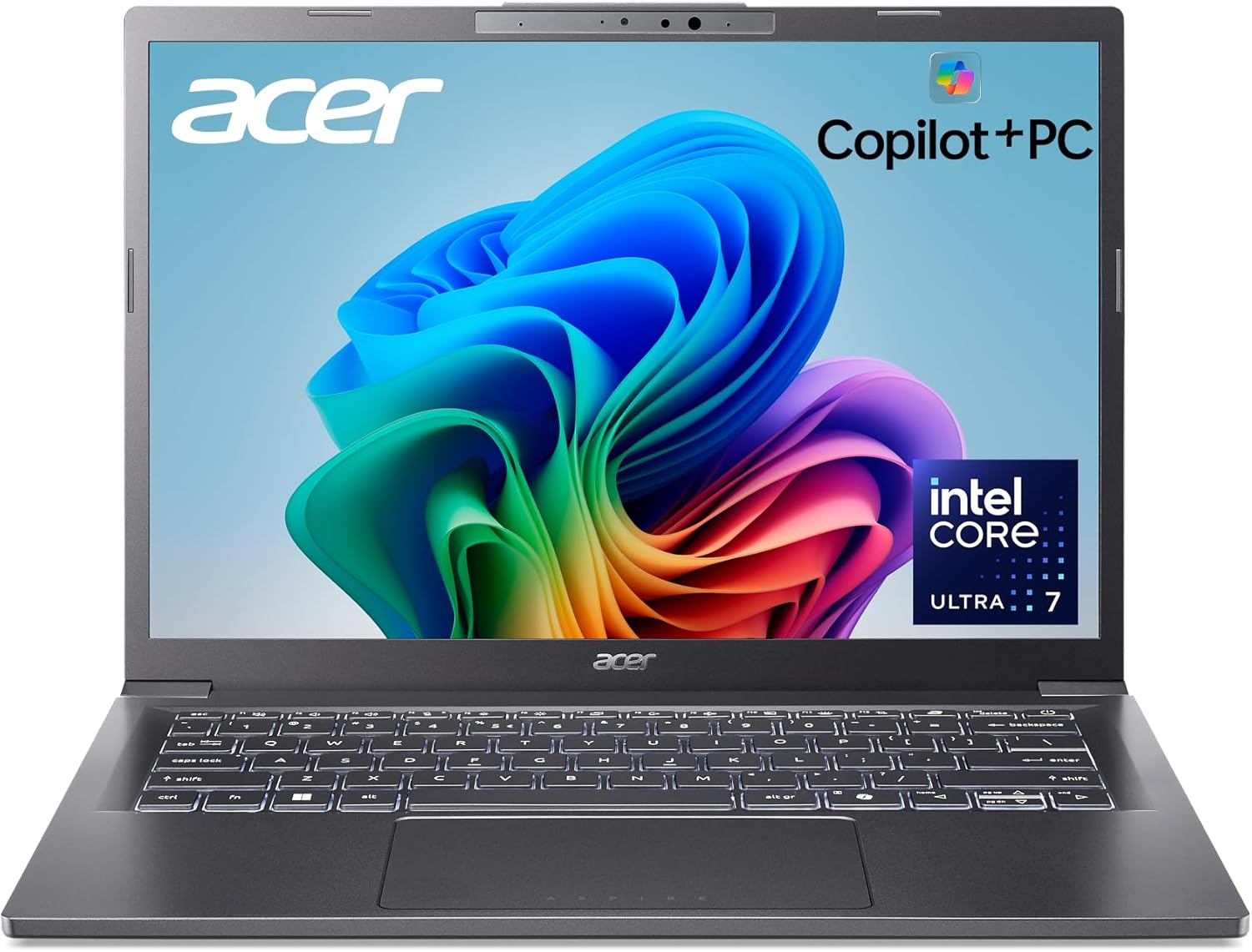
Acer Aspire 14 AI

A well-equipped Copilot+ PC on Intel x86 silicon that delivers class-leading battery life and Thunderbolt connectivity in a light aluminum body — let down mainly by an average 60Hz display and non-upgradeable RAM.

Read the full review →

The 2026 Business Laptop Market at a Glance

Segment Reviewed products Best For Reviewed?
Mobility Acer Aspire 14 AI Professionals and students who work across locations and need a light, portable machine that lasts a workday — the Aspire 14 AI is a 1.4 kg aluminum ultrabook with all-day battery observations, a 180° lie-flat hinge and Thunderbolt 4 ports. Review
Copilot+ ARM Surface Laptop (2025) 13″ Buyers who want a verified ARM-based Copilot+ PC with strong battery life and a premium build — the Surface Laptop uses the Snapdragon X Plus, is rated at 45 TOPS on its NPU, and is the only ARM laptop in this hub. Review
Light Office Work Dell 15 (DC15250) Buyers who need a dependable everyday Windows machine for browsing, documents, email, video calls and light multitasking — the Dell 15 pairs a 120Hz FHD display with a capable six-core processor, but its 8GB single-channel memory caps heavier use. Review

Note on classification, ARM and Copilot+ status. This table groups each laptop by its primary reviewed positioning, and each product’s review card appears exactly once. The Surface Laptop (2025) is classified under Copilot+ ARM because the review explicitly confirms both its ARM architecture (Snapdragon X Plus) and its Copilot+ PC status with a 45 TOPS NPU; its portability is a secondary strength explained in the full review. The Acer Aspire 14 AI is also a Copilot+ PC, but it runs on Intel x86 silicon (Core Ultra 7 256V) — so it is not placed in the ARM segment and is instead classified under Mobility for its light aluminum build and all-day battery. The Dell 15 is classified as a light office machine. We do not assume every ARM laptop is a Copilot+ PC, we do not assume every Copilot+ feature is enabled or equally useful on every configuration, and we do not claim enterprise management, security certifications or corporate deployment support beyond what the reviews document.

Not Sure Which Business Laptop to Buy?

If you’re deciding between work laptops, our ultrabook or business laptop buying guide is the primary resource for weighing weight and portability, battery life, processor architecture and application compatibility, RAM, storage, display, keyboard and connectivity. When choosing: if you frequently work away from a fixed desk, mobility matters most — the Aspire 14 AI (1.4 kg, all-day battery) is the clear mobility pick here. If you want a verified ARM-based Copilot+ PC, the Surface Laptop is the only one in this hub, so check that your essential applications run natively on Arm or reliably through emulation. If your needs are lighter and your budget tighter, the Dell 15 delivers smooth everyday productivity in an entry-level configuration. Across all three, weigh the practical trade-offs the reviews document: the Surface’s superior build, display and battery against its ARM compatibility considerations and fixed 16GB; the Aspire’s battery and Thunderbolt against its average display and soldered RAM; and the Dell’s 120Hz screen and entry-level positioning against its single-channel 8GB and modest battery. We do not imply that ARM and x86 systems are interchangeable in every software environment, and we make no unsupported claims about enterprise management or long-term corporate support.

Frequently Asked Questions

What should you prioritize when choosing a business laptop?
Start with portability and battery life if you travel or work across locations, then check the processor architecture and whether your essential software is compatible (especially on Arm), then memory and storage. In this hub, the Surface Laptop (2025) leads on portability, battery and build, while the Aspire 14 AI offers class-leading battery and Thunderbolt in a light aluminum build, and the Dell 15 is the entry-level everyday option. A light, portable laptop is not automatically suited to demanding workloads — match the machine to what you actually do.

Is an ARM-based laptop suitable for everyday office work?
For mainstream productivity — web browsing, Office documents, email, video calls and streaming — yes, provided your applications are available natively for Arm or run reliably through Microsoft’s emulation layer. The Surface Laptop’s review notes that most mainstream apps work well, but that old or low-level software, drivers and plug-ins can encounter issues or run slower. If you depend on specific legacy software, verify Snapdragon compatibility before buying.

What is a Copilot+ PC?
A Copilot+ PC is a Windows machine with a neural processing unit (NPU) powerful enough to run Microsoft’s on-device AI features locally. In this hub, both the Surface Laptop (2025) and the Acer Aspire 14 AI are verified Copilot+ PCs — the Surface via a 45 TOPS Snapdragon NPU, the Aspire via a 47 TOPS Intel NPU — but they use different architectures (ARM and x86 respectively). The usefulness of specific Copilot+ features depends on Microsoft’s software and updates, and not every Copilot+ feature is equally available or useful on every configuration.

Are Copilot+ ARM laptops compatible with all Windows applications?
No. Copilot+ ARM laptops like the Surface Laptop run on Arm, so Windows apps that ship native Arm versions run fastest, while x86/x64 apps run through emulation and can be slower or occasionally incompatible. This is an architecture property, not a Copilot+ feature. Confirm your key applications support the Snapdragon/Arm platform before choosing an ARM machine. The Acer Aspire 14 AI, as an x86 Copilot+ PC, does not carry this same ARM compatibility consideration.

How important is battery life when choosing a portable work laptop?
Very important if you work away from a charger. The reviews document strong battery observations for the ARM and x86 ultrabooks here: the Surface Laptop is rated (manufacturer) up to 23 hours of local video and 16 hours of active web, while the Aspire 14 AI is claimed at up to 22 hours of video with independent testing of a sibling configuration around 17 hours of realistic mixed use. These are observations and manufacturer ratings, not guarantees — real-world use varies. The budget Dell 15’s battery life is only average for its class, a notable trade-off for its entry-level positioning.

Is an ultrabook suitable for multitasking and professional workloads?
It depends on the configuration. The Aspire 14 AI’s 16GB and Core Ultra 7 handle everyday professional multitasking well, and the Surface Laptop’s 16GB is ample for typical workloads — but both have fixed, non-upgradeable memory, so choose your RAM at purchase. The Dell 15’s 8GB single-channel memory is the practical floor and limits heavy multitasking. None of these three is a heavy-compute or gaming machine; for sustained multi-core or discrete-graphics workloads, the reviews point toward higher-tier or x86 alternatives.

Category: Uncategorized

Welcome to our budget laptop reviews hub, where you’ll find every budget laptop we’ve covered — from dependable everyday machines to high-RAM multitasking workhorses, plus at least one cautionary example that shows why a small number on a listing does not always mean a good buy. Each card below links to a full review with the actual processor, memory, storage, display and verdict. As you compare, the key questions for any budget laptop are the processor generation, memory and storage, operating-system support, display, battery life and build quality — not just the headline specifications. Crucially, an entry-level laptop is not automatically a good long-term purchase: one machine in this hub runs an 11-year-old processor with an unsupported Windows 11 install, and we flag that clearly rather than hiding it.

As an Amazon Associate, I earn from qualifying purchases.

Latest Reviews

Acer Aspire Lite 15

A slim everyday Windows laptop with generous 16GB RAM and a bundled Microsoft 365 plan — well suited to browsing, documents and light multitasking, though the entry-level Intel N150 keeps heavy workloads out of reach.

Read the full review →

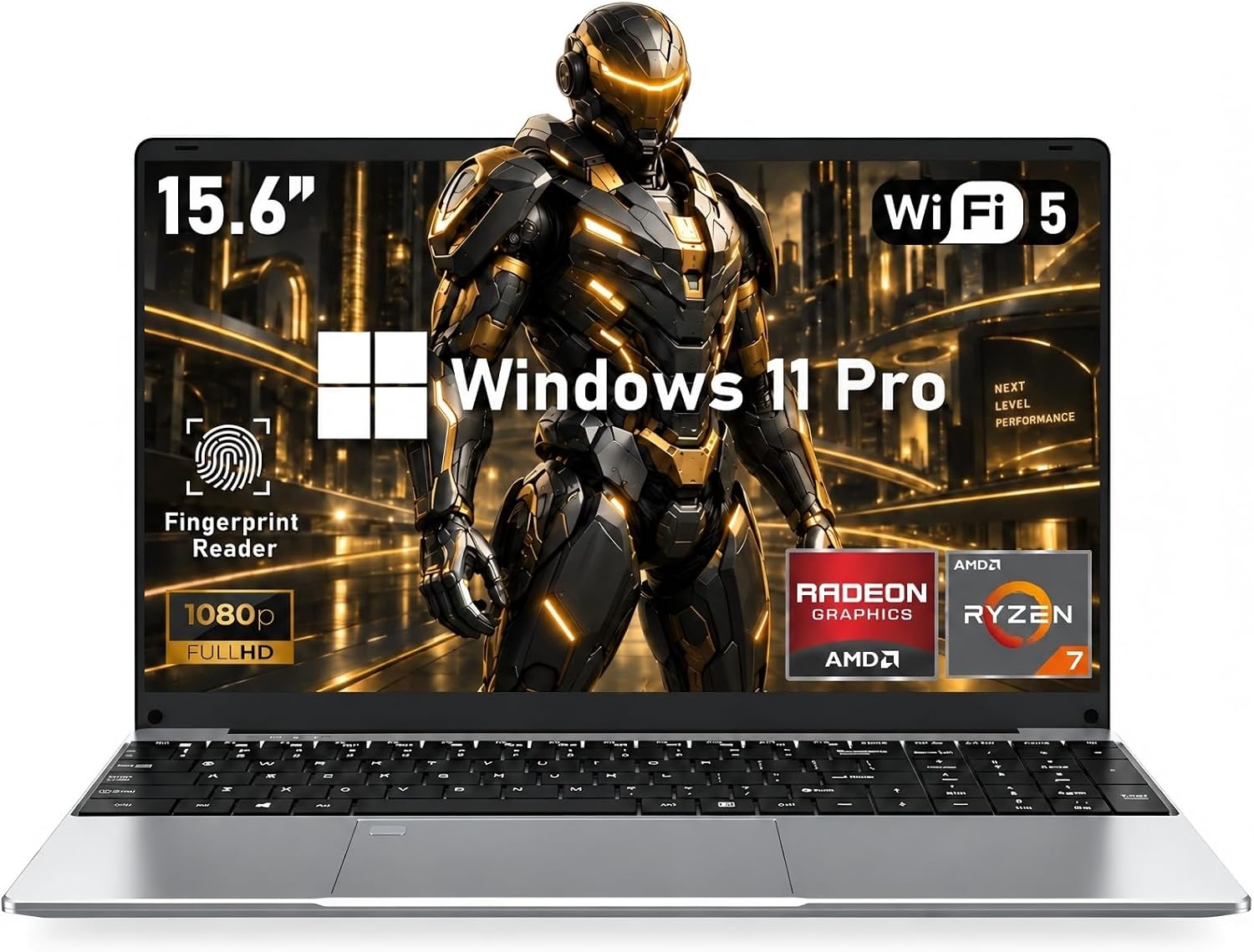
FUNYET Ryzen 7

A well-equipped productivity and multimedia laptop packing a Ryzen 7 6800H, 24GB of RAM and a 1TB SSD — genuinely strong for multitasking, though the dated Wi-Fi 5 connectivity and lesser-known brand are real caveats.

Read the full review →

QLall Laptop

A cautionary budget buy: the “i7” is actually a 2015 Intel Core i7-6500U dual-core chip, and the installed Windows 11 is not officially supported on this hardware — so treat it as a limited older machine, not a modern recommendation.

Read the full review →

The 2026 Budget Laptop Market at a Glance

Segment Reviewed products Best For Reviewed?
Everyday Computing Acer Aspire Lite 15 Budget buyers who want a slim everyday Windows laptop for browsing, documents, email, video calls and light multitasking — the Aspire Lite 15 pairs an entry-level Intel N150 with 16GB of RAM, a fast NVMe SSD and Wi-Fi 6. Review
Student Use See Everyday Computing The Aspire Lite 15 above is also the most student-relevant model in this hub — it is the portable pick in its review, and its 16GB of RAM and bundled Microsoft 365 package suit coursework. No separate student-specific laptop is reviewed here, so we do not invent one.
Multitasking FUNYET Ryzen 7 Buyers who need genuine multitasking headroom in an entry-level machine — the FUNYET pairs a Ryzen 7 6800H (8 cores) with 24GB of RAM and a 1TB SSD. Note it has no discrete GPU, so it is a productivity and multimedia machine, not a gaming rig. Review
Buying Caution QLall Laptop Readers considering an unusually low-spec laptop should read this first — the QLall’s “i7” is a 2015 dual-core chip and its Windows 11 install is not officially supported. Its position on a listing should not override its age and support limitations. Review

Note on classification and on the QLall’s limitations. This table groups each laptop by its primary reviewed positioning, and each product’s review card appears exactly once. The Acer Aspire Lite 15 is classified by its everyday positioning; its suitability for student workloads is a secondary characteristic explained above rather than a separate table entry. The FUNYET is placed in multitasking purely on its verified hardware (8-core Ryzen 7, 24GB RAM, 1TB SSD). The QLall is deliberately placed in Buying Caution: its advertised “Core i7” is an Intel Core i7-6500U released in 2015, a low-power dual-core part whose real-world performance is closer to today’s entry-level budget chips than to a modern i7, and Microsoft does not list it as supported by Windows 11 — so the installed Windows 11 is not officially supported on this hardware. We do not present the QLall as a good modern budget laptop, and we do not use its listing position as evidence of quality.

Not Sure Which Budget Laptop to Buy?

If you’re deciding between budget laptops, our budget laptop buying guide is the primary resource for how to weigh processor generation, memory, storage, operating-system support, display, battery life and build quality. For lighter, more portable options — including business-style machines — our ultrabook or business laptop guide is a useful complement. The right choice depends on your workload, not just the headline specifications: for basic everyday computing, the Aspire Lite 15 (N150, 16GB) handles browsing, documents, email and light multitasking; for heavier multitasking, the FUNYET’s 8-core Ryzen 7 and 24GB of RAM give real headroom, at the cost of dated Wi-Fi 5 and a lesser-known brand; and if you are tempted by a very low-spec laptop, read the QLall review first — its 2015 processor and unsupported Windows 11 are substantial limitations that a listing cannot remove.

Shop Now


Acer Aspire Lite 15
Acer Aspire Lite 15
Shop Now on Amazon


FUNYET Ryzen 7
FUNYET Ryzen 7
Shop Now on Amazon


QLall Laptop
Shop Now on Amazon

Product image unavailable in the reviewed sources.

As an Amazon Associate we earn from qualifying purchases.

Frequently Asked Questions

What should you prioritize when buying a budget laptop?
Prioritize the processor generation, the amount of RAM and storage, operating-system support, and the display and build quality — not just the headline specifications. The entry-level Intel N150 in the Aspire Lite 15 handles everyday tasks but not heavy workloads, while the FUNYET’s Ryzen 7 6800H gives real multitasking headroom. Always check the specific configuration of the model you are buying.

Is a budget laptop suitable for university or college?
It can be, if you match the machine to your workload. The Acer Aspire Lite 15 is the most student-relevant model in this hub: it is slim and portable, ships with 16GB of RAM, and bundles Microsoft 365 with 1TB of cloud storage. For heavier multitasking workloads, the FUNYET’s 24GB of RAM is a stronger fit. Avoid choosing capability or features you will not actually use.

How much RAM is useful for everyday multitasking?
16GB is a comfortable baseline for everyday multitasking, and it is what the Aspire Lite 15 ships with. If you routinely run many applications at once, the FUNYET’s 24GB gives more headroom. Be wary of very low memory on older systems: the QLall’s 16GB is DDR3 on a 2015 platform, so its real-world responsiveness is limited by its aging dual-core processor regardless of memory amount.

Why does processor generation matter when buying an older laptop?
Because a familiar model name can hide real age. The QLall advertises a “Core i7”, but it is an Intel Core i7-6500U released in 2015 — a low-power dual-core chip whose performance is closer to today’s entry-level processors than to a modern i7. Do not infer modern performance from an “i7” label alone; check the exact processor model and its generation.

Is an older laptop running Windows 11 necessarily supported?
No. The QLall runs Windows 11 Pro, but its Intel Core i7-6500U is not on Microsoft’s list of processors supported by Windows 11, so that installation is not officially supported on this hardware. The presence of Windows 11 is not evidence of official compatibility. If you are considering an older laptop, verify that its processor meets Microsoft’s stated requirements.

When should you avoid an unusually low-spec laptop?
Be cautious when a low-spec configuration is paired with an old processor and no official operating-system support, as with the QLall. An attractive listing can look appealing, but a machine built on a 2015 processor and running an unsupported Windows install carries real limitations that the listing cannot remove. Read the full review before committing, and treat such a product as a cautionary example, not a modern recommendation.

Category: Uncategorized

Welcome to our gaming laptop reviews hub, where you’ll find every gaming laptop we’ve covered — from 1080p machines and accessible entry-level configurations to a high-end OLED model. Each card below links to a full review with the actual configuration, GPU, CPU, display, cooling and verdict; the market overview sorts the range by intended use so you can jump straight to the category that fits your gaming needs and setup. As you compare, keep in mind the key questions for any gaming laptop: the GPU and CPU, the display resolution and refresh rate, cooling under sustained load, and memory and storage. One important note: where a review could not verify a specific component (as with the MSI Cyborg A15’s GPU), this hub preserves that uncertainty rather than guessing.

As an Amazon Associate, I earn from qualifying purchases.

Latest Reviews

MSI Cyborg A15

MSI’s compact 15.6-inch budget gaming laptop prioritizes portability and generous standard 16GB/1TB specs — but its exact GPU configuration remains unverified per the review, so its performance class should be treated as uncertain.

Read the full review →

Acer Nitro V 16

A compact RTX 5050 gaming laptop that delivers smooth 1080p-class gaming on a 16-inch 120Hz screen — if you’re willing to upgrade the supplied 8GB of RAM, which is the review’s main catch.

Read the full review →

HP Victus 15

A balanced entry-level 1080p gaming laptop that pairs a 144Hz FHD display with an RTX 3050 and 16GB of RAM, at the cost of a plastic build and a modest color gamut.

Read the full review →

Lenovo Legion 5i Gen 10

One of the strongest display-focused gaming laptops reviewed, combining a 165Hz OLED panel with an RTX 5070 at a generous 115W — just mind the modest battery life and the supplied 16GB config.

Read the full review →

The 2026 Gaming Laptop Market at a Glance

Segment Reviewed products Best For Reviewed?
1080p Gaming Acer Nitro V 16, HP Victus 15 Buyers who want Full HD gaming with a verified discrete GPU — the Nitro V 16’s RTX 5050 and the Victus 15’s RTX 3050, each paired with a high-refresh display. Review · Review
1440p Gaming None in this hub No laptop in this hub is primarily reviewed for QHD gaming with a verified GPU; the Legion 5i is OLED-first and QHD-capable (see below).
Entry-Level Gaming MSI Cyborg A15 Buyers looking for an accessible, more portable configuration with standard 16GB/1TB specs — understanding that the Cyborg’s exact GPU is unverified per the review. Review
OLED Gaming Laptops Lenovo Legion 5i Gen 10 Buyers who prioritize display quality first — a 165Hz OLED with HDR 600 — backed by an RTX 5070 that also makes it relevant to higher-resolution gaming. Review

Note on classification and on the Cyborg A15’s GPU. This table groups each laptop by its primary reviewed positioning, and each product appears once. The Acer Nitro V 16 and HP Victus 15 are reviewed as Full HD gaming machines with verified discrete GPUs (RTX 5050 and RTX 3050 respectively). The Lenovo Legion 5i Gen 10 is classified by its headline feature — its OLED display — and is also noted as relevant to QHD-class gaming given its 2560×1600 panel and RTX 5070; that is why no laptop is placed in a dedicated “1440p Gaming” row. The MSI Cyborg A15 is treated as an entry-level configuration: the review documents a compact, more portable budget laptop with standard 16GB RAM and 1TB storage, but it explicitly could not verify the laptop’s GPU model. Accordingly, we do not assign the Cyborg a specific GPU tier, and we do not use it as evidence for a particular performance class. A laptop’s resolution or refresh rate alone does not guarantee that its GPU can drive demanding games at that setting.

Not Sure Which Gaming Laptop to Buy?

If you’re deciding between laptops, our gaming laptop buying guide is the primary resource for how to weigh GPU performance, display resolution, refresh rate, CPU, cooling, memory, storage and portability. For a curated ranking of the models we rate highest, our best gaming laptops pillar is the place to start. When choosing: 1080p systems (Nitro V 16, Victus 15) are the practical choice for Full HD gaming with a verified GPU; higher-resolution gaming depends on an actual QHD-capable display and GPU, so we do not claim it for a laptop whose GPU is unverified; entry-level systems (Cyborg A15) reward understanding the compromises — here, the unverified GPU — before buying; and OLED systems (Legion 5i) are for buyers who prioritize display characteristics while still checking GPU capability and overall configuration. The four full reviews above provide the detailed configuration, cooling, upgrade and limitation findings for each machine.

Frequently Asked Questions

Is a 1080p gaming laptop still a practical choice?
Yes, for most budget buyers. A 1080p laptop with a verified discrete GPU, like the Acer Nitro V 16 (RTX 5050) or the HP Victus 15 (RTX 3050), handles Full HD gaming well and pairs naturally with a high-refresh display. It’s a practical way to get playable performance without needing a higher-resolution screen the GPU can’t fully drive.

What hardware should you look for in a 1440p gaming laptop?
You need both a display that is actually QHD (like 2560×1600) and a GPU capable of driving it, and the two should be considered together. In this hub, the Lenovo Legion 5i Gen 10 pairs a 2560×1600 panel with an RTX 5070, making it relevant to QHD-class gaming. A high-refresh screen alone does not make a laptop a 1440p machine, and we do not claim higher-resolution capability for a laptop whose GPU is unverified, as with the MSI Cyborg A15.

What compromises should you expect from an entry-level gaming laptop?
Entry-level machines typically compromise on build materials, battery life, storage capacity and sometimes the supplied memory. The Nitro V 16 ships with just 8GB of RAM (an important limitation flagged in its review), while the Cyborg A15’s GPU could not be verified in its review, so its performance class is uncertain. Read the full review for each model before buying, and check the actual configuration rather than assuming from the product family.

Is an OLED display worth considering for gaming?
It can be, if display quality is your priority. The Legion 5i Gen 10’s 165Hz OLED with HDR 600 and full DCI-P3 coverage delivers deep blacks and vivid color. That said, an OLED display does not by itself make a laptop suitable for demanding high-resolution gaming — you still need to check the GPU and overall configuration, and be prepared for modest battery life.

How important are cooling and GPU power limits in a gaming laptop?
Very important. Cooling and the GPU’s power limit determine whether a laptop sustains its performance under load. The Legion 5i runs its RTX 5070 at a generous 115W, which the review highlights as a strength; the Cyborg A15’s compact chassis leaves its cooling effectiveness unverified. Budget machines like the Victus 15 can run warm with audible fans under sustained load.

How much RAM and SSD storage should a gaming laptop have?
16GB of RAM is the practical baseline for current gaming, and several models here ship with it (Cyborg A15, Victus 15, Legion 5i). The Nitro V 16 ships with 8GB, which its review identifies as the main catch — an upgrade to 16GB is recommended. For storage, 1TB gives comfortable room for multiple game installs; 512GB fills quickly with modern titles. Check the memory and storage on the exact configuration you’re buying.

Category: Uncategorized

Welcome to our audio interface reviews hub, where you’ll find every audio interface and headphone DAC we’ve covered — from entry-level recording interfaces and two-input models to headphone DACs and amplifiers for desktop listening. Each card below links to a full review with connectivity, input/output configuration, controls, software and a verdict; the market overview sorts the range by intended use so you can jump straight to the category that fits your recording or listening setup. As you compare, keep the core distinction in mind: an audio interface converts analog signals to digital and provides input/output connectivity for recording, while a dedicated headphone DAC (and amplifier) focuses on playback, converting digital audio to analog for headphones — the two are different kinds of equipment.

As an Amazon Associate, I earn from qualifying purchases.

Latest Reviews

Audient EVO 4

Audient’s beginner-friendly 2-in/2-out USB interface pairs Smartgain automatic level-setting with built-in loopback and clean preamps, making it one of the easiest ways to start recording.

Read the full review →

Behringer UMC22

A compact 2×2 USB interface with a Midas-designed preamp, 48V phantom power and a Hi-Z instrument input — ideal for entry-level single-mic-plus-guitar setups.

Read the full review →

Focusrite Scarlett 2i2 4th Gen

The two-input sweet spot in Focusrite’s range, adding Auto Gain and Clip Safe to a clean pair of preamps for recording two sources at once.

Read the full review →

Focusrite Scarlett Solo 4th Gen

Focusrite’s entry-level solo recording interface delivers RedNet-derived conversion and two flexible Air modes in a compact, bus-powered USB-C box for recording one source at a time.

Read the full review →

MOTU M2

MOTU’s 2-in/2-out interface combines an excellent ESS Sabre32 DAC, a full-color LCD meter and low latency, rewarding users who are comfortable setting levels manually.

Read the full review →

FiiO K11

FiiO’s compact desktop DAC/amp brings a true 4.4mm balanced output and strong measured power, expanding the options for balanced headphone audio.

Read the full review →

FiiO K7

A dual-AKM/THX balanced desktop DAC/amp that delivers serious power for demanding headphones without flagship hardware.

Read the full review →

Chord Mojo 2

Chord’s pocket-sized flagship portable DAC/amp wraps custom FPGA processing and a lossless UHD DSP tone-control system in a premium, hand-built chassis.

Read the full review →

Sound BlasterX G6

Creative’s multi-platform gaming DAC/amp pairs a genuine hi-res DAC with virtual 7.1 surround and Scout Mode, with caveats around its measured dynamic range and console support.

Read the full review →

Topping DX3 Pro+

Topping’s compact all-in-one stacks a top-tier ESS DAC, LDAC Bluetooth and a low-distortion NFCA amp into a single box that measures like a flagship.

Read the full review →

The 2026 Audio Interface Market at a Glance

Segment Reviewed products Best For Reviewed?
Entry-Level Interfaces Audient EVO 4, Behringer UMC22, Focusrite Scarlett Solo 4th Gen Beginners and first-time recordists who want an accessible interface for basic recording, streaming and desktop audio workflows in a straightforward design. Review · Review · Review
Two-Input Interfaces Focusrite Scarlett 2i2 4th Gen, MOTU M2 Users who need to record two sources (two microphones or instruments) at once, with clean preamps and reliable level control. Review · Review
Interfaces with DSP None in this hub No recording interface in this hub has onboard DSP confirmed by its source review; see the note below the table for how auto-gain features differ from DSP processing.
Headphone DACs FiiO K11, FiiO K7, Chord Mojo 2, Topping DX3 Pro+, Sound BlasterX G6 Listeners wanting dedicated headphone playback — a DAC/amp for headphones, kept distinct from conventional recording interfaces. Review · Review · Review · Review · Review

Note on classification and on DSP. This table groups each product by its documented design, connectivity and intended use, and each product appears once. The EVO 4, UMC22 and Scarlett Solo are entry-level recording interfaces; the Scarlett 2i2 and MOTU M2 offer two inputs. The FiiO K11, FiiO K7, Chord Mojo 2, Topping DX3 Pro+ and Sound BlasterX G6 are dedicated headphone DACs (and amplifiers) — the G6 is a gaming DAC/amp with virtual surround, not a recording interface. On DSP: none of the recording interfaces in this hub has onboard DSP confirmed by its source review. Audient’s Smartgain on the EVO 4 and Focusrite’s Auto Gain and Clip Safe on the 2i2 are automatic level-setting and level-protection assistance, not DSP processing, and are not treated as such here. The only DSP explicitly confirmed in these reviews is on headphone DACs — the Chord Mojo 2’s UHD DSP tone-control system and the Creative G6’s SB-Axx1 audio processor — so those products sit in the Headphone DACs segment. A microphone and an audio interface are different kinds of equipment, and so are an audio interface and a headphone DAC.

Not Sure Which Audio Interface to Buy?

If you’re deciding what to buy, our audio interface / DAC buying guide is the primary resource for the difference between interfaces and DACs, connectivity, and technical specifications. For a ranking across recording, streaming, gaming and desktop listening, our best audio interfaces pillar organizes these categories. When choosing, decide what you actually need: for basic recording and streaming, an entry-level interface (EVO 4, UMC22, Scarlett Solo) provides mic preamps and direct computer connectivity; for connecting two microphones or instruments at once, a two-input interface (Scarlett 2i2, MOTU M2) is the right class; for hardware DSP and onboard processing, note that no recording interface in this hub confirms onboard DSP — the DSP-equipped products here are headphone DACs; and for headphone playback only, a dedicated headphone DAC (K11, K7, Mojo 2, DX3 Pro+, G6) is the relevant category. These are not interchangeable: an audio interface handles recording input and conversion, while a headphone DAC is built for playback. The right choice depends on the inputs, outputs, monitoring workflow, processing features and intended use you need. The ten full reviews above provide detailed product-level findings and limitations.

Frequently Asked Questions

What does an audio interface do?
An audio interface provides audio input/output connectivity and converts analog signals into digital audio (and back) for a computer or other host device. It typically adds mic preamps, instrument inputs, headphone monitoring and the conversion needed to record microphones or instruments. A microphone captures sound; the interface handles the connection and conversion — they are different pieces of equipment, and a USB microphone has that conversion built in.

How many inputs do you need?
It depends on how many sources you record at once. If you record one microphone or instrument at a time, a single-input interface like the Focusrite Scarlett Solo 4th Gen works. If you need two microphones or instruments simultaneously, you’ll want a two-input interface such as the Scarlett 2i2 4th Gen or the MOTU M2. The Behringer UMC22 and Audient EVO 4 are also 2-in interfaces, but their positioning and preamp counts differ — check each review for the exact input configuration.

What is the difference between an audio interface and a DAC?
An audio interface is built for recording: it provides input connectivity and analog-to-digital conversion for microphones and instruments. A DAC (digital-to-analog converter) is focused on playback, converting digital audio to analog for headphones or speakers. Some interfaces include a good DAC, but a dedicated headphone DAC (like the FiiO K11, FiiO K7, Chord Mojo 2, Topping DX3 Pro+ or Sound BlasterX G6) is built around playback and is not a recording interface.

What does DSP do in an audio interface or DAC?
DSP (digital signal processing) refers to onboard digital processing of the audio signal. In this hub, no recording interface confirms onboard DSP in its review. The DSP explicitly confirmed in these reviews is on headphone DACs — the Chord Mojo 2’s UHD DSP tone-control system and the Creative G6’s SB-Axx1 processor (which handles virtual 7.1 surround, Dolby Digital and Scout Mode). Automatic gain features like Audient’s Smartgain and Focusrite’s Auto Gain and Clip Safe are level-setting and level-protection assistance, not DSP processing, and should not be conflated with it.

Do you need a separate headphone DAC?
Only if your priority is headphone playback and you need a dedicated DAC/amp — for example, to drive demanding headphones with more power or a balanced output (the FiiO K11 and K7, Chord Mojo 2, Topping DX3 Pro+ and Sound BlasterX G6 are all in this category). If your main task is recording microphones or instruments, a recording interface is the relevant tool, and an audio interface is not a headphone DAC, nor is a headphone DAC a recording interface.

What should you check before connecting microphones and instruments?
Confirm the interface’s input count and what each input accepts — a mic preamp with phantom power for condenser microphones (available on the EVO 4, UMC22, Scarlett Solo and 2i2, and MOTU M2), and a Hi-Z instrument input for guitars (the EVO 4 and UMC22 have one). Check whether you need two simultaneous sources, whether you want zero-latency direct monitoring while tracking, and whether the interface’s software and drivers work with your setup. For a purely XLR microphone, you generally need compatible input hardware such as an audio interface or mixer — a USB microphone, by contrast, has its conversion built in.

Category: Uncategorized

Welcome to our microphone reviews hub, where you’ll find every microphone we’ve tested — from USB studio condensers and streaming microphones to budget starter kits and dynamic models with XLR/USB connectivity. Each card below links to a full review with microphone type, polar pattern, connectivity, monitoring and a verdict; the market overview sorts the range by intended use so you can jump straight to the category that fits your recording or streaming workflow. As you compare, keep in mind that a microphone captures sound, while an audio interface provides input/output connectivity and converts analog signals to digital — the two are different pieces of equipment.

As an Amazon Associate, I earn from qualifying purchases.

Latest Reviews

Elgato Wave:3 MK.2

A premium cardioid USB condenser that runs five DSP effects in the hardware for a polished, broadcast-style voice with minimal fuss — though it’s USB-only, capped at 48 kHz, and benefits from a boom arm.

Read the full review →

FIFINE T669

A complete entry-level USB condenser kit whose included boom arm, shock mount and pop filter get you recording immediately — accepting no headphone monitoring, a single polar pattern and room-noise sensitivity.

Read the full review →

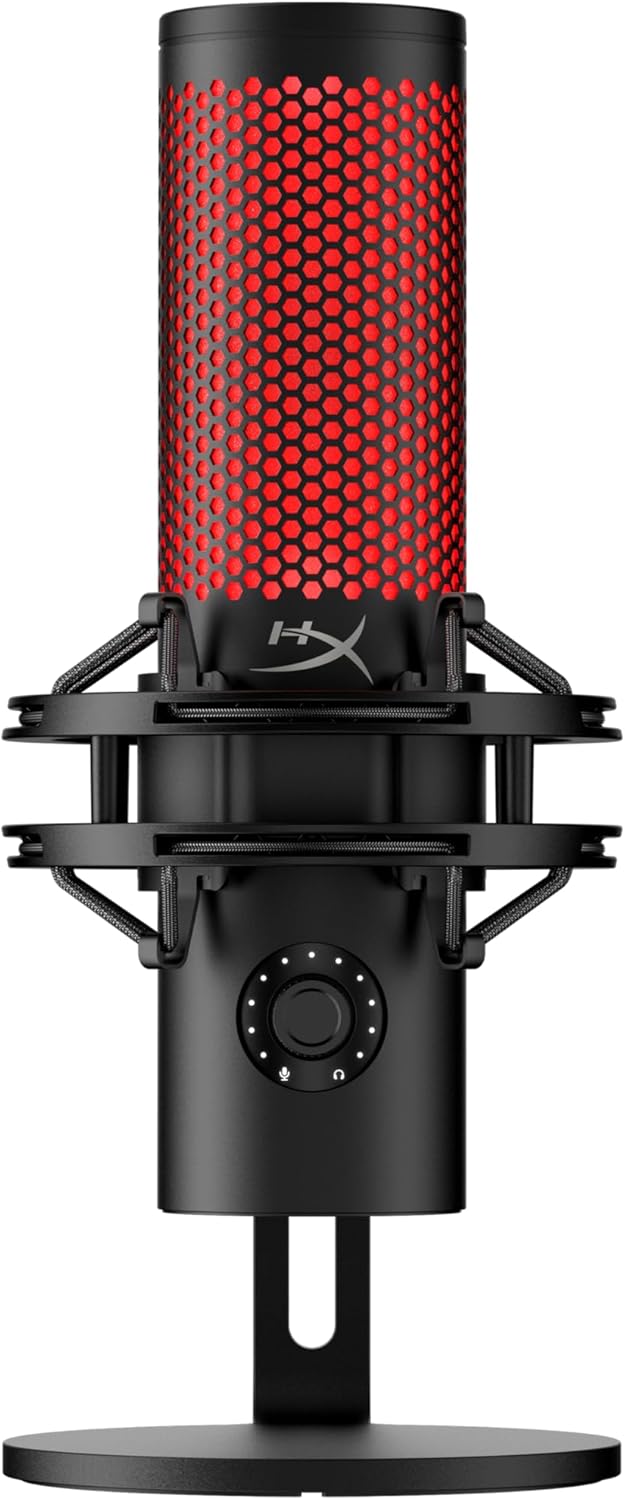
HyperX QuadCast 2

A versatile USB condenser for gamers and streamers with four switchable polar patterns, a 24-bit/96 kHz capture and on-mic controls — in the premium tier and with a condenser’s sensitivity to room noise.

Read the full review →

MAONO PD200W

A dynamic cardioid hybrid that connects over 2.4 GHz wireless, USB-C and XLR in one aluminum body, with solid room-noise rejection — though XLR mode disables its internal DSP and the wireless range is rated, not guaranteed.

Read the full review →

Rode X XDM-100

A premium dynamic USB microphone that pairs rich room-noise-rejecting sound with the bundled UNIFY virtual mixer and APHEX processing — USB-only with a single cardioid pattern, no stand included, and a software-first experience.

Read the full review →

Samson Q2U

An entry-level dynamic USB/XLR hybrid with zero-latency headphone monitoring and a complete starter kit, giving you a genuine upgrade path to an interface — if you accept no onboard gain and the need for close-mic technique.

Read the full review →

Shure MV7+

A premium dynamic USB-C/XLR hybrid whose USB mode adds Auto Level, a denoiser and a Digital Popper Stopper, with a customizable LED touch panel — but the DSP, mute and metering only work over USB, and it’s a plain analog dynamic over XLR.

Read the full review →

The 2026 Microphone Market at a Glance

Segment Reviewed products Best For Reviewed?
USB Studio Microphones Elgato Wave:3 MK.2 Creators who want a USB condenser with clean capture, hardware DSP and direct computer connectivity for podcasting, content and general recording. Review
Streaming Microphones HyperX QuadCast 2, Rode X XDM-100 Streamers and gamers who want a USB mic built around live workflows — multi-pattern flexibility and on-mic controls (QuadCast 2) or a bundled virtual mixer and voice processing (XDM-100). Review · Review
Budget Microphones FIFINE T669 First-time podcasters, streamers and remote workers who want a complete USB setup out of the box and can record in a reasonably quiet room. Review
Dynamic XLR/USB Microphones MAONO PD200W, Samson Q2U, Shure MV7+ Users who want a dynamic capsule’s room-noise rejection with both USB and XLR connectivity — a plug-and-play present and an interface/mixer future in one mic. Review · Review · Review

Note on classification: this table groups each microphone by its documented design, connectivity and intended use. The Elgato Wave:3 MK.2 is a USB studio condenser focused on clean capture and hardware processing. The HyperX QuadCast 2 and Rode X XDM-100 are streaming microphones — the QuadCast 2 is a multi-pattern USB condenser for gaming/live use, while the XDM-100 is a dynamic USB mic (USB-only, no XLR) built around its live mixing software. The FIFINE T669 is the entry-level starter kit. The MAONO PD200W, Samson Q2U and Shure MV7+ are dynamic XLR/USB hybrids — each confirmed to support both USB and XLR outputs. A microphone is not an audio interface: the hybrids need an interface or mixer for their XLR path, and none of the USB microphones here requires an external interface to work over USB.

Not Sure Which Microphone to Buy?

If you’re still deciding, our microphone buying guide is the primary resource for understanding microphone types, connectivity and recording requirements. For a focused comparison of USB models, our best USB microphones pillar organizes the same seven reviewed mics by use case. When choosing: USB studio microphones (like the Wave:3 MK.2) suit direct computer connectivity and recording control; streaming microphones (QuadCast 2, XDM-100) are built for live desktop workflows; entry-level microphones (FIFINE T669) reward prioritizing documented features and practical limitations; and dynamic XLR/USB hybrids (PD200W, Q2U, MV7+) pair a dynamic capsule with connection flexibility. For the XLR path on a hybrid, you’ll generally need compatible input hardware such as an audio interface or mixer — over USB, none of these requires an external interface. The seven full reviews above provide detailed product-level findings and limitations.

Frequently Asked Questions

What is the difference between a USB and an XLR microphone?
A USB microphone has a built-in analog-to-digital converter and connects directly to a computer (or other host) over USB — plug-and-play, no extra hardware. An XLR microphone outputs an analog signal and needs compatible input hardware, typically an audio interface or mixer, to reach a computer. Many of the dynamic microphones here (PD200W, Q2U, MV7+) offer both, letting you use USB now and XLR later.

Do XLR microphones need an audio interface?
In most cases, yes. A conventional XLR microphone sends an analog signal that must be converted to digital, so you generally need an audio interface or mixer with an XLR input (and, for condenser mics, phantom power). The dynamic XLR/USB hybrids in this hub connect directly over USB for digital use, and use their XLR output when you add an interface or mixer. A microphone is not an audio interface, and an interface is not a microphone.

Can a dynamic microphone connect directly to a computer?
Yes, if it has a USB output. The dynamic microphones reviewed here (PD200W, XDM-100, Q2U, MV7+) all connect directly to a computer over USB — no interface required for that path. If you want to use the XLR output of a hybrid instead, you’ll need an interface or mixer. A purely XLR dynamic would require that input hardware.

What should buyers look for in a streaming microphone?
Focus on desktop setup, voice capture, controls and workflow compatibility. The HyperX QuadCast 2 gives gaming streamers four polar patterns and on-mic tap-to-mute; the Rode X XDM-100 bundles a virtual mixer and APHEX voice processing for a live broadcast chain. Consider whether you want condenser detail (and can accept room-noise sensitivity) or a dynamic’s room rejection, and check that the mic’s software and connectivity match your streaming setup.

Is a USB studio microphone suitable for voice recording?
Yes. A USB studio condenser like the Elgato Wave:3 MK.2 offers clean capture, hardware DSP and direct computer connectivity, which is well suited to podcasting, voiceover and content recording. Its cardioid pattern focuses on your voice, though as a condenser it will pick up more room ambience than a dynamic, so a quiet space helps. It’s USB-only, with no XLR upgrade path.

What is the difference between a microphone and an audio interface?
A microphone captures sound. An audio interface provides audio input/output connectivity and converts analog signals into digital audio for a computer or other host. They are different pieces of equipment: the microphone is the transducer, and the interface (when used) handles the analog-to-digital conversion and connection. Do not treat an interface’s preamps, converters or inputs as microphone features, and don’t assume every microphone requires an interface — USB microphones have that conversion built in.

Category: Uncategorized

Welcome to our computer speaker reviews hub, where you’ll find every desktop speaker pair we’ve tested — from compact 2.0 sets to feature-rich multimedia speakers and entry-level options. Each card below links to a full review with speaker configuration, connectivity, dimensions and a verdict; the market overview sorts the range by intended use so you can jump straight to the category that fits your desk and listening needs. This hub focuses on computer and desktop speaker setups, not subwoofer-based home-theater systems.

As an Amazon Associate, I earn from qualifying purchases.

Latest Reviews

Creative Pebble Pro

A feature-rich compact 2.0 pair whose RGB, headset/microphone ports and dual-power USB-C design make it a communications-minded upgrade — provided you factor in the separately-sold USB PD adapter for its higher output.

Read the full review →

Creative Pebble V3

A tidy compact 2.0 pair that prioritizes convenience — one USB-C cable for power and audio, with Bluetooth and a small footprint — while accepting limited bass and modest output.

Read the full review →

Edifier G2000

A compact 2.0 gaming pair with RGB lighting, EQ modes and Bluetooth/USB/aux inputs, offering lots of desk-friendly features — just keep in mind it has no built-in subwoofer (only an output jack for one).

Read the full review →

Logitech Z150

A simple wired 2.0 upgrade that gets the basics right without extra complexity, if you don’t need Bluetooth or USB and can accept modest sound and a wall outlet requirement.

Read the full review →

The 2026 Computer Speaker Market at a Glance

Segment Reviewed products Best For Reviewed?
Compact 2.0 Speakers Creative Pebble V3 Desk users who want a small, tidy stereo pair where desktop space and straightforward playback matter most — the V3’s single-cable USB setup and compact footprint are its strengths. Review
Desktop and Multimedia Speakers Creative Pebble Pro, Edifier G2000 Users who want connectivity, controls and everyday versatility — the Pebble Pro adds RGB, headset/mic ports and USB-C/Bluetooth, while the G2000 adds RGB, EQ modes and Bluetooth/USB/aux inputs. Review · Review
Entry-Level Computer Speakers Logitech Z150 Listeners who want the simplest possible step up from built-in audio, with practical setup and documented features taking priority over headline specs. Review

Note on classification: this table groups each speaker pair by its primary desktop positioning. All four reviewed products are 2.0 systems (two speakers, no separate subwoofer). The Creative Pebble V3 is the compact 2.0 pick built around a tidy, single-cable setup. The Creative Pebble Pro and Edifier G2000 are desktop/multimedia speakers that add connectivity and controls — RGB, headset/mic ports, EQ modes and multiple inputs. The Logitech Z150 is the entry-level option, wired and minimal. None of these four includes a built-in subwoofer; the G2000 has a subwoofer output jack for optionally adding an external unit later, but it ships and operates as a 2.0 pair. This hub stays within computer/desktop 2.0 scope and does not cover subwoofer-based 2.1 or home-theater systems.

Not Sure Which Computer Speakers to Buy?

If you’re still deciding, our computer speaker buying guide is the primary resource for matching a pair to your desk and listening needs. For a head-to-head comparison of exactly these four compact 2.0 pairs, our best computer speakers pillar compares them side by side — both resources stay within desk/2.0 scope (no subwoofer systems). When choosing, weigh your priority: compact 2.0 speakers are about desktop space and straightforward stereo playback; desktop/multimedia speakers add connectivity, controls and everyday versatility; entry-level speakers reward prioritizing documented features and practical setup over advertised claims. The four full reviews above provide detailed product-level findings and limitations.

Frequently Asked Questions

What is the difference between 2.0 and 2.1 computer speakers?
2.0 systems have two main stereo speakers and no separate subwoofer. 2.1 systems add a separate subwoofer alongside the two main speakers, which handles lower frequencies for deeper bass at the cost of an extra component to position and power. All four speakers reviewed in this hub are 2.0 systems; none includes a subwoofer.

Are compact 2.0 speakers suitable for a desktop setup?
Yes, they are often ideal for desktops. Compact 2.0 pairs like the Creative Pebble V3 offer a small footprint and straightforward stereo playback, which suits limited desk space. The trade-off is a modest low end — they can’t reproduce deep subwoofer style bass, and they’re best for close-range listening at moderate volume.

What connectivity should buyers look for in computer speakers?
It depends on your devices. USB-C or USB speakers (like the Creative Pebble Pro and V3) can carry power and audio over one cable and work without separate power bricks; Bluetooth adds wireless streaming from phones and tablets; and a 3.5mm AUX input accepts analog sources. The Logitech Z150 is wired-only via 3.5mm and needs an AC outlet. Match the connectivity to the sources you actually use.

What should buyers consider when choosing entry-level PC speakers?
Prioritize documented features and practical setup over headline claims. Check what connectivity the model actually supports (for example, the Z150 is wired-only with no Bluetooth or USB), whether it needs a wall outlet, and what the review found about real-world sound. Entry-level pairs are best at close range and moderate volume, so focus on whether they reliably handle your daily tasks rather than expecting room-filling performance.

Do computer speakers need a separate subwoofer?
Not necessarily. Whether you need a subwoofer depends on whether deep bass matters to you. The reviewed 2.0 pairs all operate without one, and their bass is limited relative to a 2.1 system. If low-end depth is a priority, a 2.1 system is the more direct route; the Edifier G2000 offers a subwoofer output jack so you could add an external unit later, but none is included.

What features matter most in desktop multimedia speakers?
Connectivity, controls and everyday versatility. The Creative Pebble Pro adds RGB, headset/microphone ports and USB-C/Bluetooth; the Edifier G2000 adds RGB, EQ modes and Bluetooth/USB/aux inputs. Consider which inputs you need, whether you want on-speaker controls, and whether extras like RGB or EQ presets actually fit how you use your desk speakers before adding them.

Category: Uncategorized

Welcome to our webcam reviews hub, where you’ll find every webcam we’ve tested — from 1080p streaming models and 4K cameras to creator-focused PTZ options and budget picks. Each card below links to a full review with resolution and frame-rate details, autofocus notes, connectivity and a verdict; the market overview sorts the range by intended use so you can jump straight to the category that fits your streaming, meetings or content workflow.

As an Amazon Associate, I earn from qualifying purchases.

Latest Reviews

Elgato Facecam MK.2

The premium 1080p60 choice for streamers who want uncompressed video and deep manual exposure control — provided you supply your own mic and stay within its fixed-focus range.

Read the full review →

Elgato Facecam Neo

A fuss-free budget 1080p60 webcam with autofocus and a physical privacy shutter that’s easy to recommend if you already own a microphone.

Read the full review →

Insta360 Link 2

A distinctive 4K PTZ webcam whose motorized gimbal tracking and presentation modes make it a strong fit for moving presenters and creators.

Read the full review →

Logitech Brio 500

A polished, meeting-first 1080p webcam whose Show Mode, auto-framing and usable mics give it a strong convenience advantage for daily video calls.

Read the full review →

Logitech MX Brio

Logitech’s flagship 4K webcam, noted for strong low-light performance and manual controls for professionals and creators working at the higher tier.

Read the full review →

Razer Kiyo Pro

A strong 1080p60 streaming choice built around an adaptive light sensor and HDR for difficult lighting, with a built-in stereo mic.

Read the full review →

OBSBOT Tiny 2 Lite

A compact AI PTZ 4K webcam that delivers motorized tracking for moving presenters, without moving to a mirrorless camera setup.

Read the full review →

The 2026 Webcam Market at a Glance

Segment Reviewed products Best For Reviewed?
1080p Streaming Webcams Elgato Facecam MK.2, Logitech Brio 500, Razer Kiyo Pro Streamers and call users who want a 1080p webcam where resolution, frame rate, autofocus and streaming setup compatibility matter most. Review · Review · Review
4K Webcams Logitech MX Brio Users who need 4K capture and care about connection bandwidth and host compatibility, especially in challenging lighting. Review
Creator Webcams Insta360 Link 2 Creators and presenters who want framing control, physical tracking and workflow integration such as gimbal movement and presentation modes. Review
Budget Webcams Elgato Facecam Neo, OBSBOT Tiny 2 Lite Buyers on a budget who should prioritize documented capabilities over advertised headline specs, focusing on what each model actually supports. Review · Review

Note on classification: this table groups each webcam by its primary comparison purpose. The Elgato Facecam MK.2, Logitech Brio 500 and Razer Kiyo Pro are 1080p models placed in the 1080p streaming segment — the Brio 500 is a meeting-first 1080p webcam (capped at 30fps), so its best fit is daily video calls rather than 60fps streaming. The Logitech MX Brio is the 4K flagship. The Insta360 Link 2 is a 4K camera whose defining features are its gimbal tracking and presentation workflow, so it sits in the creator segment. The Elgato Facecam Neo and OBSBOT Tiny 2 Lite are budget picks; the OBSBOT is a 4K PTZ model positioned as an entry point to tracking. A higher advertised resolution does not by itself guarantee better image quality, and maximum resolution and maximum frame rate are not always available at the same time — check each review for the specific supported combinations.

Not Sure Which Webcam to Buy?

If you’re still deciding, our webcam buying guide helps you compare technical requirements across different webcam use cases — resolution, frame rate, autofocus, field of view, software and connectivity. For streamers specifically, our best webcams for streaming pillar is the right resource for choosing a streaming-focused camera. When comparing, check the supported resolution/frame-rate combinations, connection bandwidth and host compatibility, and base purchasing decisions on documented capabilities rather than assuming advertised specs guarantee real-world results. The seven full reviews above provide detailed product-level findings and limitations.

Frequently Asked Questions

Is a 4K webcam always better than a 1080p webcam?
Not necessarily. Resolution is only one factor, and a higher resolution does not by itself guarantee a better image. A well-executed 1080p webcam can deliver a cleaner, better-controlled image than a mediocre 4K one, and factors like sensor size, autofocus, HDR, low-light handling and software also matter. Whether 4K helps depends on your use case, host bandwidth and display.

What should buyers look for in a webcam for streaming?
Start with the resolution and frame rate you actually need — for example, 1080p at 60fps for smooth motion — and check the exact combinations the camera supports. Autofocus, field of view, software compatibility with your streaming tool, and whether you need a built-in microphone are also important. For example, the Elgato Facecam MK.2 and Razer Kiyo Pro offer 1080p60, while the Logitech Brio 500 is capped at 1080p/30.

Does a webcam’s advertised resolution guarantee image quality?
No. Advertised resolution describes the output resolution, not the quality of the image. Actual quality depends on the sensor, lens, lighting, autofocus and image processing. Reviews can only confirm image quality through published testing, so a headline resolution should not be treated as proof of real-world sharpness, color or low-light performance.

Why do frame rate and resolution need to be considered together?
Because a webcam’s maximum resolution and maximum frame rate are often not available simultaneously. For example, several 4K webcams in this hub output 4K at 30fps and 1080p at 60fps but not 4K at 60fps — and on some models enabling HDR reduces the frame rate. Always confirm the specific resolution/frame-rate combinations a model supports before choosing.

What features matter most in a creator webcam?
For creators, framing control, autofocus, software and workflow integration can matter as much as resolution. The Insta360 Link 2, for example, adds a motorized gimbal, AI tracking, DeskView and Smart Whiteboard modes, plus gesture control. Consider whether you need physical tracking, manual controls and integration into your production workflow, and weigh those against the higher-tier positioning.

What should buyers prioritize when choosing a budget webcam?
Prioritize documented capabilities over headline specifications. Confirm what resolution and frame-rate combinations the model actually supports, whether it includes a microphone and autofocus, and what the review found about real-world behavior. For example, the Elgato Facecam Neo is a budget 1080p60 model with autofocus but no microphone, while the OBSBOT Tiny 2 Lite is a budget 4K PTZ model that relies on its software for tracking.

Category: Uncategorized

Welcome to our headset reviews hub, where you’ll find every headset and pair of headphones we’ve tested — from low-latency 2.4GHz gaming headsets and cross-platform models to everyday noise-cancelling headphones and professional office communication headsets. Each card below links to a full review with connectivity notes, battery details and a verdict; the market overview sorts the range by intended use so you can jump straight to the category that fits your gaming, listening or work needs.

As an Amazon Associate, I earn from qualifying purchases.

Latest Reviews

HyperX Cloud III S Wireless

A comfort-first wireless gaming headset whose marathon 2.4GHz/Bluetooth battery and dual connectivity make it a superb all-in-one for PC, PS5, Switch and mobile — provided you don’t need Xbox or a wired mode.

Read the full review →

Jabra Evolve2 65 Flex

An excellent, highly portable hybrid-work headset with strong call quality, hybrid ANC and Microsoft Teams certification for professionals who live in meetings.

Read the full review →

Razer BlackShark V3 Pro

A technically excellent competitive flagship pairing roughly 10ms wireless latency with rare hybrid ANC in a premium, comfortable package for serious PC and PS5 players.

Read the full review →

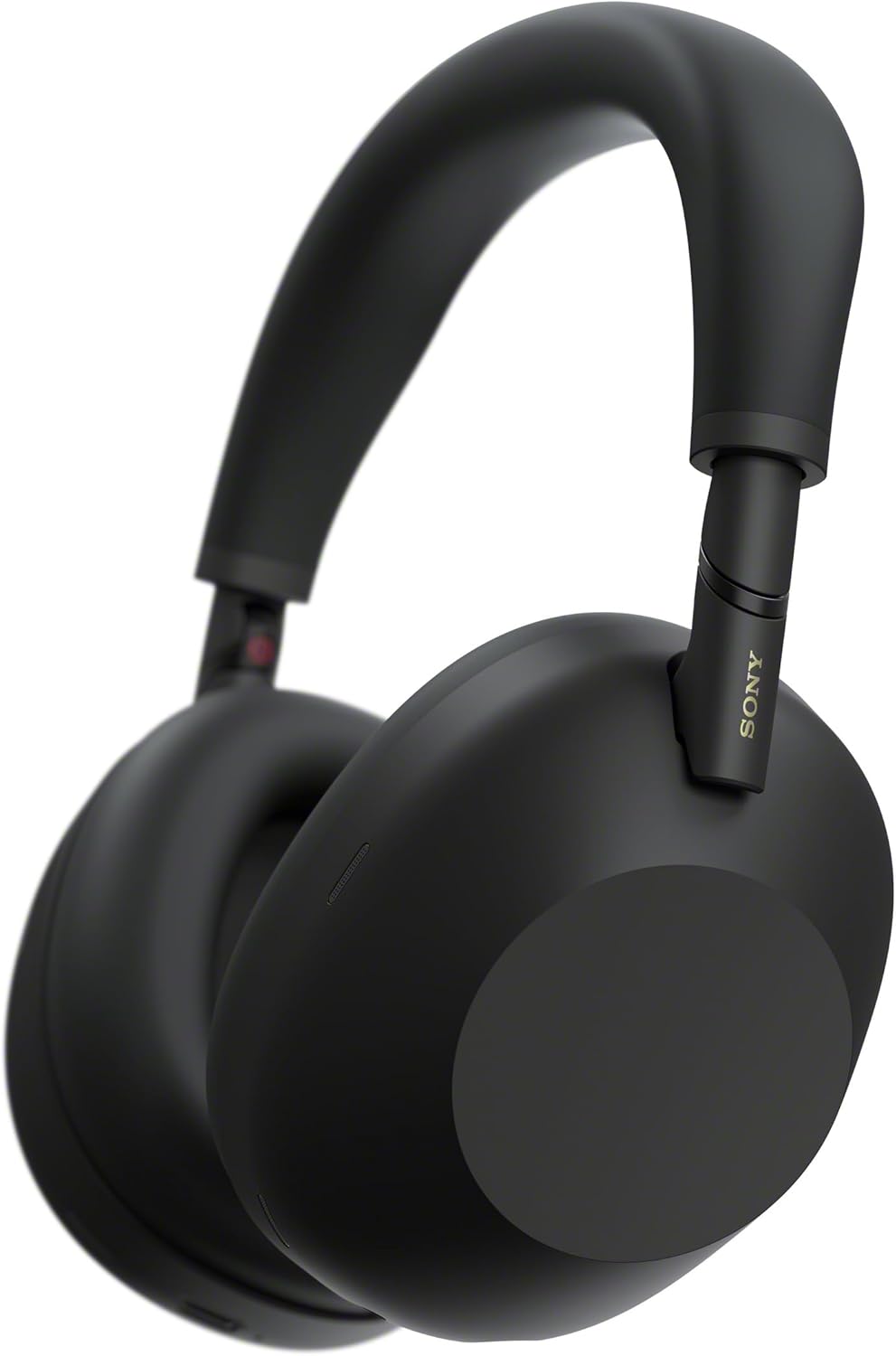
Sony WH-1000XM6

Arguably the best all-round noise-cancelling headphones, with class-leading ANC, premium wireless sound and long battery for travellers, commuters and remote workers.

Read the full review →

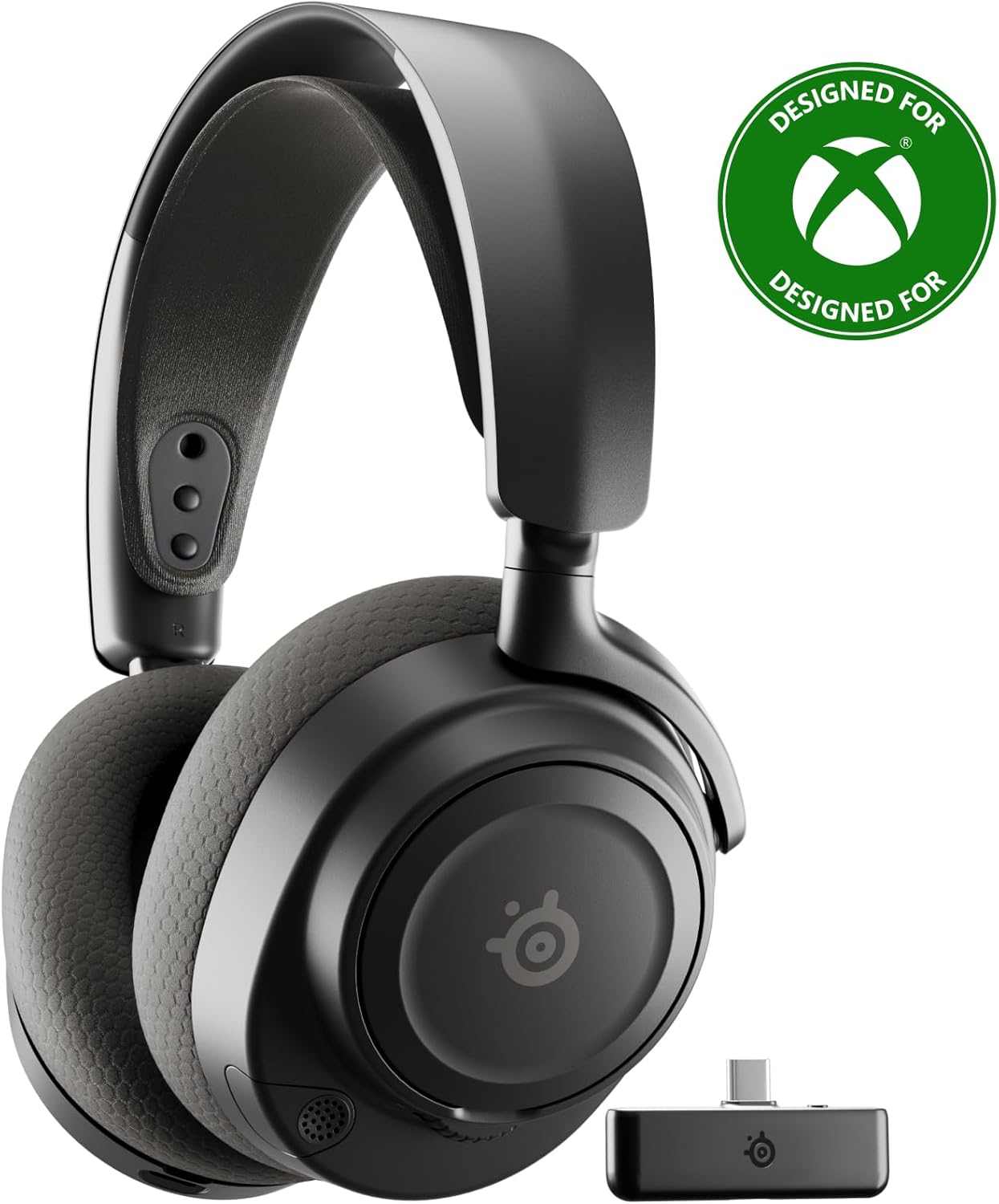
SteelSeries Arctis Nova 7X Wireless Gen 2

The go-to cross-platform gaming headset, covering Xbox, PlayStation, PC, Switch and mobile from a single dongle with excellent battery life and simultaneous audio.

Read the full review →

Turtle Beach Stealth 600 Gen 3

A balanced multiplatform wireless pick with exceptional 80-hour-rated battery and broad platform coverage, if you accept its build and isolation trade-offs.

Read the full review →

The 2026 Headset Market at a Glance

Segment Reviewed products Best For Reviewed?
2.4 GHz Gaming Headsets HyperX Cloud III S Wireless, Razer BlackShark V3 Pro Gamers who want low-latency 2.4GHz wireless and gaming-focused audio on PC, PS5 or Switch — with the Cloud III S’s extreme battery or the BlackShark’s competitive-grade latency and ANC. Review · Review
Multi-Platform Gaming Headsets SteelSeries Arctis Nova 7X Wireless Gen 2, Turtle Beach Stealth 600 Gen 3 Gamers who want one headset across multiple platforms — including Xbox — with broad device compatibility and connection options from a single unit. Review · Review
Everyday ANC Headphones Sony WH-1000XM6 Travellers, commuters and remote workers who want class-leading noise cancellation and premium everyday listening rather than gaming features. Review
Office and Unified Communications Headsets Jabra Evolve2 65 Flex Hybrid and remote professionals who prioritize microphone clarity, call management, comfort and workplace/UC compatibility over gaming audio. Review

Note on classification: this table groups each product by its primary intended use and source-review positioning. The HyperX Cloud III S and Razer BlackShark V3 Pro are gaming headsets built around low-latency 2.4GHz wireless. The SteelSeries Arctis Nova 7X Gen 2 and Turtle Beach Stealth 600 Gen 3 are multi-platform gaming headsets defined by coverage across consoles, PC and mobile. The Sony WH-1000XM6 is an everyday ANC headphone for general listening and noise cancellation — it is not a gaming headset. The Jabra Evolve2 65 Flex is a professional office/UC headset for communication — it is not a gaming headset. Bluetooth support, a built-in microphone or computer compatibility do not automatically make a product a gaming headset, and these categories should not be evaluated with identical criteria.

Not Sure Which Headset to Buy?

If you’re still deciding, our headset buying guide explains connection types, platforms, microphones, battery and comfort so you can match a headset to your setup. For gamers specifically, our best gaming headsets pillar compares headsets designed for gaming — 2.4GHz and multi-platform options. The gaming pillar is the right resource for gaming-headset selection; the ANC headphones and professional UC headset in this hub (Sony WH-1000XM6 and Jabra Evolve2 65 Flex) should be assessed on noise cancellation, listening comfort and call quality rather than gaming latency or platform-specific game audio. The six full reviews above provide detailed product-level findings and limitations.

Frequently Asked Questions

What is the difference between a 2.4 GHz gaming headset and a Bluetooth headset?
A 2.4GHz gaming headset (like the HyperX Cloud III S or Razer BlackShark V3 Pro) uses a USB dongle for low-latency wireless game audio, which is best for competitive play. Bluetooth is more convenient for phones and multi-device use but generally has higher latency and is less ideal for fast-twitch gaming. Many gaming headsets combine both, letting you game over 2.4GHz while staying connected to a phone over Bluetooth.

What should buyers consider when choosing a multi-platform gaming headset?
Look for device compatibility and connection options. The SteelSeries Arctis Nova 7X and Turtle Beach Stealth 600 Gen 3 are the multi-platform examples here, covering Xbox, PlayStation, PC, Switch and mobile from one unit (in the Stealth 600’s case, the Xbox model — the PlayStation-only variant doesn’t support Xbox). Consider which platforms you actually own, whether you need simultaneous audio, and whether battery and software matter to you.

Are Sony WH-1000XM6 headphones designed for gaming?
No. The Sony WH-1000XM6 is an everyday ANC headphone for general listening and noise cancellation. It has no gaming-specific low-latency wireless design, gaming software or platform game-audio features, and it should not be chosen as a gaming headset.

Is the Jabra Evolve2 65 Flex a gaming headset?
No. The Jabra Evolve2 65 Flex is a professional office/UC headset designed for calls, meetings and hybrid-work communication, with Microsoft Teams certification, a busy light and call-focused software. Its Bluetooth and computer compatibility are for workplace use, not competitive gaming.

What makes ANC headphones different from gaming headsets?
ANC headphones like the Sony WH-1000XM6 prioritize noise cancellation and everyday listening comfort, with features like transparency modes, LDAC hi-res audio and long battery for travel. Gaming headsets prioritize low-latency wireless, positional audio and a good mic for team chat. ANC strength is not a measure of gaming audio performance, and these serve different needs.

What should buyers look for in an office or UC headset?
Prioritize microphone clarity, call management, comfort and workplace compatibility — as with the Jabra Evolve2 65 Flex’s ClearVoice mic array, hybrid ANC, Teams certification, busy light and foldable design. Office/UC headsets should be judged on communication and comfort, not on gaming latency or game-audio features.

Scroll to Top