PC Components

Affiliate Disclosure: ComponentCrate participates in the Amazon Associates Program. As an Amazon Associate, I earn from qualifying purchases. We may receive a commission when you purchase through qualifying links, at no additional cost to you. Full disclosure

Category: PC Components

Best PC Cases for 2026: Airflow, SFF and Value

The PC case is the one component you’ll live with for years, and it shapes everything else: how much heat your build can shed, how big a graphics card and cooler you can install, how easy the build is, how much noise and dust reach your desk, and how the finished PC looks in your space. Choosing a case is about far more than appearance — get the size and airflow wrong and you’ll fight every future upgrade.

This guide is our comparison of the best PC cases for 2026. We cover high-airflow towers, compact ATX and micro-ATX cases, a small-form-factor (SFF) build, and genuine value options. We do not test cases ourselves; every specification is drawn from official manufacturer documentation and independent professional reviews, and we call out the practical limits behind each headline number.

Quick Comparison: Best PC Cases for 2026

Product Best for Motherboard support Included fans Max GPU length Radiator support Main advantage
Lian Li Lancool 217 Best overall ATX, E-ATX (≤280mm), SSI-EEB, mATX, ITX 5 (2×170mm, 2×120mm, 1×140mm) ~380 mm Top 360 mm Five fans, wood accents, strong thermals out of the box
Fractal Design Torrent Compact RGB Best airflow ATX, E-ATX (≤274mm), mATX, ITX 2×180mm Prisma ARGB 330 mm (368 mm w/o front fans) Front 360 mm, bottom 280 mm (no top) Two 180mm fans and a GPU-focused intake
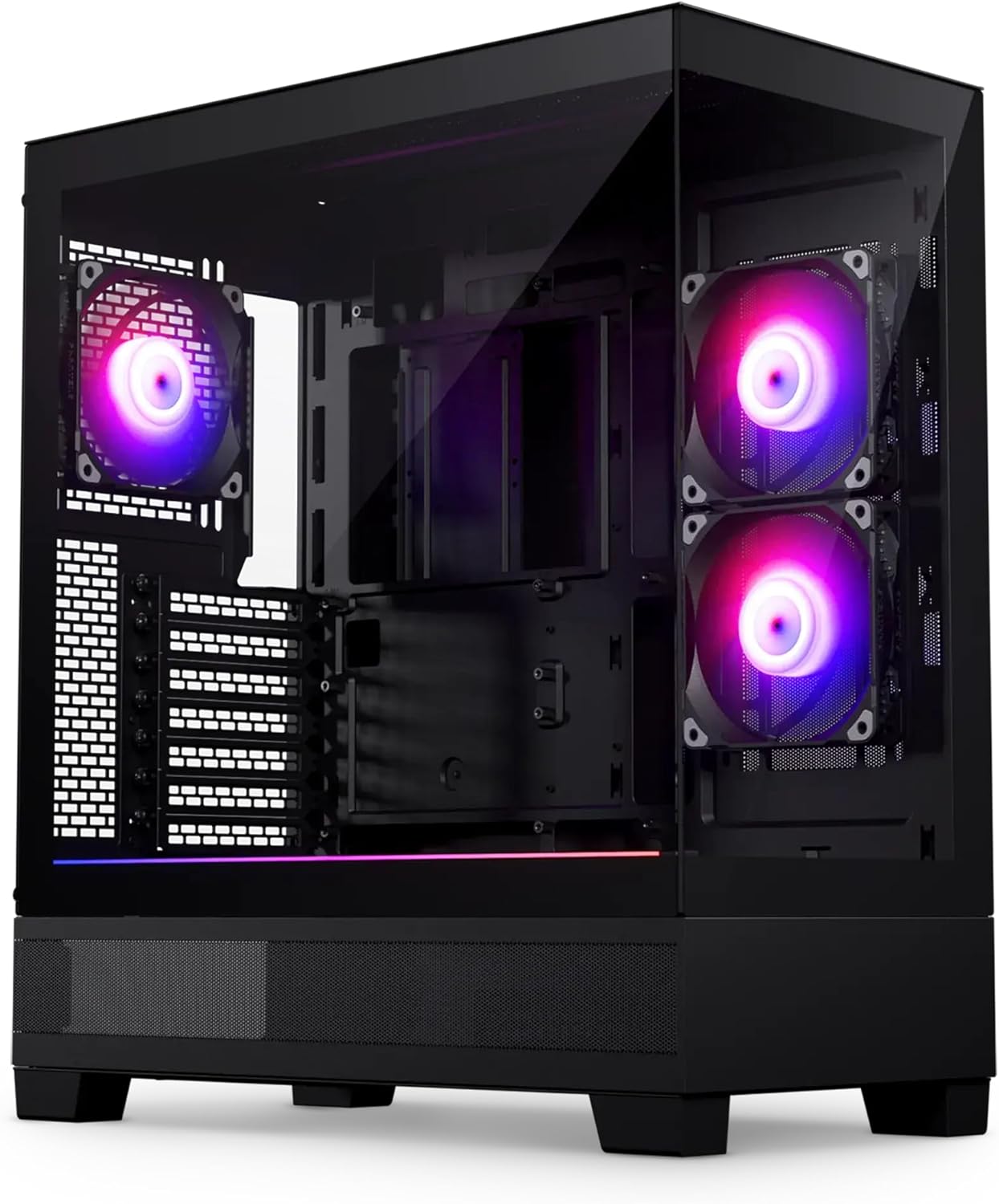
Phanteks XT View Best value ATX, E-ATX (≤280mm), mATX, ITX 3× M25-120 D-RGB ~415 mm Top 360 mm, side 240 mm Panoramic glass with true clearance at a low price
Montech XR Best budget ATX, mATX, ITX 3×120mm ARGB PWM ~420 mm Top 360 mm Showcase look with a complete lit fan layout
NZXT H9 Flow Best showcase / dual-chamber ATX, E-ATX (≤277mm), mATX, ITX 4 (3×F140Q + 1×F120Q) 459 mm (410 mm w/ front AIO) Top & front 420 mm, bottom 360 mm Dual-chamber glass, room for two 420mm radiators
Lian Li Lancool 207 Best compact ATX ATX (≤244mm), mATX, ITX 4 (2×140mm ARGB + 2×120mm) ~375 mm Top 360 mm 45.5L footprint, front-mounted PSU, four fans
Cooler Master HAF II 500 Best large high-airflow ATX, E-ATX (≤310mm), mATX, ITX 3 (2×220mm + 1×180mm) 430 mm Top/front 360 mm (MasterRail) Giant fans and very large interior
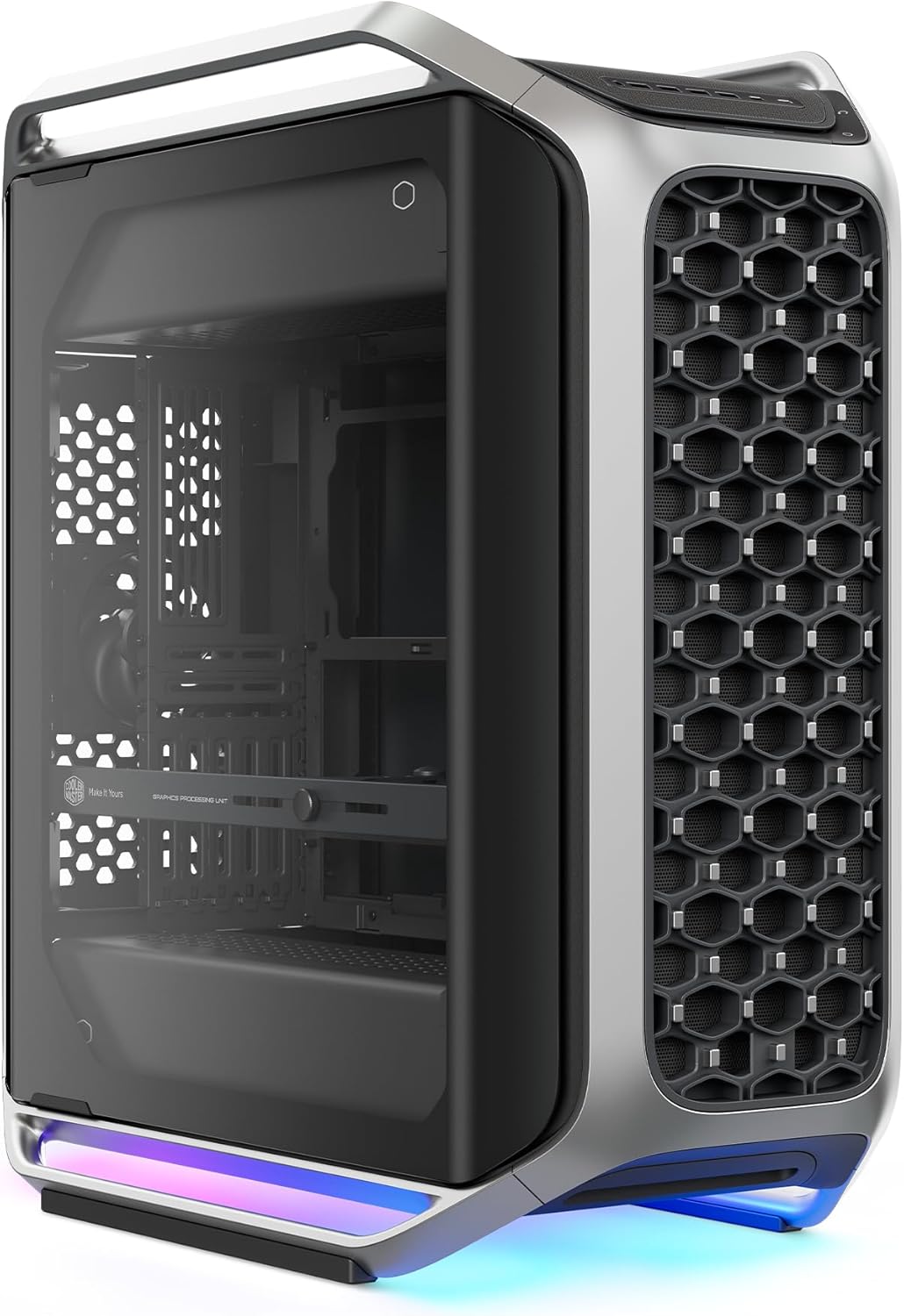
Cooler Master Cosmos Alpha Best high-end / workstation EEB, E-ATX, ATX, mATX, ITX 3 (2×200mm + 1×120mm) 400 mm Side 420 mm, top/bottom 360 mm Sliding tray, EEB support, 420mm side rads
Fractal Design Terra Jade Best SFF Mini-ITX only None 322 mm (spine-dependent) 120 mm side (heavy limits) 10.4L aluminum-walnut build with a sliding spine
NZXT H3 Flow Best micro-ATX value mATX, Mini-ITX 1× rear F120Q 377 mm (352 mm w/ fans) Front 280 mm, top 240 mm Compact mesh mATX case with full-size GPU room

No prices are shown because they change frequently — check the Amazon listing for current pricing and availability. All GPU, cooler, PSU, and radiator figures are the highest the manufacturer rates; measure your exact components and account for fan/radiator placement, which can reduce clearance.

Lian Li Lancool 217 — Best Overall PC Case

The Lancool 217 is the most complete all-round mid-tower we cover in 2026. It ships with five PWM fans — two large 170mm front intakes, two 120mm reverse-blade fans above the PSU shroud, and a 140mm rear exhaust — plus an ARGB/fan hub, so a full cooling layout is in the box. It pairs that with a clean, tool-free build and real wood accents on the front I/O panel.

Key specs: 482 × 238 × 503 mm (D×W×H); ATX, E-ATX (≤280mm wide), SSI-EEB (≤330mm), micro-ATX, Mini-ITX; GPU up to ~380mm; CPU cooler up to ~180mm; PSU up to ~220mm standard / ~180mm rotated; fans 2×170mm front + 2×120mm reverse-blade + 1×140mm rear; radiator top up to 360mm; front I/O dual power buttons, 2× USB 3.0, USB-C, audio; removable magnetic filters (front + bottom).

Airflow & cooling: The mesh front and five fans give strong out-of-the-box cooling. TechPowerUp awarded the case Editor’s Choice and concluded it “cools extremely well”; GamersNexus validated the airflow, noting the bottom intake fans feed the GPU directly. Two caveats: the fans are loud at full speed (among the loudest in some test groups), and the included fans are not ARGB-lit.

Building experience & compatibility: Tool-less, adjustable front fans let you raise them toward the CPU or keep them low for balanced CPU/GPU cooling — though TechPowerUp found little real difference between the two modes. Back-connect motherboard support (ATX/micro-ATX) is included. Note: the front-panel connector cable is short for micro-ATX/ITX builds, and there is no filter over the lower intake vents.

Pros: five included fans plus a hub; strong thermals verified by independent testing; spacious E-ATX support; wood accents; dual power buttons and dual PSU orientations.
Cons: loud at full fan speed; no ARGB fan lighting; no lower-intake filter.

Who should buy it: Builders who want a premium all-round mid-tower with no extra fan purchases and strong cooling headroom for high-end GPUs.

Fractal Design Torrent Compact RGB — Best Airflow PC Case

The Torrent Compact is Fractal’s compact take on the legendary Torrent airflow design, and it’s built around two custom 180×38mm Prisma ARGB PWM intake fans. It pairs an open front grille with a full-length bottom intake that feeds cool air straight to the GPU — a layout several reviewers call among the best for air-cooled builds.

Key specs: 450 × 222 × 467 mm (D×W×H); E-ATX (up to 274mm wide), ATX, mATX, Mini-ITX, SSI-CEB; GPU up to 330mm with front fans installed (368mm with them removed); CPU cooler up to 174mm; ATX PSU up to 210mm, mounted at the top; included fans 2×180×38mm Prisma AL-18 ARGB PWM; 9-port PWM fan hub; front I/O USB 3.2 Gen 2×2 Type-C (20Gbps), 2× USB 3.0, audio.

Airflow & cooling: The unusual top-mounted PSU frees the entire lower front for a direct GPU intake, and the two 180mm Prisma fans are Fractal’s biggest stock intakes. This is an air-cooling case first; there is no top radiator mount because the PSU occupies the top. Front radiators up to 360mm (or 280mm) and a bottom 280mm radiator fit, but radiator thickness, fan configuration, and neighboring components can reduce practical clearance.

Building experience & compatibility: CPU cooler clearance is a generous 174mm and the bundled GPU support bracket prevents sag. But the layout has real trade-offs: cable management is tight (about 20mm behind the motherboard tray), storage is limited to one 3.5″ bay plus three 2.5″ trays, and no rear exhaust fan is included.

Pros: superb air-cooling potential with the two 180mm fans; premium build with wood/aluminum details; bundled PWM fan hub and GPU support bracket; USB-C 20Gbps front port.
Cons: no top radiator mount; GPU capped at 330mm with the front fans; tight cable management and limited storage.

Who should buy it: Air-cooling enthusiasts with a compact mid- or upper-midrange build (GPU up to ~330mm) who care most about cooling and don’t plan a liquid-cooling loop.

Phanteks XT View — Best Value PC Case

The XT View delivers the panoramic “fish-tank” look — tempered glass front and side — at a value price, without skimping on clearance. It ships with three M25-120 D-RGB fans (two reverse-blade side intakes and a rear exhaust) and supports back-connect motherboards like ASUS BTF, MSI Project Zero, and Gigabyte Project Stealth.

Key specs: 440 × 230 × 500 mm (D×W×H); E-ATX (up to 280mm wide), ATX, micro-ATX, Mini-ITX; GPU up to ~415mm; CPU cooler up to ~184mm; PSU up to ~270mm; included fans 3× M25-120 D-RGB; up to nine 120mm fan locations; radiators top 360mm, side 240mm, rear 120mm; front I/O USB-C 3.2 Gen2, USB 3.0, mic/headphone combo, D-RGB buttons; 7 PCI slots (vertical GPU via optional bracket).

Airflow & cooling: An all-around mesh pattern feeds the three included fans, and three optional fan locations on the midplate sit directly beneath the graphics card for GPU cooling. For a typical mid-range build the stock layout is comfortable; high-end parts benefit from adding fans or a top AIO.

Building experience & compatibility: Clearances are generous — up to ~415mm GPU, ~184mm cooler, and ~270mm PSU. Two honest compromises: there are no rubber grommets on the cable openings, and no GPU anti-sag bracket is included.

Pros: panoramic glass at a value price; large GPU/cooler/PSU clearances; three included RGB fans plus a controller; back-connect support.
Cons: no anti-sag bracket; included fan cables are messy to route; front panel has one USB-A.

Who should buy it: Builders who want the glass showcase look and strong value without paying flagship prices, especially with large graphics cards.

Montech XR — Best Budget PC Case

The Montech XR is the budget pick that still delivers the panoramic glass look, a complete lit fan layout, and generous clearances. It ships with three 120mm ARGB PWM fans — two reverse-blade side intakes and a rear exhaust — so you get a working, lit cooling setup out of the box.

Key specs: ATX, micro-ATX, Mini-ITX; GPU up to ~420mm; CPU cooler up to ~175mm; PSU up to ~230mm; included fans 3×120mm ARGB PWM (2 reverse-blade side intake + 1 rear); radiator top up to 360mm; up to nine fans total; front I/O USB-C + 2× USB 3.0; magnetic filters top/side/bottom.

Airflow & cooling: TechPowerUp reviewed the XR and gave it Editor’s Choice and Budget awards, noting the included three-fan layout and solid build. The design is well suited to typical gaming hardware; high-end builds should add fans or a top AIO.

Building experience & compatibility: 420mm GPU clearance clears virtually all current cards, and a 360mm top radiator fits. TechPowerUp notes the top AIO blocks access to the top motherboard edge, so connect your CPU power and top headers before fitting the radiator.

Pros: panoramic glass at a budget price; three included ARGB fans (two reverse-blade); USB-C front; spacious clearances; magnetic filters.
Cons: stock fan wiring is messy; top AIO blocks the top motherboard edge; underside magnetic filter can detach.

Who should buy it: First-time and budget builders who want the showcase look and a ready, lit cooling setup without buying extra fans.

NZXT H9 Flow — Best Showcase / Dual-Chamber Case

The H9 Flow (2025) is a large dual-chamber mid-tower built to be the centerpiece of a high-end build. It wraps the main compartment in panoramic tempered glass, isolates the PSU and cabling in a rear chamber, and is big enough for two 420mm radiators — a rare capability.

Key specs: 506 × 315 × 481 mm (H×W×D); weight 12.46kg; E-ATX (up to 277mm), ATX, micro-ATX, Mini-ITX; GPU up to 459mm (with slim front fans) / 410mm (with a 56mm 420mm AIO + fans); CPU cooler up to 165mm; PSU up to 200mm; included fans 3× F140Q Airflow (front) + 1× F120Q (rear); radiators top and front up to 420mm, bottom up to 360mm, rear 120mm; front I/O 2× USB 3.2 Type-A, USB 3.2 Gen 2×2 Type-C, headset jack; 7 expansion slots (vertical GPU kit compatible).

Airflow & cooling: The dual-chamber design keeps cabling out of the main airflow path, and reviewers praise the cable management — PC Gamer called it “insane-level cable management” on the same H9 Flow platform, and Custom PC highlights the enlarged rear chamber for hiding cabling. With up to ten fan positions (nine 140mm plus a 120mm rear), the case shines when filled with fans or big radiators. The base trim’s four stock fans provide decent out-of-the-box airflow but can be loud at default settings.

Building experience & compatibility: Back-connect support is ATX-only (not E-ATX). GPU clearance drops from 459mm to 410mm if you mount a thick 420mm AIO at the front — check your card against that. The case is large and heavy (12.46kg).

Pros: dual-chamber glass showcase; room for two 420mm radiators; excellent cable management; back-connect ATX support; ten fan positions.
Cons: large and heavy; no RGB or hub on the base trim; GPU length drops with a front 420mm AIO; stock fans can be loud.

Who should buy it: Enthusiasts who want a large glass-panorama flagship and plan to fit their own fans and a big AIO (or two).

Lian Li Lancool 207 — Best Compact ATX Case

The Lancool 207 packs a full ATX build into a compact 45.5-liter chassis with a clever front-mounted PSU, a recessed motherboard tray, and two fans mounted directly below the graphics card. It ships with four fans — two 140mm ARGB front intakes and two 120mm PWM fans above the PSU shroud.

Key specs: 455.6 × 219 × 456 mm (D×W×H); standard ATX (≤244mm wide), micro-ATX, Mini-ITX; GPU up to ~375mm; CPU cooler up to 180mm; PSU ATX under 160mm, front-mounted; included fans 2×140mm ARGB front + 2×120mm PWM; radiator top 360/280/240mm (no front radiator); front I/O 2× USB 3.0, USB 3.1 Gen 2 Type-C, audio; included adjustable GPU anti-sag bracket.

Airflow & cooling: The four included fans give strong out-of-the-box cooling — independent testing (PCMag, GamersNexus) praised the stock thermals, with the bottom fans feeding the GPU directly. The stock fans are loud at full speed.

Building experience & compatibility: The front-mounted PSU must be under 160mm (GamersNexus recommends ~150mm and modular units); the recessed bottom fans block the 24-pin area, so back-connector PSUs aren’t compatible. There is no front radiator support — AIOs go on top. Dust filtration is sparse (bottom filter only).

Pros: compact full-ATX footprint; four included fans; clever front-mounted PSU; included GPU anti-sag bracket; strong out-of-the-box thermals.
Cons: PSU length capped at 160mm; no front radiator; sparse dust filtration; loud stock fans at full speed.

Who should buy it: Builders who want a space-efficient ATX case with strong stock cooling and a top AIO, and who can live with the PSU-size constraint.

Cooler Master HAF II 500 — Best Large High-Airflow Case

The HAF II 500 is Cooler Master’s flagship high-airflow case, built around three oversized fans: two 220mm Mighty40 F220 front intakes and a 180mm Mighty40 V180 rear exhaust. Cooler Master presents it as an ATX case (ATX/E-ATX motherboard support) rather than a conventional full tower, sized for very large builds.

Key specs: 557 × 262 × 548 mm (D×W×H); Mini-ITX, micro-ATX, ATX, E-ATX (up to 310mm wide); GPU up to 430mm; CPU cooler up to 221mm (Intel) / 220mm (AMD); PSU up to 210mm (east-west) / 150mm (north-south); included fans 2×220mm front + 1×180mm rear; radiators top up to 360mm and front up to 360mm via the MasterRail system (top and front are not simultaneous); front I/O USB 3.2 Gen 2×2 Type-C, 2× USB 3.0, audio; pre-installed fan/ARGB hub.

Airflow & cooling: The front intake is engineered to move exceptional volumes of air: each Mighty40 F220 is rated to up to 203.8 CFM, and Modders-Inc measured roughly 413 CFM moving through the front intake using a flow meter. The airflow path runs front-to-back and out the top, with a solid, non-perforated side panel. The huge fans deliver strong cooling at modest speeds.

Building experience & compatibility: A MasterRail mounting system lets radiators and fans mount on adjustable rails in the top or the front. Only one set of rails ships and the top and front share the fixture, so you can fit a large radiator in either the top or the front — not in both positions at the same time; top radiator support depends on your configuration, and front radiator mounting requires the MasterRail setup. A swiveling dual-GPU bracket targets workstation builds. As a large ATX chassis, it needs desk space.

Pros: enormous intake airflow supported by an independent measurement; massive GPU (430mm) and cooler (221mm) clearance; dual-GPU bracket; tool-free MasterRail.
Cons: large chassis footprint; top and front radiators cannot run simultaneously; some minor build niggles (non-captive thumbscrews, sharp plastic edges).

Who should buy it: Enthusiasts and workstation builders running hot components — large GPUs, high-TDP CPUs, or dual-GPU rendering/AI workloads — who prefer air cooling and have room for a large ATX chassis.

Cooler Master Cosmos Alpha — Best High-End / Workstation Case

The Cosmos Alpha revives Cooler Master’s flagship Cosmos line under the FreeForm 2.0 philosophy. It’s a massive ~31kg full-tower with a sliding, removable motherboard tray, support for EEB enterprise motherboards, and radiators up to 420mm on the side.

Key specs: 669 × 330 × 639 mm (L×W×H, incl. protrusions); ~31kg; Mini-ITX, micro-ATX, ATX, E-ATX, EEB; CPU cooler up to 186mm; GPU up to 400mm; PSU ATX up to 240mm; included fans 2×200mm front (non-ARGB) + 1× Mobius 120mm rear; radiators side up to 420mm, top and bottom up to 360mm; front I/O dual USB-C 3.2 Gen 2×2 + four USB-A 3.2 Gen 1 + audio; sliding motherboard tray with BTF back-connector support; included fan/ARGB controller + GPU support bracket.

Airflow & cooling: TweakTown gave it 96% (Editor’s Choice), recording strong results that they attributed mainly to the two 200mm front intake fans. The case supports up to 15 fan positions and can hold substantial custom loops. The included fans are non-RGB; the lighting is a separate ARGB underglow in the chassis.

Building experience & compatibility: The sliding tray is a genuine differentiator for custom cooling layouts, and BTF support enables hidden cable runs. Two real caveats: the complex front I/O (dual USB-C + four USB-A) demands multiple internal motherboard headers — NoisyPixel notes this can exceed what some boards provide — and the case is very heavy and deep (669mm), making it a two-person build.

Pros: EEB/E-ATX support; sliding/removable motherboard tray; up to 420mm side radiators; huge cooling headroom; premium build.
Cons: ~31kg and 669mm deep; front I/O needs many internal headers; storage spec is inconsistent (official table lists two drive bays, while Cooler Master’s page cites tool-free bays for up to seven drives — confirm before buying); premium price.

Who should buy it: Enthusiast and workstation builders with serious hardware (EEB boards, giant GPUs, custom loops) who want a flagship showpiece and have the space and effort budget for it.

Fractal Design Terra Jade — Best SFF Case

The Terra is a genuine small-form-factor case: a 10.4L aluminum-and-walnut Mini-ITX build with a clever sliding “spine” that trades space between your graphics card and CPU cooler. It ships with a PCIe 4.0 riser cable so the GPU mounts vertically.

Key specs: ~10.4L (excluding feet); 343 × 153 × 218 mm (with protrusions); ~3.1kg; Mini-ITX only; GPU up to 322mm long, width/thickness depends on spine position; CPU cooler up to 77mm (max CPU config) or 48mm (max GPU config); PSU SFX/SFX-L up to 130mm; no fans included; one optional 120mm bottom fan (SFX PSU only); 120mm side radiator mount (severely limits GPU length); front I/O USB-C 20Gbps + USB-A 5Gbps, no audio jack.

Airflow & cooling: No fans are included; the case relies on natural flow plus component fans. GamersNexus found the GPU side is the weaker link — without chassis fans to push warm air out, temperatures rise — though opening the gull-wing doors lowered GPU core temperature by about 8°C in their test. This is a capable case for an upper-midrange build, not an ultra-high-end water-cooling platform.

Building experience & compatibility: The sliding spine is simple to adjust (numbered points 1–7), and build quality is exceptional. Because it’s Mini-ITX-only, you must choose a small motherboard, an SFX/SFX-L PSU, a low-profile cooler, and verify GPU thickness against your spine position. There is no front audio jack, and storage is limited to two 2.5″ drives.

Pros: genuinely compact 10.4L footprint; premium anodized aluminum and walnut; clever sliding spine; included PCIe 4.0 riser; USB-C 20Gbps front.
Cons: no fans included; Mini-ITX-only; no front audio jack; very limited storage; premium price; not practical for AIO/water cooling.

Who should buy it: SFF builders who want a compact, premium, air-cooled Mini-ITX showcase for an upper-midrange build and don’t need water cooling or lots of storage.

NZXT H3 Flow — Best Micro-ATX Value Case

The H3 Flow is NZXT’s first dedicated micro-ATX tower and a modernized successor to the H210. At about 35 liters with mesh on five of six panels, it fits full-sized GPUs, tall air coolers, and up to a 280mm front radiator, plus back-connect micro-ATX motherboards — at a very accessible price.

Key specs: 400 × 225 × 389 mm (H×W×D); 4.8kg; micro-ATX, Mini-ITX; back-connect (BTF/Project Zero) support on micro-ATX; GPU up to 377mm (no front fans), 352mm (with fans), 317mm (with front radiator + fans); CPU cooler up to 170mm; PSU ATX up to 185mm; included fans 1× rear F120Q; fan support front 2×120/140, top 2×120/140, bottom 2×120, rear 1×120; radiators front up to 280mm, top up to 240mm; front I/O USB 3.2 Type-A + USB 3.2 Gen 2×2 Type-C, no audio jack; 4 horizontal expansion slots.

Airflow & cooling: Five mesh panels make this a genuinely high-airflow design. PCGamesN found the single included rear fan handles a Ryzen 7 9800X3D + RTX 5070 Ti at 81°C CPU — within limits — and that adding two front fans dropped that to 72°C. Plan to add front fans for high-TDP builds.

Building experience & compatibility: A 377mm GPU clears without front fans, and a 170mm CPU-cooler height fits almost any tower cooler. Two caveats: there are no rubber grommets on the cable openings, and the bottom PSU chamber has no floor vent, so the PSU must face up toward the GPU.

Pros: excellent value; strong mesh airflow; fits full-sized GPUs and 280mm radiators; back-connect support; clean, easy to build in.
Cons: only one fan included; no front audio jack; basic cable management; restrictive bottom PSU chamber.

Who should buy it: Value-conscious micro-ATX builders who want a compact tower with strong airflow and full-size GPU support at a low price, and who will add a couple of front fans.


How to Choose the Right PC Case in 2026

1. Choose the right case size

Case labels are not perfectly standardized — a “mid-tower” from one brand can differ from another’s by several liters. Focus on actual dimensions and compatibility rather than marketing categories. Broadly:

  • Full Tower: the largest; maximum GPU, cooler, radiator, and storage room (e.g., HAF II 500, Cosmos Alpha).
  • Mid-Tower: the mainstream size; fits standard ATX boards and most hardware (e.g., Lancool 217, XT View, H9 Flow).
  • Micro-ATX: compact towers for smaller boards (e.g., H3 Flow). Often still fit full-sized GPUs.
  • Mini-ITX / SFF: the smallest; Mini-ITX boards, SFX PSUs, and careful component selection (e.g., Terra).

2. Understand motherboard compatibility

Most cases support ATX, micro-ATX, and Mini-ITX. Larger boards (E-ATX, EEB, SSI-EEB) fit only in cases that explicitly support them, and often with a width limit (e.g., “E-ATX up to 280mm wide”). Measure your board’s width against the case spec — not every E-ATX board fits every “E-ATX-ready” case.

3. Check GPU clearance before buying

GPU length is the headline figure, but thickness, power-connector clearance, and radiator/fan placement matter too. A case might claim a long GPU maximum while losing that clearance when a front radiator or fan assembly is installed. Always measure your card and the space your planned cooling occupies. On the GPU side of the build, account for the power cable, especially stiff 12VHPWR connectors in tight SFF cases.

4. Understand airflow

Airflow is about a path: cool air in (usually via the front and bottom), over the components, and hot air out (top and rear). Positive pressure (more intake than exhaust) reduces dust ingress; negative pressure tends to pull dust through unfiltered gaps. Mesh panels allow more flow than glass; a glass-front case relies on side/bottom intakes. A case with several glass panels isn’t automatically bad — evaluate the actual intake and exhaust design.

5. Choose the right cooling configuration

Air cooling needs CPU-cooler height clearance and unobstructed intake. Liquid cooling needs radiator mounts in the right positions and thickness clearance. Top-mounted radiators are most common; front radiators reduce GPU clearance; some cases (like the Torrent Compact) have no top mount because of a top-mounted PSU. Know which radiator sizes fit where before you commit.

6. Consider PSU and cable management

Check PSU length (ATX units vary), orientation, and whether the design imposes limits (e.g., the Lancool 207 requires a PSU under 160mm). Modern GPUs may need two or more 8-pin or 12VHPWR connectors — plan for that power and the cable routing space behind/around the motherboard tray.

7. Think about noise and dust

The included fans’ quality, speed, and acoustics set your baseline noise. Mesh panels improve airflow but let sound escape; some cases have acoustic or glass panels that are quieter. Look for removable dust filters on the intake paths, and plan for periodic filter cleaning.

8. Consider future upgrades

GPU clearance, radiator support, storage expansion, and motherboard compatibility determine how long a case lasts. A case that fits today’s card but not tomorrow’s larger GPU or a future AIO will force another purchase. Buy for your planned and likely upgrades.


Frequently Asked Questions

Final Verdict

  • Overall versatility: Lian Li Lancool 217 — five included fans, strong thermals, and E-ATX support.
  • Airflow: Fractal Design Torrent Compact RGB (compact) and Cooler Master HAF II 500 (large ATX).
  • Value: Phanteks XT View; on a tighter budget, Montech XR.
  • Compact dimensions: Lian Li Lancool 207 (ATX) and NZXT H3 Flow (micro-ATX).
  • Small-form-factor: Fractal Design Terra Jade.
  • High-end gaming / workstation: Cooler Master Cosmos Alpha.
  • Showcase aesthetics: NZXT H9 Flow.

Before you buy, confirm the current price and availability on Amazon and re-check your exact components against the case’s clearance. For help planning the rest of your build, use the ComponentCrate PC Builder, browse our PC case buying guide, and — when you’re ready to connect everything — see our dock and hub buying guide, our external storage buying guide, and our budget laptop buying guide.

Category: PC Components

Choosing the best CPU cooler for 2026 is rarely about picking the biggest radiator or the highest heat-pipe count. Air coolers and liquid AIOs both do the job well, and the right answer depends on your case’s physical clearance, your CPU’s cooling requirements, your noise priorities, and your budget. In this guide, we compare nine CPU coolers — five tower air coolers and four all-in-one liquid coolers — using their published specifications and the individual reviews available on ComponentCrate.

We do not run our own thermal lab, so we do not rank these coolers by measured performance. Instead, we focus on what you can verify before you buy: dimensions, compatibility, design details, documented acoustics, and the practical trade-offs of each approach.

Best CPU Coolers at a Glance

The table below summarizes only what is explicitly documented in each product’s review. Empty cells mean the specification is not stated in the review.

Product Type Size (documented) Heat pipes / radiator Fans Noise (documented) Socket support
ARCTIC Freezer 36 A-RGB Single-tower air 159 mm tall 4×6mm, direct-touch 2× 120mm A-RGB, 200–2000 RPM — LGA1851/1700, AM5/AM4
Noctua NH-D15 G2 Dual-tower air 168 mm tall 8×6mm, soldered 2× 140mm, 1500 RPM Pleasant profile (~53 dBA at max per TechPowerUp) LGA1700/1851/1200/115x/1954, AM5/AM4
Thermalright Assassin X 120 Refined SE Single-tower air 148 mm tall 4×6mm, direct-touch 1× 120mm, 1550 RPM ≤25.6 dBA LGA115x/1200/1700/1851, AM4/AM5
Thermalright Peerless Assassin 120 SE Dual-tower air 155 mm tall 6×6mm, soldered 2× 120mm, 1550 RPM ≤25.6 dBA LGA115X/1200/1700/1851, AM4/AM5
Thermalright Royal Pretor 130 Ultra Dual-tower air 158 mm tall 7×6mm, soldered 120mm front (2150 RPM) + 130mm middle (1750 RPM) 27 dBA front / 28.3 dBA middle LGA115X/1200/1700/1851/2011/2066, AM4/AM5
ARCTIC Liquid Freezer III Pro 360 360mm AIO Radiator 398×120×38mm 38mm radiator 3× 120mm P12 Pro, 600–3000 RPM Improved low-speed acoustics (~19% quieter at 1200 RPM) LGA1851/1700, AM5/AM4
Cooler Master MasterLiquid Atmos II Stealth 240 240mm AIO Radiator 277×119.2×29mm 29mm radiator 2× 120mm Mobius 120P, 690–2500 RPM Pump rated 25 dBA; fans audible at high speed LGA1851/1700/1200/115x, AM5/AM4
ID-COOLING FX360 PRO 360mm AIO Radiator ~396×120×27mm 27mm radiator 3× 120mm PWM (~1830 RPM measured) ~57 dBA at max (per TechPowerUp) LGA1851/1700/1200/115x, AM5/AM4
Lian Li Galahad II Lite 360 Performance 360mm AIO Radiator 397×120×27mm 27mm radiator 3× 120mm FDB, 200–2500 RPM 29.8 dBA (fan rating) LGA1851/1700, AM5/AM4

Air Cooling vs AIO: Which Approach Makes More Sense?

The single most important assumption to challenge in 2026 is that a larger liquid cooler is automatically the better choice. The Thermalright Royal Pretor 130 Ultra review is a useful example: it’s a dual-tower air cooler whose reviewed family is described as able to match a budget 360mm AIO in independent testing. That’s a notable result — but it is a documented observation about that cooler’s family, not a claim that all dual-tower air coolers beat 360mm AIOs, and not a result we measured ourselves.

What the comparison really shows is that the two approaches solve the same problem differently:

  • Air coolers are mechanically simple. A tower cooler has no pump, no fluid, and no radiator to mount, which tends to make installation and long-term ownership more straightforward. The trade-off is physical size — a capable tower is often 150mm or taller, which puts pressure on case and RAM clearance.
  • AIO liquid coolers move the heat-exchange surface away from the socket to a radiator, which can open up room around the CPU. In exchange, you take on additional elements — a pump, tubing, and radiator mounting — and the documented noise and clearance considerations that come with them.

Several of the reviewed AIOs illustrate the practical trade-offs. The Arctic Liquid Freezer III Pro 360 uses a thick 38mm radiator that needs generous case clearance; the Cooler Master Atmos II Stealth 240 documents a 25 dBA pump rating that is not a rating for the whole cooler; and the Lian Li Galahad II Lite 360 is noted as audible at full fan speed despite a modest fan-noise rating. None of these are reasons to avoid an AIO — they are the reasons to check the details rather than assume a radiator size tells the whole story.

The best choice depends on your specific build: the physical clearance available in your case, your CPU’s documented cooling requirements, how much noise you can tolerate, whether you prefer simpler maintenance, and your budget. For a deep dive into the selection criteria, our CPU cooling buying guide runs through the specifications that matter and the common traps at each price point.

Best CPU Coolers by Use Case

None of the products below is declared an overall winner — these are use-case recommendations based on each product’s documented features, not laboratory performance awards.

Entry-Level Cooling

For budget builds on mainstream CPUs, a single-tower air cooler delivers dependable cooling at the lowest cost.

The Thermalright Assassin X 120 Refined SE is the entry point: a compact 148mm single tower with four direct-touch heat pipes and a single TL-C12C 120mm fan rated at up to 25.6 dBA. Its small footprint clears tall RAM and fits most standard cases, and its socket support spans Intel LGA115x/1200/1700/1851 plus AMD AM4/AM5. It is not designed for very high-power flagship CPUs under sustained loads, which is the natural limit of a single-tower, four-pipe design.

The ARCTIC Freezer 36 A-RGB is the step-up entry pick: still a single tower at 159mm, but with two push-pull P12 fans, four direct-touch heat pipes, ARGB lighting, and a bundled Intel contact frame for LGA1851/1700. It supports LGA1851/1700 and AM5/AM4 only. It is a strong value package for mainstream builds, though the same single-tower thermal ceiling applies.

Dual-Tower Value

If you want more thermal headroom without moving to liquid, a dual-tower air cooler is the usual next step.

The Thermalright Peerless Assassin 120 SE is a 155mm dual-tower cooler with six soldered 6mm heat pipes and two TL-C12C fans rated at up to 25.6 dBA. Its main practical caveats are height clearance, a front fan that can overhang tall RAM, and the fact that AM4/AM5 installation reuses the motherboard’s built-in backplate. It covers LGA115X/1200/1700/1851 and AM4/AM5.

The Thermalright Royal Pretor 130 Ultra is the higher-spec enthusiast air option: a 158mm dual-tower cooler with seven soldered 6mm heat pipes and asymmetric 120mm/130mm fans. It is documented to clear RAM up to about 44mm tall, and it also reuses the motherboard’s AMD backplate on AM4/AM5. Its socket support is the widest in this group, including LGA2011/2066 in addition to LGA115X/1200/1700/1851 and AM4/AM5. Note that the mixed fan sizes mean replacement fans are not standard 120mm units.

Quiet Air Cooling

The Noctua NH-D15 G2 is the flagship air cooler in this set: a 168mm dual-tower design with eight soldered 6mm heat pipes and two 140mm NF-A14x25r G2 fans. Independent testers cited in its review rank it as the best-performing air cooler they have measured, with a notably pleasant noise profile. It documents the widest socket support here, including Intel LGA1954. It is large — 168mm tall and 152mm deep — so it demands case clearance, and its front fan can overhang tall RAM. It is a premium pick for builders who want top air-cooling headroom and are willing to pay for it.

240mm AIO

The Cooler Master MasterLiquid Atmos II Stealth 240 is the 240mm AIO option. Its standout documented feature is unusually broad socket support: Intel LGA1851/1700/1200 and the LGA115x family, plus AMD AM5/AM4 — a rare fit for builders still on older Intel platforms. It pairs a 29mm radiator with a dual-chamber pump rated at 25 dBA, a bundled VRM fan module, and a six-year warranty. Its caveats are that the 25 dBA figure describes the pump rather than the whole cooler, the radiator fans carry no RGB, and the thicker radiator needs more case clearance.

360mm AIO

Three reviewed coolers target builders considering a 360mm radiator.

The ID-COOLING FX360 PRO is the value entry: a 27mm-radiator AIO whose review documents a 350W TDP rating for its 2900 RPM pump — the only TDP figure stated across the nine reviews. Independent reviewers cited in its review emphasize its performance-per-dollar, though it is noted as not a chart-topper on Intel and modest at max speed (~57 dBA). It supports LGA1851/1700/1200/115x and AM5/AM4.

The Lian Li Galahad II Lite 360 Performance is the quieter-leaning 360mm option: a 27mm-radiator AIO with FDB fans rated at 29.8 dBA and a high-speed 3800 RPM pump (the pump rating, not a fan speed). It tested well on a 243W CPU in the independent review cited, though the fans are noted as loud at full duty. Its socket support is limited to LGA1851/1700 and AM5/AM4.

The ARCTIC Liquid Freezer III Pro 360 is the flagship 360mm AIO: a thick 38mm radiator with high-static-pressure P12 Pro fans, an integrated VRM fan, and a bundled Intel contact frame. Independent testing cited in its review places it at the top of its comparison group at high sustained loads. The thick radiator requires generous case clearance (~63mm with fans), and the bundled contact-frame install requires removing the Intel ILM.

What the Specifications Actually Tell You

The reviewed coolers vary in ways that are easy to overlook if you compare only headline numbers. Here is how to read the documented specifications.

Physical clearance

Tower air coolers in this set have documented heights ranging from 148mm to 168mm — some models well over the 155–160mm clearance of many compact cases. Check your case’s stated CPU-cooler height limit before choosing. RAM clearance matters too: the Royal Pretor 130 Ultra documents clearance for RAM up to about 44mm, and several dual-tower coolers note that their front fan can overhang tall modules. For AIOs, the radiator is the dimension to scrutinize. Documented radiator thickness here spans 27mm, 29mm, and 38mm, and a thicker radiator needs more clearance once fans are attached. A case that supports a “360mm” radiator is not a guarantee that a specific thicker radiator will fit — always check the radiator’s exact thickness and mounting positions against your case. Tube length also matters for routing; documented lengths in this set range from 350mm up to roughly 465mm.

Heat-pipe configuration

The air coolers here document 4, 6, 7, or 8 heat pipes. Two builders (the Freezer 36 and Assassin X 120) use direct-touch pipes; three (the Peerless Assassin, Royal Pretor 130 Ultra, and NH-D15 G2) use soldered pipes with a nickel-plated copper base. A higher pipe count and soldered construction generally indicate a more substantial design, but heat-pipe count is not a direct measure of cooling performance — actual thermals depend on fin area, fan airflow, mounting pressure, and the CPU itself. The only documented TDP rating across the nine reviews is the 350W figure on the ID-COOLING FX360 PRO pump; we do not assign that rating to any other cooler, and we do not treat manufacturer TDP claims as guarantees of real-world capacity.

RPM is not noise

The documented acoustic figures in these reviews — 25.6 dBA, 27 dBA, 28.3 dBA, and 29.8 dBA — are published ratings, and fan speed alone cannot determine how loud a cooler sounds. The Galahad II Lite 360 is a useful case in point: it lists an 29.8 dBA fan rating alongside a high 3800 RPM pump speed, yet the independent review cited notes the fans are audible at full duty. Likewise, the Atmos II Stealth 240 carries a 25 dBA pump rating that does not describe the whole cooler. Fan design, bearing type, blade shape, and real-world case acoustics all shape perceived noise, so treat published dB figures as one data point rather than a final verdict on how quiet a build will be.

Socket compatibility, hardware, and warranty

All nine coolers document support for Intel LGA1851/LGA1700 and AMD AM5/AM4, with several also covering older sockets — the NH-D15 G2 adds Intel LGA1954, the Royal Pretor 130 Ultra adds LGA2011/2066, and the Atmos II Stealth 240 adds LGA1200/115x. Do not assume a cooler’s socket list extends beyond what its review documents. Installation hardware matters too: the Freezer 36 includes an Intel contact frame, and the Peerless Assassin and Royal Pretor 130 Ultra reuse the motherboard’s built-in AMD backplate on AM4/AM5. Five of the nine reviews document a six-year warranty (Freezer 36, NH-D15 G2, Royal Pretor 130 Ultra, Atmos II Stealth 240, and Galahad II Lite 360); the remaining four reviews do not state a warranty, which is not the same as confirming that none exists.

Final Verdict

For a mainstream gaming or productivity build on a budget, a single-tower air cooler like the Assassin X 120 Refined SE or Freezer 36 is a sensible, low-cost place to start. If you want more headroom without the complexity of liquid, a dual-tower cooler such as the Peerless Assassin 120 SE or Royal Pretor 130 Ultra delivers a lot for the money, and the NH-D15 G2 is the flagship air choice for builders who want maximum air-cooling capability and quiet operation.

Consider an AIO when you want a 360mm radiator for a high-power build, or when a 240mm unit fits your case better. The Galahad II Lite 360 is a restrained, quieter-leaning 360mm pick; the FX360 PRO is the value-oriented 360mm option; the Arctic Liquid Freezer III Pro 360 is the flagship 360mm entry; and the Atmos II Stealth 240 is the standout 240mm choice, especially for builders on older Intel sockets.

When an air cooler makes sense: you want simpler installation and maintenance, your case has enough height and RAM clearance, and your CPU’s power draw fits a tower cooler’s headroom. When an AIO is worth considering: you want 240mm or 360mm radiator cooling, your case supports the radiator’s exact thickness and mounting, and you accept the extra pump/radiator elements. Verify your case clearances, socket support, and CPU power draw against the documented specs in the individual reviews before buying. For the full set of selection criteria, see our CPU cooling reviews hub.

We do not test coolers ourselves. Our recommendations are based on published product specifications, manufacturer documentation, and the individual product reviews available on ComponentCrate. We focus on helping readers compare documented features, compatibility, and intended use cases rather than presenting unverified benchmark results.

Frequently Asked Questions

Are air coolers better than AIO liquid coolers?
Neither approach is universally better. Air coolers are mechanically simpler and often easier to install and maintain, while AIOs move the heat-exchange surface to a radiator and can free up space around the socket. The right choice depends on your case clearance, CPU power draw, noise priorities, and budget.

Is a 360mm AIO always better than a dual-tower air cooler?
No. The Royal Pretor 130 Ultra review describes its air-cooler family as able to match a budget 360mm AIO in independent testing, but that is a documented observation about that product, not a blanket rule. A large AIO may retain an edge in the most extreme sustained all-core loads, while a capable air cooler avoids pump and radiator complexity.

How much CPU cooler clearance does a PC case need?
Check your case’s stated CPU-cooler height limit, and check the cooler’s documented height. The air coolers here range from about 148mm to 168mm tall. For AIOs, verify the radiator’s exact thickness (27mm, 29mm, or 38mm in this set) and mounting positions — supporting a “360mm” radiator does not guarantee a specific thicker radiator fits.

Does a higher heat pipe count mean better cooling?
Not necessarily. Heat-pipe count reflects a cooler’s design and capacity, but actual thermal performance depends on fin area, fan airflow, mounting pressure, and the CPU. The only documented TDP rating across these reviews is the 350W figure on the ID-COOLING FX360 PRO pump; do not extrapolate it to other coolers.

Does higher fan RPM mean more noise?
Not directly. Fan speed (RPM) is only one factor; fan design, bearings, blade shape, and real-world case conditions all affect perceived noise. For example, the Galahad II Lite 360 lists a high 3800 RPM pump speed and a 29.8 dBA fan rating, yet its independent review notes the fans are audible at full duty.

Which CPU sockets are supported by the reviewed coolers?
All nine document Intel LGA1851/LGA1700 and AMD AM5/AM4. Several add older sockets: the NH-D15 G2 adds LGA1954, the Royal Pretor 130 Ultra adds LGA2011/2066, and the Atmos II Stealth 240 adds LGA1200/115x. Check the specific cooler’s documented list before buying.

Is a 240mm AIO enough for a gaming PC?
In general, yes for most gaming builds on mainstream CPUs — but the right answer depends on your specific CPU’s power draw and workload. A 360mm AIO offers more thermal headroom for very high-power CPUs under sustained all-core loads. Review the documented socket support and case fit of the 240mm option you’re considering, such as the Atmos II Stealth 240.

Category: PC Components

Best RAM for Gaming in 2026: DDR5 Kits for Every Build

DDR5 has settled down: prices have found their level, motherboards handle high-speed kits reliably, and the sweet spot for gaming is well established. But the spread between kits is wider than ever — same capacity, same speed rating, very different latency and platform support. The catch: the best gaming RAM isn’t the kit with the biggest speed number; it’s the one whose timings, profile support and physical size match your CPU, cooler and motherboard.

This guide recommends the kits that deserve a slot in a 2026 build, selected on three things: their verified specifications, their real, independent performance, and the value they deliver at their current price — not brand hype or spec sheets. Prices change constantly, so we don’t list them here; check the current price and availability on Amazon for each model.

Best Overall Gaming RAM (32GB DDR5-6000)

32GB at DDR5-6000 with tight timings is the 2026 gaming sweet spot — enough capacity for games and background apps, at a speed both AMD and Intel platforms support well. One kit defines the tier.

G.SKILL Trident Z5 Neo RGB 32GB — best overall gaming RAM

The G.SKILL Trident Z5 Neo RGB is our overall pick: a 32GB (2×16GB) dual-channel DDR5 kit rated at 6000 MT/s with tight CL30-38-38-96 timings at 1.35V — a latency profile our review calls well-regarded for DDR5-6000. Out of the box it boots at the JEDEC default of 4800 MT/s at 1.10V until you enable the overclock profile, and it carries both AMD EXPO and Intel XMP 3.0 profiles, so the same kit serves either platform. The modules are non-ECC U-DIMMs in a matte-black build with a translucent RGB light bar, stand about 44mm tall (check CPU cooler clearance), and carry a limited lifetime warranty. The modules are non-ECC, unbuffered DDR5 in a dual-channel 2×16GB arrangement — both memory channels populated, two DIMM slots left free.

The “Neo” in the name is the tell: this kit is purpose-built for AMD’s AM5 platform and its Ryzen 7000, 8000 and 9000 CPUs, with EXPO as the first-class citizen — and our review notes Intel builders may prefer XMP-first alternatives, even though the XMP 3.0 profile is present. Two practical notes from the review: the rated speed only appears after enabling EXPO/XMP in BIOS, and stability depends on your motherboard and CPU; and for RGB control, G.SKILL’s own software is the reliable path, since third-party motherboard software support varies by board. For buyers weighing the CL30 premium: at 6000 MT/s, CL30 works out to about 10 nanoseconds of true latency — the figure that separates this kit from mainstream CL36 alternatives at the same speed. For a gaming build, 32GB of DDR5-6000 CL30 is the configuration to beat. Read our G.SKILL Trident Z5 Neo RGB 32GB review.

  • Best for: Gaming builds that want the DDR5-6000 CL30 sweet spot with EXPO and XMP 3.0 profiles and clean RGB.
  • Where it compromises: Tuned for AMD first, ~44mm modules need cooler clearance, and RGB control is best through G.SKILL’s software.
  • Check current price: Check current price on Amazon

Best RAM for AM5 Builds (EXPO)

Our overall pick doubles as the AM5 answer: the G.SKILL Trident Z5 Neo RGB was tuned for AMD EXPO from the start, and DDR5-6000 CL30 is exactly the profile Ryzen 7000, 8000 and 9000 memory controllers handle best. Enable EXPO in BIOS — until you do, the kit runs at the JEDEC default of 4800 MT/s and you’re leaving performance on the table — and check the ~44mm module height against your CPU cooler before ordering. The G.SKILL’s EXPO profile encodes that operating point — one BIOS toggle from the JEDEC 4800 default to the tuned 6000 CL30 profile, no manual tuning required. If the G.SKILL is out of stock or you want iCUE-controlled lighting on an AM5 board, the Corsair kit below also carries a full AMD EXPO profile alongside its XMP support, and the Kingston 64GB kit adds EXPO with fallback speeds for less forgiving memory controllers. For the full decision framework, our RAM buyer’s guide walks through platform matching step by step.

Best RGB Kit for Intel Builds

Intel builders get the same DDR5-6000 tier with a different personality: XMP 3.0 first, iCUE-controlled lighting, and a well-supported latency profile.

Corsair Vengeance RGB RS 32GB — best RGB kit for Intel builds

The Corsair Vengeance RGB RS is the dual-platform default with Intel manners: a 32GB (2×16GB) DDR5 UDIMM kit rated at 6000 MT/s (PC5-48000) with CL36-44-44-96 timings at 1.35V, shipping with both AMD EXPO and Intel XMP 3.0 profiles and compatibility listings spanning AMD 600/800 series and Intel 600/700/800 series boards. Out of the box it idles at the JEDEC default of 4800 MT/s (CL40, 1.1V) until a profile is enabled. The hardware story is solid: an aluminum heatspreader over a custom PCB with onboard voltage regulation, dynamic multi-zone RGB controlled through Corsair’s iCUE software, and a limited lifetime warranty — all in a grey scheme that suits builds without a color theme. The SPD default of 4800 MT/s at CL40 and 1.1V is what a fresh build shows before any profile is enabled — worth knowing when the first boot posts slower than the box promises.

Our review positions it honestly: this is the well-supported DDR5-6000 CL36 price/performance tier, not the latency record — CL30 kits are tighter, and the difference shows up in the timing math rather than marketing. The review also flags two caveats worth knowing: RGB control through third-party motherboard software varies by board, so iCUE is the primary path; and independent hands-on benchmark coverage of this exact RS SKU is limited, so treat the rated profile as the spec of record. The aluminum heatspreaders over the custom PCB keep the modules presentable without a light show, and the onboard voltage regulation handles the 1.35V profile without help from the motherboard. For an Intel build that wants reliable 6000 MT/s with polished lighting control, it’s the straightforward choice. See our Corsair Vengeance RGB RS 32GB review.

  • Best for: Intel builds that want XMP 3.0 and EXPO dual support, iCUE multi-zone RGB and a mainstream 6000 CL36 profile.
  • Where it compromises: CL36 trails CL30 kits on latency, iCUE is the dependable RGB path, and independent coverage of this exact SKU is limited.
  • Check current price: Check current price on Amazon

Best 64GB Kit for Gaming + Streaming

Streaming while gaming changes the math: the encoder, overlays, chat and browser load sit alongside the game, and 64GB stops being overkill. This kit brings the speed to match the capacity.

Kingston FURY Beast 64GB — best 64GB kit for gaming and streaming

The Kingston FURY Beast DDR5 is the high-capacity performance pick: 64GB (2×32GB) in dual channel, rated at DDR5-6400 with 32-39-39-80 (2T) timings at 1.40V — the fastest data rate in this guide. It boots at the JEDEC default of DDR5-4800 until you enable profiles, and it carries both Intel XMP 3.0 and AMD EXPO with handy fallback speed profiles down to DDR5-6000 and lower for less forgiving memory controllers. The silicon is SK Hynix DRAM on a Novatek PMIC, the black aluminum heatsinks carry RGB lighting controllable through motherboard software, the modules are 288-pin non-ECC UDIMMs standing about 42mm tall including the light diffuser, and the warranty is lifetime. The 288-pin desktop format is universal, so compatibility questions here are mostly about cooler clearance, not fit.

Our review’s independent testing found it the fastest 64GB kit in the reviewer’s suite, with tight, stable timings — a meaningful result, because high-capacity kits usually trade speed for density. The caveats are the capacity premium and the fine print: the rated 6400 MT/s requires enabling EXPO/XMP, and some CPU memory controllers may need the slower fallback profiles rather than the headline rating. At ~42mm tall, cooler clearance needs checking too. For a gaming-plus-streaming machine that wants both density and speed, it’s the kit our testing favors. Read our Kingston FURY Beast 64GB review.

  • Best for: Gaming-plus-streaming builds that want 64GB without giving up speed — the fastest 64GB kit in our review’s testing.
  • Where it compromises: A capacity premium, 1.40V at the rated profile, possible fallback speeds on strict memory controllers, and ~42mm height.
  • Check current price: Check current price on Amazon

Best 64GB Kit for Creators

If your PC renders, edits or compiles between gaming sessions, stability beats speed records — and one kit is engineered for exactly that priority.

TEAMGROUP T-Create Expert 64GB — best 64GB kit for creators

The TEAMGROUP T-Create Expert is the stability-first pick: 64GB (2×32GB) in dual channel at DDR5-6000 (PC5-48000, 48,000 MB/s of bandwidth) with CL34-44-44-84 timings per retail listings, at 1.35V officially (retail listings cite 1.30V). It carries both AMD EXPO and Intel XMP 3.0 profiles, with platform support listed across Intel 800/700 and AMD 800/600 series, on 288-pin unbuffered non-ECC UDIMMs. The engineering is the differentiator: a 10-layer PCB, on-die ECC support, QVL-tested modules, and a one-piece aluminum cooling module with thermally conductive silicone — all in a low-profile, RGB-free package just 32mm tall, 133mm long and 7mm wide, with a lifetime warranty. Rated bandwidth is 48,000 MB/s, matching the PC5-48000 designation.

Our review’s long-term testing reported no memory-related crashes under heavy workloads — the headline a creator workstation actually needs — and the low profile fits under large tower coolers that RGB kits can’t clear. The trade-offs are deliberate: timings are loose and overclocking headroom is limited, latency runs higher than gaming-focused kits of similar capacity, and there’s no RGB if illumination matters to you. For video editing, 3D work and heavy multitasking where a memory error costs an hour of rendering, this is the rational buy. See our TEAMGROUP T-Create Expert 64GB review.

  • Best for: Creator workstations that need 64GB of stability-first, low-profile memory that clears big tower coolers.
  • Where it compromises: Loose timings with limited overclocking headroom, higher latency than gaming kits, and no RGB.
  • Check current price: Check current price on Amazon

Gaming RAM Comparison Table

Only verified specifications are shown; prices are intentionally omitted — see the Amazon listings. A dash means our review did not list the figure.

Kit Capacity Speed & timings Voltage Profiles RGB Height Full review
G.SKILL Trident Z5 Neo RGB 32GB (2×16GB) 6000 MT/s, CL30-38-38-96 1.35V EXPO + XMP 3.0 Yes (light bar) ~44mm Full review
Corsair Vengeance RGB RS 32GB (2×16GB) 6000 MT/s, CL36-44-44-96 1.35V EXPO + XMP Yes (iCUE) — Full review
Kingston FURY Beast 64GB (2×32GB) 6400 MT/s, 32-39-39-80 1.40V XMP 3.0 + EXPO (fallbacks) Yes (board software) ~42mm Full review
TEAMGROUP T-Create Expert 64GB (2×32GB) 6000 MT/s, CL34-44-44-84 1.35V EXPO + XMP 3.0 No 32mm Full review

How Much RAM Do You Need for Gaming in 2026?

32GB is the gaming sweet spot in 2026, 16GB is the floor, and 64GB is for workloads beyond gaming. The kits in this guide map directly onto that ladder.

  • 16GB: the floor, not the target. It still runs games, but modern titles with background launchers, browsers and voice apps push against the ceiling. Neither of our 32GB picks costs a premium over 16GB kits in the current market, so starting at 16GB rarely makes sense in a new build.
  • 32GB: the gaming sweet spot. Both the G.SKILL Trident Z5 Neo RGB and Corsair Vengeance RGB RS land here as 2×16GB dual-channel kits — enough for games, streaming clients and background tasks without a second thought, at the DDR5-6000 speed both platforms handle well.
  • 64GB: gaming plus streaming, or creation. The Kingston FURY Beast and TEAMGROUP T-Create Expert fill this role as 2×32GB kits. If you stream while gaming — encoder, overlays, chat and browser sharing the machine with the game — or edit video and render between sessions, 64GB removes the compromise. For pure gaming, it’s headroom you won’t use.
  • Two sticks, always. Every kit here is a two-module dual-channel kit. Two sticks populate two channels, leave DIMM slots free for later, and avoid the stability quirks of four-module setups.
  • Dual channel is the multiplier. A matched pair doubles the bandwidth a single module provides, which is why buying one 2× kit beats combining two singles — and why the mistakes section below keeps circling back to stick count.

DDR5 Speeds and Timings Explained

Speed (MT/s) is only half the story — timings decide how fast the memory actually responds. Reading the four kits in this guide side by side explains everything you need to know.

  • What the numbers mean. DDR5-6000 means 6,000 million transfers per second. CL30 is the CAS latency in clock cycles; divide to get true response time. DDR5-6000 CL30 and DDR5-6400 CL32 both work out to about 10 nanoseconds; DDR5-6000 CL36 is about 12ns; DDR5-6000 CL34 lands in between at roughly 11.3ns. A faster data rate with proportionally looser timings isn’t actually faster at responding.
  • The sweet spot. DDR5-6000 CL30 (G.SKILL) is the configuration our review calls well-regarded for AM5 — tight timings at a speed Ryzen memory controllers like.
  • The mainstream tier. DDR5-6000 CL36 (Corsair) is the well-supported price/performance tier — our review is explicit that CL36 isn’t the tightest available at 6000 MT/s.
  • Speed with a catch. The Kingston’s DDR5-6400 CL32 keeps true latency at ~10ns while raising bandwidth — but at 1.40V, and our review notes some CPU memory controllers may need its slower fallback profiles instead of the headline rating.
  • Stability over speed. The TEAMGROUP’s DDR5-6000 CL34 trades a little latency for a stability-first design — 10-layer PCB, on-die ECC, QVL testing — which is the right trade for workstations.
  • Voltage as a tell. 1.35V is the standard profile voltage for 6000-class kits; 1.40V (Kingston at 6400) signals a more aggressive profile. All kits boot safely at the JEDEC default of 4800 MT/s (1.10V on the G.SKILL) until you enable a profile.
  • Sub-timings complete the picture. The full strings — 30-38-38-96 on the G.SKILL, 36-44-44-96 on the Corsair, 32-39-39-80 (2T) on the Kingston, 34-44-44-84 on the TEAMGROUP — describe tRCD, tRP and tRAS alongside CAS, and tighter secondary timings generally mean better sustained performance.

EXPO vs XMP

EXPO and XMP are both one-click overclock profiles — the difference is which platform certifies them. AMD EXPO is developed for AM5 and Ryzen 7000/8000/9000; Intel XMP 3.0 is the Intel equivalent. Every kit in this guide carries both, which makes the choice simpler than it looks.

  • On AM5, prefer EXPO-first tuning. Our G.SKILL review describes the Trident Z5 Neo as purpose-built for AMD with EXPO as the primary profile — tuned for AMD, with the review noting Intel builders may find XMP-first kits simpler.
  • On Intel, XMP is native. The Corsair’s review treats XMP 3.0 as the primary path for Intel 600/700/800 series boards, with EXPO along for dual-platform flexibility.
  • Profiles are overclocks, not guarantees. Until you enable EXPO/XMP, every kit here runs at the JEDEC default of DDR5-4800. The rated speed appears only after enabling the profile in BIOS, and stability depends on your motherboard and CPU — the Kingston’s fallback profiles down to DDR5-6000 and lower exist precisely for stricter memory controllers.
  • Practical advice. Buy a kit with both profiles (all four here), enable the one your platform prefers, and if the rated speed is unstable, step down to a fallback profile rather than fighting it.
  • Profiles are per-kit, not platform standards. Two 6000 CL30 kits from different brands may reach the same label with different sub-timings and voltages — which is why our reviews list the full timing strings rather than just the headline.

What to Consider Before Buying Gaming RAM

  1. Capacity first. 32GB for gaming, 64GB for streaming-while-gaming or creator work. Both capacities here come as 2×16GB or 2×32GB dual-channel kits.
  2. True latency, not just MT/s. DDR5-6000 CL30 and DDR5-6400 CL32 both work out to about 10ns; DDR5-6000 CL36 is about 12ns. Decide whether the tighter timing is worth the premium for your use.
  3. Platform profiles. EXPO for AM5, XMP 3.0 for Intel — and dual-profile kits (all four here) keep your options open. Check your motherboard’s QVL, as the TEAMGROUP’s QVL-tested listing shows the practice matters.
  4. Cooler clearance. Module height decides fit: ~44mm on the G.SKILL, ~42mm on the Kingston, 32mm on the low-profile TEAMGROUP. Tall RGB light bars and big tower coolers collide; measure before buying.
  5. RGB control path. G.SKILL’s software is the reliable path for the Trident Z5 Neo; iCUE for the Vengeance RGB RS; the Kingston relies on motherboard software, which our review notes varies by board. If you don’t use RGB software, the RGB-free TEAMGROUP saves the hassle.
  6. Warranty and support. Limited lifetime (G.SKILL, Corsair) and lifetime (Kingston, TEAMGROUP) coverage is standard at this tier — memory outlasts everything else in the build.
  7. Buy once, sized right. Memory is the component you’re least likely to upgrade mid-life — kits get mismatched and slots fill — so choose the capacity the machine will need for its whole life, not just launch day.

Common RAM Buying Mistakes

  • Leaving EXPO/XMP disabled. Every kit here boots at the JEDEC default of DDR5-4800 until you enable a profile in BIOS. Our reviews flag this on all four kits — an unenabled 6000 kit performs like a 4800 kit.
  • Buying four sticks instead of two. Four-module setups stress memory controllers, often force slower speeds, and consume DIMM slots. All our picks are 2×16GB or 2×32GB for a reason.
  • Chasing MT/s while ignoring timings. DDR5-6400 CL32 and DDR5-6000 CL30 both respond in about 10ns; a 6000 CL36 kit responds in about 12ns. Read the full timing string, not the headline speed.
  • Ignoring cooler clearance. The G.SKILL’s ~44mm and Kingston’s ~42mm profiles clear many coolers but not all — the 32mm TEAMGROUP exists for low-clearance builds. Check before checkout, not after.
  • Mixing kits. Adding a second, different kit to an existing one risks instability and disables dual-channel symmetry between matched pairs. Buy one matched kit sized for your needs.
  • Buying 64GB for pure gaming. Our reviews position 64GB for streaming-plus-gaming and creator workloads; a gaming-only build spends that money better on 32GB of tighter-timed memory.
  • Assuming the rated speed is guaranteed. Profiles are overclocks whose stability depends on motherboard and CPU — the Kingston’s fallback profiles and the TEAMGROUP’s QVL testing both exist because of this reality.
  • Buying DDR5 for a DDR4 board. DDR4 and DDR5 slots are physically keyed differently — a DDR5 kit won’t even seat in a DDR4 motherboard, so confirm the platform generation before the purchase.

Final Verdict: Which Gaming RAM Should You Buy?

  • Best overall (32GB): Get the G.SKILL Trident Z5 Neo RGB 32GB — DDR5-6000 CL30 with EXPO and XMP 3.0, the sweet-spot kit for gaming on either platform.
  • Best for AM5: The same Trident Z5 Neo RGB is our EXPO pick, purpose-tuned for Ryzen 7000/8000/9000 — enable EXPO in BIOS and check the ~44mm height against your cooler.
  • Best RGB kit for Intel: Pick the Corsair Vengeance RGB RS 32GB for XMP 3.0, iCUE-controlled multi-zone RGB and the well-supported 6000 CL36 tier.
  • Best 64GB for gaming + streaming: Choose the Kingston FURY Beast 64GB DDR5-6400 — the fastest 64GB kit in our review’s testing, with fallback profiles for stricter memory controllers.
  • Best 64GB for creators: The TEAMGROUP T-Create Expert 64GB trades RGB and tight timings for stability-first engineering and a 32mm low profile.

Above all, match the kit to your platform, cooler and workload — not the biggest number on the box. Every kit here is a spec-verified pick in its role, earning its place at its current price in the October 2026 market.

Before you buy, explore our How to Choose RAM buyer’s guide, which walks through capacity, speeds and platform matching, and browse the rest of our RAM reviews hub — and check the current price and availability of any kit on Amazon, since memory pricing moves with the DRAM market.

Frequently Asked Questions

Category: PC Components

Best SSDs for Gaming in 2026: Fast NVMe Picks for PC and PS5

Games in 2026 are enormous, and the drive you install them on decides how quickly they appear, how smoothly they stream assets, and how much of your library you can keep close at hand. PCIe 4.0 NVMe drives have become the sensible standard for both PC and PS5, with flagship-class speeds at mainstream prices. The catch: the best gaming SSD isn’t the one with the highest headline number; it’s the one whose real-world speed, endurance and cooling match the machine you’re putting it in.

This guide recommends the drives that deserve a slot in a 2026 build, selected on three things: their verified specifications, their real, independent performance, and the value they deliver at their current price — not brand hype or spec sheets. Prices change constantly, so we don’t list them here; check the current price and availability on Amazon for each model.

Best Overall Gaming SSD

The overall pick balances sequential speed, random performance, thermals and warranty — the things a gaming system actually exercises — rather than chasing a single record.

WD_BLACK SN850X 1TB — best overall gaming SSD

The WD_BLACK SN850X is our overall pick: a PCIe Gen4 x4 NVMe drive (backward compatible with Gen3) in a single-sided M.2 2280 form factor, rated for up to 7,300 MB/s sequential reads and 6,300 MB/s writes, with up to 800K random-read and 1,100K random-write IOPS. Inside sits SanDisk TLC 3D NAND on a WD proprietary controller with dedicated DDR4 DRAM — the DRAM-equipped design that sustained heavy writes favor. It’s rated for 600 TBW with a 5-year limited warranty, supports TCG Opal V2.01 security, and ships with WD_BLACK Dashboard software including Game Mode 2.0. The single-sided stick weighs about 7.5g and supports TCG Opal V2.01 security.

Our review’s testing backs the billing: sequential speeds landed near the advertised figures — among the fastest 1TB Gen4 drives measured — and thermals improved dramatically over the previous generation, at roughly 58°C under load versus about 77°C on the older SN850. The honest caveats: the 1TB model carries the family’s lowest sequential write rating (6,300 MB/s) and 800K random-read IOPS, Game Mode 2.0’s real-world benefit is difficult to verify (reviewers call it nice-to-have at best), and a DRAM-equipped flagship competitor like the SK hynix Platinum P41 edges it out in some sustained-write tests. One planning note: the family scales to 8TB and ships with or without a heatsink, so the same silicon covers a future capacity upgrade. Read our WD_BLACK SN850X 1TB review.

  • Best for: PC gamers who want near-flagship Gen4 speed, DDR4 DRAM for sustained loads and proven cool-running in a single-sided stick.
  • Where it compromises: The 1TB model has the family’s lowest write rating, Game Mode 2.0’s benefit is hard to verify, and premium pricing depends on current NAND costs.
  • Check current price: Check current price on Amazon

Best Value 2TB Gaming SSD

Two terabytes is the capacity sweet spot for a modern game library, and the value pick here gets you flagship-adjacent speed without the flagship controller bill.

Samsung SSD 990 EVO Plus 2TB — best value 2TB gaming SSD

The Samsung 990 EVO Plus is the value story at 2TB: rated up to 7,250 MB/s sequential reads and 6,300 MB/s writes, with up to 1,000,000 random-read and 1,350,000 random-write IOPS at QD32. Its interface is unusual and forward-looking — PCIe 4.0 x4 or PCIe 5.0 x2, with NVMe 2.0 and backward compatibility to PCIe 3.0 x4 — built on Samsung V-NAND TLC (V8) and Samsung’s in-house nickel-coated “Piccolo” controller in a DRAM-less Host Memory Buffer design. A large Intelligent TurboWrite 2.0 hybrid pSLC cache (about 226GB on the 2TB model) smooths big transfers, power draw is modest at roughly 4.6W read and 4.2W write with 60mW idle, and the single-sided M.2 2280 stick carries a 1,200 TBW rating with a 5-year warranty plus hardware encryption (AES 256-bit, TCG/Opal 2.0). The nickel-coated controller spreads heat across the stick, Samsung’s Magician software handles monitoring and updates, and the drive stays single-sided at roughly 9g.

Our review’s testing found sequential performance close to flagship drives in real-world work, with strong thermals and low power — the DRAM-less design delivering most of the experience for less. The trade-offs are the DRAM-less ones: sustained writes after the pSLC cache depletes run slower than DRAM-based flagships, independent tests recorded lower real-world sustained writes than the advertised peaks, and heavy sustained professional workloads belong on a DRAM drive. Backward compatibility matters too: the drive runs on PCIe 3.0 x4 boards and older chipsets, so an older motherboard doesn’t strand it — though the interface, not the drive, then sets the ceiling. For a game library, it hits the value sweet spot. See our Samsung 990 EVO Plus 2TB review.

  • Best for: Gamers filling a 2TB library drive with flagship-adjacent speed, low power draw and Samsung Magician support.
  • Where it compromises: DRAM-less sustained writes trail DRAM flagships once the cache depletes, and advertised write speeds are peaks, not sustained figures.
  • Check current price: Check current price on Amazon

Best SSD With a Heatsink

Some slots demand a heatsink — the PS5 requires one, and bare motherboard M.2 slots run hot under sustained load. One pick here arrives with cooling already fitted.

Lexar NM790 2TB with Heatsink — best SSD with a heatsink for PS5 and PC

The Lexar NM790 with Heatsink is the drop-in pick: a PCIe Gen4 x4 NVMe 1.4 drive (M.2 2280) rated up to 7,400 MB/s sequential reads and 6,500 MB/s writes — the highest sequential ratings in this guide — with up to 1,000K random-read and 900K random-write IOPS. It pairs 232-layer TLC 3D NAND with a Maxio MAP1602 controller (12nm, 4-channel) in a DRAM-less design that uses Host Memory Buffer 3.0 and dynamic SLC caching. Endurance is the standout: 1,500 TBW with a 5-year limited warranty and roughly 1.5 million hours MTBF. The integrated slim-profile heatsink measures 80 × 24 × 9.7mm at about 48.6g, the drive stays single-sided, and Lexar lists compatibility with desktops, laptops and the PlayStation 5. Operating temperatures are rated from 0 to 70°C, with mean time between failures of roughly 1.5 million hours.

Our review’s verdict is emphatic: among the fastest PCIe 4.0 drives tested, with excellent real-world transfer performance and class-leading power efficiency for a Gen4 SSD — a rare combination that suits both PS5 installs and cool-running desktop builds. The caveats: the DRAM-less design means sustained heavy writes trail DRAM-equipped flagships, write IOPS and some sustained-transfer results trail the best premium drives, and Tom’s Hardware notes the YMTC flash type could vary by revision. As a ready-to-install 2TB PS5 upgrade, it’s the complete package. Read our Lexar NM790 2TB with Heatsink review.

  • Best for: PS5 owners and builders who want a pre-cooled 2TB Gen4 drive with the highest endurance rating in this guide.
  • Where it compromises: DRAM-less sustained writes trail DRAM flagships, and flash type could vary by revision per Tom’s Hardware.
  • Check current price: Check current price on Amazon

Best SSD for Laptops and Handhelds

Battery-powered gaming lives and dies on efficiency. The pick here trades a little peak speed for class-leading power draw and cool running — exactly what a laptop or handheld wants.

WD_BLACK SN7100 1TB — best SSD for laptops and handheld gaming

The WD_BLACK SN7100 is the efficiency specialist: a PCIe Gen4 x4 NVMe drive (backward compatible across Gen4 x2/x1 and Gen3) in a single-sided M.2 2280 package, rated up to 7,250 MB/s sequential reads and 6,900 MB/s writes with up to 1,000K random-read and 1,400K random-write IOPS — the strongest random-write rating in this guide. It runs SanDisk/WD 218-layer BiCS8 TLC NAND on a Polaris 3 controller (4-channel) in a DRAM-less Host Memory Buffer design, is engineered specifically for laptops and handheld gaming devices, and carries a 600 TBW rating with a 5-year warranty and SANDISK Dashboard software on Windows 10 and newer. The single-sided stick weighs about 5.8g — no spacer needed in thin laptop bays.

Our review’s findings make the case: class-leading power efficiency — up to 100% better than the SN770 by the review’s measure — excellent random-read performance and fast game load times, with one reviewer calling it the fastest HMB Gen4 drive they measured. It also runs cool, at roughly 48°C under a motherboard heatsink in testing. The trade-offs: DRAM-less sustained heavy writes trail DRAM-equipped flagships, overall performance is competent rather than class-leading against top DRAM drives, there’s no heatsink variant at launch (you’d source your own for a PS5), and the family’s largest capacity was initially 2TB. For battery-powered play, those are the right trade-offs. See our WD_BLACK SN7100 1TB review.

  • Best for: Laptop and handheld gamers who want fast loads, the strongest random-write IOPS here and minimal battery drain.
  • Where it compromises: No heatsink variant at launch, DRAM-less sustained writes trail flagships, and the family topped out at 2TB initially.
  • Check current price: Check current price on Amazon

Best SATA SSD for Older PCs

Not every machine has an M.2 slot. For the huge installed base of desktops and laptops built around 2.5-inch SATA bays, one drive remains the dependable upgrade.

Samsung 870 EVO 1TB — best SATA SSD for older PCs

The Samsung 870 EVO is the SATA standard-bearer: a 2.5-inch, 7mm-thick drive on the SATA 6Gb/s interface (backward compatible with 3Gb/s and 1.5Gb/s), rated up to 560 MB/s sequential reads and 530 MB/s writes with TurboWrite. Under the shell sit Samsung’s 128-layer V-NAND TLC, an in-house Samsung MKX controller and 1GB of LPDDR4 DRAM cache — a fully DRAM-equipped design. Random performance is class-leading for SATA, at 13,000 read and 36,000 write IOPS at QD1 and 98,000/88,000 at QD32. Endurance is 600 TBW with a 5-year limited warranty and roughly 1.5 million hours MTBF, plus AES 256-bit hardware encryption with TCG/Opal V2.0 and IEEE1667 (eDrive) support, and modest power draw of 30mW idle and about 2.5W average. TRIM, S.M.A.R.T. monitoring, automatic garbage collection and Device Sleep support keep it maintenance-free, and the 7mm shell fits any 2.5-inch bay.

Our review is clear about what this drive is: one of the fastest and most responsive SATA SSDs tested, with class-leading random read — and equally clear about the ceiling. The SATA interface caps performance at roughly 560 MB/s, far slower than any NVMe drive here, and it only makes sense if your system has a 2.5-inch bay and SATA port. Within those limits, it’s a superb, dependable upgrade that can transform an old HDD system’s everyday feel. Read our Samsung 870 EVO 1TB review.

  • Best for: Reviving older desktops and laptops with a 2.5-inch bay — DRAM-equipped TLC with strong endurance and encryption.
  • Where it compromises: SATA caps it at roughly 560 MB/s — a fraction of NVMe speed — and it needs a 2.5-inch bay and SATA port to matter.
  • Check current price: Check current price on Amazon

Gaming SSD Comparison Table

Only verified specifications are shown; prices are intentionally omitted — see the Amazon listings. A dash means our review did not list the figure.

Drive Interface Capacity Seq. read / write DRAM Endurance Warranty Full review
WD_BLACK SN850X PCIe Gen4 x4 NVMe 1TB 7,300 / 6,300 MB/s Yes (DDR4) 600 TBW 5 years Full review
Samsung 990 EVO Plus PCIe 4.0 x4 / 5.0 x2 NVMe 2TB 7,250 / 6,300 MB/s No (HMB) 1,200 TBW 5 years Full review
Lexar NM790 with Heatsink PCIe Gen4 x4 NVMe 2TB 7,400 / 6,500 MB/s No (HMB) 1,500 TBW 5 years Full review
WD_BLACK SN7100 PCIe Gen4 x4 NVMe 1TB 7,250 / 6,900 MB/s No (HMB) 600 TBW 5 years Full review
Samsung 870 EVO SATA 6Gb/s (2.5″) 1TB 560 / 530 MB/s Yes (1GB LPDDR4) 600 TBW 5 years Full review

How to read the table: the sequential figures are manufacturer ratings our reviews tested against, the DRAM column is the practical dividing line for sustained writes, and TBW scales with capacity — which is why the 2TB drives carry the higher endurance ratings.

PCIe 4.0 vs PCIe 5.0 for Gaming

For gaming in 2026, PCIe 4.0 remains the sensible buy — and every NVMe pick in this guide is a Gen4 drive. The reason is simple: game load times and asset streaming depend far more on random read performance and latency than on peak sequential bandwidth, and modern Gen4 drives already deliver more sequential throughput than game engines typically use.

  • What Gen5 changes. PCIe 5.0 doubles interface bandwidth, which matters most for sustained professional transfers — not for loading game levels. None of our gaming picks are Gen5 drives, deliberately.
  • The hybrid exception. The Samsung 990 EVO Plus is the interesting case: it runs PCIe 4.0 x4 or PCIe 5.0 x2, delivering its rated speeds either way while staying backward compatible to PCIe 3.0 x4 — flexibility for boards of any generation.
  • Where speed actually shows up. Our SN850X review measured sequential speeds near the advertised 7,300 MB/s, and the SN7100’s strong random-read performance translated into fast game load times in testing. Random IOPS and real-world response, not interface generation, are what you feel.
  • Thermals and placement. Faster interfaces run hotter. The SN850X’s improved thermals (roughly 58°C under load in our review’s testing) and the SN7100’s cool 48°C show that Gen4 drives manage heat well — one less reason to chase Gen5.

Bottom line: buy the fastest Gen4 drive your budget allows with the endurance and cooling your system needs; Gen5 premium buys headroom games don’t use yet.

One more angle: reuse. A Gen4 drive bought today moves between systems — desktop, laptop, console — without leaving its value behind, while a Gen5 purchase ties that money to platforms able to exploit the extra bandwidth.

How Much SSD Capacity Do Games Need in 2026?

More than you think, less than you fear — and 2TB is the practical sweet spot. Modern triple-A install footprints keep climbing with high-resolution texture packs and unoptimized ports, and a library of them fills a 1TB drive faster than most buyers expect, especially once the operating system and applications take their share.

  • 1TB: the workable minimum. Enough for Windows, essentials and a rotating handful of large games. The SN850X and SN7100 both start there, and the SN850X family scales to 8TB if you want one drive to hold everything.
  • 2TB: the sweet spot. Both the Samsung 990 EVO Plus and the Lexar NM790 land here, and our reviews treat 2TB as the capacity where a game library stops feeling cramped. It also halves the per-gigabyte cost pressure of repeatedly shuffling installs.
  • Endurance scales with capacity. Note the pattern in the table: the 2TB drives carry the bigger TBW ratings (1,200 TBW on the 990 EVO Plus, 1,500 TBW on the NM790) against 600 TBW on the 1TB models — larger drives tolerate more writing by design.
  • Handhelds and laptops. The SN7100’s 1TB is the right starting point for a handheld or secondary laptop, where the family’s initial 2TB ceiling is a reasonable limit anyway.
  • Older systems change the math. The 870 EVO’s 1TB suits a SATA-only machine whose library is managed more carefully anyway — and SATA’s speed ceiling makes huge capacities less urgent there.

If you’re unsure, buy the 2TB drive — our reviews show the price premium over 1TB is usually smaller than the hassle of managing a full drive.

What to Consider Before Buying a Gaming SSD

  1. Match the drive to the machine. Desktop with a motherboard heatsink? Any pick here works. PS5? You need a Gen4 x4 M.2 2280 drive with cooling — the NM790 arrives with its heatsink fitted, while the SN7100 has no heatsink variant at launch. Old desktop or laptop? The 870 EVO needs a 2.5-inch bay and SATA port.
  2. DRAM or DRAM-less. DRAM-equipped drives (SN850X with DDR4, 870 EVO with 1GB LPDDR4) hold up better under sustained heavy writes. DRAM-less designs use Host Memory Buffer instead — the 990 EVO Plus, NM790 and SN7100 all perform strongly in gaming and everyday use, but their sustained writes trail after the SLC cache depletes.
  3. Endurance and warranty. Compare TBW against warranty: 600 TBW (SN850X, SN7100, 870 EVO), 1,200 TBW (990 EVO Plus) and 1,500 TBW (NM790), all with 5-year coverage. Gaming writes little data, so even 600 TBW outlasts typical ownership.
  4. Thermals. Our reviews measured roughly 58°C under load for the SN850X and about 48°C for the SN7100 under a motherboard heatsink — both healthy. Bare drives in airflow-starved slots are the ones that throttle.
  5. Physical fit. All the NVMe picks are single-sided M.2 2280 sticks; the NM790’s heatsink adds height (9.7mm total), which matters in some laptop slots and the PS5’s bay.
  6. Software and security. WD_BLACK Dashboard with Game Mode 2.0 (SN850X), SANDISK Dashboard (SN7100), Samsung Magician (990 EVO Plus) and hardware encryption across the Samsung and WD picks (TCG Opal variants, AES 256-bit) are worth a few minutes of comparison.
  7. Plan the migration, not just the buy. The vendor utilities above include cloning and migration tooling, so moving an existing Windows install is an afternoon’s work rather than a reinstall — factor it in when upgrading a working system.

Common SSD Buying Mistakes

  • Buying peak speed instead of sustained performance. Advertised figures are peaks: our 990 EVO Plus review notes independent tests recorded lower real-world sustained writes than the advertised numbers. Read sustained and real-world results, not the headline.
  • Assuming Gen5 is a gaming upgrade. Games lean on random reads and latency, which Gen4 drives already deliver in abundance; Gen5’s bandwidth mostly benefits sustained professional transfers.
  • Installing a PS5 drive without a heatsink. Sony’s requirements call for cooling on the drive, and our SN7100 review points out you’d need to source your own heatsink for that model — the NM790 with Heatsink avoids the problem entirely.
  • Treating 1TB as future-proof. Modern game installs keep growing; a 1TB drive fills quickly once the OS takes its share. The 2TB picks cost less per gigabyte over time.
  • Overpaying for DRAM in a game-library drive. DRAM matters for sustained heavy writes; for loading games, our reviews show DRAM-less HMB drives like the SN7100 — the fastest HMB Gen4 drive one reviewer measured — are excellent.
  • Buying SATA for a new build. The 870 EVO is superb within SATA’s limits, but those limits (roughly 560 MB/s) make it wrong for any system with an M.2 slot.
  • Expecting bundled software to add frames. Our SN850X review calls Game Mode 2.0’s real-world benefit difficult to verify — treat vendor utilities as conveniences, not performance features.
  • Ignoring component revisions. Our NM790 review carries Tom’s Hardware’s note that the YMTC flash type could vary by revision — a reminder that drive components can change over a product’s life, another reason to buy on reviewed performance rather than spec sheets alone.

Final Verdict: Which Gaming SSD Should You Buy?

  • Best overall: Get the WD_BLACK SN850X 1TB — near-advertised Gen4 speed, DDR4 DRAM, strong thermals and a 5-year warranty in a single-sided stick.
  • Best 2TB value: Pick the Samsung 990 EVO Plus 2TB for flagship-adjacent real-world speed, low power draw and a big pSLC cache at a mainstream price.
  • Best with heatsink: Choose the Lexar NM790 2TB with Heatsink for PS5-ready installation, the highest endurance here (1,500 TBW) and class-leading Gen4 efficiency.
  • Best for laptops and handhelds: The WD_BLACK SN7100 1TB trades nothing you’ll feel in-game and sips power — up to 100% more efficient than the SN770.
  • Best for older PCs: The Samsung 870 EVO 1TB is the dependable 2.5-inch SATA upgrade — as long as your system has the bay and the port.

Above all, match the drive to the machine and the capacity to the library — not the biggest number on a box. Every SSD here is a spec-verified pick in its role, earning its place at its current price in the October 2026 market.

Before you buy, explore our How to Choose an SSD buyer’s guide, which walks through interfaces, endurance and capacity planning, and browse the rest of our SSD reviews hub — and check the current price and availability of any drive on Amazon, since SSD pricing moves with the NAND market.

Frequently Asked Questions

Category: PC Components

Best Graphics Cards for 1440p Gaming in 2026: Top Picks by Budget

1440p is the sweet spot of PC gaming in 2026: sharp on a 27-inch display in a way 1080p no longer is, yet far easier and cheaper to drive than 4K. It’s also where your GPU choice matters most: the gap between a budget and mid-range card is the difference between playable and fluent. The catch: the best 1440p card isn’t the fastest one you can afford; it’s the one matched to your monitor, your refresh rate, and your budget.

This guide recommends the cards that deserve a place in a 2026 1440p build, selected on three things: their current market price, their real, independent performance, and the value they deliver at that price — not brand hype or spec sheets. Prices change constantly, so we don’t list them here; check the current price and availability on Amazon for each model.

Best Budget 1440p Graphics Cards

The budget tier is where value decisions matter most. Both picks here carry 16GB of VRAM — still what separates smooth texture streaming from stutter. Neither maxes out a 240Hz panel; both drive a 60–144Hz 1440p monitor well.

ASUS Dual Radeon RX 9060 XT 16GB White — best budget 1440p value

The ASUS Dual Radeon RX 9060 XT 16GB White is our budget value pick: modern RDNA 4 silicon plus the number that matters most at 1440p — 16GB. It’s AMD’s Navi 48 XT with 2,048 stream processors, 16GB of GDDR6 at 20 Gbps on a 128-bit bus and a 160W TGP on a single 8-pin cable. The dual Axial-tech fans keep it to 2.5 slots in a white, RGB-free shroud.

In our review’s testing it averaged about 76 fps at 1440p in Black Ops 6 (50 fps 1% low), roughly 102 fps with FSR 4 Quality, about 65 fps in F1 24 at 1440p Ultra High, and 61 fps in Indiana Jones and the Great Circle at 1440p Ultra. The limits: ray tracing trails NVIDIA’s RTX 5060 Ti significantly, 322 GB/s of bandwidth caps 4K work, and FSR 4’s game list is shorter than DLSS’s. Read our ASUS Dual RX 9060 XT 16GB review.

  • Best for: Value-first 1440p builds that want 16GB of VRAM, a compact 2.5-slot card and a clean white look.
  • Where it compromises: Ray tracing trails the RTX 5060 Ti, the 128-bit bus limits 4K headroom, and FSR 4 support is narrower than DLSS.
  • Check current price: Check current price on Amazon

ASUS Dual GeForce RTX 5060 Ti 16GB — best budget high-refresh 1440p with DLSS

The ASUS Dual GeForce RTX 5060 Ti 16GB is the budget pick for high-refresh 1440p — the card for when you’d rather lean on DLSS 4 than drop settings. It carries 4,608 CUDA cores, 16GB of GDDR7 at 28 Gb/s on a 128-bit bus (~448 GB/s), and 180W on a single 8-pin. Boost rides around 2,572 MHz, and ASUS recommends a 650W 80+ Gold unit.

Our review’s numbers: about 75 fps in Cyberpunk 2077 at 1440p Ultra with RT Medium and DLSS 3 Quality, roughly 85 fps in Assassin’s Creed Nexus at 1440p Ultra, and about 65 fps in Black Ops 6 at 1440p Ultra with RT High and DLSS Quality. Indiana Jones and the Great Circle managed about 91 fps at 1440p High, as reported by PCGamesN. The 16GB of GDDR7 prevents texture stutter; the costs are a premium over the 8GB model and a 180W TGP that can force a PSU upgrade. See our ASUS Dual RTX 5060 Ti 16GB review.

  • Best for: Budget 1440p rigs on a high-refresh panel, where DLSS 4 and stronger ray tracing matter more than raw rasterization.
  • Where it compromises: 180W can drag older power supplies into an upgrade, the 16GB model carries a premium, and the 128-bit bus narrows at 4K.
  • Check current price: Check current price on Amazon

Best Mid-Range 1440p Graphics Cards

This is the most competitive tier — where 1440p goes from acceptable to genuinely high-end. The right pick depends on whether you want the best all-rounder, a card that fits a small case, or a previous-generation bargain while the discount lasts.

ASUS Prime GeForce RTX 5070 OC Edition — best mid-range 1440p all-rounder

The ASUS Prime GeForce RTX 5070 OC Edition earns the all-rounder spot on quiet competence. The PRIME-RTX5070-O12G pairs 6,144 shaders with 12GB of GDDR7 on a 192-bit bus (~672 GB/s), a 250W reference power target adjustable between 175W and 300W, and one 16-pin 12V-2×6 connector with a 2×8-pin adapter; ASUS recommends 750W. It’s SFF-Ready at 2.5 slots, with three Axial-tech fans, a phase-change pad and P/Q dual BIOS.

Independent reviews call it one of the best-value routes into the 5070 class: 5070 performance, a factory OC, zero-RPM idle, no styling markup. The limits: 12GB of GDDR7 is a ceiling for heavy 4K texture loads, it sits a tier below the 5070 Ti and 5080, and seller premiums can erode the value — check the current listing. At 1440p, 12GB is comfortable today. Our ASUS Prime RTX 5070 OC review covers thermals and noise.

  • Best for: Mid-range 1440p builds that want a quiet, compact, factory-overclocked all-rounder for rasterized and ray-traced games alike.
  • Where it compromises: 12GB of GDDR7 is a ceiling for heavy 4K texture loads, it’s a tier below the 5070 Ti and 5080, and seller premiums can erode the value.
  • Check current price: Check current price on Amazon

ASUS Prime GeForce RTX 5060 Ti 16GB — best compact/SFF 1440p pick

The ASUS Prime GeForce RTX 5060 Ti 16GB is the same GB206-300 Blackwell chip and 4,608 CUDA cores as the Dual, packaged for tight builds: 16GB of GDDR7 at 448 GB/s, 180W on one 8-pin (16-pin adapter included), boost up to 2,602 MHz in OC mode, and a 600W PSU recommendation — the lowest of any 16GB card here. The triple-fan Axial-tech cooler has a 0dB mode.

One caveat matters more than the badge: at 304mm this is a long card — SFF-Ready status is about its 2.5-slot thickness, so measure your clearance. The second caveat is value: the 16GB model costs more than the 8GB, and our review is blunt that the extra memory buys headroom rather than frames at this resolution. Our ASUS Prime RTX 5060 Ti 16GB review has the numbers.

  • Best for: Space-constrained 1440p builds that need a 2.5-slot SFF-Ready card with 16GB of GDDR7 and DLSS 4.
  • Where it compromises: At 304mm it’s long, not short — measure first; the 16GB premium buys headroom rather than frames, and street pricing can be inflated.
  • Check current price: Check current price on Amazon

GIGABYTE RTX 4070 Super WINDFORCE OC 12G — best previous-gen value when discounted

The GIGABYTE RTX 4070 Super WINDFORCE OC 12G is the previous-generation bargain of this list. It has 7,168 CUDA cores, 12GB of GDDR6X on a 192-bit bus (~504 GB/s), a 2,505 MHz factory boost and a 220W TGP on one 16-pin feed with an adapter included. The WINDFORCE triple-fan cooler measures 261 × 126 × 50mm, and GIGABYTE recommends 700W.

DLSS 3 and strong ray tracing are still the point: it’s a good 1440p buy when it undercuts current-gen cards, a poor one when it doesn’t. 12GB of GDDR6X is a ceiling for heavy 4K texture loads, it’s an Ada-generation DLSS 3 card rather than a Blackwell DLSS 4 one, and AMD’s RX 7800 XT offers comparable raster performance with more VRAM at a lower launch price. See our GIGABYTE RTX 4070 Super WINDFORCE OC review.

  • Best for: 1440p builds that want proven ray tracing and DLSS 3 while the card is discounted below current-gen equivalents.
  • Where it compromises: 12GB of GDDR6X is a ceiling at 4K, it’s an Ada-generation DLSS 3 card, and the triple-fan body is large for a mid-range GPU.
  • Check current price: Check current price on Amazon

Best High-End 1440p Graphics Cards (and 4K-Ready)

Past the mid-range you’re buying one of two things: 1440p at high refresh with ray tracing and upscaling on, or headroom to move to 4K later without changing cards. All three picks below are legitimate 4K entry cards.

ASUS Prime Radeon RX 9070 XT OC Edition — best high-end 1440p value (AMD)

The ASUS Prime Radeon RX 9070 XT OC Edition is AMD’s strongest high-end 1440p value: 9070 XT-class rasterization with no bling. It runs RDNA 4 silicon (Navi 48 XT) with 4,096 stream processors and 16GB of GDDR6 at 20 Gbps on a 256-bit bus (~640 GB/s). Board power is about 317W across three 8-pin connectors, ASUS recommends 750W, and the card is 312 × 130 × 50mm at 2.5 slots with no lighting at all.

The trade-off is deliberate: the ~317W target is lower than the biggest 9070 XT partner cards, giving up a couple of frames to high-TBP versions in exchange for a compact footprint and a well-managed dual-BIOS cooler with ASUS GPU Guard. Ray tracing still trails NVIDIA, and three 8-pin cables is a real check against an older PSU. The result is the best rasterization-per-dollar in this tier, in a card that fits far more cases than the 300mm-plus flagships. Our ASUS Prime RX 9070 XT OC review has the details.

  • Best for: High-end 1440p builds that prioritize rasterization value, a compact 2.5-slot footprint and a clean no-RGB look.
  • Where it compromises: Ray tracing still trails NVIDIA, the ~317W target gives up a couple of frames to high-TBP 9070 XTs, and it needs three 8-pin cables and a 750W-class PSU.
  • Check current price: Check current price on Amazon

PNY GeForce RTX 5070 Ti OC Triple-Fan — best 1440p high-refresh / 4K entry

The PNY GeForce RTX 5070 Ti OC Triple-Fan is the high-refresh specialist and the natural partner for a 240Hz 1440p panel. It pairs 8,960 shaders with 16GB of GDDR7 on a 256-bit bus (~896 GB/s) and a meaningful 2,572 MHz factory boost over a 2,295 MHz base, fed by a 12V-2×6 connector (3×8-pin adapter included). Three 90mm dual-ball axial fans over a vapor chamber and open aluminum backplate with idle fan-stop fill a 300 × 120 × 60mm, roughly 3-slot body.

The sensible step up from a 5070: high-refresh 1440p now, a credible 4K entry card later. The compromises are physical and acoustic — it becomes audible at full fan speed, draws a lot of power, and the ~3-slot 300mm cooler needs a roomy case. PNY doesn’t publish a TGP or PSU recommendation in our review’s table, so confirm both against the retail listing before using an older power supply. Our PNY RTX 5070 Ti OC Triple-Fan review has the full breakdown.

  • Best for: High-refresh 1440p and entry-level 4K, where 16GB of GDDR7, a 256-bit bus and a real factory OC matter more than styling.
  • Where it compromises: Audible at full fan speed, heavy power draw, a ~3-slot 300mm body, and no published TGP or PSU figure in our review’s table.
  • Check current price: Check current price on Amazon

MSI GeForce RTX 5080 Inspire 3X OC Black — best 4K-ready high-end pick

The MSI GeForce RTX 5080 Inspire 3X OC Black is the 4K-ready pick that still fits a normal case: 10,752 CUDA cores on GB203 Blackwell, 16GB of GDDR7 at 30 Gbps on a 256-bit bus (~960 GB/s), a 2,640 MHz OC boost, 360W total board power on one 16-pin 12V-2×6 connector, and an 850W ATX 3.1 recommendation. It measures 288 × 112 × 50mm at ~2.5 slots — SFF-Ready, matte black, with ZERO FROZR idle stop and no lighting.

At 1440p it’s overkill at native resolution: the point is high refresh with ray tracing on, or 4K without buying twice. The compact cooler has a cost — warmer under sustained load than the big 5080s, and not the quietest at full fan speed — and the 850W ATX 3.1 recommendation is a requirement, not a suggestion. Our MSI RTX 5080 Inspire 3X OC Black review has the thermal data.

  • Best for: 4K-ready high-end builds and compact mid-towers or SFF cases that want RTX 5080 performance without a mammoth cooler.
  • Where it compromises: The smaller heatsink runs warmer under sustained load, it wants a substantial 850W ATX 3.1 PSU, and it isn’t the quietest 5080 at full fan speed.
  • Check current price: Check current price on Amazon

The Flagship Option (and When 1440p Doesn’t Need It)

We include a flagship, not because we recommend it for a 1440p-only build. The honest reasons to go higher are a 4K or 8K display, maximum ray tracing at high refresh, or creative and AI workloads that use the memory.

ASUS ROG Astral GeForce RTX 5090 OC Edition — the no-compromise flagship (honest note: overkill for pure 1440p)

The ASUS ROG Astral GeForce RTX 5090 OC Edition is the fastest air-cooled 5090 you can buy: 21,760 CUDA cores, 32GB of GDDR7 at 28 Gbps on a 512-bit bus (~1.8 TB/s), a 2,610 MHz boost per ASUS’s listing, and a 600W default power limit on the 16-pin connector. The four-fan all-metal cooler — three axial fans plus a backplate exhaust — spans 3.8 slots and 357.6 × 149.3 × 76mm, with dual BIOS and idle fan-stop. In TechPowerUp’s testing it ran about 22 °C cooler than the Founders Edition under load.

Here’s the honest part: at 1440p a 5090 is overkill for almost every game you can name. You’d pay flagship money for headroom your monitor can’t display, at 600W that dictates your PSU and case, in a card that is no quieter than the much smaller Founders Edition and trails rivals like MSI’s Suprim. Buy it for 4K or 8K, maximum ray tracing, or 32GB of VRAM for creative and AI work — not because a 1440p build deserves the best. Our ASUS ROG Astral RTX 5090 OC review has the full story.

  • Best for: 4K and 8K gaming, maximum ray tracing, and creative or AI workloads that actually use 32GB of GDDR7.
  • Where it compromises: Overkill for pure 1440p, a premium over the Founders Edition, a 3.8-slot 357.6mm cooler, and a 600W default power limit that dictates the PSU.
  • Check current price: Check current price on Amazon

1440p GPU Comparison Table

Only verified specifications are shown; prices are intentionally omitted — see the Amazon listings. A dash means our review did not list the figure.

Card VRAM Board power Recommended PSU Size Best for Full review
ASUS Dual Radeon RX 9060 XT 16GB White 16GB GDDR6 160W TGP 650W ~220–240mm (est.), 2.5-slot Best budget 1440p value Full review
ASUS Dual GeForce RTX 5060 Ti 16GB 16GB GDDR7 180W TGP 650W ~265 × 115 × 40mm, dual-slot Best budget high-refresh 1440p with DLSS Full review
ASUS Prime GeForce RTX 5070 OC Edition 12GB GDDR7 250W (175–300W adjustable) 750W 304 × 126 × 50mm, 2.5-slot Best mid-range 1440p all-rounder Full review
ASUS Prime GeForce RTX 5060 Ti 16GB 16GB GDDR7 180W TDP 600W 304mm long, 2.5-slot Best compact/SFF 1440p pick Full review
GIGABYTE RTX 4070 Super WINDFORCE OC 12G 12GB GDDR6X 220W TGP 700W 261 × 126 × 50mm, triple-fan Best previous-gen value when discounted Full review
ASUS Prime Radeon RX 9070 XT OC Edition 16GB GDDR6 ~317W TBP 750W 312 × 130 × 50mm, 2.5-slot Best high-end 1440p value (AMD) Full review
PNY GeForce RTX 5070 Ti OC Triple-Fan 16GB GDDR7 — — 300 × 120 × 60mm, ~3-slot Best 1440p high-refresh / 4K entry Full review
MSI GeForce RTX 5080 Inspire 3X OC Black 16GB GDDR7 360W TBP 850W (ATX 3.1) 288 × 112 × 50mm, ~2.5-slot Best 4K-ready high-end pick Full review
ASUS ROG Astral GeForce RTX 5090 OC Edition 32GB GDDR7 600W default limit — 357.6 × 149.3 × 76mm, 3.8-slot The no-compromise flagship Full review

NVIDIA vs. AMD for 1440p Gaming in 2026

Both make excellent 1440p cards in 2026, and the right one depends on the specific model, its current price and the games you play. AMD’s RDNA 4 picks here are the value story in rasterization; NVIDIA’s RTX 50-series counters with stronger ray tracing and a deeper feature stack.

  • Rasterization performance. AMD is the value pick: the 9060 XT delivers “strong 1440p rasterization” and the 9070 XT brings “9070 XT-class raster performance.” Our buyer’s guide puts it the same way — AMD “typically wins on raw dollars-per-frame.”
  • Ray tracing. NVIDIA’s premium buys a much broader RT feature set. Our 9060 XT review states plainly that AMD’s ray tracing “trails NVIDIA’s RTX 5060 Ti significantly.” If you max out ray tracing, NVIDIA is the safer bet.
  • Upscaling: DLSS 4 vs. FSR 4. DLSS 4 runs only on GeForce RTX hardware and has the wider game support. FSR 4 is an open standard that “works on both AMD and NVIDIA GPUs, unlike DLSS” — but its library is smaller and quality varies by title.
  • VRAM. AMD hands you 16GB on both picks; NVIDIA matches it on the 5060 Ti 16GB, 5070 Ti and 5080, while the 5070 and 4070 Super sit at 12GB. Our buyer’s guide calls 12–16GB the 1440p sweet spot.
  • Power and connectors. AMD’s picks use 8-pin plugs (one on the 9060 XT, three on the 9070 XT); NVIDIA’s use the 16-pin 12V-2×6, with adapters in the box.

Bottom line: for rasterized 1440p value, AMD’s RX 9060 XT and RX 9070 XT are hard to beat. For ray tracing and DLSS 4, the RTX 5060 Ti and RTX 5070 are the safer buy. For high-refresh 1440p with 4K headroom, the RTX 5070 Ti and RTX 5080 are the natural picks.

How Much GPU Do You Need for Your 1440p Monitor?

Your monitor is the single biggest influence on how much GPU you need, because its refresh rate decides how much of the card’s output you can actually see.

  • 60Hz 1440p. The budget tier is plenty. Our RX 9060 XT review measured about 61–76 fps natively in demanding 1440p titles, so a 60Hz panel runs high or ultra settings comfortably.
  • 100Hz-class 1440p (75–100Hz). A budget card with FSR 4 or DLSS 4 Quality covers most titles; a mid-range card covers all of them without thinking.
  • 144Hz 1440p. The mid-range tier — RTX 5070 or RTX 5060 Ti 16GB — is the practical target. For native high settings at triple-digit frames in the heaviest games, step up to the RX 9070 XT or RTX 5070 Ti.
  • 240Hz 1440p. This is 5070 Ti and 5080 territory in demanding games. The 5080 adds 4K headroom; the RX 9070 XT covers high-refresh 1440p for less.
  • Ultrawide 1440p (3440 × 1440). An ultrawide renders roughly a third more pixels than a standard 1440p panel: 16GB of VRAM is the sensible floor, and a 5070 Ti, 9070 XT or 5080 is the honest native target.

These are tendencies, not rules. But buy the tier that matches your panel, and you won’t discover at launch that your new 240Hz monitor mostly shows 90 frames.

What to Consider Before Buying a 1440p GPU

  1. Your monitor comes first. Resolution and refresh rate decide everything else, including whether a 4K display is likely soon.
  2. VRAM capacity. Our buyer’s guide calls 12–16GB the 1440p sweet spot; 12GB works but is a declared ceiling for heavy 4K texture loads.
  3. Physical fit. Measure length and slot thickness: from an estimated 220–240mm (RX 9060 XT) to 357.6 × 149.3 × 76mm at 3.8 slots (Astral 5090).
  4. PSU capacity and connectors. Recommendations run from 600W (Prime 5060 Ti) to 850W ATX 3.1 (MSI 5080); the 9070 XT needs three 8-pin cables, the NVIDIA cards a 16-pin feed.
  5. Upscaling ecosystem. If you’ll lean on upscaling, DLSS 4 or FSR 4 support in your library matters more than a few percent of native rasterization.
  6. Ray-tracing ambitions. If RT is the reason you’re upgrading, NVIDIA is the safer buy; if it’s occasional, AMD’s raster value wins the money argument.
  7. Cooling, noise and idle behavior. Look for dual BIOS modes and zero-RPM idle.

Remember: total platform cost — power supply, case, sometimes a monitor — can change a card’s true value. A cheaper GPU that forces a bigger PSU and case may cost more than a slightly pricier card that drops straight in.

Common 1440p GPU Buying Mistakes

  • Buying an 8GB card for 1440p in 2026. 8GB is a 1080p floor now; our buyer’s guide calls 12–16GB the 1440p sweet spot.
  • Assuming more VRAM means more performance. Our Prime 5060 Ti review is honest that 16GB gains over 8GB are marginal — the GPU behind the memory still does the frame-rate work.
  • Forgetting the power supply. A 180W card can still force an upgrade on an old 500W unit, and the high end wants 850W ATX 3.1 — check wattage and connectors before ordering.
  • Ignoring physical clearance. The Astral 5090 is 3.8 slots and 357.6mm long; the 9070 XT is 312mm. A card that doesn’t fit is a return, not a bargain.
  • Spending flagship money on a 1440p-only build. The 5090 is a 4K/8K card unless you’re doing creative or AI work that uses its 32GB of VRAM.
  • Buying previous-gen at an inflated price. The 4070 Super is great when it undercuts current-gen equivalents and poor value when it doesn’t.
  • Comparing benchmarks from different setups. Different outlets, resolutions and upscalers produce non-comparable numbers; compare within one source’s consistent test.

Final Verdict: Which 1440p GPU Should You Buy?

  • Budget: Get the ASUS Dual Radeon RX 9060 XT 16GB White for the best rasterization value, or the ASUS Dual GeForce RTX 5060 Ti 16GB if you want DLSS 4, stronger ray tracing and more high-refresh headroom.
  • Mid-range: Pick the ASUS Prime GeForce RTX 5070 OC Edition, the ASUS Prime RTX 5060 Ti 16GB if your case needs a 2.5-slot SFF-Ready card, or the GIGABYTE RTX 4070 Super WINDFORCE OC 12G only while discounted below current-gen equivalents.
  • High-end: Get the ASUS Prime Radeon RX 9070 XT OC Edition for the best rasterization-per-dollar, the PNY RTX 5070 Ti OC Triple-Fan for high-refresh 1440p and 4K headroom, or the MSI RTX 5080 Inspire 3X OC Black for 4K-ready performance in a case that can’t take a monster cooler.
  • Flagship: The ASUS ROG Astral RTX 5090 OC Edition is the no-compromise card — for 4K, 8K, maximum ray tracing or 32GB of VRAM in creative workloads. For a pure 1440p build, spend the money on a better monitor instead.

Above all, let your monitor, your budget and your games drive the decision — not the biggest number on a box. Every card here is a spec-verified 1440p choice in its tier, earning its place at its current price in the November 2026 market.

Before you buy, explore our How to Choose a Graphics Card buyer’s guide, which maps budget bands to performance tiers, and the graphics card reviews hub — and check the current price and availability of any model on Amazon, since graphics card pricing changes weekly.

Frequently Asked Questions

Category: PC Components

The NVIDIA GeForce RTX 5070 Ti is the high-end enthusiast card of the Blackwell generation — a 16 GB GPU designed for high-refresh 1440p and capable 4K gaming. PNY’s GeForce RTX 5070 Ti Overclocked Triple Fan (model VCG5070T16TFXPB1-O) is a clean, no-frills take on it: a factory-overclocked, triple-fan card with a solid aluminum backplate and none of the flashy RGB commonly found on gaming cards.

The central question for this review is whether a no-flash 5070 Ti delivers enough to justify its high-end positioning — and where its trade-offs lie. PNY pushed the boost clock well above the reference, and the card’s cooler and backplate are thoughtfully built. But it also draws significant power under load and becomes audible at full fan speed, so we’ll weigh performance, thermals, noise, and value against the realistic alternatives.

Quick Verdict

  • Best for: 4K and high-refresh 1440p gamers who want a well-built, factory-overclocked 5070 Ti without premium-brand styling, RGB, or markup.
  • Main strengths: RTX 5070 Ti-class performance with a meaningful OC (2572 MHz); 16 GB GDDR7; triple-fan cooling with an open aluminum backplate and idle fan-stop; clean, understated design.
  • Main limitations: Becomes audible at full fan speed under heavy load; consumes a lot of power under load; a large ~3-slot, 300 mm card; no RGB (a con only if you want it).
  • Value assessment: Strong performance-per-watt and a solid build, but the 5070 Ti sits at a premium tier — value depends on the current price versus comparable cards. Amazon prices and availability can change — check the current listing before deciding.

Key Specifications

Attribute PNY RTX 5070 Ti OC Triple-Fan
GPU NVIDIA GeForce RTX 5070 Ti (GB203, Blackwell)
Unified shaders 8960
Memory 16 GB GDDR7, 256-bit (≈896 GB/s)
GPU clock 2295 MHz
Boost clock 2572 MHz (factory OC)
Power connector 12V-2×6 (includes 3×8-pin adapter)
Cooling Triple 90 mm axial fans, dual-ball bearings, vapor chamber, aluminum backplate
Dimensions / slot 300 × 120 × 60 mm (~3-slot)
Weight ≈1237 g
Outputs 3× DisplayPort 2.1a, 1× HDMI 2.1b
Interface PCIe 5.0
Lighting None
Software PNY VelocityX

Manufacturer specifications; ~3-slot thickness and thermal/noise behavior from independent testing.

Design and Build Quality

The PNY 5070 Ti OC is functional and clean. It measures 300 × 120 × 60 mm — a large ~3-slot card — and weighs about 1237 g. The cooler uses three 90 mm axial fans arranged in a counter-rotating layout (only the center fan spins clockwise), which improves the airflow-to-noise ratio. PNY affixes its logos to the fan frames rather than the blades, a small detail that signals the fans use a stationary spindle design.

An open aluminum backplate covers the card’s rear, reinforcing structure and aiding airflow; the PCB ends partway along the card, with the 12V-2×6 power connector placed at that midpoint. The box includes a 3×8-pin PCIe-to-12V-2×6 adapter that requires all three inputs powered — a convenience for older PSUs, though a modern ATX 3.1 unit is the cleaner path. Outputs are three DisplayPort and one HDMI.

In short, this is a no-nonsense, well-constructed card — no RGB, solid materials, and a cooler that’s clearly engineered for airflow rather than looks.

Features and Technology

  • RTX 5070 Ti (Blackwell) silicon: 8960 unified shaders with 16 GB of GDDR7 over a 256-bit bus for ~896 GB/s of bandwidth — a strong high-refresh 1440p and capable 4K card.
  • Factory overclock: PNY boosts the card to 2572 MHz out of the box — about 4.9% over the 2452 MHz reference — giving a small but real performance edge before any manual tuning.
  • Cooling: triple-fan design with dual-ball bearings (favored for longevity), an advanced vapor chamber, and an ultra-dense heatsink to pull heat off the GPU. Stealth Mode stops the fans at low temperatures for near-silent idle operation.
  • PNY VelocityX software: provides performance tuning, fan control, and monitoring in one interface.
  • Blackwell features: supports DLSS upscaling and frame generation, fourth-generation ray-tracing cores per NVIDIA’s Blackwell generation, and NVIDIA Studio for creative workloads. (Note: PNY’s official material references DLSS 4; the Amazon listing’s “DLSS 5” mention is unverified.)

Performance and Real-World Use

The RTX 5070 Ti targets native 4K at 120 Hz and high-refresh 1440p. In PCINQ’s independent testing, the PNY card averaged roughly 127 FPS across tested games — well ahead of the RTX 4070 Ti, which couldn’t reach 100 FPS in the same suite. It scored about 22.5% higher than the 4070 Ti in 3DMark Time Spy, and in Furmark it was about 21.8% faster at 4K (where the 16 GB frame buffer helps) but only 5.6% faster at 1080p.

In real titles, the card handles native 4K/120 Hz at high settings in most games (e.g., Shadow of the Tomb Raider). Very demanding titles like Cyberpunk 2077 still can’t reach native 4K/120 even at Medium — you’ll rely on upscaling/frame generation there, as with any current card.

Thermally, it ran cooler than the 4070 Ti under Furmark load — but the review noted this was the first card audible over the test system at full fan speed, so expect noticeable fan noise under heavy load. Power draw under load is high, though efficiency (frames per watt) is strong — about 71% better than the older RX 6750 XT in testing.

Compatibility and Installation

Check these before buying:

  1. Case clearance: 300 mm long, 120 mm tall, ~60 mm thick (~3-slot). Verify GPU length and slot clearance; it fits most modern mid-towers but is not a small card.
  2. Power supply: the card uses a single 12V-2×6 connector; on included adapter converts three 8-pin PCIe connectors, so confirm your PSU has them. This card draws substantial power under load — size your supply accordingly (ATX 3.1 recommended).
  3. Motherboard/PCIe: PCIe 5.0 is backward compatible; a modern board and a strong CPU help avoid bottlenecks at high frame rates.
  4. Software: PNY VelocityX is optional for tuning/monitoring; standard NVIDIA drivers apply.

Advantages and Disadvantages

Pros

  • RTX 5070 Ti-class performance with a meaningful factory overclock.
  • 16 GB GDDR7 for 4K and heavy textures.
  • Triple-fan cooling with vapor chamber, aluminum backplate, and idle fan-stop.
  • Clean, understated, no-RGB design.
  • Good connectivity and PCIe 5.0.

Cons

  • Audible at full fan speed under heavy load.
  • High power draw under load; needs a substantial PSU (3×8-pin adapter included).
  • Large ~3-slot, 300 mm footprint.
  • No RGB (a con only if you want lighting).
  • High-end pricing tier for the 5070 Ti class.

Price and Value for Money

No price was supplied with this product record, so value is assessed from positioning and independent reviews rather than a listed figure. The RTX 5070 Ti is a premium-tier card, and PNY’s version is typically positioned as one of the more attainable/understated options in the class — a clean, well-built card without the markup of flashier brands.

What the OC version adds is a real factory overclock and good cooling/construction rather than a dramatic speed jump. That makes it a reasonable pick for buyers who want solid 4K/1440p performance and don’t care about RGB or brand glitz. Because retail pricing for the 5070 Ti varies by seller and availability, check the current listing on Amazon for the latest price before deciding.

Best Alternatives and Comparisons

  • NVIDIA GeForce RTX 5070 Ti Founders Edition — The reference card: usually the price anchor for the tier, with a compact dual-slot design. It performs the same; the PNY adds the factory overclock, a bigger cooler, and an included power adapter. Choose FE for the baseline value and smaller footprint.
  • AMD Radeon RX 9070 XT — The main AMD rival at this tier: strong raster value with 16 GB VRAM, but weaker ray-tracing performance than NVIDIA and generally better value in pure raster workloads. Choose by ecosystem, RT usage, and pricing.
  • NVIDIA GeForce RTX 5080 — A step up for buyers who want more 4K/120 headroom and are willing to pay for it; for pure value at this tier, the 5070 Ti delivers most of the experience for less.

Recommendations reflect verified positioning and feature differences; no monetary comparisons are made.

Who Should Buy It?

  • 4K gamers targeting native high-refresh play in most titles without overpaying for flashy brands.
  • High-refresh 1440p gamers who want a well-built, factory-overclocked card.
  • Function-over-form builders who want a clean, no-RGB design with a solid backplate and good cooling.
  • Upgraders from the RTX 4070 Ti era looking for a meaningful leap in 4K capability.

Who Should Consider Something Else?

  • Silence-obsessed builders: if the card is audible at full fan speed under load, a quieter partner card or a more conservative fan profile may suit you better.
  • Value-first buyers: if pure performance-per-dollar matters most at this tier, an AMD RX 9070 XT may deliver more raster value; a lower-tier card like the RTX 5060 offers far better dollars-per-frame at lower performance.
  • Small-form-factor builders: the ~3-slot, 300 mm card needs a roomy case — consider the dual-slot Founders Edition instead.
  • Buyers who want RGB: PNY’s card has none.

Final Verdict

The PNY GeForce RTX 5070 Ti OC Triple-Fan is a solid, no-frills high-end card. It delivers genuine 4K/120 capability in most games, a real factory overclock, and clean construction with good cooling — all without the flash and markup of gaming-brand rivals.

Buy it if you want a well-built, understated 5070 Ti, you value the factory OC and included power adapter, and you’re comfortable with its size and load noise. Compare alternatives — or check the current Amazon listing — if silence, absolute value, RGB, or a smaller footprint matter more to you.

Check the Latest Price on Amazon →

Related Guides

Frequently Asked Questions

Category: PC Components

The NVIDIA GeForce RTX 5080 is the second-fastest Blackwell GPU, aimed at high-refresh 1440p and smooth 4K gaming. MSI’s GeForce RTX 5080 16G INSPIRE 3X OC BLACK (model G5080-16I3CB) is MSI’s compact, understated take on it: a 2.5-slot, ~288 mm triple-fan card with a factory overclock and — unusual in this class — no RGB lighting at all, finished in a clean matte black.

The core question for this review is whether choosing the compact Inspire means giving up much in return. It carries the same RTX 5080 silicon and factory overclock as larger MSI cards, so the differences come down to cooling, acoustics, build size, and aesthetics. We’ll weigh the verified specs, performance, and value against the realistic alternatives so you can decide if the trade-off works for your build.

Quick Verdict

  • Best for: Builders who want a powerful RTX 5080 that fits in a compact mid-tower or SFF case, looks clean (no RGB), and is factory-overclocked out of the box.
  • Main strengths: RTX 5080-class performance with a factory OC; genuinely compact 2.5-slot, 288 mm footprint; SFF-Ready; triple-fan cooling with idle fan-stop; subtle all-black, no-RGB design.
  • Main limitations: Smaller heatsink than bigger 5080s, so it runs a bit warmer under sustained load; no RGB (a con only if you want it); MSI recommends a substantial 850 W PSU; the compact cooler isn’t the quietest option at full fan speed.
  • Value assessment: As a product it delivers full 5080 performance in a smaller package. As a value proposition it sits mid-lineup — it costs more than MSI’s entry Ventus but less than the larger Gaming Trio/Suprim. The premium over a stock 5080 buys the compact form, factory OC, and stealth look rather than meaningful extra speed. Amazon prices and availability can change — check the current listing before deciding.

Key Specifications

Attribute MSI RTX 5080 Inspire 3X OC Black
GPU NVIDIA GeForce RTX 5080 (GB203, Blackwell)
CUDA cores 10,752
Memory 16 GB GDDR7, 30 Gbps (256-bit, ~960 GB/s)
Base clock 2295 MHz
Boost clock 2640 MHz (OC); 2655 MHz Extreme Performance (MSI Center)
Total board power 360 W
Power connector 1× 16-pin (12V-2×6)
Recommended PSU 850 W (ATX 3.1 recommended)
Cooling Triple STORMFORCE fans, ZERO FROZR idle stop
Dimensions / slot 288 × 112 × 50 mm, ~2.5-slot
Weight ~950 g
Outputs 3× DisplayPort 2.1b, 1× HDMI 2.1b
Max resolution / displays 7680×4320 (8K) / up to 4
Interface PCIe 5.0 x16
Lighting None (matte black)
SFF-Ready Yes

Manufacturer specifications; the general RTX 5080 performance figures below are independent data.

Design and Build Quality

The Inspire 3X OC Black is compact and deliberately no-frills. At 288 mm long, 112 mm tall, and 50 mm thick, it’s about a 2.5-slot card — short enough to fit many mid-towers and, per MSI, SFF-Ready for smaller builds. MSI quotes roughly 950 g, which is modest for the class and easy to handle without a GPU support bracket (though a brace is still recommended in heavy builds).

The all-black matte shroud and metal reinforcing backplate replace the bronze-and-gold finish of the original Inspire — a cosmetic refresh with identical hardware underneath. There’s no RGB, so this is an ideal card for a stealth, all-black, or professional-looking build. Construction feels solid, with the backplate adding rigidity.

The trade-off of compactness is a smaller heatsink than MSI’s bigger cards (Gaming Trio, Suprim). That means thermal behavior is a little less forgiving under sustained load, though the triple-fan layout helps. The new design is one of MSI’s more compact 5080s, which is its main physical selling point.

Features and Technology

  • RTX 5080 (Blackwell) silicon: 10,752 CUDA cores with 16 GB of GDDR7 over a 256-bit bus for ~960 GB/s of bandwidth — a strong high-refresh 1440p and 4K gaming platform (manufacturer/silicon spec, corroborated by independent testing).
  • Factory overclock + Extreme Performance mode: MSI ships a 2640 MHz boost clock (vs the reference 5080), with a 2655 MHz “Extreme Performance” profile switchable via MSI Center software for a small extra bump — an optional, software-controlled boost rather than a permanent change.
  • ZERO FROZR: the triple STORMFORCE fans stop completely at idle/low load, eliminating noise when active cooling isn’t needed — a practical quality-of-life feature.
  • Cooler engineering: a nickel-plated copper baseplate, precision heat pipes running the full card length, and an Airflow Control heatsink with Wave-Curved 3.0 fin edges and an Air Antegrade fin. These are manufacturer design claims describing the thermal path; independent acoustic benchmarking of this exact variant wasn’t found.
  • DLSS 4 / Blackwell features: supports Multi-Frame Generation and the Transformer-based upscaling model, with ray tracing and AI-powered graphics features across the 50-series lineup.
  • Connectivity: three DisplayPort 2.1b and one HDMI 2.1b, supporting up to four displays and 8K output, over PCIe 5.0 (backward compatible).

Performance and Real-World Use

The RTX 5080 is a high-end 4K and high-refresh 1440p card. Independent testing (ThePCEnthusiast’s in-house averages across demanding titles) puts the card at roughly 193 FPS average at 1440p and about 115 FPS at 4K — in the same class as the RTX 5080 generally, well ahead of the 5070 Ti, and below the 5090.

Because the Inspire carries the same factory overclock as other OC 5080s, its gaming performance is effectively the same as MSI’s larger models; differences between OC 5080 cards come down to cooling, acoustics, dimensions, and aesthetics rather than frame rates. In practical terms, the Inspire handles max-settings 1440p with high frame rates and solid 4K performance, with DLSS 4 giving an extra lever for very high frame rates at high resolutions.

Thermally, the compact design runs a bit warmer than bigger 5080s. Community reports put typical full-load temperatures around 70–72 °C — fine for the hardware, but a sign that the smaller heatsink trades a little headroom for size. Reported noise is generally low (with the fans stopping at idle), though some owners report coil whine on certain units; treat that as a per-unit variable, not a design guarantee. Power draw is the 5080-class 360 W TBP, so plan your PSU accordingly.

Compatibility and Installation

Check these before buying:

  1. Case clearance: 288 mm long, 112 mm tall, ~50 mm thick (2.5-slot). This fits most mid-towers and is SFF-Ready per MSI, but verify GPU length and that the card doesn’t block adjacent slots in tight layouts.
  2. Power supply: MSI recommends an 850 W PSU (ATX 3.1 recommended) with a 16-pin (12V-2×6) connector or a suitable adapter — sized for the 360 W card plus your CPU. Don’t undersize.
  3. Motherboard/PCIe: PCIe 5.0 is backward compatible, so it works in older boards; a modern board and strong CPU help avoid bottlenecks at high frame rates.
  4. Software: MSI Center is optional (for the Extreme Performance profile and fan/OC control); standard NVIDIA drivers apply.

Advantages and Disadvantages

Pros

  • Full RTX 5080 performance with a factory overclock, in a compact 2.5-slot form.
  • SFF-Ready and easy to fit in mid-towers / small cases.
  • Triple-fan cooling with ZERO FROZR idle fan-stop.
  • Clean all-black, no-RGB aesthetic.
  • Good connectivity: 3× DisplayPort 2.1b + 1× HDMI 2.1b, 8K support, PCIe 5.0.

Cons

  • Smaller heatsink runs a bit warmer than larger 5080s under sustained load.
  • No RGB (a con only if you want lighting).
  • MSI recommends a substantial 850 W PSU.
  • Some owners report coil whine (unit-specific).
  • Compact cooler is not the quietest at full fan speed, though generally reported as quiet.

Price and Value for Money

The Inspire 3X OC Black sits in the middle of MSI’s 5080 lineup: more than the entry-level Ventus, less than the larger Gaming Trio and flagship Suprim. What you pay the premium for — relative to a stock 5080 — is the compact footprint, the factory overclock, and the stealth all-black look, not a meaningful speed advantage, since OC 5080 models all perform near-identically.

That makes value genuinely situational. If you want a powerful 5080 that fits in a smaller case and looks understated, the Inspire is a strong fit. If you’re optimizing purely for dollars-per-frame or for the quietest possible operation, a larger or more basic 5080 may give up very little for less money. Because Amazon prices and availability can change — and because this particular listing may reflect a third-party seller’s price rather than the card’s typical street pricing — check the current listing on Amazon before you decide.

Best Alternatives and Comparisons

  • NVIDIA GeForce RTX 5080 Founders Edition — The reference card: efficient, compact, and usually priced at or near MSRP. It has no RGB either and performs the same; the Inspire adds a factory OC, an extra DisplayPort, and MSI’s triple-fan design. Choose FE for the baseline value and the most compact dual-slot footprint.
  • MSI GeForce RTX 5080 Gaming Trio OC — A larger MSI card with a bigger cooler that runs quieter and has RGB lighting. Pick it if you have the case space and want lower noise and a lit, gaming look instead of the compact no-RGB Inspire.
  • MSI GeForce RTX 5080 Ventus 3X OC — MSI’s entry-level 5080, typically priced below the Inspire, with similar performance and a more basic cooler/design. Choose it to save money if you don’t need the Inspire’s particular size or styling.

Recommendations reflect verified positioning and feature differences; no monetary comparisons are made.

Who Should Buy It?

  • Compact/ITX builders who want a high-end 5080 that actually fits in a small case (SFF-Ready).
  • Minimalist builders who want top performance without RGB in a clean all-black system.
  • 4K / high-refresh 1440p gamers who want a factory-overclocked 5080 and value space and aesthetics over the largest possible cooler.

Who Should Consider Something Else?

  • Quiet-obsessed builders: if absolute silence under load matters most, a larger card like the Gaming Trio or Suprim runs cooler/quieter.
  • Value-first buyers: a stock 5080 or MSI’s Ventus offers nearly the same speed for less; the Inspire premium is for size and looks.
  • Buyers who want RGB: the Inspire has none — pick a Gaming-branded card instead.
  • Anyone with a smaller PSU: this card wants a strong 850 W-class PSU; check your unit.

Final Verdict

The MSI GeForce RTX 5080 Inspire 3X OC Black delivers full 5080 performance in a compact, all-black, no-RGB package — a genuinely useful niche for builders who want high-end power without a massive, lit card. Its main compromises are a slightly warmer-running, smaller cooler and a price premium that buys size and styling rather than extra frames.

Buy it if you want a factory-overclocked 5080 that fits a compact build, you like the clean look, and you appreciate the triple-fan cooling with idle fan-stop. Compare alternatives — or check the current Amazon listing — if noise, absolute value, or RGB matter more than compactness.

Check the Latest Price on Amazon →

Related Guides

Frequently Asked Questions

Category: PC Components

The NVIDIA GeForce RTX 4070 Super is the mid-range star of the Ada Lovelace generation — a 12 GB card built for high-refresh 1440p gaming with strong ray tracing and DLSS 3. Gigabyte’s RTX 4070 Super WINDFORCE OC 12G (model GV-N407SWF3OC-12GD) is that card in Gigabyte’s value-oriented Windforce line: a factory-overclocked, triple-fan design with a simple black aesthetic, aimed at builders who want a well-cooled 4070 Super without paying for premium styling or RGB.

The central question is whether this value-priced 4070 Super is the right pick for a 1440p gamer — and where its trade-offs sit. The Windforce OC brings solid triple-fan thermals, a slight factory overclock, and class-leading ray-tracing/DLSS performance. But it carries 12 GB of GDDR6X, and third-party street pricing for the 4070 Super can vary significantly, so the current listing price is the deciding factor.

Quick Verdict

  • Best for: 1440p gamers who want a well-cooled, factory-overclocked RTX 4070 Super with strong ray tracing and DLSS 3 — and who value NVIDIA’s feature set.
  • Main strengths: RTX 4070 Super-class performance with a factory overclock; triple-fan cooling with solid thermals; excellent ray-tracing and DLSS 3 performance; clean, understated design.
  • Main limitations: 12 GB of GDDR6X is a ceiling for heavy 4K texture loads; minimalist aesthetic and no RGB; a large-ish triple-fan card; AMD’s RX 7800 XT offers comparable raster performance with more VRAM at a lower launch price.
  • Value assessment: Independent reviews call this a strong-value 4070 Super, especially for ray tracing and DLSS. But because 4070 Super street pricing varies by seller, value depends on the current listing price. Amazon prices and availability can change — check the current listing before deciding.

Key Specifications

Attribute GIGABYTE RTX 4070 Super WINDFORCE OC 12G
Model GV-N407SWF3OC-12GD
GPU NVIDIA GeForce RTX 4070 Super (AD104, Ada Lovelace)
Unified shaders 7168 CUDA cores
RT / Tensor cores 56 (3rd gen) / 224 (4th gen)
Memory 12 GB GDDR6X, 192-bit (≈504 GB/s)
Boost clock 2505 MHz (OC; reference 2475 MHz)
Total Graphics Power 220 W
Power connector 1× 16-pin (12VHPWR/12V-2×6; adapter included)
Recommended PSU 700 W
Dimensions 261 × 126 × 50 mm
Cooling WINDFORCE triple-fan (3× 80 mm, alternate spinning), copper heat pipes, airflow shroud
Outputs HDMI 2.1a and DisplayPort 1.4a
Interface PCIe 4.0

Manufacturer specifications (GIGABYTE). Thermal and performance behavior from independent testing.

Design and Build Quality

The Gigabyte RTX 4070 Super Windforce OC is functional and straightforward. It measures 261 × 126 × 50 mm — a compact triple-fan card that fits most mid-towers. The front is all black with three 80 mm fans that use alternate spinning to improve airflow pressure and reduce turbulence. Small etchings on the shroud give it a mild futuristic look without being flashy.

The rear uses a lighter gray backplate with visible heatsink fins and an open section that lets air pass through for better heat dissipation — the signature Windforce layout. The top of the card keeps the same matte black finish. Gigabyte didn’t skimp on the essentials here: it’s a well-built, no-nonsense card. Its only drawbacks are aesthetic — there’s no RGB and the design is intentionally minimal, which is a plus for some buyers and a minus for those who want lighting or a distinctive look.

Features and Technology

  • RTX 4070 Super (Ada Lovelace) silicon: 7168 CUDA cores with 12 GB of GDDR6X over a 192-bit bus — a strong high-refresh 1440p card. The 12 GB capacity (rather than 16 GB on higher tiers) is a practical ceiling for the heaviest 4K texture workloads.
  • Factory overclock: Gigabyte raises the boost clock to 2505 MHz (from the 2475 MHz reference), delivering a small but real out-of-the-box edge. Independent testing noted the OC is delivered without raising power consumption beyond the 220 W reference.
  • WINDFORCE cooling: three 80 mm fans with alternate spinning, composite copper heat pipes, and an airflow-optimized shroud keep the card cool — reviews highlight solid thermals as a strength.
  • RT + DLSS 3: the card carries 3rd-gen RT cores and 4th-gen Tensor cores, enabling ray tracing and DLSS 3 (including frame generation). This is the card’s standout value: independent testing found its ray-tracing performance led its 4070 Super group in games like Cyberpunk 2077.
  • NVIDIA ecosystem features: DLSS 3, Reflex, NVIDIA Broadcast support, and newer encoder/decoder — useful for gamers and streamers alike.

Performance and Real-World Use

The RTX 4070 Super is a high-refresh 1440p card, and the Windforce OC delivers that with a modest factory overclock. In GeekaWhat’s independent testing at 1440p high, the card hit about 144 FPS on average in Warzone natively — reaching a 144 Hz sweet spot — and jumped to roughly 200 FPS with DLSS 3 enabled. In ray tracing, it led the RTX 4070 Super group in Cyberpunk 2077 (≈89 FPS on average at 1440p high with RT and DLSS), which reviewers attributed to the triple-fan design keeping thermals in check and avoiding thermal throttling.

In short, this card is excellent for high-refresh 1440p and comfortable for 4K gaming with upscaling; very demanding ray-traced titles will still rely on DLSS, as with any card in this class. Thermals are a noted strength thanks to the triple-fan cooler. No first-party componentcrate testing was performed; performance and thermal observations are attributed to the independent sources cited.

Compatibility and Installation

Check these before buying:

  1. Case clearance: 261 mm long, 126 mm tall, ~50 mm thick. It fits most mid-towers easily; verify GPU length and slot clearance against your chassis.
  2. Power supply: the card uses a single 16-pin 12V-2×6 connector; the included adapter converts standard 8-pin PCIe connectors. Gigabyte recommends a 700 W PSU — confirm your unit has the required connectors and wattage for your full system.
  3. Motherboard/PCIe: the card is PCIe 4.0, backward compatible with older slots; pair with a modern CPU to avoid bottlenecks at high frame rates.
  4. Software: standard NVIDIA drivers apply; Gigabyte Control Center offers tuning/monitoring.

Advantages and Disadvantages

Pros

  • RTX 4070 Super-class performance with a factory overclock (2505 MHz).
  • Excellent ray-tracing and DLSS 3 performance.
  • Triple-fan cooling with solid thermals.
  • Clean, functional, no-RGB design.
  • Strong value positioning noted by independent reviews.

Cons

  • 12 GB of GDDR6X is a ceiling for heavy 4K texture loads.
  • Minimalist aesthetic and no RGB (a con only if you want them).
  • AMD’s RX 7800 XT offers comparable raster performance with 16 GB VRAM at a lower launch price.
  • Third-party street pricing can erase the value advantage — verify the current listing.

Price and Value for Money

The Gigabyte RTX 4070 Super Windforce OC launched as a value-oriented, triple-fan 4070 Super, and independent reviews highlight its strong value — especially for buyers who care about ray tracing and DLSS. Its combination of a factory overclock, strong thermals, and class-leading RT performance makes it one of the more compelling 4070 Super options at a sane street price.

That said, the 4070 Super’s street price varies significantly by seller, and for a value-driven card the current listing price is the deciding factor. We do not display prices here; check the current listing on Amazon for the latest price and availability before committing. If the listing you find is priced well above the typical street level for this class, a different seller or a competing card (notably the RX 7800 XT) may be the better buy.

Best Alternatives and Comparisons

  • AMD Radeon RX 7800 XT — The main rival at this tier: comparable raster performance with 16 GB of VRAM at a lower launch price, giving it an edge for heavy textures and longevity. The Gigabyte 4070 Super answers with better ray-tracing and DLSS 3. Choose by whether you value RT/DLSS (NVIDIA) or raster value + VRAM (AMD).
  • NVIDIA GeForce RTX 4070 Super Founders Edition — The reference baseline for the class. Same core performance; the Gigabyte adds a triple-fan cooler, a factory overclock, and a larger-but-cooler design. Choose by size and the current price of each.
  • Gigabyte RTX 4070 Super Gaming OC — Gigabyte’s slightly higher-trim sibling, offering a more premium cooler and aesthetics for a higher price. The Windforce OC is the better value if you don’t need the extra styling.
  • NVIDIA GeForce RTX 4070 — A step down in performance (fewer cores) at a lower price, for buyers prioritizing budget over the Super’s uplift.

Recommendations reflect verified positioning and feature differences; no monetary comparisons are made.

Who Should Buy It?

  • 1440p gamers who want a strong mid-range card with excellent ray tracing and DLSS 3.
  • Value-conscious NVIDIA buyers who want a well-cooled, factory-overclocked 4070 Super without premium styling or RGB.
  • Streamers/creators who benefit from NVIDIA’s encoder and DLSS/Reflex ecosystem.
  • Upgraders from older-gen cards looking for a modern 1440p card at a sensible price.

Who Should Consider Something Else?

  • Heavy 4K or texture-focused gamers: 12 GB of GDDR6X is a practical limit — consider a 16 GB card like the RX 7800 XT if VRAM headroom matters most to you.
  • Raster-value-first buyers: if you don’t care much about ray tracing, AMD’s RX 7800 XT offers comparable performance with more VRAM at a lower launch price.
  • Buyers wanting premium aesthetics/RGB: the Windforce OC is intentionally minimal — look at a Gaming OC or AORUS model if styling matters.
  • Anyone seeing an inflated listing price: if the current Amazon price is far above the typical street level for this class, compare sellers or a competing model before buying.

Final Verdict

The GIGABYTE RTX 4070 Super WINDFORCE OC 12G is a well-executed value card: strong 1440p performance, a factory overclock, solid triple-fan thermals, and standout ray-tracing/DLSS 3 for its class. Independent reviews recommend it as one of the more compelling 4070 Super options at a sensible street price.

Buy it if you want a clean, well-cooled NVIDIA 4070 Super for 1440p and the current listing price is at a sane street level. Compare alternatives — or check the current Amazon listing — if you need 16 GB VRAM for heavy textures, favor AMD’s raster value, or find this specific listing priced well above the class norm.

Check the Latest Price on Amazon →

Related Guides

Frequently Asked Questions

Category: PC Components

The NVIDIA GeForce RTX 5090 is the fastest consumer graphics card you can buy, and the ASUS ROG Astral GeForce RTX 5090 OC Edition (model ROG-ASTRAL-RTX5090-O32G-GAMING) is ASUS’s flagship interpretation of it. This is a big, heavy, all-metal, four-fan card packing 32 GB of GDDR7 memory, a factory overclock, and a 600 W power target — built for people who want the absolute most from a 4K (and beyond) gaming rig, and for creators and AI users who can put that VRAM to work.

The central question for this review isn’t whether the Astral is fast — it is, by a wide margin. It’s whether the premium ASUS charges for its top-tier 5090 is money well spent compared with other RTX 5090 designs, or whether the surcharge buys more badge than benefit. We’ll weigh the verified performance, cooling, noise, and value against the realistic alternatives.

Quick Verdict

  • Best for: Enthusiasts who want the fastest air-cooled RTX 5090 with the lowest GPU temperatures and don’t mind a large, heavy, premium-priced card. Also strong for 4K/8K gamers and demanding creative/AI workloads that use the 32 GB VRAM.
  • Main strengths: Class-leading 4K and ray-tracing performance from the RTX 5090 silicon; excellent thermals (about 22 °C cooler than the Founders Edition under load in TechPowerUp’s testing); 32 GB GDDR7; factory OC with a useful dual-BIOS and idle fan-stop; extra HDMI output and two synced fan headers.
  • Main limitations: A large premium over the RTX 5090 Founders Edition; noise under load is not better than the much smaller reference card and lags quieter rivals like the MSI Suprim; huge 3.8-slot footprint (357 × 149 × 76 mm) requires a roomy case; very high power draw and a 600 W default power limit.
  • Value assessment: As a product, the Astral delivers what it promises. As a value proposition, the premium buys a metal shroud, a fourth fan, and single-digit percentage real-world gains over a stock 5090 — which many buyers won’t find worthwhile. Amazon prices and availability can change, so check the current listing before deciding.

Key Specifications

Attribute ASUS ROG Astral RTX 5090 OC Edition
GPU NVIDIA GeForce RTX 5090 (Blackwell)
CUDA cores 21,760
Memory 32 GB GDDR7, 28 Gbps (512-bit bus, ~1.8 TB/s)
Boost clock 2610 MHz (ASUS listing); 2580 MHz rated (TPU)
Power limit (default) 600 W
Power connector 16-pin (12VHPWR/12V-2×6)
Slot size 3.8-slot
Dimensions 357.6 × 149.3 × 76 mm (14.1 × 5.9 × 3.0 in)
Cooling Four fans (three axial + backplate exhaust), all-metal cooler
BIOS Dual BIOS (Performance / Quiet), idle fan-stop
Outputs 2× HDMI 2.1b, 3× DisplayPort 2.1a
Interface PCIe 5.0 (backward compatible)
Extra features Two fan headers synced to GPU fans, backplate fan

Boost-clock note: ASUS’s listing cites 2610 MHz; TechPowerUp’s review lists a rated boost of 2580 MHz and recorded real-world gaming clocks around 2809 MHz. Both are documented; the difference reflects advertised OC spec versus tested rating. No independent spec table here mixes measured and manufacturer figures.

Design and Build Quality

The Astral is unmistakably a premium flagship. ASUS moved away from a plastic shroud to an all-metal design with matte surfaces, and it feels solid — it has to, because this is a card that weighs over 3 kg and stretches 357 mm long, 149 mm tall, and 76 mm thick (3.8 slots). That makes it one of the larger and heavier GeForce cards available, and physical fit is a real purchasing consideration.

The signature design decision is the quad-fan layout: three standard axial fans on the main shroud plus a fourth fan mounted on the backplate that exhausts hot air directly. In TechPowerUp’s open-bench testing, this arrangement delivered very low GPU temperatures — about 65 °C under load in the Performance BIOS, roughly 22 °C cooler than the Founders Edition under the same load. It’s a physically imposing cooler that does its primary job extremely well.

Two practical touches stand out: a dual-BIOS switch (Performance and Quiet modes) and idle fan-stop, so the fans stop entirely at idle. ASUS also includes two fan headers that sync to the GPU fans, letting you run additional case fans that ramp with GPU temperature — a genuinely useful feature for builders tuning airflow around this card.

Features and Technology

  • RTX 5090 (Blackwell) silicon: 21,760 CUDA cores and a 512-bit memory bus feeding 32 GB of GDDR7 at 28 Gbps for roughly 1.8 TB/s of bandwidth. This is the fastest consumer GPU available (manufacturer/silicon spec, corroborated by independent testing).
  • 32 GB GDDR7 VRAM: More than any consumer card before it. For most games, the capacity matters less today, but it’s a real advantage for AI, machine-learning, 3D rendering, and other VRAM-hungry professional workflows.
  • DLSS 4: Supports Multi-Frame Generation (which can triple or quadruple frame count) and the newer Transformer-based upscaling model, which independent reviews report is a major image-quality step up from the previous CNN model — and available on GeForce RTX cards with a modest performance trade-off.
  • Factory overclock + dual BIOS: ASUS ships a higher boost clock and a 600 W default power limit (the maximum the 16-pin connector allows). The Quiet BIOS runs a relaxed fan curve at the cost of slightly higher temperatures and lower noise.
  • Connectivity: Two HDMI 2.1b and three DisplayPort 2.1a outputs — one more HDMI than the reference card — plus PCIe 5.0 support (backward compatible with older PCIe generations).
  • Attribution: silicon, VRAM, DLSS capabilities, clock, power limit, and BIOS features are manufacturer claims; the practical performance, temperature, noise, and efficiency results below are independent review data.

Performance and Real-World Use

In TechPowerUp’s testing (Ryzen 7 9800X3D test system, Windows 11 24H2, 4K rasterization without RT or DLSS), the RTX 5090 delivers roughly 41% higher performance than the RTX 4090, about twice the RTX 3090 Ti, and around 82% more than the RTX 4080 Super. It’s roughly 75% faster than AMD’s current flagship, the RX 7900 XTX. With ray tracing enabled, it’s about 32% faster than the RTX 4090 and roughly 2.5× the RX 7900 XTX.

The Astral’s factory overclock gives it a small edge: with a +7.2% clock bump over the reference, independent testing found about a 5% real-world improvement at 4K, and manual overclocking can add roughly another 5% on top. These are useful but modest gains — NVIDIA’s reference cards are already very well tuned out of the box, so the Astral’s performance advantage over a standard 5090 is single-digit percentages.

For the buyer, the practical takeaway: at 4K with maximum settings and ray tracing, this is the fastest experience you can build today, and DLSS 4 makes very high frame rates achievable. The catch is power: with a 600 W default limit (and measured draw that can exceed the rated adapter spec in some independent tests), this card demands a high-quality, high-wattage power supply and a case with serious airflow. Idle and multi-monitor power draw is also higher than average.

Compatibility and Installation

Check four things before buying:

  1. Case clearance: At 357 mm long, 149 mm tall, and 76 mm thick (3.8 slots), the Astral needs a large case with enough GPU length and tower clearance, and it may block neighboring PCIe slots. A roomy full-tower or large mid-tower is the safe choice.
  2. Power supply: ASUS recommends a high-wattage PSU (a fully overclocked system is their stated basis) with a native 16-pin (12VHPWR/12V-2×6) connector or a suitable adapter. Given the 600 W target, an 80 PLUS-rated unit sized for your CPU + this card is essential — do not undersize.
  3. Motherboard/PCIe: PCIe 5.0 is backward compatible, so it works in older boards, though you’ll want a modern board (and ideally a strong CPU) to avoid bottlenecks at high frame rates.
  4. Available slots/outputs: The 3.8-slot width means it will consume several expansion slots’ worth of space; plan your other expansion cards accordingly.

Advantages and Disadvantages

Pros

  • Fastest consumer GPU class; superb 4K and ray-tracing performance.
  • Very low load temperatures (≈65 °C) from the four-fan all-metal cooler.
  • 32 GB GDDR7 VRAM for future-proofing, AI, and creative workloads.
  • Factory overclock, dual BIOS, idle fan-stop, and two synced fan headers.
  • Extra HDMI 2.1b output and PCIe 5.0.

Cons

  • Large price premium over the RTX 5090 Founders Edition for a single-digit real-world performance gain.
  • Not quiet under load: louder than several rivals (e.g., MSI Suprim) despite the big cooler.
  • Huge, heavy 3.8-slot footprint limits case compatibility.
  • Very high power draw; 600 W default limit and elevated idle power.
  • Memory overclocking is artificially capped by the driver (per TechPowerUp).

No numerical price, currency, or range is included; value is assessed qualitatively.

Price and Value for Money

The Astral is positioned at the top of ASUS’s air-cooled 5090 lineup, and it carries a corresponding premium over NVIDIA’s reference card. The question is what that premium buys: an all-metal build, a fourth fan, very low temperatures, a factory OC, and a second HDMI port. Independent testing shows the real-world speed gain over a standard 5090 is roughly 5% out of the box (plus more if you overclock manually), while noise under load is not better than the much smaller reference card and is worse than quieter competitors.

So value is situational. If you want the fastest air-cooled 5090 with headline thermals and don’t mind the size and noise, the Astral is a legitimate (if expensive) choice. If you’re optimizing for dollars-per-frame, or for silence, other 5090 designs give up little performance for considerably less money and less noise. Because Amazon prices and availability can change — and because this specific listing may reflect a third-party seller’s price rather than the card’s typical street pricing — check the current listing on Amazon before you decide.

Best Alternatives and Comparisons

  • NVIDIA GeForce RTX 5090 Founders Edition — The reference point. Much smaller (dual-slot) and less expensive, with nearly the same performance; it runs hotter and not any quieter under load. Choose it if you want 5090 performance in a more manageable package for less money.
  • MSI GeForce RTX 5090 Suprim SOC — A direct premium rival. In TechPowerUp’s testing it was markedly quieter under load (≈28 dBA in its quiet mode vs ≈36–39 dBA for the Astral) with very similar performance and competitive thermals, generally at a lower price. Pick it if silence matters more than ASUS’s build and extras.
  • MSI RTX 5090 Suprim Liquid SOC — For buyers willing to add an AIO, this delivers the lowest temperatures and excellent noise. A niche pick if acoustics and cooling are the absolute priority and you have the case space for a radiator.

Recommendations are based on verified independent test data relative to the reviewed card’s positioning; no monetary comparisons are made.

Who Should Buy It?

  • 4K/8K gaming enthusiasts who want the fastest current GPU and a factory-tuned, top-of-the-line air cooler.
  • Overclockers/tinkerers who’ll use the dual BIOS, synced fan headers, and extra OC headroom.
  • Creators and AI users who genuinely use 32 GB VRAM and want a premium, durable build with a second HDMI output.

Who Should Consider Something Else?

  • Value-conscious buyers: the premium over a standard 5090 buys little real-world speed — consider the Founders Edition or a more affordable partner card.
  • Silence-focused builders: the Astral is not quiet under load; the MSI Suprim is a better pick.
  • Small-form-factor / compact builders: the 3.8-slot, 357 mm card won’t fit many cases — plan your build around it or choose a smaller design.
  • Anyone on a tight power budget: a 600 W-class card needs a substantial PSU and robust cooling.

Final Verdict

The ASUS ROG Astral GeForce RTX 5090 OC Edition is technically excellent: it delivers the fastest consumer graphics performance available, with very low temperatures and a premium, well-built cooler. Its limitations are equally clear — a steep price premium for a modest real-world performance gain, noise that lags quieter rivals, a huge physical footprint, and substantial power requirements.

Buy it if you want the absolute best air-cooled 5090, you value ASUS’s build and extras (dual BIOS, fan headers, extra HDMI), your case and PSU can handle a 3.8-slot, 600 W card, and the price doesn’t bother you. Compare alternatives — or check the current Amazon listing — if your priority is value or silence, because other 5090 designs deliver almost the same speed for less money and less noise.

Check the Latest Price on Amazon →

Related Guides

Frequently Asked Questions

Category: PC Components

The AMD Radeon RX 9070 XT is AMD’s current high-end flagship — a 16 GB card built for smooth high-refresh 1440p and capable 4K gaming. ASUS offers it across several lines, and the ASUS Prime Radeon RX 9070 XT OC Edition (model PRIME-RX9070XT-O16G) is the understated member of the family: compact, factory-overclocked, and — unusually for a high-end GPU — completely free of RGB lighting.

The core question for this review is whether choosing the Prime means giving up anything meaningful versus ASUS’s bigger TUF card or other 9070 XT designs. The short answer: the Prime is a function-over-form card that trades a little power headroom and a bit of cooling size for a smaller footprint and a clean look. We’ll weigh the verified specs, performance, thermals, and value so you can decide whether it fits your build.

Quick Verdict

  • Best for: 1440p and 4K gamers who want strong Radeon performance in a compact, no-RGB card, and who prefer function over form.
  • Main strengths: RX 9070 XT-class raster performance; factory overclock; compact 2.5-slot, 312 mm footprint; dual BIOS with well-managed thermals; clean, understated look.
  • Main limitations: Lower ~317 W power target than bigger 9070 XTs, so it loses a couple of FPS to high-TBP versions; no RGB (a con only if you want it); ray-tracing performance still trails NVIDIA; needs 3× 8-pin connectors and a 750 W-class PSU.
  • Value assessment: Strong value as an AMD high-end card when priced in line with the 9070 XT market. As a partner card, its appeal is the compact size and stealth look rather than extra performance. Amazon prices and availability can change — check the current listing before deciding.

Key Specifications

Attribute ASUS Prime RX 9070 XT OC Edition
GPU AMD Radeon RX 9070 XT (Navi 48 XT, RDNA 4)
Stream processors 4096
Memory 16 GB GDDR6, 20 Gbps (256-bit, ≈640 GB/s)
Game / Boost clock Default 2460 / 3010 MHz; OC mode 2480 / 3030 MHz
Total board power ~317 W
Power connectors 3× 8-pin
Recommended PSU 750 W
Outputs 1× HDMI 2.1b, 3× DisplayPort 2.1a
Max resolution / displays 7680×4320 (8K) / up to 4
Interface PCIe 5.0
Cooling Triple axial-tech fans, dual-ball bearings, dual BIOS (P/Q), GPU Guard
Dimensions / slot 312 × 130 × 50 mm, 2.5-slot
Lighting None

Manufacturer specifications; ~317 W TBP and thermal/noise behavior are from independent testing.

Design and Build Quality

The Prime is compact and deliberately plain. At 312 mm long, 130 mm tall, and 50 mm thick, it’s a 2.5-slot card with a plastic shroud, a metal backplate, and no RGB anywhere. The triple axial-tech fans use a counter-rotating layout with 11-blade profiles — a design ASUS also uses on its ProArt cards — and rounded-edge styling that suits a mainstream or professional-looking build better than aggressive gamer lines.

There’s a physical BIOS mode switch for the dual-BIOS profiles (P for Performance, Q for Quiet), and ASUS’s GPU Guard refers to the card’s structural reinforcement. One note from independent testing: ASUS does not include an anti-sag bracket in the box, so plan to use a case-mounted support or a brace if your build needs one. The card isn’t particularly heavy, but the cooler is on the compact side, which shapes its thermal behavior.

Features and Technology

  • RX 9070 XT (RDNA 4) silicon: 4096 stream processors with 16 GB of GDDR6 over a 256-bit bus — a strong high-refresh 1440p and capable 4K gaming platform. RDNA 4 also brings improved ray tracing and AMD’s AI accelerators.
  • Factory overclock + GPU Tweak III: the OC Edition ships with a 3030 MHz boost in OC mode (3010 MHz in default mode), adjustable through ASUS’s GPU Tweak III software, which also offers fan tuning and optional smartphone telemetry.
  • Dual BIOS (P / Q): two switchable fan/power profiles. P mode runs fans more aggressively for best thermals; Q mode runs quieter with slightly higher temperatures (see Performance).
  • Cooling: triple axial-tech fans with dual-ball bearings — a design choice that favors longevity — plus the counter-rotating fan layout. These are manufacturer design claims; measured thermal behavior is noted below.
  • Connectivity: one HDMI 2.1b and three DisplayPort 2.1a, supporting up to four displays and 8K output, over PCIe 5.0 (backward compatible).

Performance and Real-World Use

The RX 9070 XT is a high-end card focused on high-refresh 1440p gaming, with solid 4K capability. In the independent Pokde review, the Prime model performed competitively in games against NVIDIA’s high-end cards, though its lower ~317 W power target means it loses a couple of FPS to higher-TBP 9070 XT variants. AMD’s ray-tracing performance remains a generation behind NVIDIA’s in raw RT workloads — roughly matching an RTX 4080-level result on paper in some tests, but trailing in RT-heavy titles, and some games (e.g., Black Myth: Wukong) are known to be less friendly to AMD GPUs, so results vary by title.

Thermally, the dual-BIOS profiles behave quite differently. In P mode, the fans ramp to roughly 2000 RPM — audibly noticeable, but with well-managed temperatures and a hotspot staying well below 90 °C. In Q mode, the fans settle around 1670 RPM and run quieter, at the cost of temperatures that run about 6–8 °C warmer. For most users, Q mode offers a good balance of acoustics and headroom; P mode is there when you want maximum thermal margin.

For daily play, expect strong max-settings 1440p performance with high frame rates, comfortable 4K (with upscaling/frame generation options like FSR where supported), and the usual Radeon feature set.

Compatibility and Installation

Check these before buying:

  1. Case clearance: 312 mm long, 130 mm tall, ~50 mm thick (2.5-slot). Verify GPU length in your case; it fits most mid-towers comfortably.
  2. Power supply: ASUS recommends a 750 W PSU, and the card needs three 8-pin connectors — confirm your PSU has them at the appropriate wattage.
  3. Motherboard/PCIe: PCIe 5.0 is backward compatible; a modern board and a strong CPU help avoid bottlenecks at high frame rates.
  4. Software: ASUS GPU Tweak III is optional (for OC/fan profiles); standard AMD/Adrenalin drivers apply.

Advantages and Disadvantages

Pros

  • Strong RX 9070 XT-class raster performance with a factory overclock.
  • Compact 2.5-slot, 312 mm footprint.
  • Dual BIOS (P/Q) with well-managed thermals.
  • Clean, understated all-around design with no RGB.
  • Good connectivity: 3× DisplayPort 2.1a + 1× HDMI 2.1b, 8K support, PCIe 5.0.

Cons

  • Lower power target than bigger 9070 XTs → a couple FPS behind high-TBP versions.
  • No RGB (a con only if you want lighting).
  • Requires 3× 8-pin connectors and a 750 W-class PSU.
  • P-mode fans are noticeably audible at ~2000 RPM.
  • Ray-tracing still trails NVIDIA; no anti-sag bracket included.

Price and Value for Money

The Prime sits as ASUS’s understated tier of the 9070 XT lineup, below the TUF Gaming. What you pay the OC premium for — relative to a stock 9070 XT — is the factory overclock, the compact dual-BIOS design, and the stealth look, rather than a large speed advantage, since the lower ~317 W target actually sits below some competing 9070 XT cards.

That makes value genuinely situational. If you want a capable, no-RGB Radeon flagship that fits a more modest build and you prioritize clean looks, the Prime is an appealing choice. If you want maximum 9070 XT performance headroom or a cooler, bigger card, a higher-TBP variant or ASUS’s TUF model gives up little more. Because Amazon prices and availability can change — and because this listing may reflect a third-party seller’s price rather than the card’s typical street pricing — check the current listing on Amazon before you decide.

Best Alternatives and Comparisons

  • ASUS TUF Gaming Radeon RX 9070 XT OC Edition — ASUS’s higher-end 9070 XT: a larger 3-slot cooler, more power headroom (and therefore slightly more performance), minimal RGB, and tougher construction. Pick it if you have case space and want more thermal/perf headroom than the Prime.
  • Higher-TBP RX 9070 XT partner cards (e.g., Gigabyte AORUS Elite / PowerColor Red Devil) — bigger coolers and higher power targets for a few extra FPS and better thermals, usually in larger, more gaming-styled bodies. Consider one if maximum 9070 XT performance matters more than compactness.
  • NVIDIA GeForce RTX 5070 Ti — the main green rival at this tier. It offers stronger ray-tracing performance and DLSS 4; AMD’s 9070 XT generally counters with strong raster value and FSR. Choose by ecosystem, RT usage, and pricing at the time of purchase.

Recommendations reflect verified positioning and feature differences; no monetary comparisons are made.

Who Should Buy It?

  • 1440p high-refresh gamers who want a strong Radeon card without a gamer aesthetic.
  • Function-over-form builders who prefer a compact, no-RGB, clean card.
  • AMD-ecosystem users who’ll use the dual-BIOS profiles and GPU Tweak III, and who value a smaller footprint.

Who Should Consider Something Else?

  • Max-performance 9070 XT buyers: a higher-TBP variant (TUF, AORUS, Red Devil) offers a few more FPS and bigger coolers.
  • Ray-tracing-focused gamers: an NVIDIA RTX 5070 Ti is the stronger choice for RT-heavy titles.
  • Builders who want RGB: the Prime has none.
  • Anyone without 3× 8-pin connectors / a 750 W-class PSU: verify power first.

Final Verdict

The ASUS Prime Radeon RX 9070 XT OC Edition is a strong, compact, and refreshingly understated take on AMD’s high-end Radeon. It delivers excellent raster performance and 1440p gaming capability, with a thoughtful dual-BIOS setup and solid thermals, all in a no-RGB, 2.5-slot body.

Buy it if you want a capable Radeon flagship without the gaming bling, you value the compact size and factory overclock, and you’re comfortable with its ~317 W frame and 3× 8-pin requirement. Compare alternatives — or check the current Amazon listing — if you want maximum 9070 XT performance, prioritize ray tracing (where NVIDIA leads), or need RGB.

Check the Latest Price on Amazon →

Related Guides

Frequently Asked Questions

Scroll to Top